1. Introduction
Thank you for choosing the HAYLOU GT7 NEO Wireless Earbuds. These earbuds are designed to provide a high-quality audio experience with advanced features such as Bluetooth 5.2 connectivity, HD stereo sound, AI noise cancellation for clear calls, and a long battery life. This manual will guide you through the setup, operation, and maintenance of your new earbuds.

Image 1.1: HAYLOU GT7 NEO Wireless Earbuds and their charging case. The earbuds are black with a sleek design, and the charging case is compact and oval-shaped.
2. What's in the Box
Upon opening the package, please ensure all components are present:
- HAYLOU GT7 NEO Wireless Earbuds (Left and Right)
- Charging Case
- USB-C Charging Cable
- Ear Cushions (S, M, L sizes)
- User Manual (this document)
3. Setup and First Use
3.1 Charging the Earbuds and Case
Before first use, fully charge the earbuds and the charging case. Connect the USB-C cable to the charging port on the case and to a power source. The indicator light on the case will show charging status.
- A full charge provides up to 6.5 hours of playtime for the earbuds and up to 22 hours with the charging case.
3.2 Pairing with Your Device
The HAYLOU GT7 NEO earbuds feature one-step auto pairing after the initial setup.
- Ensure your device's Bluetooth is turned on.
- Open the charging case. The earbuds will automatically enter pairing mode.
- On your device, search for Bluetooth devices and select "Haylou GT7" from the list.
- Once connected, you will hear a confirmation tone.

Image 3.1: Illustration of the one-step auto-pairing process, showing the earbuds being taken out of the case and a smartphone displaying "Haylou GT7" in its Bluetooth device list.
The earbuds support dual host connection, allowing for stable connection and seamless switching between mono and twin modes.
4. Operation and Controls
The HAYLOU GT7 NEO earbuds feature smart touch controls for easy management of music playback, calls, and other functions.
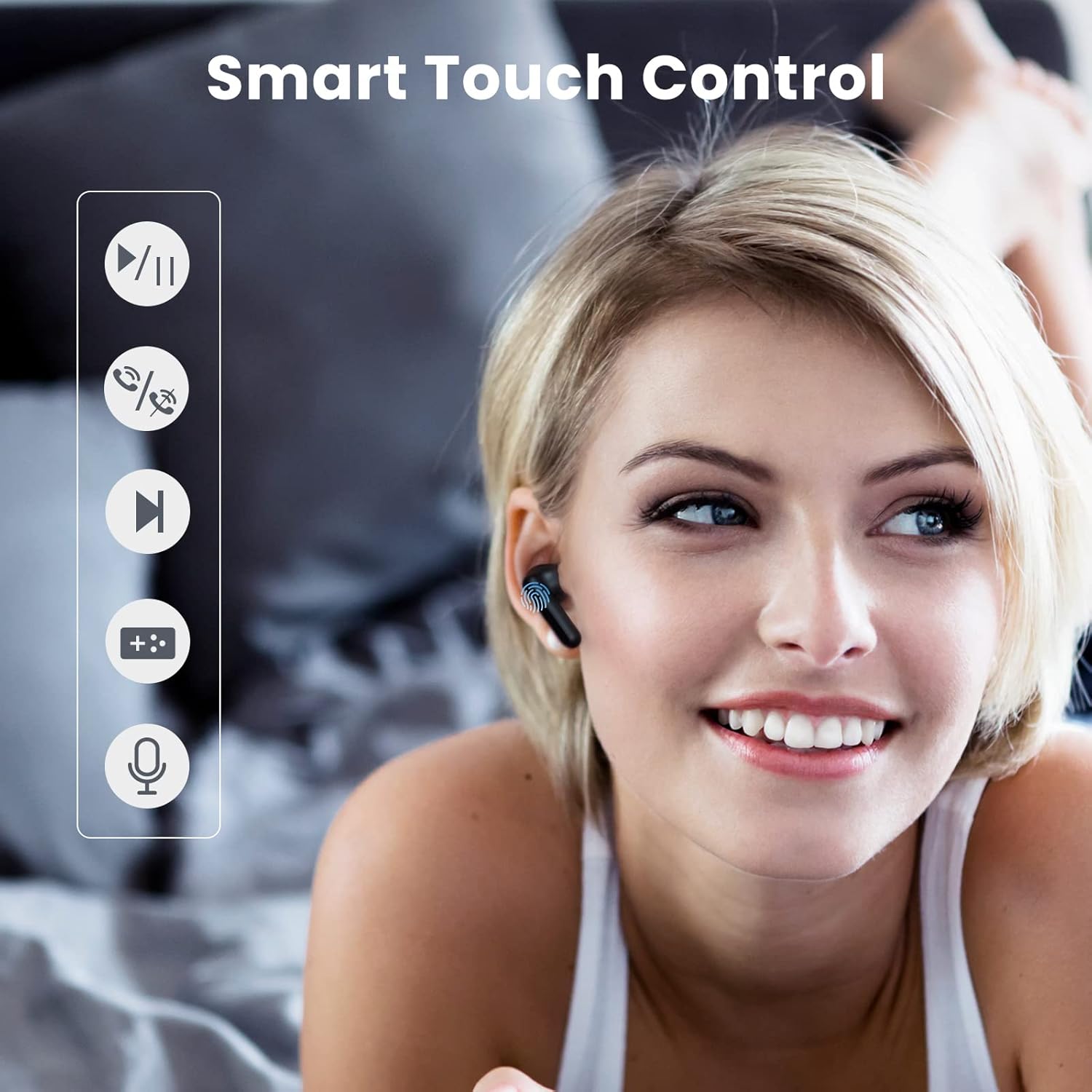
Image 4.1: Visual guide demonstrating the touch control functions on the earbuds, including play/pause, answer/hang up, next track, voice assistant, and low latency mode activation.
4.1 Touch Control Functions
| Action | Function |
|---|---|
| Tap the Earbud (any) Once | Play/Pause Music, Answer/Hang Up Call |
| Double Tap the Right Earbud | Next Track |
| Double Tap the Left Earbud | Turn On/Off 65ms Ultra-Low Latency Mode |
| Tap the Earbud (any) Three Times | Activate Voice Assistant |
| Tap the Earbud 1.5s | Turn On Earbuds |
| Tap the Earbud 4.5s | Turn Off Earbuds |
4.2 AI Noise Cancellation for Calls
The earbuds utilize a neural network noise reduction algorithm to effectively minimize environmental noise during calls, ensuring clearer conversations. This feature is automatically active during calls.

Image 4.2: Depiction of the AI Call Noise Cancellation, showing a person using the earbud in a noisy environment with a waveform illustrating noise reduction before and after processing.
4.3 Ultra-Low Latency Mode
For an optimized gaming experience, double-tap the left earbud to activate the 65ms ultra-low latency mode. This reduces audio delay, providing a more synchronized audio-visual experience.

Image 4.3: Visual representation of the ultra-low latency mode, showing earbuds connected to a smartphone displaying an intense gaming scene, emphasizing reduced audio lag.
5. Maintenance and Care
Proper maintenance ensures the longevity and optimal performance of your HAYLOU GT7 NEO earbuds.
- Cleaning: Regularly clean the earbuds and charging case with a soft, dry, lint-free cloth. Do not use abrasive cleaners or solvents.
- Storage: When not in use, store the earbuds in their charging case to protect them and keep them charged.
- Water Resistance: The earbuds are waterproof. However, avoid prolonged exposure to water and do not submerge them. Dry them thoroughly if they get wet.
- Temperature: Avoid exposing the earbuds to extreme temperatures (hot or cold) as this can affect battery life and overall performance.
- Ear Tips: Clean the ear tips regularly to prevent wax buildup, which can affect sound quality. Replace ear tips if they become damaged or worn.
6. Troubleshooting
If you encounter issues with your HAYLOU GT7 NEO earbuds, please refer to the following common solutions:
6.1 Connection Issues
- Earbuds not pairing: Ensure both earbuds are in the charging case, then take them out. Check if Bluetooth is enabled on your device. Try forgetting "Haylou GT7" in your device's Bluetooth settings and re-pairing.
- Only one earbud working: Place both earbuds back into the charging case, close the lid, wait a few seconds, then open the lid and take them out again. This often re-syncs them.
- Intermittent connection: Ensure there are no significant obstructions between the earbuds and your device. Keep the device within the 10-meter Bluetooth range.
6.2 Sound Issues
- No sound: Check the volume level on both your device and the earbuds. Ensure the earbuds are properly connected to your device.
- Low volume: Adjust the volume on your device. Ensure the ear tips are correctly seated in your ears to form a good seal. Clean any debris from the earbud speakers.
- Poor call quality: Ensure the microphone is not obstructed. The AI noise cancellation should help, but extreme noise environments may still affect clarity.
6.3 Charging Issues
- Earbuds not charging: Ensure the charging contacts on the earbuds and inside the case are clean and dry. Make sure the charging cable is securely connected to both the case and the power source.
- Case not charging: Try a different USB-C cable and power adapter.
7. Product Specifications
| Feature | Specification |
|---|---|
| Model Name | Haylou GT7 |
| Connectivity Technology | Wireless (Bluetooth) |
| Bluetooth Version | 5.2 |
| Bluetooth Range | 10 Meters |
| Battery Life (Earbuds) | Approx. 6.5 hours (single charge) |
| Total Battery Life (with Case) | Up to 22 hours |
| Charging Interface | USB-C |
| Audio Latency | 65 Milliseconds (Ultra-Low Latency Mode) |
| Noise Control | AI Call Noise Cancellation |
| Control Method | Touch |
| Water Resistance Level | Waterproof |
| Item Weight | 1.41 ounces (40 Grams) |
| Product Dimensions | 1.46 x 0.67 x 0.59 inches |
| Compatible Devices | Android phones, iPhones, Laptops, Tablets |
8. Warranty and Support
For warranty information and customer support, please refer to the official HAYLOU website or contact your retailer. Keep your purchase receipt as proof of purchase for warranty claims.
For further assistance, you may visit the HAYLOU Store on Amazon.


