
Introduction
Thank you for choosing the NEQUARE S25 Cordless Vacuum Cleaner. This manual provides essential information for the safe and efficient operation, maintenance, and troubleshooting of your new appliance. The NEQUARE S25 is designed for versatile home cleaning, offering powerful suction and a flexible design for various surfaces and hard-to-reach areas.
What's in the Box
Please ensure all components are present before assembly:
- Main Unit (Motor & Dustbin)
- Extension Metal Tube
- Motorized Floor Brush with LED Lights
- Rechargeable Battery (2200mAh)
- Crevice Tool
- Dusting Brush
- HEPA Filter (pre-installed + 1 spare)
- Storage Rack (Wall Mount)
- Power Adapter
- Cleaning Brush
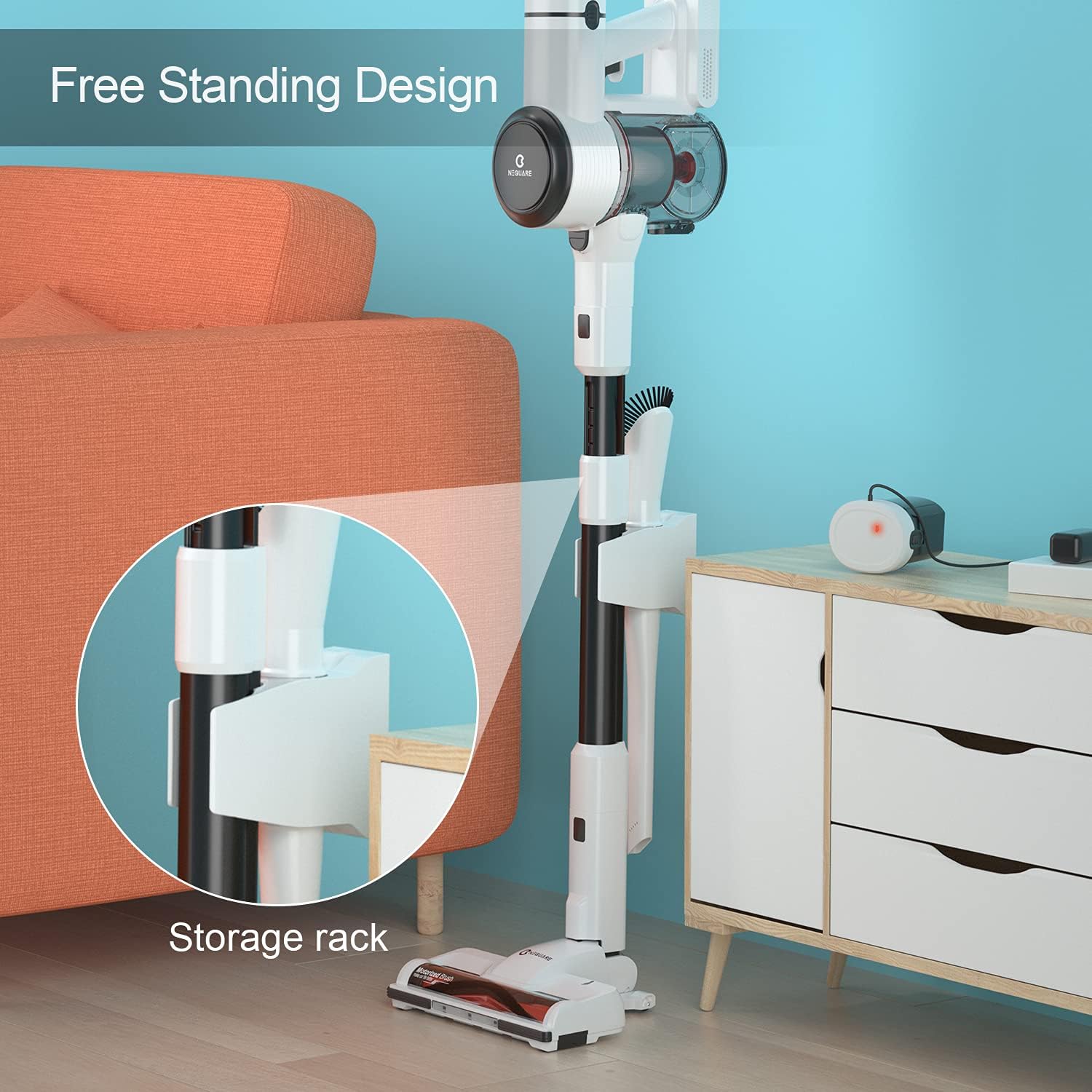
Image: All included components of the NEQUARE S25 Cordless Vacuum Cleaner, including the main unit, extension tube, floor brush, battery, various tools, and wall mount.
Assembly
- Connect the Extension Tube: Insert the extension metal tube into the main unit until it clicks securely into place.
- Attach the Floor Brush: Connect the motorized floor brush to the other end of the extension tube, ensuring it clicks into place.
- Install the Battery: Slide the rechargeable battery pack into the designated slot on the main unit until it locks.
- Attach Accessories: For handheld use or specific cleaning tasks, attach the crevice tool or dusting brush directly to the main unit or the extension tube as needed.

Image: The NEQUARE S25 Cordless Vacuum Cleaner fully assembled in its stick configuration, ready for floor cleaning.
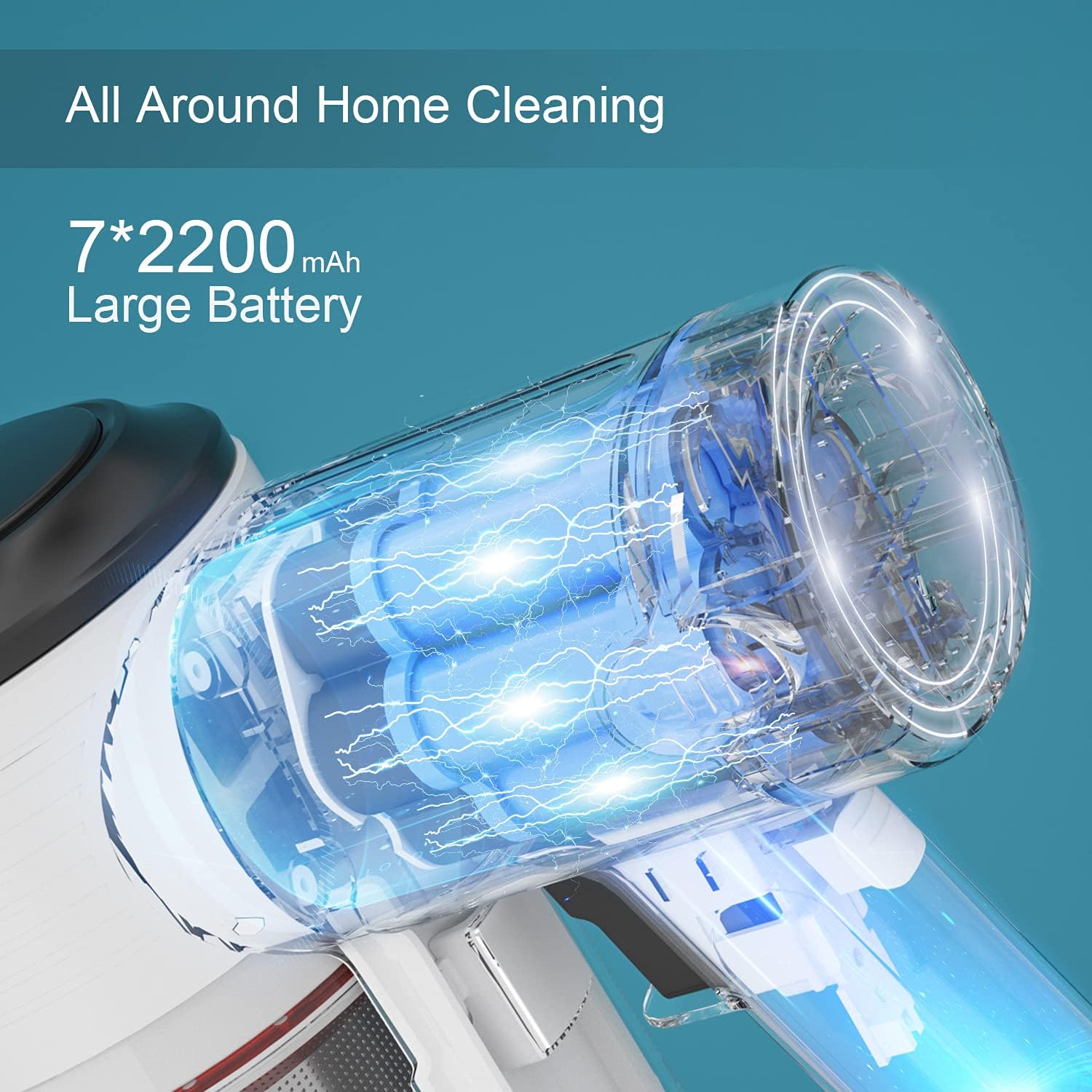
Image: A close-up view showing the rechargeable battery being inserted into the main body of the vacuum cleaner.
Wall Mount Installation (Optional)
The included storage rack can be mounted to a wall for convenient storage and charging:
- Choose a suitable location near a power outlet.
- Mark the drilling points for the storage rack.
- Drill holes and insert wall anchors if necessary.
- Secure the storage rack to the wall using the provided screws.
- Place the vacuum cleaner onto the mounted rack.

Image: The NEQUARE S25 Cordless Vacuum Cleaner is shown vertically stored on its wall-mounted charging and storage rack.
Video: An official NEQUARE video demonstrating the assembly and basic features of the S25 Cordless Vacuum.
Charging the Battery
Before first use, fully charge the battery. A full charge takes approximately 4.5 hours.
- Ensure the battery is securely installed in the main unit.
- Connect the power adapter to the charging port on the main unit.
- Plug the power adapter into a wall outlet.
- The battery indicator on the vacuum will show charging status.
- Once fully charged, disconnect the power adapter.
The removable battery allows for separate charging or extending runtime with spare battery packs (sold separately).
Operating Instructions
Power On/Off and Suction Modes
- Power On: Press the power button on the main unit to start the vacuum. It will typically start in Eco mode.
- Change Suction Mode: Press the mode button (often indicated by +/- or a fan icon) to switch between Eco mode (12Kpa, up to 40 minutes runtime) and Max mode (25Kpa, up to 15 minutes runtime).
- Power Off: Press the power button again to turn off the vacuum.
Using the Motorized Floor Brush
The motorized floor brush is suitable for various floor types, including carpets and hard floors. Its LED lights illuminate dust in dark areas, and the flexible 180° sideways and 90° up/down swivel allows for easy maneuverability around furniture.
Image: A person is shown using the NEQUARE S25 Cordless Vacuum Cleaner on a carpeted floor in its full stick configuration.
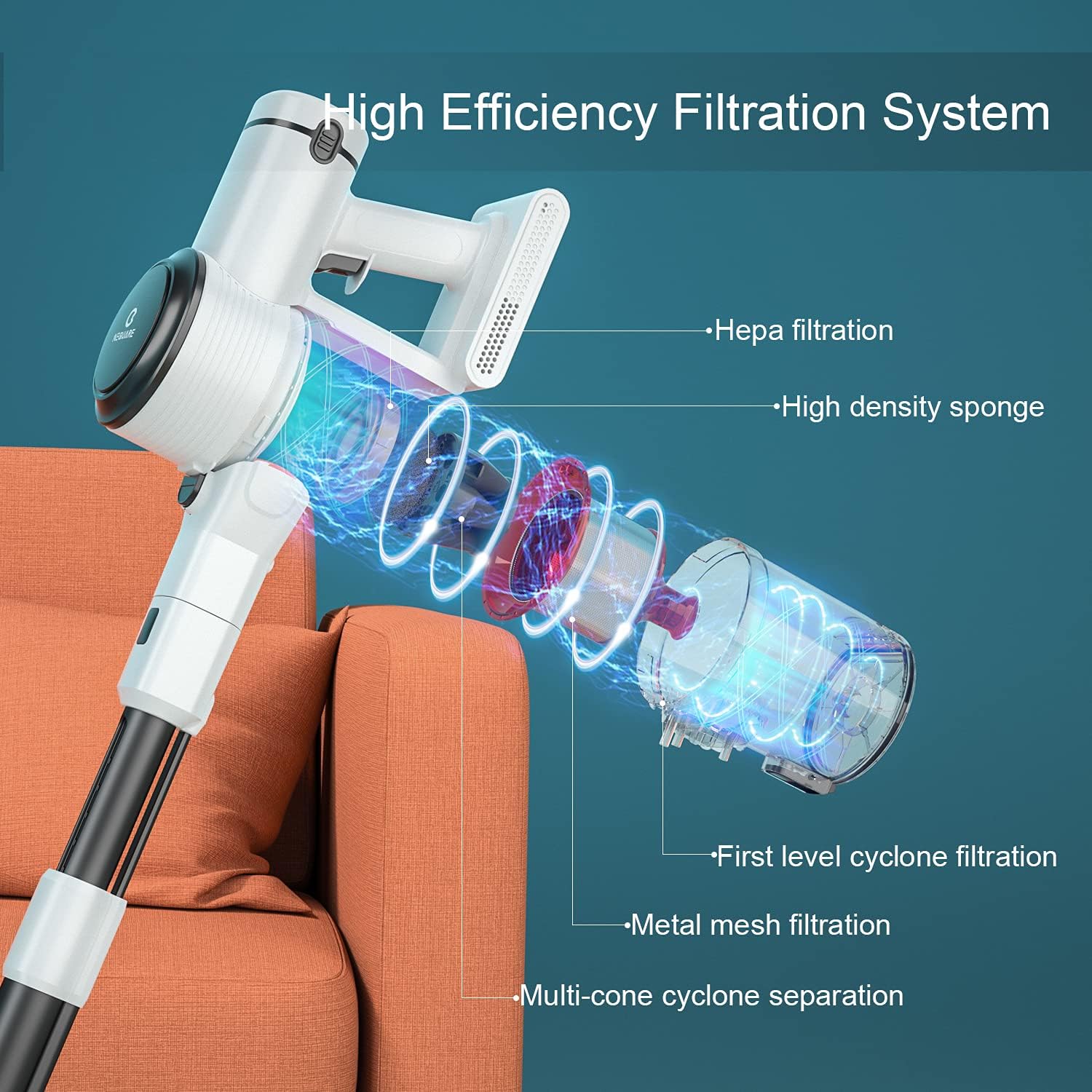
Image: A close-up of the motorized floor brush with its LED lights illuminated, cleaning a carpeted surface.
Using Handheld Mode and Accessories
The vacuum easily converts to a handheld unit for cleaning cars, stairs, upholstery, and tight spaces.
- Detach the extension tube and/or floor brush from the main unit.
- Attach the crevice tool for narrow gaps or the dusting brush for delicate surfaces.
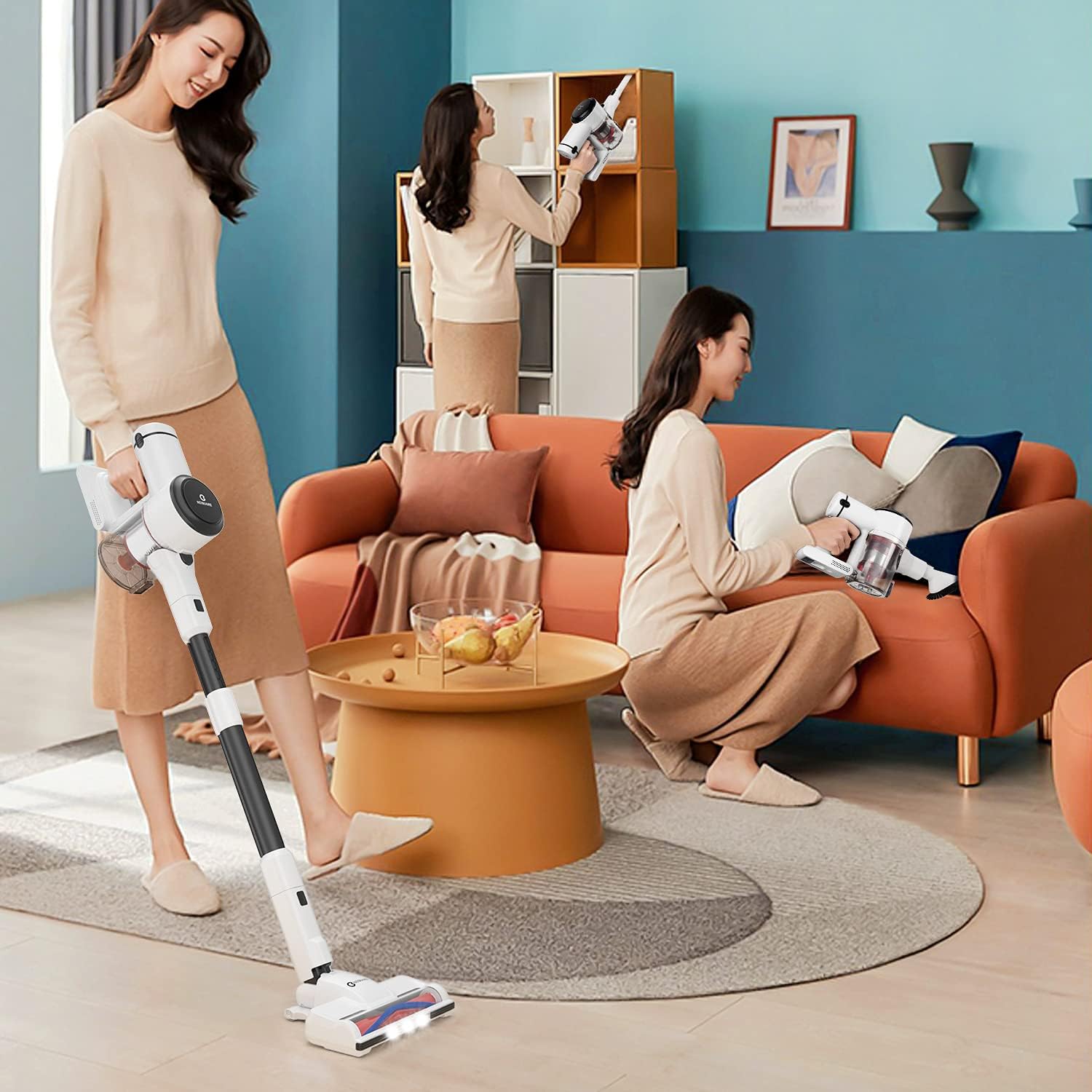
Image: A person is using the NEQUARE S25 Cordless Vacuum Cleaner in handheld mode with an attachment to clean the interior of a car.

Image: The NEQUARE S25 Cordless Vacuum Cleaner is depicted in handheld mode, effectively cleaning a sofa cushion.
Maintenance
Emptying the Dustbin
The 1.2 L dustbin can be emptied with a single press of a button. It is recommended to empty the dustbin after each use or when the MAX line is reached.
Cleaning Filters
The 5-stage filtration system includes a HEPA filter. The HEPA filter is unwashable and should be replaced regularly to maintain optimal filtration efficiency. Other filter components can be cleaned as follows:
- Remove the dustbin from the main unit.
- Disassemble the internal filter components (metal mesh, cyclone groups).
- Wash washable components with mild soap and water. Ensure they are completely dry before reassembly.
- Replace the HEPA filter as needed.

Image: A cutaway diagram illustrating the 5-stage filtration system of the NEQUARE S25, highlighting the HEPA filter, high-density sponge, first-level cyclone filtration, metal mesh filtration, and multi-cone cyclone separation.
Cleaning the Brush Roll
The tangle-free roller brush is designed to prevent hair wrap. If hair or debris accumulates, it can be easily removed for cleaning:
- Turn off the vacuum and detach the motorized floor brush.
- Locate the release mechanism on the side of the brush head and open it.
- Remove the brush roll and clear any tangled hair or debris using the provided cleaning brush.
- Reinsert the brush roll and close the release mechanism.
Troubleshooting
| Problem | Possible Cause | Solution |
|---|---|---|
| Vacuum stops working or has reduced suction. | Clogged tube or filter. | 1. Disconnect the motor from all other parts (dustbin, filter, tube, floor brush). If the motor works, proceed to step 2. 2. If the motor works, reconnect the dustbin and filter. If it stops, clean or replace the filter. 3. If the motor works with the dustbin/filter, reconnect the tube. If it stops, the tube is blocked; clean it thoroughly. 4. If the floor brush stops working when connected separately, check and clean the brush roll for blockages. |
| Poor battery life. | Battery not fully charged or aging battery. | Ensure the battery is fully charged (approx. 4.5 hours). Consider purchasing a spare battery for extended runtime if needed. |
Specifications
| Brand | NEQUARE |
| Model Name | S25 |
| Wattage | 280 watts |
| Suction Power | Up to 25,000 Pa (Max Mode) |
| Battery Capacity | 7x2200mAh (2200mAh / 7cellx3.7v) |
| Runtime | Up to 40 minutes (Eco Mode), 15 minutes (Max Mode) |
| Charging Time | 4.5 Hours |
| Dustbin Capacity | 1.2 Liters |
| Filtration System | 5-stage fully sealed cyclone filtration with HEPA |
| Special Features | Lightweight, Portable, HEPA, Motorized Floor Brush with LED, Retractable Metal Tube, Free-standing Design |
| Item Weight | 3.08 pounds |
| Product Dimensions | 17.44"L x 13.58"W x 7.24"H |
Warranty and Support
NEQUARE is a registered trademark. We offer a 12-month customer service plan from the date of sale. For any questions or support, please contact us through the email provided in your purchase documentation.
Please retain your proof of purchase for warranty claims.


