
1. Introduction
The Yaregelun Tuya Zigbee Smart Scene Switch Model 500772326A1 is an advanced control panel designed for smart home environments. It integrates lighting and scene control capabilities, offering a centralized interface for managing various smart devices. This switch features an 80x160 resolution LCD display, providing real-time information such as time, date, and weather. Equipped with a millimetre wave human body sensing radar, it enhances automation possibilities within your smart home system. The device supports Zigbee wireless connectivity and can be integrated with the Tuya ecosystem for comprehensive control.
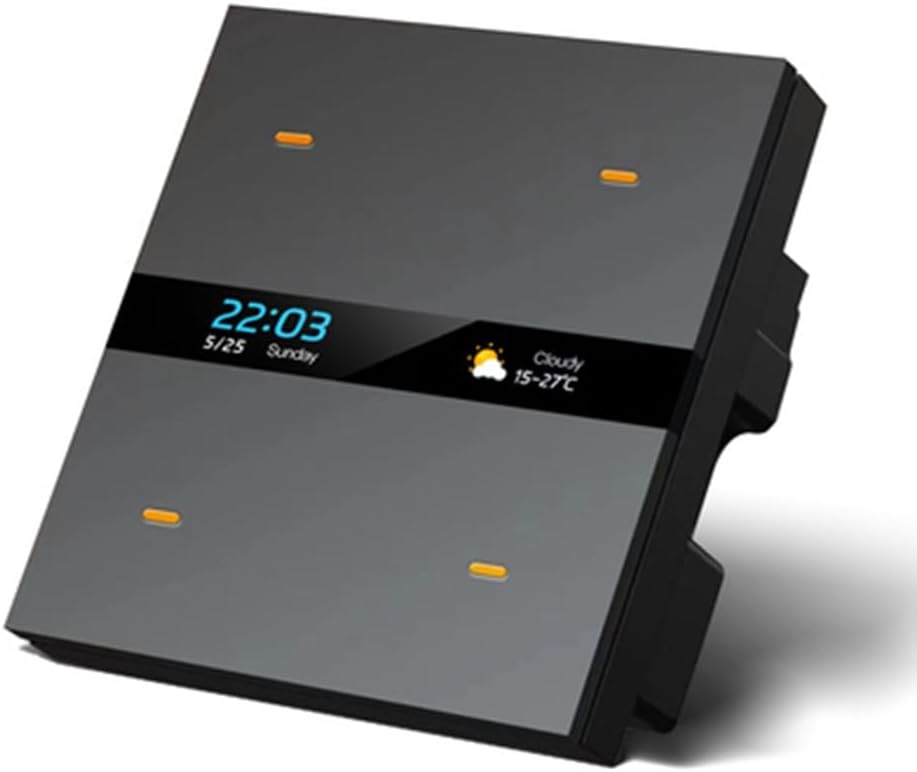
Figure 1: Front view of the Yaregelun Tuya Zigbee Smart Scene Switch, displaying time, date, and weather on its LCD screen.
2. Package Contents
- 1 x Yaregelun Tuya Zigbee Smart Scene Switch (Model 500772326A1)
3. Setup and Installation
The Yaregelun Smart Scene Switch is designed for 86-type in-wall concealed installation. Professional installation is recommended to ensure proper wiring and safety.
3.1 Wiring Instructions
Ensure the main power supply is turned off before attempting any wiring. Connect the switch according to the provided wiring diagram. The switch requires an AC 110-250V power input.

Figure 2: Wiring diagram for the M8 Pro (similar to 500772326A1) switch, showing connections for AC power (L, N) and four switch outputs (L1, L2, L3, L4).
- Connect the Live (L) wire from your AC 110-250V power supply to the 'L' terminal on the switch.
- Connect the Neutral (N) wire from your AC 110-250V power supply to the 'N' terminal on the switch.
- Connect your lighting or other load wires to the 'L1', 'L2', 'L3', and 'L4' terminals as required for up to four independent circuits.
- Securely mount the switch into an 86-type wall box.
3.2 Zigbee Pairing
After installation and power-on, the switch will be ready for Zigbee network pairing. Refer to your Tuya Smart app instructions for adding a new Zigbee device. The switch's LCD display will synchronize with the app for scene and switch name modifications.

Figure 3: A smartphone screen displaying the Tuya app interface, illustrating the process of discovering and adding a new smart device.
4. Operating Instructions
The Smart Scene Switch offers multiple ways to control your smart home devices, including physical touch, app control, and automated scenes.
4.1 Physical Control
The switch features touch-sensitive areas for direct control of connected lights and other smart equipment. The LCD screen provides visual feedback and allows for navigation between different functions or scenes.

Figure 4: A hand interacting with the Yaregelun Smart Scene Switch, demonstrating the touch control functionality for 'Down light' and 'Leave home' scenes.
4.2 Scene Control
Utilize the Tuya Smart app to create and customize various scene modes. These scenes can quickly adjust lighting, curtains, air conditioning, and other compatible smart devices with a single touch or command.
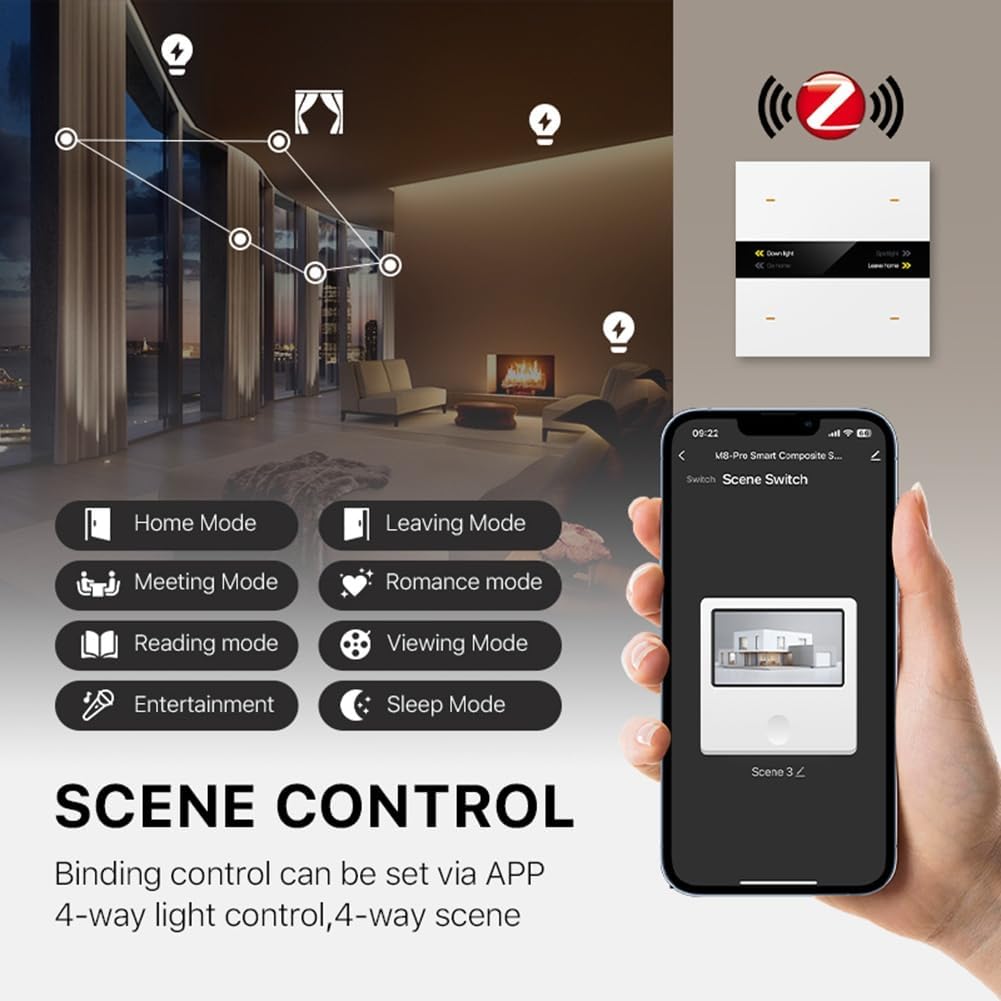
Figure 5: A smartphone screen showing the Tuya app with multiple scene control options like Home Mode, Leaving Mode, Meeting Mode, Romance Mode, Reading Mode, Viewing Mode, Entertainment, and Sleep Mode.
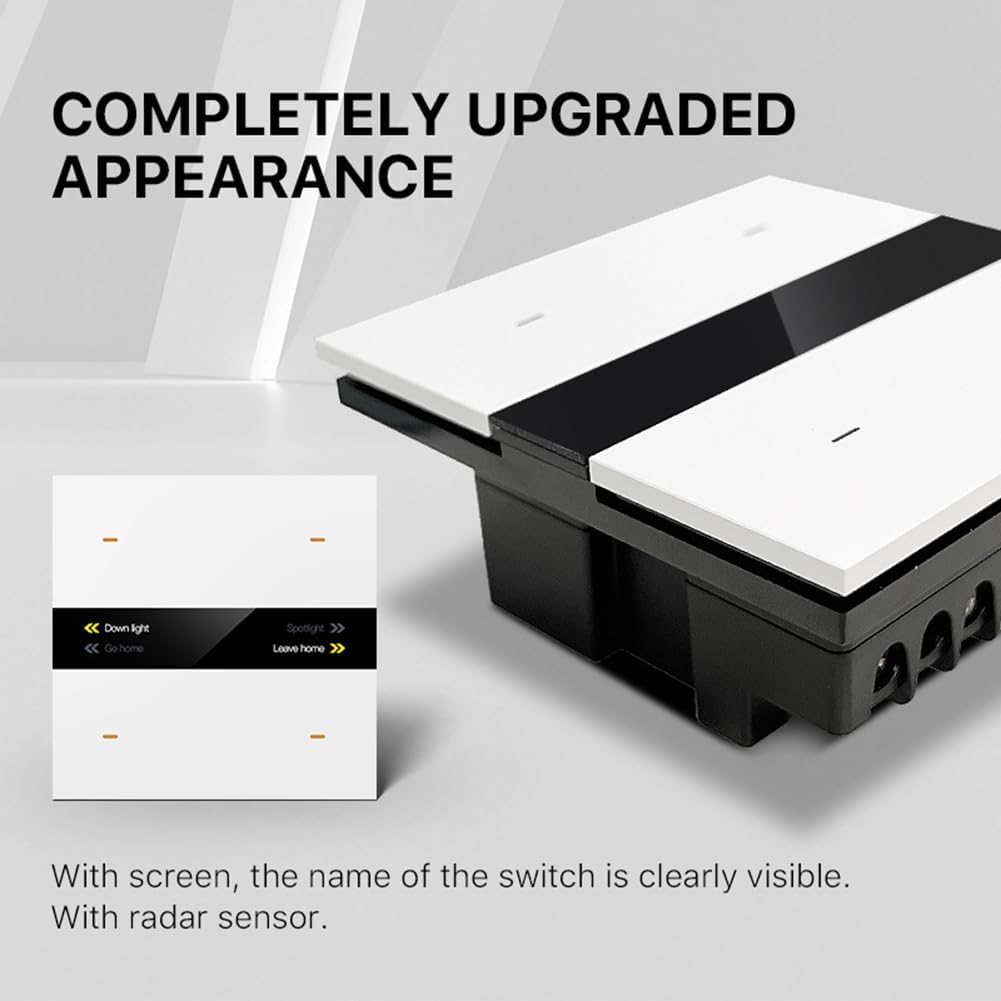
Figure 6: A visual representation of the Smart Scene Switch's capability to control lighting in various rooms, showcasing different modes such as Parlor, Reading, Viewing, and Sleep.
4.3 Tuya App Control
The Tuya Smart app allows for remote control and customization of the switch. You can modify switch names, set up device automation, and manage scenes from your smartphone.
- Scene Linkage: Create custom linkage scenes to automate actions based on specific conditions or schedules.
- Device Automation: Integrate the switch with other Tuya-compatible devices for comprehensive smart home automation.
- Remote Control: Control your lights and scenes from anywhere using the app.
4.4 Millimetre Wave Human Body Sensing Radar
The integrated radar sensor detects human presence, enabling advanced automation features such as automatic lighting control or scene activation based on occupancy.
4.5 Power-On/Off Memory
The switch retains its last state (on/off) after a power outage, ensuring consistent operation.
5. Maintenance
To maintain the performance and appearance of your Yaregelun Smart Scene Switch, follow these guidelines:
- Cleaning: Gently wipe the surface with a soft, dry cloth. Avoid using abrasive cleaners, solvents, or harsh chemicals, as these can damage the finish and electronic components.
- Environment: Ensure the switch is installed in a dry environment, away from direct sunlight and extreme temperatures.
- Firmware Updates: Periodically check the Tuya Smart app for any available firmware updates for the device to ensure optimal performance and access to new features.
6. Troubleshooting
If you encounter issues with your Smart Scene Switch, refer to the following common troubleshooting steps:
- No Power/Display Off:
- Check the circuit breaker to ensure power is supplied to the switch.
- Verify all wiring connections are secure according to the wiring diagram (Section 3.1).
- Unable to Connect to Tuya App:
- Ensure your smartphone is connected to a 2.4GHz Wi-Fi network during the pairing process.
- Confirm the switch is in pairing mode (refer to app instructions for specific steps).
- Check if your Zigbee gateway/hub is powered on and functioning correctly.
- Move the switch closer to the Zigbee gateway to improve signal strength.
- Scenes Not Activating:
- Verify the scene settings within the Tuya app.
- Ensure all devices included in the scene are properly connected and online.
- Inaccurate Radar Sensing:
- Ensure there are no obstructions directly in front of the sensor.
- Check the sensor sensitivity settings in the Tuya app, if available.
For persistent issues, contact customer support or consult the Tuya Smart app's help section.
7. Specifications
| Feature | Specification |
|---|---|
| Model Number | 500772326A1 |
| Brand | Yaregelun |
| Connectivity | Zigbee, 485 (customization required) |
| Power Input | AC 110-250V |
| Display Resolution | 80 x 160 pixels |
| Sensing Technology | Millimetre Wave Human Body Sensing Radar |
| Material | ABS+PC |
| Item Weight | 8.1 ounces (approx. 230g) |
| Package Dimensions | 4.33 x 3.94 x 1.57 inches (11 x 10 x 4 cm) |
| Batteries Required | No |

Figure 7: Diagram illustrating the physical dimensions of the Yaregelun Smart Scene Switch, showing measurements of 85mm x 85mm for the faceplate and 64mm depth for the in-wall component.
8. Warranty and Support
For warranty information and technical support, please refer to the documentation provided with your purchase or contact the manufacturer directly. Keep your proof of purchase for warranty claims.