
1. Introduction
Welcome to the instruction manual for your Crucial 64GB DDR5 RAM Kit (2x32GB), 4800MHz CL40 Desktop Memory. This guide provides essential information for the proper installation, operation, and maintenance of your memory modules. Please read this manual thoroughly before proceeding with installation or use.
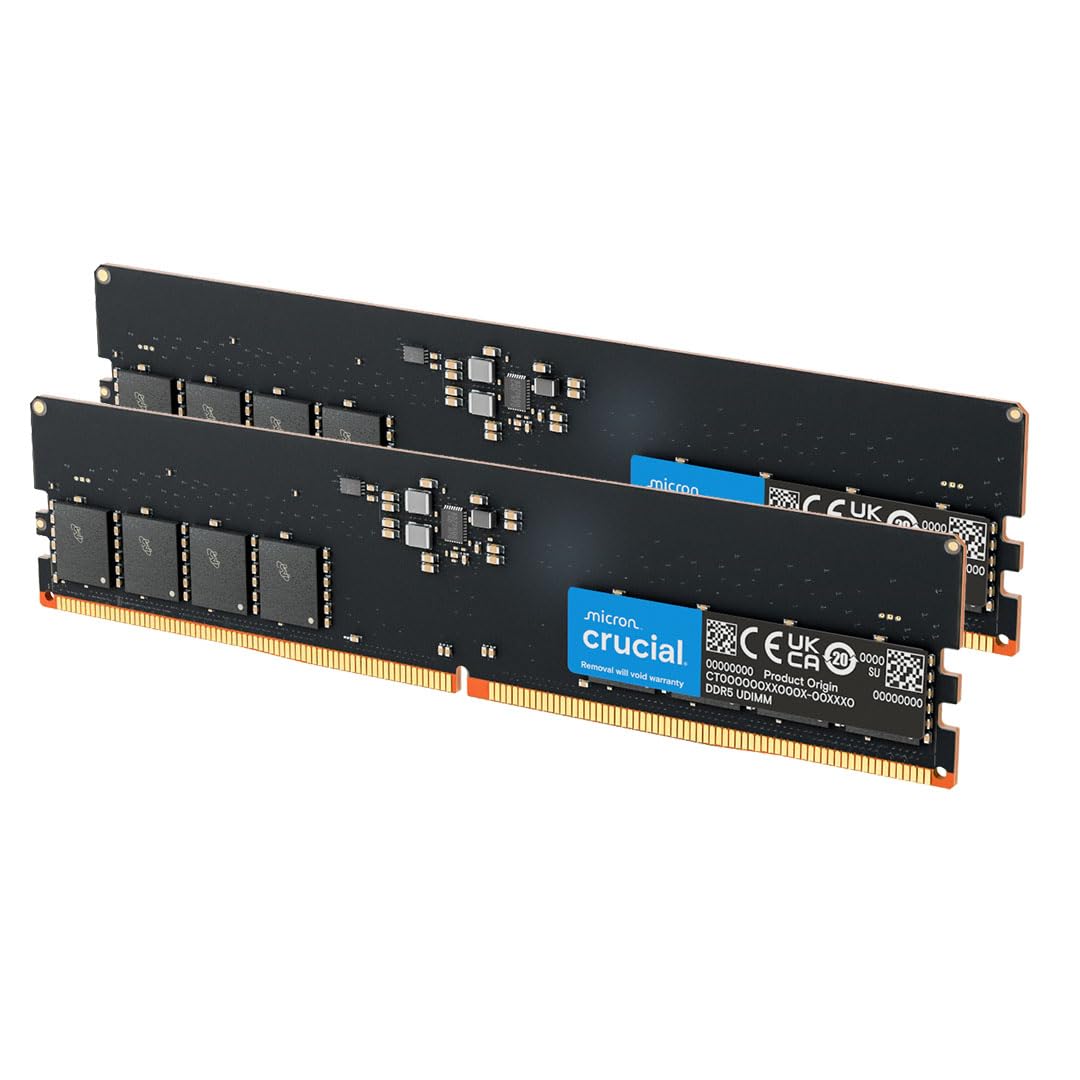
Image: Two Crucial DDR5 RAM modules. This kit provides 64GB of high-speed memory for desktop computers.
2. Safety Information
Observe the following safety precautions to prevent damage to your components or injury:
- Always handle memory modules by their edges to avoid touching the gold contacts or integrated circuits.
- Ensure your computer is powered off and unplugged from the wall outlet before installation.
- Discharge static electricity by touching a grounded metal object (e.g., the computer chassis) before handling any internal components.
- Refer to your computer or motherboard manual for specific instructions and warnings regarding component installation.
3. Setup and Installation
Installing your Crucial DDR5 RAM is a straightforward process. Follow these steps carefully:
- Prepare Your System: Power down your computer completely and unplug all power cables. Open your computer case to access the motherboard.
- Locate RAM Slots: Identify the DDR5 RAM slots on your motherboard. Consult your motherboard manual for the correct slot configuration for dual-channel memory, typically indicated by color-coded slots.
- Open Retention Clips: Gently push open the retention clips at both ends of the designated RAM slot.
- Align the Module: Hold the RAM module by its edges. Align the notch on the bottom of the RAM module with the key in the RAM slot. DDR5 modules have a specific notch placement to prevent incorrect insertion.
- Insert the Module: Apply firm, even pressure to both ends of the RAM module until the retention clips snap into place, securing the module. Do not force the module if it does not seat easily; re-check alignment.
- Repeat for Second Module: If installing a kit (2x32GB), repeat the process for the second module in the corresponding slot as indicated by your motherboard manual for optimal dual-channel performance.
- Close Case and Power On: Once both modules are securely installed, close your computer case, reconnect all cables, and power on your system. The system should automatically detect the new memory.

Image: A computer motherboard with RAM slots visible. Note the clips on either side of the slots.
Image: A hand carefully inserting a Crucial DDR5 RAM module into a motherboard slot. Ensure proper alignment before applying pressure.
Installation Video Guide
Video: An official Crucial video demonstrating the installation process for DDR5 UDIMM DRAM modules. This video provides a visual guide to complement the written instructions.
4. Operating Your RAM
Once installed, your Crucial DDR5 RAM operates automatically with your system. The 4800MHz speed and CL40 latency are designed to enhance system responsiveness and multitasking capabilities.
- For optimal performance, ensure your motherboard BIOS/UEFI is updated to the latest version and supports DDR5 memory at the specified speed.
- This memory kit supports Intel XMP 3.0 and AMD EXPO, which allows for easy configuration of optimal memory profiles in compatible systems. Refer to your motherboard's manual for instructions on enabling XMP/EXPO.

Image: A person using a desktop computer, illustrating the enhanced performance provided by the installed Crucial DDR5 RAM for demanding tasks.
5. Maintenance
DDR5 RAM modules require minimal maintenance. To ensure longevity and optimal performance:
- Keep your computer's interior clean from dust to ensure proper airflow and prevent overheating of components, including RAM.
- Use compressed air to gently remove dust from RAM modules and slots if necessary, ensuring the system is powered off and unplugged before cleaning.
- Avoid touching the gold contacts on the modules to prevent corrosion or damage.
6. Troubleshooting
If you encounter issues after installing your Crucial DDR5 RAM, consider the following troubleshooting steps:
- System Does Not Boot After Installation:
Ensure RAM modules are fully seated in their slots and the retention clips are closed. Try reseating the modules. Verify that the modules are installed in the correct slots according to your motherboard manual for dual-channel operation.
- System Boots But Does Not Recognize Full RAM Capacity:
Check your motherboard's BIOS/UEFI settings to confirm the detected RAM capacity. Ensure your operating system is 64-bit to utilize more than 4GB of RAM. Update your motherboard's BIOS/UEFI to the latest version.
- System Instability or Blue Screens:
This could indicate faulty RAM or compatibility issues. Test each module individually if possible. Ensure XMP/EXPO profiles are stable; try disabling them temporarily in BIOS/UEFI to see if stability improves.
- Incorrect Memory Speed Detected:
Access your motherboard's BIOS/UEFI settings. Enable the Intel XMP 3.0 or AMD EXPO profile to set the memory to its advertised speed (4800MHz). If the option is not available, ensure your motherboard supports these features and the specified speed.
7. Specifications
| Feature | Detail |
|---|---|
| Brand | Crucial |
| Model Number | CT2K32G48C40U5 |
| Computer Memory Size | 64 GB (2x32GB) |
| RAM Memory Technology | DDR5 |
| Memory Speed | 4800 MHz |
| Compatible Devices | Desktop |
| Voltage | 1.1 Volts |
| Column Address Strobe Latency | CL40 |
| Form Factor | UDIMM (288-pin) |
| ECC Type | Non-ECC |
| Compatibility | 13th Gen Intel Core and AMD Ryzen 7000 Series processors |
| Additional Features | Intel XMP 3.0 and AMD EXPO support |
8. Warranty Information
This Crucial DDR5 RAM Kit is backed by a Limited Lifetime Warranty. This warranty covers defects in materials and workmanship under normal use. For detailed terms and conditions, including how to make a claim, please refer to the official Crucial website or contact customer support.
9. Support
For further assistance, technical support, or to view frequently asked questions, please visit the official Crucial support website: www.crucial.com/support.
You can also find additional resources and product information on the Crucial Store on Amazon.


