
Introduction
This manual provides instructions for the setup, operation, maintenance, and troubleshooting of your Eyesound Jellyfish Lamp Bluetooth Speaker. This device features a jellyfish aquarium light with 7 color-changing options, 4 lighting modes, a Bluetooth 5.1 speaker with Hi-Fi stereo sound, and 3 white noise tracks. It is designed for indoor use as a decorative lamp and audio device.
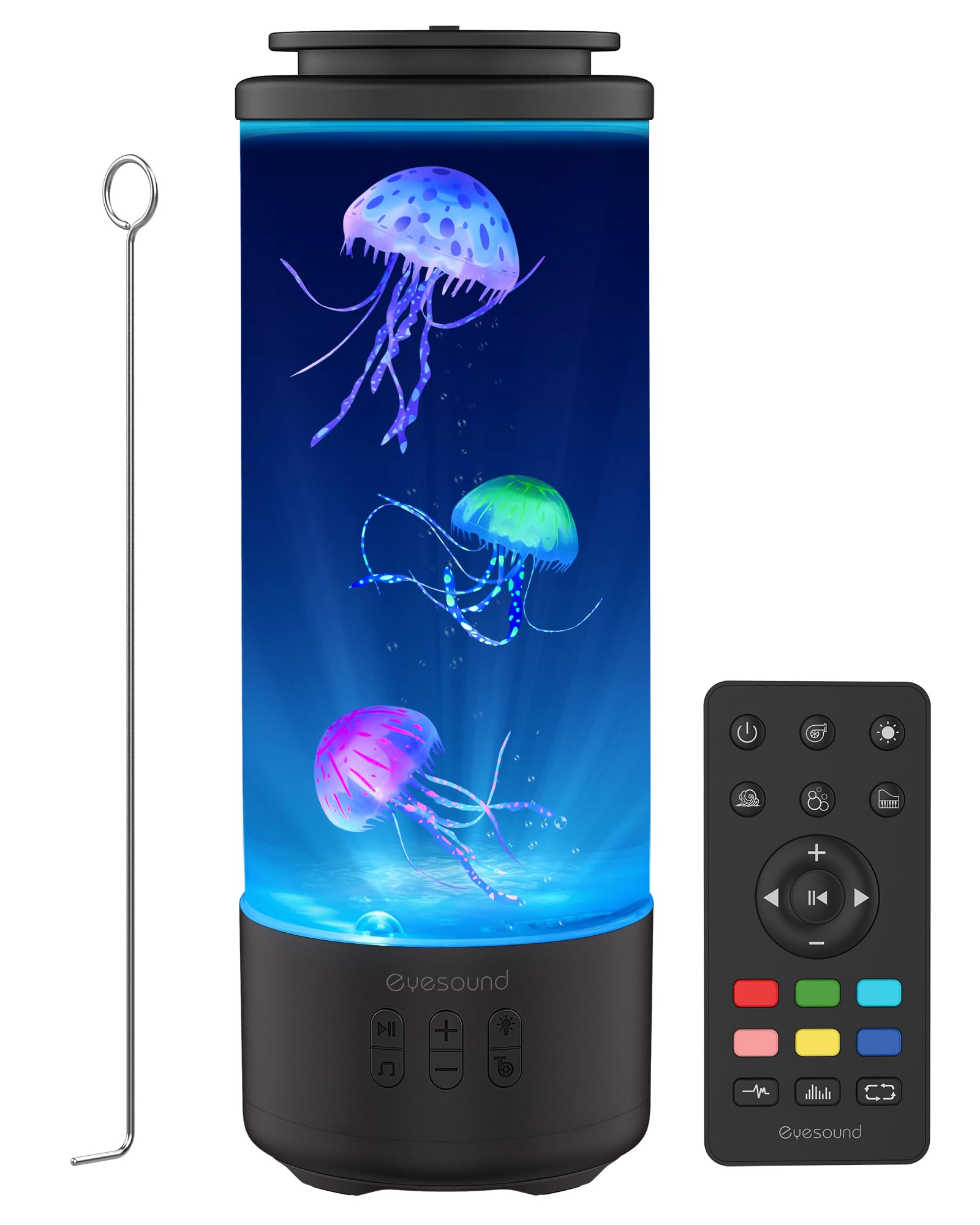
Image: The Eyesound Jellyfish Lamp, showcasing its design and ambient lighting.
What's in the Box
Verify that all components are present in the packaging:
- Jellyfish Lamp Body (1)
- Remote Control (1)
- Translucent Jellyfish (3)
- Power Cable (USB-C) (1)
- User Manual (1)
- Stainless Rod (1)

Image: A visual representation of all items included in the product packaging.
Setup Instructions
Follow these steps to set up your Jellyfish Lamp for optimal performance:
- Charge the Device: Before initial use, fully charge the lamp using the provided USB-C cable. A full charge typically takes 3-4 hours and provides 8-10 hours of cordless use.
- Prepare the Tank: Open the sealing silicone lid on top of the lamp.
- Fill with Water: Fill the tank to the top with bottled water. Distilled water is recommended to prevent mineral buildup.
- Insert Jellyfish: Place the three translucent jellyfish into the tank upside down. Gently shake them to release any trapped air bubbles.
- Add Detergent: Add 8-10 drops (approximately 6-8ml) of dish detergent into the water. This helps to effectively remove any remaining air bubbles attached to the surface of the jellyfish.
- Remove Air Bubbles: Use the provided stainless rod to gently stir the water and poke the jellyfish. Continue until all air bubbles are removed from the jellyfish and they sink to the bottom. If a jellyfish remains at the top, it still has trapped air; use the rod to submerge and dislodge the air.
- Secure the Lid: Close the silicone lid securely to prevent leaks.

Image: Illustrated guide for preparing the jellyfish and filling the tank to ensure proper movement.
Important Note: The lamp features a dual leak-proof design with an extra-thick silicone seal to prevent spills if accidentally tipped. However, it is not airtight, and water may escape if the unit is dropped or severely tilted.

Image: Close-up of the lamp's leak-proof lid design.
Operating Instructions
Your Jellyfish Lamp offers multiple functions controlled via the device's body buttons or the included remote control.
Power and Lighting
- Power On/Off: Use the power button on the lamp body or remote control.
- Color Modes: The lamp features 7 soothing colors and 4 lighting modes: static color, RGB breathing gradient, music sync, and color cycle. Select your preferred mode using the remote or lamp controls.
- Adjustable White Light: The lamp offers adjustable white light at 10%, 50%, and 100% brightness levels.
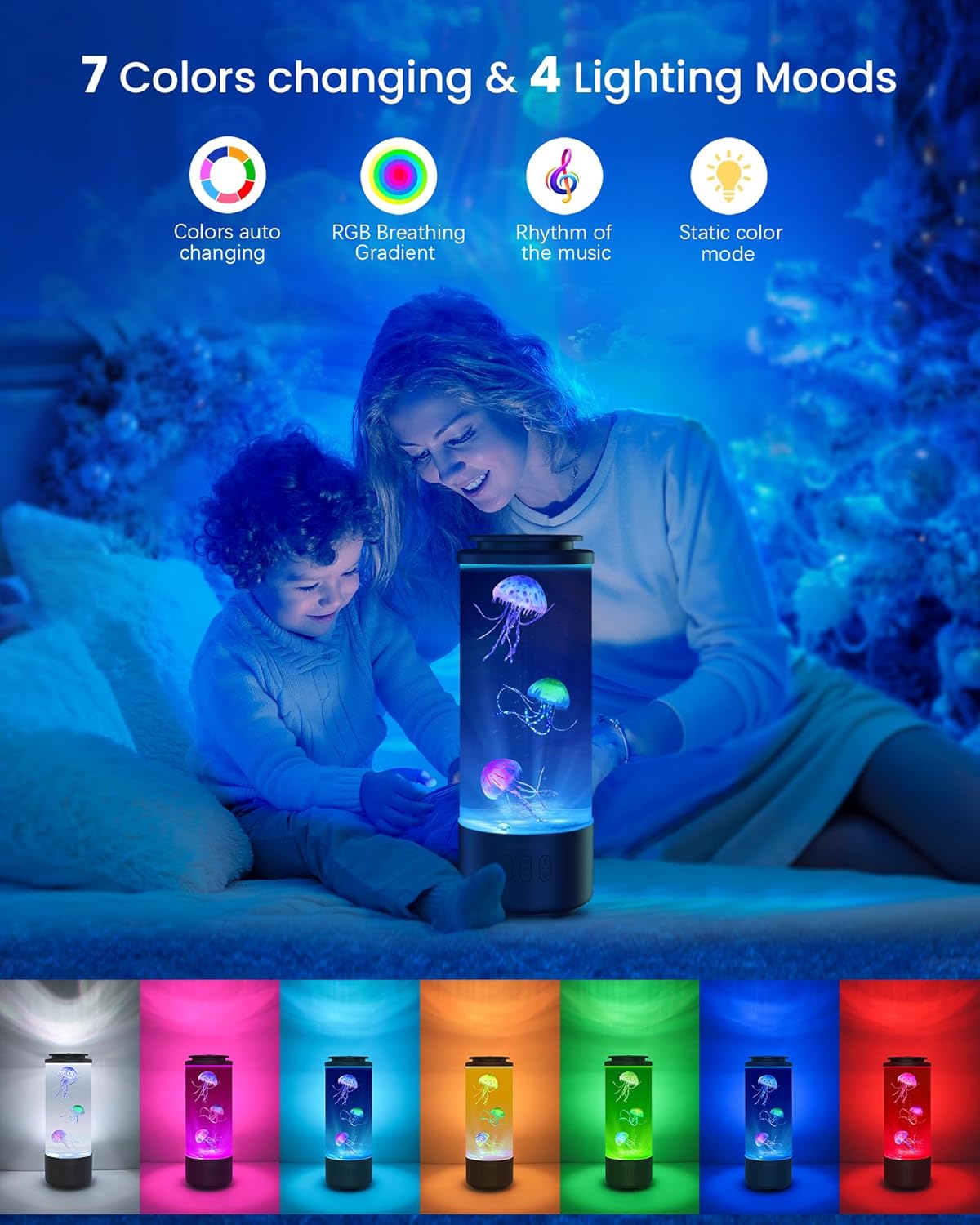
Image: The jellyfish lamp showcasing its various color and lighting modes.
Audio Features
- Bluetooth Speaker: The built-in Bluetooth 5.1 speaker provides Hi-Fi stereo sound. Pair your device to stream music.
- White Noise: Access 3 soothing white noise tracks: ocean waves, flowing water, and soft piano. These can aid relaxation and sleep.
- Volume Control: Adjust the volume using the remote control or the lamp's body buttons.

Image: Diagram illustrating the 360-degree surround sound and internal speaker components of the lamp.

Image: The jellyfish lamp in a bedroom setting, highlighting its soothing sounds and quiet motor for sleep.
Jellyfish Movement
- Water Flow Speeds: Customize the movement of the jellyfish with 3 water flow modes: normal, slow, and still. Select these using the remote control.

Image: A family using the remote control to adjust the jellyfish movement speed (slow, normal, still) of the lamp.
Cordless Operation
The lamp is equipped with a built-in 4000mAh rechargeable battery, providing 8-10 hours of cordless operation after a 3-4 hour charge. It can also be used while charging.

Image: A woman holding the cordless jellyfish lamp, with a child looking up, illustrating its portability and battery life.
Maintenance
To ensure the longevity and clear operation of your Jellyfish Lamp, follow these maintenance guidelines:
- Water Quality: Use distilled water to minimize mineral deposits and keep the tank clear. If tap water is used, periodic water changes may be necessary.
- Cleaning: If the water becomes cloudy or algae forms, empty the tank, clean the interior with a soft cloth and mild soap, rinse thoroughly, and refill with fresh distilled water and detergent as per setup instructions.
- Jellyfish Care: Periodically check the jellyfish for trapped air bubbles. If found, use the stainless rod to gently dislodge them.
- Motor Longevity: While designed for continuous use, turning off the lamp periodically (e.g., overnight) can help extend the life of the internal pump.
- External Cleaning: Wipe the exterior of the lamp with a soft, dry cloth. Do not use abrasive cleaners.
Troubleshooting
If you encounter issues with your Jellyfish Lamp, refer to the following common problems and solutions:
| Problem | Possible Cause | Solution |
|---|---|---|
| Jellyfish not moving or floating at the top | Trapped air bubbles in jellyfish or insufficient water flow. | Ensure all air bubbles are removed from jellyfish during setup (refer to Setup Instructions). Add 8-10 drops of dish detergent to the water. Use the stainless rod to dislodge any persistent air bubbles. Check water level. |
| Pump stops working or is weak | Continuous operation may lead to wear. Debris in pump. | Turn off the lamp periodically. If the issue persists, empty the tank, clean the pump intake area, and refill. Contact customer support if the pump fails completely. |
| Remote control unresponsive | Dead batteries, obstruction, or remote malfunction. | Replace AAA batteries in the remote. Ensure there is a clear line of sight between the remote and the lamp. If buttons are stuck, gently try to free them. |
| Bluetooth pairing issues | Device not in pairing mode, out of range, or interference. | Ensure the lamp is powered on and in Bluetooth pairing mode. Keep your audio device within 10 meters (33 feet) of the lamp. Disconnect other Bluetooth devices to avoid interference. |
| Water is cloudy or discolored | Tap water impurities, algae growth, or debris. | Empty the tank, clean thoroughly, and refill with fresh distilled water. Add a few drops of dish detergent. |
Specifications
| Feature | Detail |
|---|---|
| Model Number | Y15 |
| Dimensions (D x W x H) | 4.6" x 4.6" x 12.8" |
| Item Weight | 1.5 kg |
| Material Type | PVC Upgraded Base + ABS Body + Silicone Lid |
| Power Source | Battery Powered (4000mAh rechargeable battery) |
| Charging Time | 3-4 hours |
| Operating Time (Cordless) | 8-10 hours |
| Light Source Type | LED (6 light sources) |
| Lighting Modes | 7 Colors, 4 Lighting Modes (Static, Gradient, Music Sync, Color Cycle) |
| Bluetooth Version | 5.1 |
| White Noise Tracks | 3 (Ocean Waves, Flowing Water, Soft Piano) |
| Motor Noise Level | <25dB |
| Control Method | Remote Control, On-device Buttons |
| Water Resistance Level | Water Resistant (Leak-proof design, not submersible) |
Warranty and Support
Your Eyesound Jellyfish Lamp Bluetooth Speaker is covered by a 2-year manufacturer's warranty. Eyesound offers a 36-month hassle-free guarantee and dedicated customer service.
- Warranty Period: 2 years from the date of purchase.
- Customer Support: For any product inquiries, technical assistance, or warranty claims, please contact Eyesound customer service.
- Support Availability: 7 days a week, 24 hours a day.
For assistance, please refer to the contact information provided in your product packaging or visit the official Eyesound website.
Official Product Videos
Eyesound Jellyfish Lamp Features
Video: Official product video demonstrating the Eyesound Jellyfish Lamp's color-changing lights, jellyfish movement, and sound features.
Eyesound Bluetooth 5.0 Jellyfish Lamp Overview
Video: Official product video showcasing the Eyesound Bluetooth 5.0 Jellyfish Lamp's various lighting modes and the realistic movement of the jellyfish.