
Eyesound Y15
Jellyfish Lamp Bluetooth Speaker User Manual
Model: Y15 | Brand: Eyesound
Your guide to setting up, operating, and maintaining your Jellyfish Lamp.
Introduction
The Eyesound Jellyfish Lamp is a multi-functional device designed to enhance your environment with soothing visuals and audio. It features realistic jellyfish movement, 7 color-changing lights, a Bluetooth speaker, and white noise functions. This manual provides detailed instructions for safe and optimal use of your product.
Safety Information
- Do not immerse the entire unit in water. The unit is water-resistant, not waterproof for full submersion.
- Use only the provided USB-C cable for charging.
- Keep out of reach of small children and pets to prevent accidental tipping or ingestion of small parts.
- Ensure the lid is securely fastened to prevent leaks.
- Do not attempt to disassemble or modify the device.
- Avoid placing the lamp in direct sunlight or extreme temperatures.
What's in the Box

Your Eyesound Jellyfish Lamp package includes the following items:
- Jellyfish Tank Lamp x 1
- Remote Control x 1
- Jellyfish x 3
- User Manual x 1 (This document)
- Stainless Rod x 1
- USB-C Cable x 1
Setup Guide
Follow these steps for the initial setup of your Jellyfish Lamp to ensure optimal performance of the jellyfish movement.
- Charge the Lamp: Before first use, fully charge the lamp using the provided USB-C cable. A full charge takes approximately 3-4 hours and provides 8-10 hours of cordless use.
- Prepare the Tank: Open the sealing silicone lid at the top of the lamp.
- Fill with Water: Fill the tank with distilled water. Tap water can be used, but distilled water is recommended to prevent mineral buildup and keep the water clear.
- Prepare Jellyfish: Put the jellyfish upside down into the tank and gently shake off any trapped air bubbles. It may be helpful to pre-soak the jellyfish in a cup of water with a few drops of dish detergent overnight before placing them in the tank.
- Add Detergent: Drop 8-10 drops (6-8ml) of dish detergent into the jellyfish tank. This is crucial for the jellyfish to swim properly and not float at the top.
- Stir and Remove Air: Use the provided stainless rod to gently stir the water and remove any remaining air bubbles attached to the surface of the jellyfish. Continue stirring until the jellyfish sink and move freely. This process may take up to 30 minutes of stirring.
- Secure the Lid: Close the sealing silicone lid firmly to prevent any leaks. The dual leak-proof design helps prevent spills if accidentally tipped.

Visual guide for preparing the jellyfish and tank.
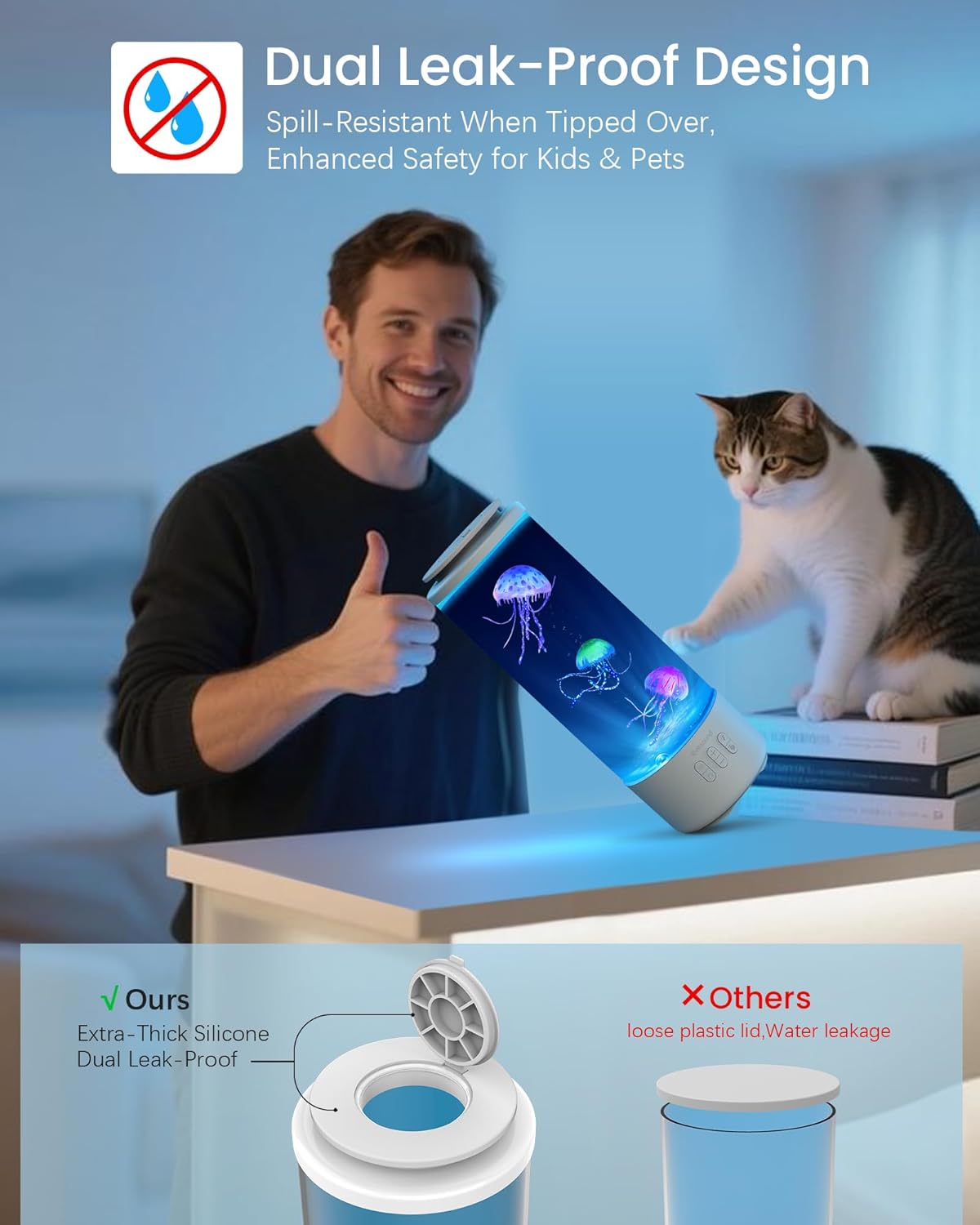
The lamp features a dual leak-proof design for enhanced safety.
Operating Instructions
Power On/Off
Press the power button on the lamp's base or the remote control to turn the unit on or off.
Lighting Modes
The lamp offers 7 soothing colors and 4 lighting modes. Use the light button on the lamp or remote to cycle through them:
- Static: Displays a single, constant color.
- Gradient: Smoothly transitions between colors.
- Music Sync: Lights change in rhythm with the music played through the Bluetooth speaker.
- Color Cycle: Automatically cycles through all 7 colors.
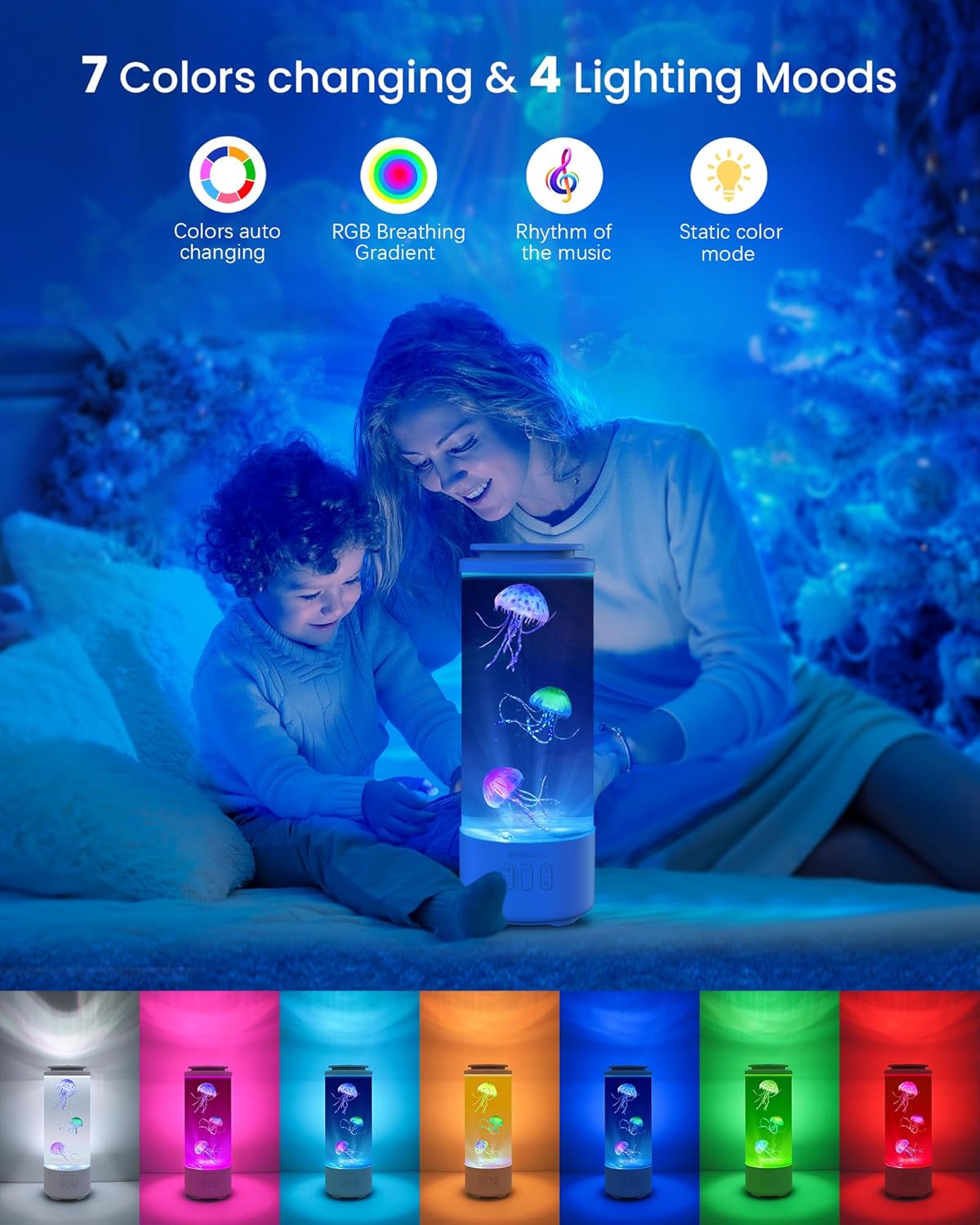
Explore the various lighting options to create your desired ambiance.
Bluetooth Speaker Function
The built-in Bluetooth 5.1 speaker provides Hi-Fi stereo sound. To connect:
- Ensure the lamp is powered on.
- Activate Bluetooth on your smartphone or audio device.
- Search for "Eyesound Lamp" (or similar) in your device's Bluetooth settings and pair.
- Once connected, you can stream audio from your device.

Experience immersive sound with the integrated Bluetooth speaker.
White Noise & Soothing Sounds
The lamp includes 3 soothing white noise tracks to aid relaxation and sleep:
- Ocean Waves
- Flowing Water
- Soft Piano
Use the dedicated button on the lamp or remote to cycle through these sounds. The lamp also features an 8-hour auto-shutoff for convenience.
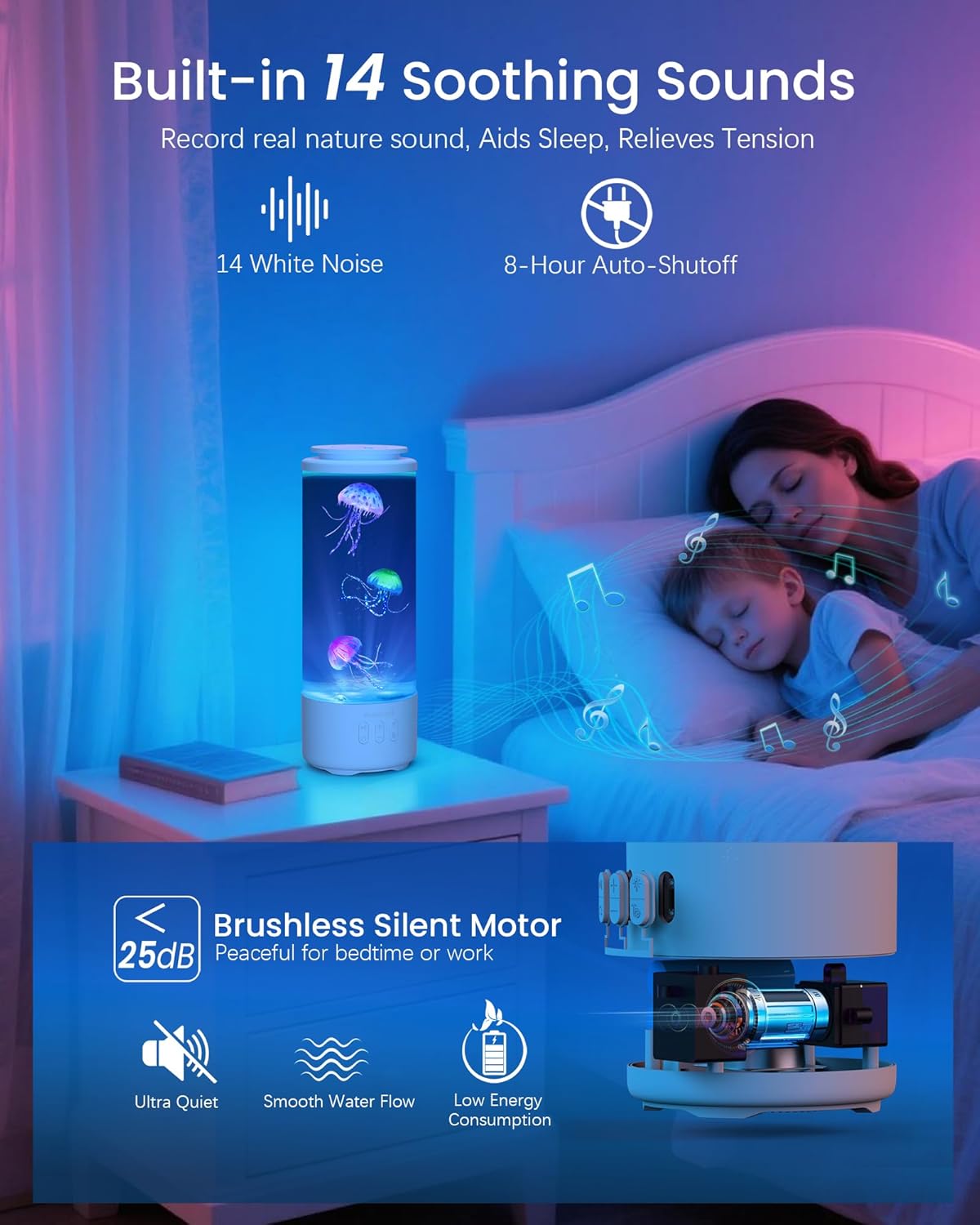
Enjoy peaceful sounds and a quiet operation for relaxation.
Water Flow Speed Control
Customize the movement of the jellyfish with 3 water flow modes:
- Normal: Standard jellyfish movement.
- Slow: Gentle, relaxed movement.
- Still: Minimal movement, almost static.
Use the dedicated button on the lamp or remote to adjust the flow speed.

Control the jellyfish movement and other functions with the remote.
Remote Control
The included remote control allows convenient operation from up to 33 feet (10 meters) away. Functions include:
- Power On/Off
- Light Mode Selection
- Music Play/Pause, Next/Previous Track
- Volume Up/Down
- Jellyfish Movement Speed Adjustment
- Answer Calls (when connected via Bluetooth)
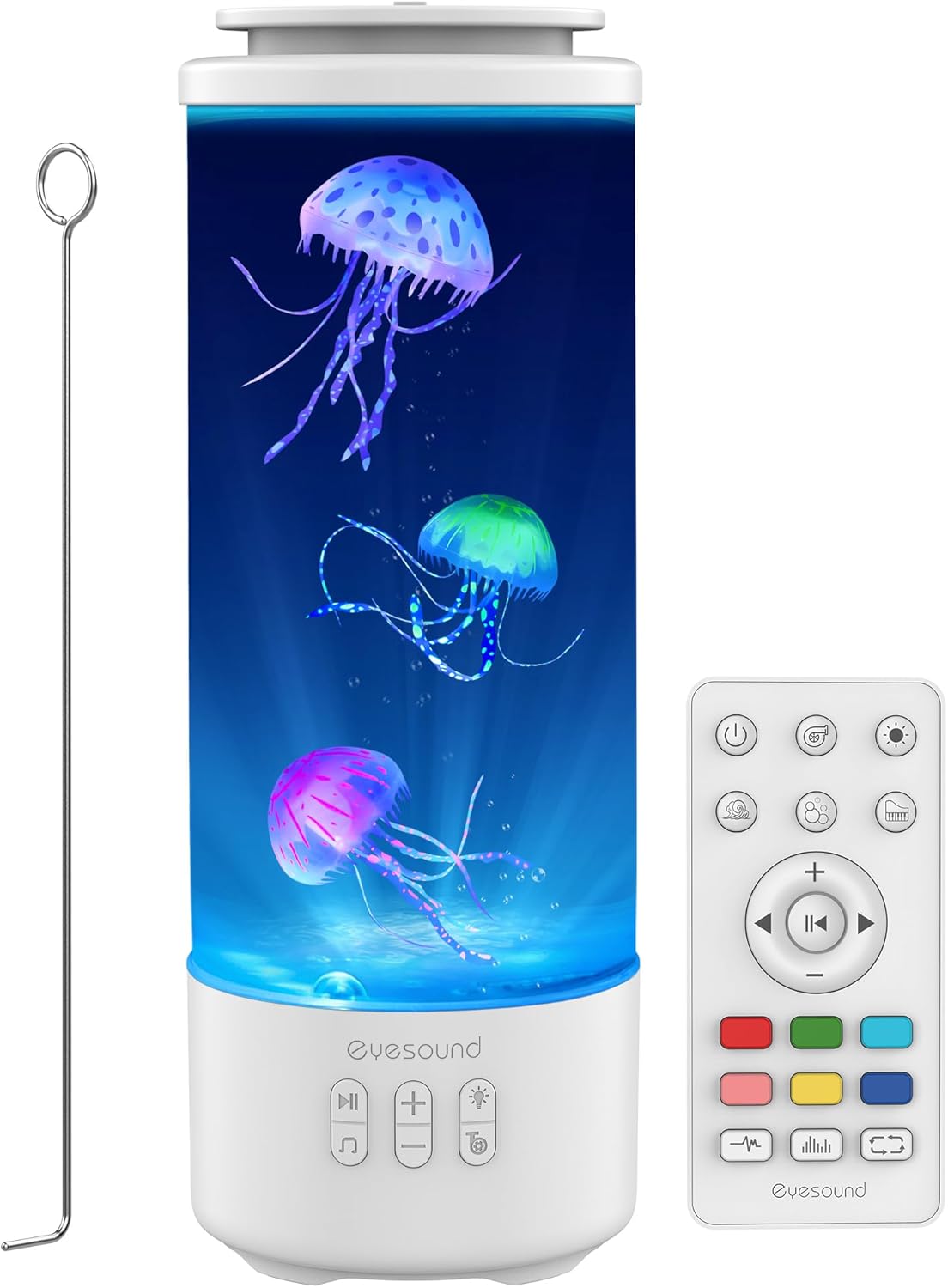
The lamp and its accessories, including the remote control.
Maintenance
- Water Quality: If using distilled water and following initial setup instructions, frequent water changes are generally not necessary. If the water becomes cloudy, replace it with fresh distilled water and a few drops of dish detergent.
- Cleaning: Wipe the exterior of the lamp with a soft, damp cloth. Do not use abrasive cleaners or solvents. For internal cleaning, carefully empty the water, rinse the tank, and clean the jellyfish gently with mild soap and water. Ensure all soap residue is removed before refilling.
- Jellyfish Care: If jellyfish start to stick together or float, repeat the steps in the "Setup Guide" for adding detergent and stirring to remove air bubbles.
Troubleshooting
| Problem | Possible Cause | Solution |
|---|---|---|
| Jellyfish not swimming or floating at the top. | Air bubbles trapped on jellyfish; insufficient detergent; incorrect water type. | Ensure jellyfish are free of air bubbles (shake them upside down). Add 8-10 drops of dish detergent. Use distilled water. Stir with the rod to dislodge bubbles. |
| Lamp not turning on. | Low battery; power cable not connected properly. | Charge the lamp fully. Ensure the USB-C cable is securely connected to both the lamp and a power source. |
| Bluetooth not connecting. | Lamp not in pairing mode; device Bluetooth off; too far from lamp. | Ensure lamp is on. Check your device's Bluetooth settings. Move closer to the lamp (within 33ft/10m). Try restarting both devices. |
| Motor noise is too loud. | Normal operation sound; unit placed on a resonant surface. | The brushless motor operates quietly (<25dB). Ensure the lamp is on a flat, stable surface. If noise is excessive, contact support. |
| Remote control not working. | Battery depleted; obstruction; out of range. | Replace the remote control battery (1 AA battery required, included). Ensure no obstructions between remote and lamp. Operate within 33ft (10m). |
Specifications
| Feature | Detail |
|---|---|
| Model Number | Y15 |
| Brand | Eyesound |
| Product Dimensions | 4.6"D x 4.6"W x 12.8"H |
| Item Weight | 1.32 Pounds |
| Power Source | Battery Powered (Built-in 3000mAh rechargeable battery) |
| Charging Time | 3-4 hours |
| Cordless Use Time | 8-10 hours |
| Light Source Type | LED |
| Number of Light Sources | 1 |
| Connectivity Technology | Bluetooth 5.1 |
| Controller Type | Remote Control |
| Motor Noise Level | <25dB |
| Water Resistance Level | Water Resistant (Leak-proof design) |
| Material | Glass Jellyfish Light Body, Jelly Fishes, PVC Base, Silicone Seal on Top |
| UPC | 673658939161 |
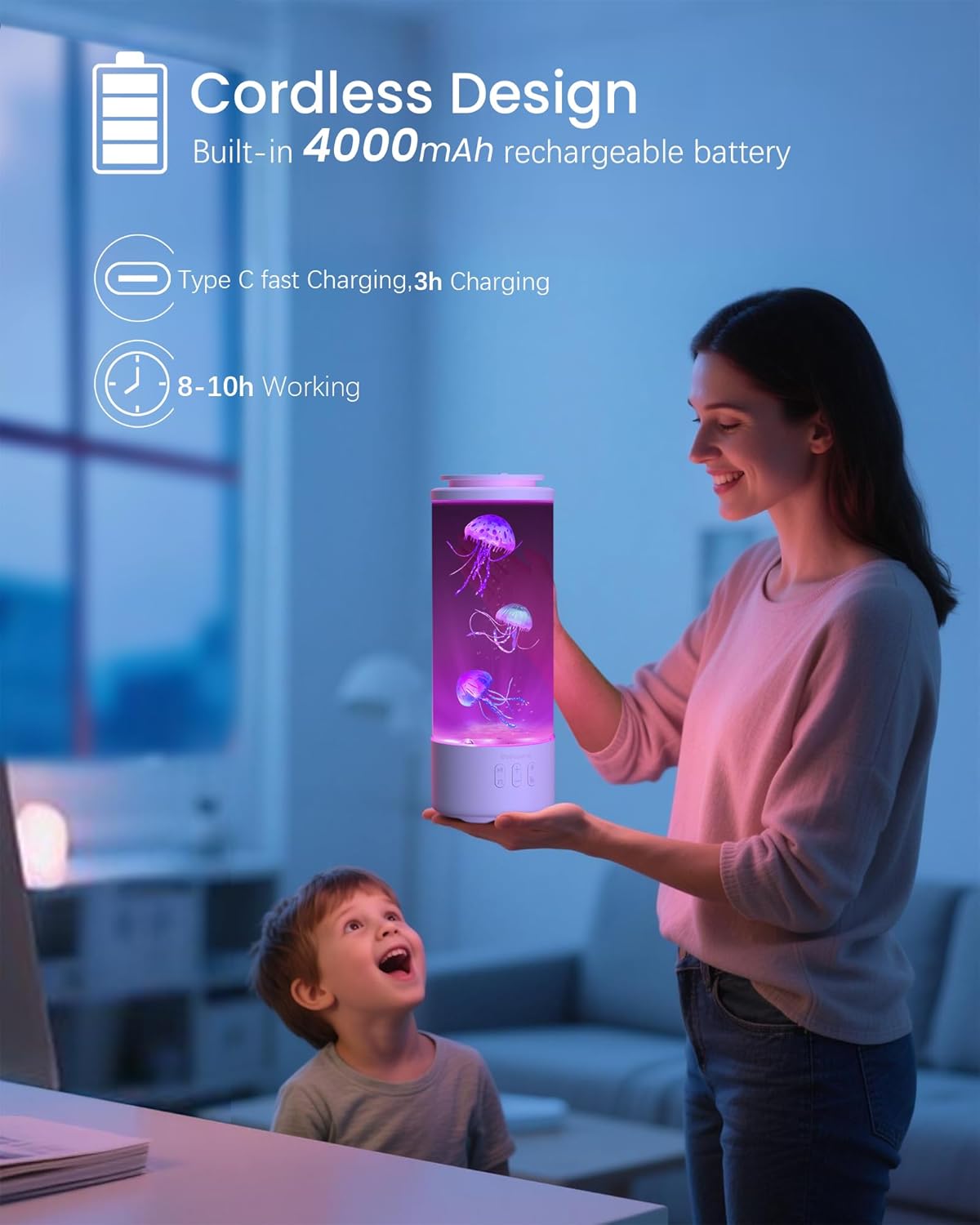
The lamp's cordless design and battery specifications.
Warranty & Support
Eyesound is committed to providing high-quality products and excellent customer service.
- Warranty: This product comes with a 36-Months Hassle-Free Guarantee.
- Customer Service: For any questions, issues, or support needs, please contact our dedicated 1-on-1 customer service staff.
- Technical Support: We offer 7x24H Professional Support to assist you with any technical difficulties.
Please refer to the contact information provided with your purchase or visit the official Eyesound website for support details.
Related documentsY15


Ask a question about this manual
Ask about setup, troubleshooting, compatibility, parts, safety, or missing instructions. Manuals+ will review the question and use this page’s manual context to help answer it.