
Harper 20201014
Harper 24 Inch Indoor Push Broom Instruction Manual
Model: 20201014
Introduction
This manual provides essential information for the assembly, operation, maintenance, and care of your Harper 24 Inch Indoor Push Broom. Designed for smooth indoor surfaces, this broom features flagged bristles for effective collection of fine debris. Please read these instructions thoroughly before use to ensure proper function and longevity of your product.
Product Features
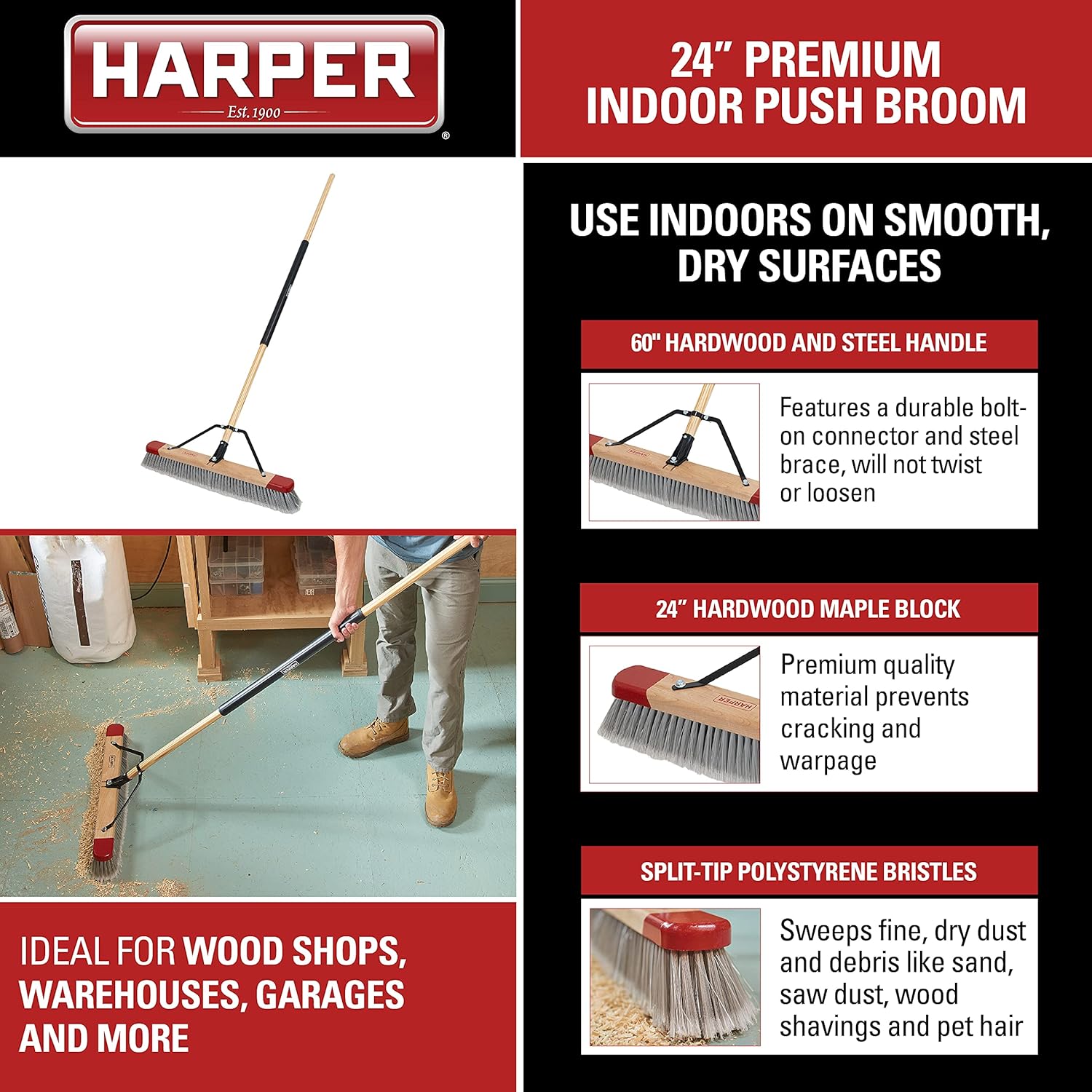
- Long Handle with Comfort Grip: Features a 24-inch hardwood brush head and a 60-inch durable multi-material handle with an oversized comfort grip for extended reach and comfortable use.
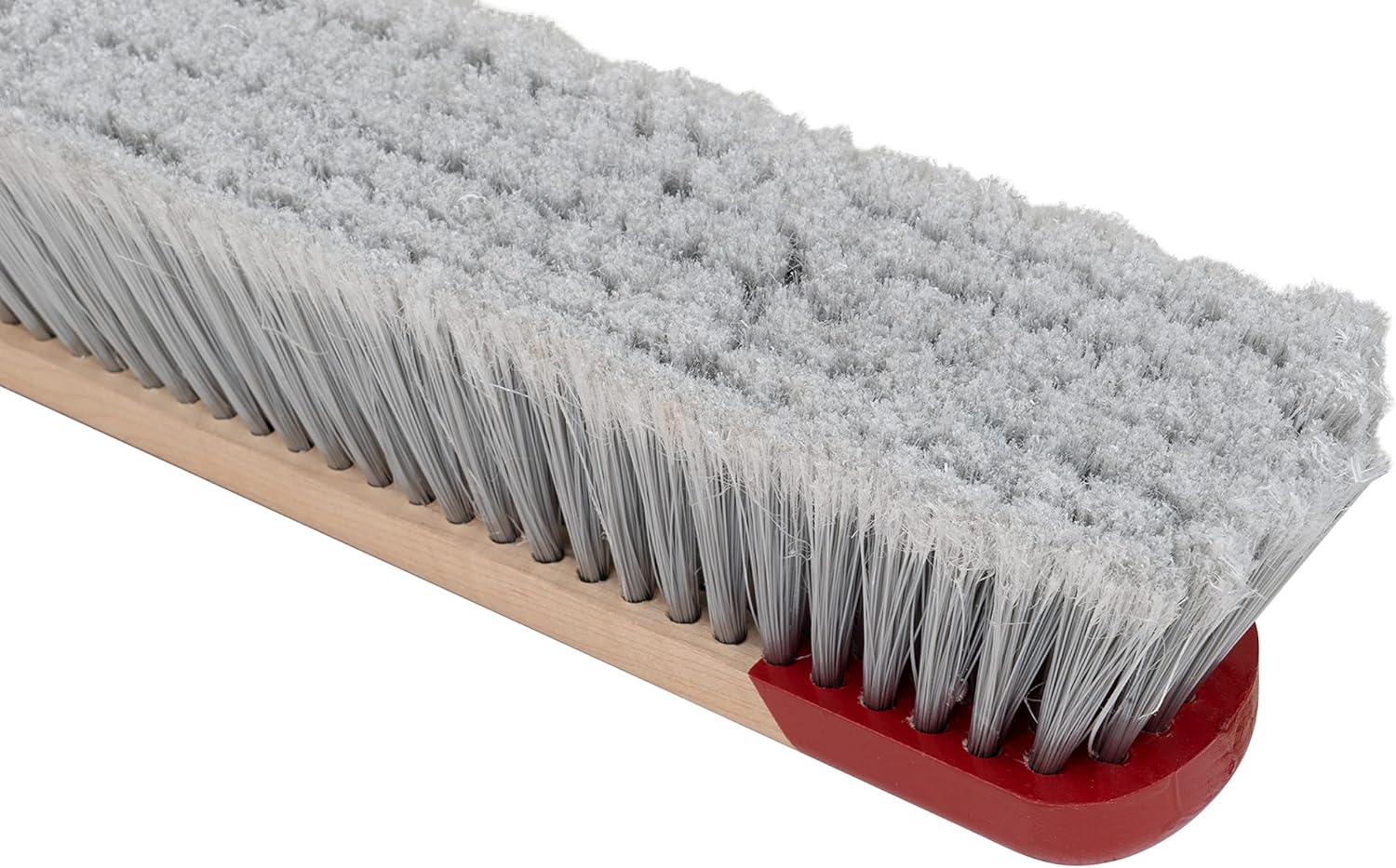
- Flagged Bristles: Equipped with split-tip Polystyrene bristles specifically designed to sweep fine, dry dust and debris such as sand, sawdust, wood shavings, and pet hair.
- Smooth, Dry Indoor Surfaces: Optimized for use on smooth, dry indoor surfaces, making it ideal for environments like warehouses, garages, and wood shops.
- Heavy-Duty Construction: Lightweight yet robust design with a non-warping, superior hardwood maple block for durability.
- Durable Design: Includes a durable steel brace with a bolt-on connector to ensure a strong, firm connection between the handle and the brush head, preventing twisting or loosening.
- Easy Assembly: Designed for one-time, quick assembly with all necessary hardware included.
Assembly Instructions
Your Harper 24 Inch Indoor Push Broom is designed for quick and easy one-time assembly. All necessary hardware is included.
- Identify Components: Unpack all components and identify the broom head, the multi-material handle sections (wood and steel), the steel brace, and the assembly hardware (bolts, nuts).
- Attach Handle to Broom Head: Insert the threaded end of the handle into the central hole of the broom head. Twist clockwise until securely tightened.
- Position Steel Brace: Place the steel brace over the handle, aligning the holes on the brace with the pre-drilled holes on the broom head. The brace should extend from the handle connection point to the ends of the broom head.
- Secure Brace: Use the provided bolts and nuts to firmly attach the steel brace to the broom head. Ensure all connections are tight to prevent any wobbling during use.
- Final Check: Verify that the handle is firmly attached to the broom head and the steel brace is securely fastened. The handle should not twist or loosen during normal operation.

Operating Instructions
The Harper 24 Inch Indoor Push Broom is designed for efficient sweeping on smooth, dry indoor surfaces.
- Surface Suitability: This broom is ideal for smooth surfaces such as concrete, wood, tile, and linoleum in garages, workshops, and warehouses.
- Effective Sweeping: Use a consistent, forward pushing motion to gather fine dust, sand, sawdust, wood shavings, and pet hair. The flagged bristles are designed to trap and move small debris effectively.
- Optimal Angle: Hold the handle at a comfortable angle that allows the bristles to make full contact with the floor without excessive pressure, which can bend or damage the bristles.
- Corner and Edge Cleaning: Utilize the edges of the broom head for cleaning along walls and into corners.

Video 1: This video demonstrates the Harper 24 Inch Push Broom effectively sweeping various types of debris, including leaves, sand, and water, from different surfaces.
Video 2: This video showcases the versatility of a push broom, demonstrating its use for sweeping leaves, water, and dust on various outdoor surfaces.
Maintenance
Proper maintenance will extend the life and effectiveness of your push broom.
- Clean Bristles: After each use, remove any tangled debris from the bristles. For stubborn dirt, rinse the bristles with water and allow them to air dry completely before storage.
- Inspect Handle and Brace: Periodically check the handle and steel brace connections for tightness. Tighten any loose bolts or screws to maintain stability and prevent damage.
- Storage: Store the broom in a dry area, preferably hanging it to keep the bristles straight and prevent them from bending or flattening.
- Avoid Harsh Chemicals: Do not use harsh chemicals or solvents on the broom head or handle, as this can damage the materials.
Troubleshooting
| Problem | Possible Cause | Solution |
|---|---|---|
| Handle feels loose or wobbly. | Bolts securing the handle or brace are loose. | Tighten all bolts and nuts on the handle and steel brace connections. |
| Broom not effectively sweeping fine debris. | Bristles are clogged with debris or worn out. | Clean bristles thoroughly. If bristles are severely worn, consider replacing the broom head. |
| Bristles are bent or flattened. | Improper storage or excessive pressure during sweeping. | Store broom by hanging it. Avoid applying excessive downward force while sweeping. |
Specifications
- Brand: Harper
- Model Name: Harper 20201014 24 in. Premium Indoor Smooth-Surface
- Item Model Number: 20201014
- Color: Gray
- Style: Premium Indoor Smooth-Surface Push Broom
- Recommended Uses: Floor Cleaning
- Surface Recommendation: Wood (and other smooth, dry indoor surfaces)
- Bristle Material: Polystyrene
- Bristle Type: Dual (Flagged)
- Handle Material: Wood, Alloy Steel
- Handle Diameter: 15/16 In.
- Item Weight: 5 Pounds
- Product Dimensions: 65.38 x 25.5 x 4.75 inches
- Included Components: Assembly Hardware, Broom Head, Comfort Grip, Handle
- Assembly Required: Yes
- Batteries Required: No
- Manufacturer: The AMES Companies, Inc.
- UPC: 049206156364
Warranty Information
The manufacturer will replace any missing or damaged part due to manufacturer defect for 30 days after purchase. Please retain proof of purchase for warranty claims. Combining Harper branded products with third-party components or products will void the Harper manufacturer’s warranty.
Support
For further assistance or inquiries regarding your Harper 24 Inch Indoor Push Broom, please refer to the manufacturer's official website or contact their customer support. Ensure you have your product model number (20201014) and proof of purchase available when seeking support.
Related documents20201014


Ask a question about this manual
Ask about setup, troubleshooting, compatibility, parts, safety, or missing instructions. Manuals+ will review the question and use this page’s manual context to help answer it.