
Introduction
Thank you for choosing the eKids Disney Frozen Wireless Headphones. These headphones are designed to provide high-quality stereo sound with the convenience of wireless connectivity, featuring a built-in microphone and EZ Link technology for an enhanced audio experience. This manual provides essential information for setup, operation, maintenance, and troubleshooting to ensure optimal performance and longevity of your device.
Package Contents
- eKids Disney Frozen Wireless Headphones
- USB Charging Cable
- Detachable 3.5mm Audio Cable
Setup
1. Charging the Headphones
Before initial use, fully charge the headphones. Connect the included USB charging cable to the charging port on the headphones and to a powered USB port (e.g., computer, USB wall adapter). The LED indicator will show charging status and turn off when fully charged. A full charge provides up to 20 hours of continuous play.

Image: Detailed view of the headphone controls, including the USB charging port and LED indicators for power and charging status.
2. Bluetooth Pairing
- Ensure the headphones are charged and powered off.
- Press and hold the Power/Pairing button until the LED indicator flashes blue and red, indicating pairing mode.
- On your device (smartphone, tablet, computer), enable Bluetooth and search for available devices.
- Select "eKids Frozen Headphones" from the list.
- Once paired, the LED indicator will show a solid blue light.
3. Wired Connection (Optional)
For a wired connection, use the included 3.5mm audio cable. Plug one end into the AUX jack on the headphones and the other end into the headphone jack of your audio device. This mode does not require battery power.

Image: Comparison of wired and wireless modes, showing the 3.5mm audio cable connection for wired use and Bluetooth icon for wireless use.
4. EZ Link Technology
The EZ Link button allows quick access to Disney playlists via your preferred streaming service. Download the free EZ Link App (requires Apple iOS 12+ or Android 4.4 and up) for quick setup. Press the EZ Link button on the headphones to launch the app and connect to Disney Hits playlists.
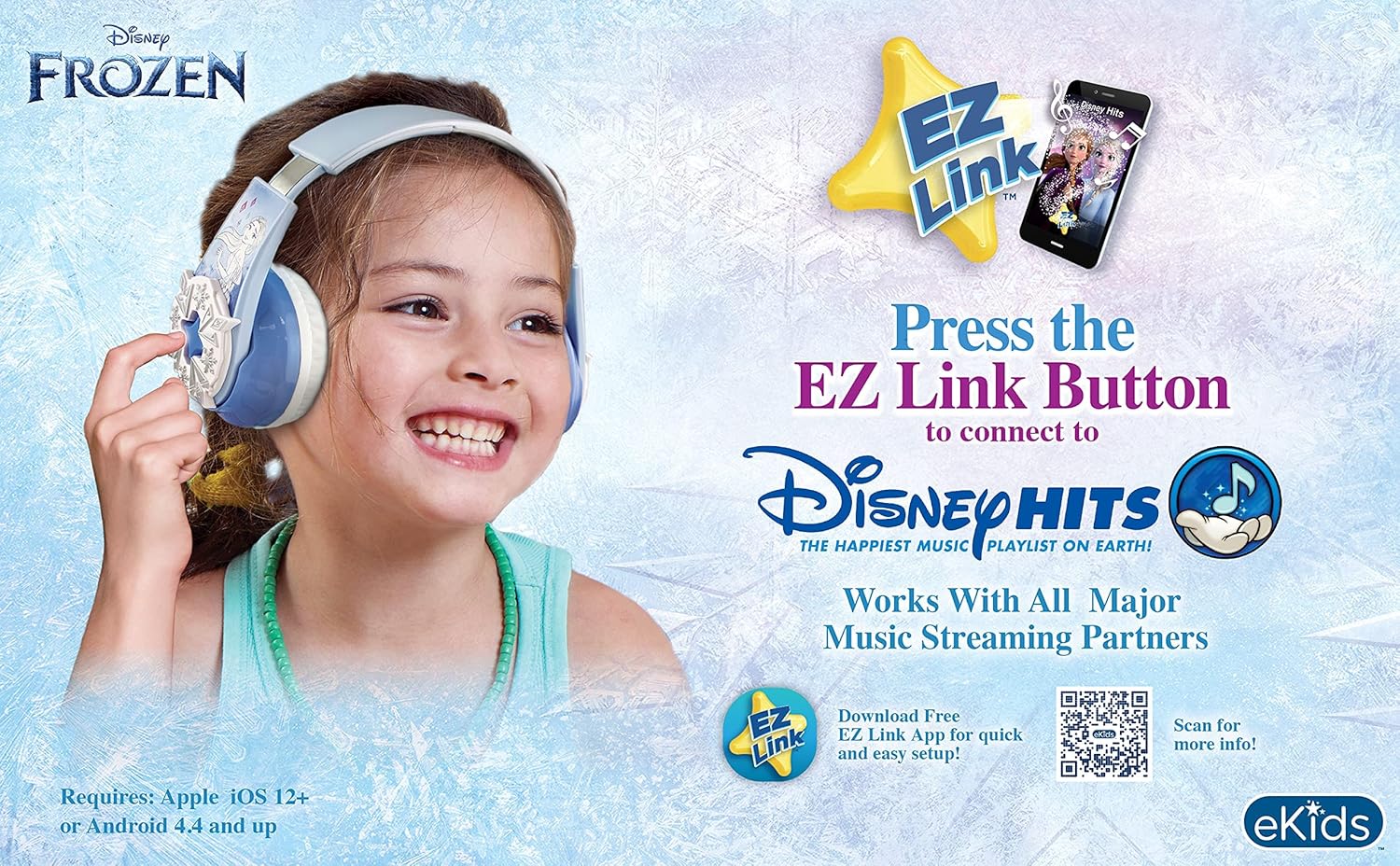
Image: A child happily wearing the headphones, demonstrating the EZ Link button and its connection to the Disney Hits playlist via the EZ Link app.
Video: This video demonstrates the eKids Disney Frozen Bluetooth Headphones and highlights the EZ Link feature for accessing Disney music.
Video: This video provides instructions on how to use the EZ Link feature to access Disney music playlists.
For more information on EZ Link, visit: ekids.com/ezlink-fr-b64
Operating Instructions

Image: Overview of headphone features, including adjustable headband, foldable design, comfortable ear cushions, 20-hour rechargeable battery, and built-in microphone.
1. Power On/Off
- To power on: Press and hold the Power button until the LED indicator lights up.
- To power off: Press and hold the Power button until the LED indicator turns off.
2. Volume Control
- Volume Up: Press the 'Volume Up / Skip Forward' button.
- Volume Down: Press the 'Volume Down / Skip Back' button.
3. Playback Control
- Play/Pause: Press the 'Play/Pause / Phone on/off' button.
- Skip Forward: Press and hold the 'Volume Up / Skip Forward' button.
- Skip Back: Press and hold the 'Volume Down / Skip Back' button.
4. Call Functions (Built-in Microphone)
- Answer/End Call: Press the 'Play/Pause / Phone on/off' button.
- Reject Call: Press and hold the 'Play/Pause / Phone on/off' button.
Maintenance
1. Cleaning
Wipe the headphones with a soft, dry cloth. Do not use liquid cleaners or solvents. Avoid getting moisture into any openings.
2. Storage
When not in use, store the headphones in a cool, dry place away from direct sunlight and extreme temperatures. The foldable design allows for compact storage.
Troubleshooting
| Problem | Possible Solution |
|---|---|
| Headphones do not power on. | Ensure the headphones are fully charged. Connect to a power source using the USB charging cable. |
| Cannot pair via Bluetooth. | Ensure headphones are in pairing mode (flashing blue/red LED). Turn off and on Bluetooth on your device. Move closer to the device. |
| No sound or low volume. | Check volume levels on both headphones and connected device. Ensure headphones are properly paired or the audio cable is fully inserted. |
| Sound is distorted or static. | Move closer to the connected device to reduce interference. Ensure no other devices are interfering with the Bluetooth signal. |
| Microphone not working. | Ensure headphones are connected wirelessly. Check microphone settings on your device. |
Specifications
- Brand: eKids
- Model Number: DI-B64FR.EXV1OL
- Connectivity Technology: Wireless (Bluetooth 4.0) / Wired (3.5mm Jack)
- Bluetooth Range: Up to 10 meters (33 feet)
- Frequency Range: 20 Hz - 20,000 Hz
- Sensitivity: 95dB +/- 3dB at 1 KHz spl.
- Battery Life: Up to 20 hours (continuous play)
- Ear Placement: Over Ear
- Features: Adjustable Headband, Foldable Design, Built-in Microphone, EZ Link Technology
- Item Weight: Approximately 0.9 Pounds
Safety Information
For detailed safety information, please refer to the official Safety Information PDF document provided by the manufacturer. It is crucial to read and understand all safety guidelines before using this product.
Warranty and Support
For warranty information and customer support, please refer to the documentation included with your purchase or visit the eKids official website. Keep your proof of purchase for any warranty claims.


