
1. Setup
1.1 Unboxing
Your Inwa MZ-200A Outdoor Bluetooth Speaker package includes the following items:
- 2 x Inwa MZ-200A Speakers
- 2 x USB Charging Cables
- 1 x Instruction Manual
1.2 Charging the Speakers
Before initial use, fully charge your speakers. Each speaker is equipped with a built-in 5200mAh battery. A full charge typically takes approximately 3 hours.
- Connect the provided USB charging cable to the charging port on the speaker.
- Connect the other end of the USB cable to a compatible USB power adapter (not included) or a computer's USB port.
- The charging indicator light will illuminate during charging and turn off once fully charged.
1.3 Bluetooth Pairing
Follow these steps to pair your Inwa MZ-200A speaker with your device:
- Long press the power button on the speaker to power it on. The speaker will enter Bluetooth pairing mode, indicated by a blinking light.
- On your smartphone, tablet, or other Bluetooth-enabled device, navigate to the Bluetooth settings.
- Look for 'MZ-200A' in the list of available devices and select it to connect.
- Once connected, the speaker will emit an audible confirmation, and the blinking light will become solid.
Video: Instructions on how to easily pair the Inwa MZ-200A speaker with a device.
1.4 Multi-Speaker Sync (Up to 100 Speakers)
The Inwa MZ-200A speakers support syncing up to 100 units for a 360-degree stereo surround sound experience. Follow these steps to sync multiple speakers:
- Power on all speakers you wish to sync.
- On the designated main speaker, long press the network key (often indicated by a chain-link or infinity symbol) to enter pairing mode. A green and yellow light will alternate. There is a 30-second pairing time.
- For each additional speaker (slave speakers), long press the network key. The speaker will sync with the main speaker.
- Once all speakers are synced, connect your Bluetooth device to the main speaker as described in Section 1.3.
Note: If the pairing time exceeds 30 seconds for a slave speaker, press the main speaker's network key once to re-enter pairing mode, then long press the slave speaker's network key to complete the pairing.
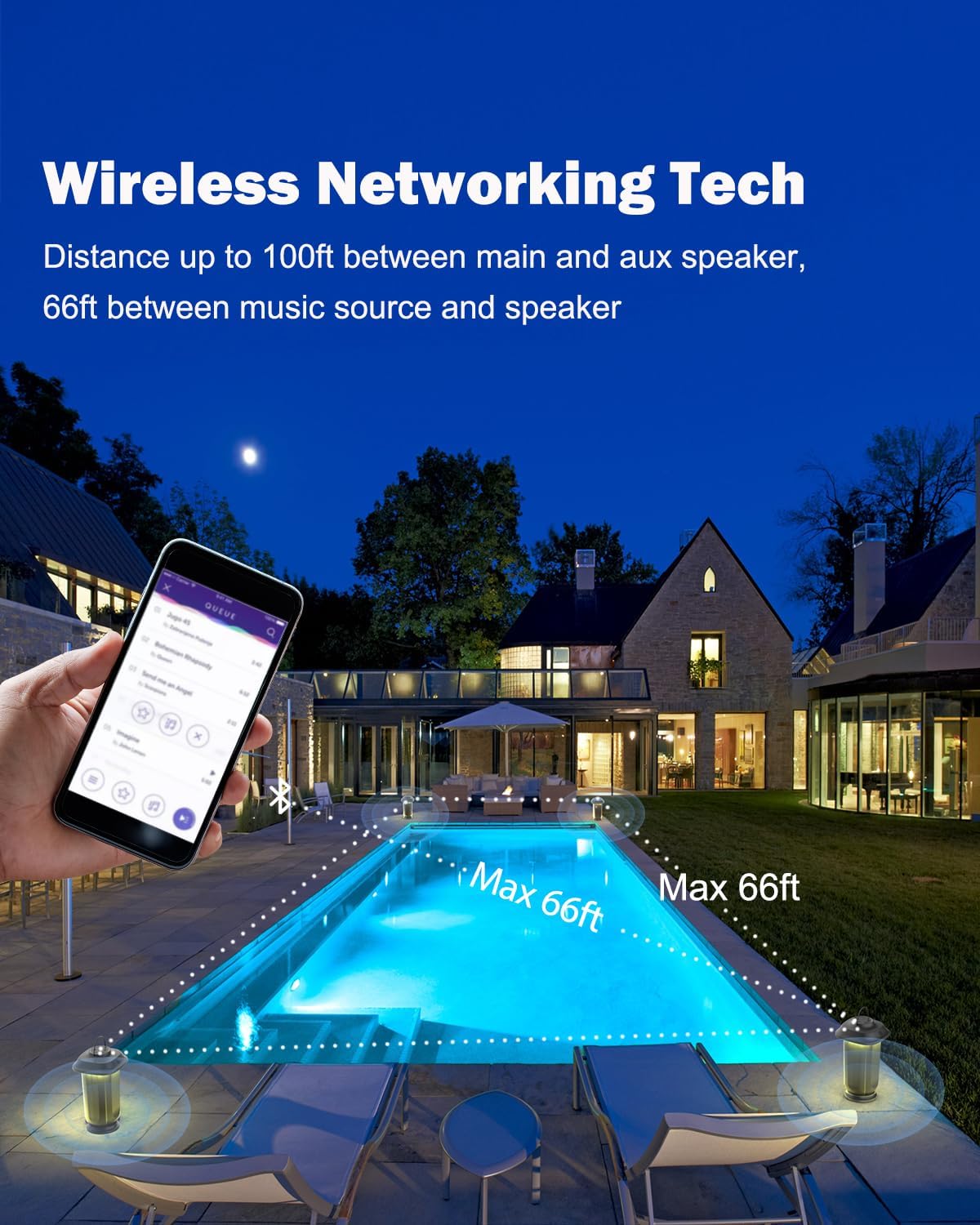
Image: Multiple Inwa MZ-200A speakers wirelessly connected, demonstrating the multi-speaker sync feature for outdoor use. The image shows speakers placed around a pool, connected to a smartphone.
2. Operating Instructions
2.1 Power On/Off
- Power On: Long press the power button (usually marked with a universal power symbol) until the indicator light illuminates.
- Power Off: Long press the power button again until the indicator light turns off.
2.2 LED Light Modes
The Inwa MZ-200A features 10 LED light modes to enhance your listening experience. To cycle through the light modes:
- Short press the light mode button (often indicated by a sun or light bulb symbol) to change the LED color or pattern.
- Some modes allow the lights to follow the beat of the music.

Image: The Inwa MZ-200A speaker showcasing its LED light modes, with examples of a constant light setting and lights that react to music beats, creating an ambient atmosphere.
Video: Demonstration of the Inwa MZ-200A speaker's LED light modes, showing different colors and patterns.
2.3 Volume Control
Adjust the volume using the dedicated buttons on the speaker:
- Increase Volume: Press the '+' button.
- Decrease Volume: Press the '-' button.
2.4 Music Playback
Once connected via Bluetooth, control music playback directly from your paired device. The speaker's buttons may also offer basic controls:
- Play/Pause: Short press the power button (or a dedicated play/pause button if available).
- Next Track: Long press the '+' button (or a dedicated next track button).
- Previous Track: Long press the '-' button (or a dedicated previous track button).
3. Maintenance
3.1 Waterproof Feature (IPX5)
The Inwa MZ-200A speaker is IPX5 waterproof, meaning it can resist splashes and light rain. It is suitable for outdoor activities and can withstand exposure to water jets from any direction. However, it is not designed for submersion in water.

Image: An Inwa MZ-200A speaker positioned by a swimming pool, illustrating its IPX5 waterproof capability, suitable for use in environments with splashes or light rain.
3.2 Cleaning
To clean your speaker:
- Ensure the speaker is powered off and disconnected from any charging cables.
- Use a soft, damp cloth to wipe down the exterior surfaces.
- Do not use harsh chemicals, abrasive cleaners, or solvents, as these may damage the finish.
- Allow the speaker to dry completely before use or storage.
3.3 Storage
When not in use for extended periods:
- Store the speaker in a cool, dry place away from direct sunlight and extreme temperatures.
- It is recommended to charge the battery every few months to maintain its lifespan.
4. Troubleshooting
4.1 Speaker Not Powering On
- Ensure the battery is charged. Connect the speaker to a power source using the USB charging cable.
- Long press the power button for at least 3-5 seconds.
4.2 Unable to Pair via Bluetooth
- Ensure the speaker is in pairing mode (blinking indicator light). If not, double press the network key.
- Make sure Bluetooth is enabled on your device and it is within the 66 feet range of the speaker.
- Try forgetting the device 'MZ-200A' from your device's Bluetooth settings and attempting to pair again.
- Factory Reset: If issues persist, restore factory settings by holding down both the '+' and '-' volume buttons simultaneously until the speaker resets. Then attempt pairing again.
4.3 No Sound or Low Volume
- Check the volume levels on both the speaker and your paired device.
- Ensure the speaker is properly connected to your device via Bluetooth.
- If multiple speakers are synced, ensure the main speaker is connected to your device.
4.4 Speakers Not Syncing
- Ensure all speakers are powered on.
- Follow the multi-speaker sync steps carefully, ensuring the main speaker enters pairing mode first, followed by long-pressing the network key on each slave speaker.
- If the 30-second pairing window is missed, press the main speaker's network key once, then long press the slave speaker's network key.
5. Specifications
| Feature | Specification |
|---|---|
| Brand | Inwa |
| Model Number | MZ-200A |
| Speaker Maximum Output Power | 20 Watts |
| Connectivity Technology | Bluetooth |
| Audio Output Mode | Surround Sound |
| Battery Capacity | 5200mAh |
| Battery Play Time | Up to 12.5 Hours |
| Battery Charge Time | 3 Hours |
| Water Resistance Level | IPX5 (Waterproof) |
| Bluetooth Range | Up to 66 Feet |
| Multi-Speaker Sync | Up to 100 Speakers |
| LED Light Modes | 10 Modes |
| Control Method | Button, Touch |
| Item Dimensions (D x W x H) | 7.16"D x 7.16"W x 10.55"H |
| Item Weight | 6 Pounds |
6. Warranty & Support
For any questions or support needs regarding your Inwa MZ-200A Outdoor Bluetooth Speaker, please contact our customer service team. We aim to provide a satisfactory reply within 24 hours.
You can also visit the official Inwa store for more information and products: Inwa Store on Amazon
Video: An overview of the Inwa Wireless Bluetooth Patio Speaker, highlighting its features and outdoor use.


