
Google GA02900-US
Google Pixel 6 User Manual
Model: GA02900-US
Introduction
The Google Pixel 6 is a 5G Android smartphone designed to be fast, smart, and secure, adapting to your needs. Powered by the custom Google Tensor processor, it offers advanced features and an intuitive user experience. This manual provides essential information for setting up, operating, maintaining, and troubleshooting your device.
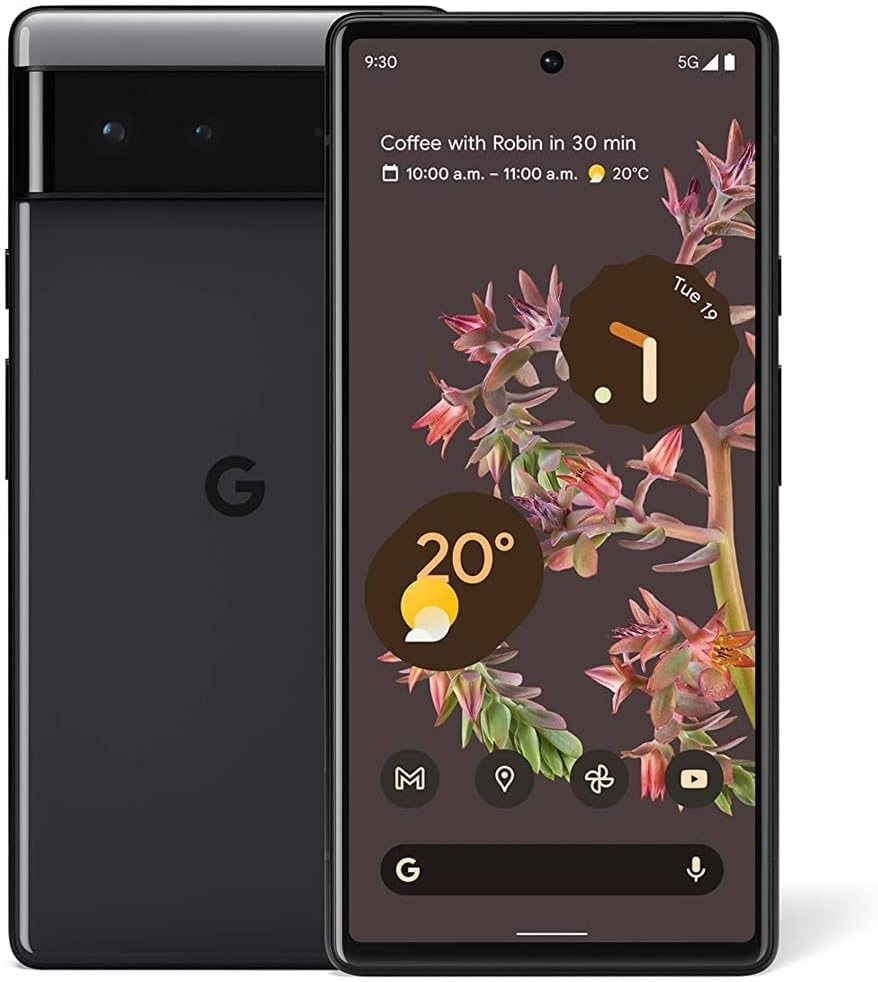
Image: Front and back view of the Google Pixel 6 in Stormy Black.
What's in the Box
Upon unboxing your Google Pixel 6, you should find the following items:
- Cell Phone (Google Pixel 6)
- USB Cable (USB-C to USB-C)
Note: Power adapter and other accessories are sold separately.
Setup
Follow these steps to set up your new Google Pixel 6:
- Insert SIM Card: Locate the SIM card tray on the side of your Pixel 6. Use the SIM ejector tool (not included, typically comes with SIM cards or can be a paperclip) to open the tray. Insert your nano-SIM card into the tray, ensuring it is correctly oriented. Close the tray securely.
- Power On: Press and hold the power button (located on the right side of the phone) until the Google logo appears on the screen.
- Initial Setup: Follow the on-screen prompts to complete the initial setup process. This includes selecting your language, connecting to a Wi-Fi network, signing in with your Google account, and transferring data from an old device if desired.
- Software Updates: After initial setup, connect to Wi-Fi and check for system updates to ensure your device has the latest features and security patches. Navigate to Settings > System > System update.

Image: The Google Pixel 6 displaying its home screen, ready for use.
Key Features
The Google Pixel 6 offers a range of advanced features designed to enhance your smartphone experience:
- Google Tensor Processor: The first custom-designed processor by Google, ensuring fast performance, rich gaming, and enhanced security.
- Advanced Camera System: Features a 50-megapixel wide rear camera that captures 150% more light for richer colors and detail, an 8-megapixel front camera, and a 12-megapixel ultra-wide rear camera.
- Professional Photo Tools: Includes Magic Eraser for removing unwanted objects, Motion Mode for long-exposure shots, and Portrait Mode for artfully blurred backgrounds.
- All-Day Adaptive Battery: Fast-charging battery that learns your usage patterns to save power for the apps you use most.
- Enhanced Security: Built-in privacy and protection with the Titan M2 security chip and 5 years of security updates.
- Live Translate: Translate live video captions, chats, messages, and signs in up to 55 languages without apps or internet.
- Smooth Display: 6.4-inch AMOLED display made with durable Gorilla Glass, offering a high refresh rate for responsive gaming and scrolling.
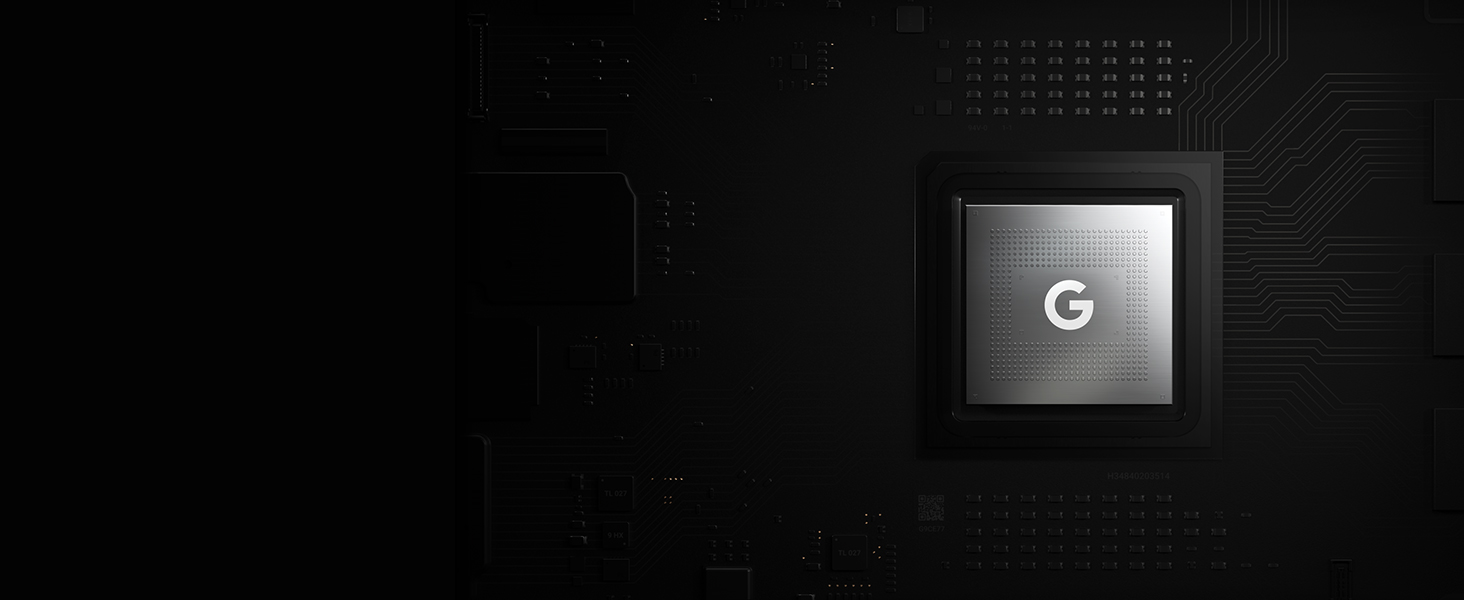
Image: Visual representation of the Google Tensor chip, highlighting its role in smarter phone performance, faster operation, and maximum battery efficiency.

Image: Detailed view of the Pixel 6 camera setup, indicating the 50 MP wide rear camera, 12 MP ultra-wide rear camera, and 8 MP front camera.

Image: Demonstrations of Magic Eraser removing a person from a photo, Motion Mode capturing light trails, and Portrait Mode blurring the background.

Image: A woman taking a selfie on a beach, symbolizing the long-lasting battery life of the Pixel 6.

Image: A graphic detailing the Pixel 6's security features, including the Titan M2 chip, 5 years of security updates, and IP68 water and dust protection.

Image: A hand holding the Pixel 6, demonstrating the Live Translate feature in a messaging app.
Operating Instructions
This section covers general operation and tips for using your Google Pixel 6.
Navigation
- Gestures: Utilize intuitive gestures for navigation. Swipe up from the bottom to go to the home screen, swipe up and hold for recent apps, and swipe from the left or right edge to go back.
- At a Glance: The "At a Glance" feature on your home screen provides timely information such as upcoming events, weather, and boarding passes.
Camera Usage
To open the camera, double-press the power button or tap the camera icon on your home screen. Explore various modes:
- Photo: Standard photo capture.
- Portrait: Creates a depth effect with a blurred background.
- Motion: Capture long exposure or action pan shots.
- Video: Record high-quality videos.
- Night Sight: For improved photos in low-light conditions.
Battery Management
Your Pixel 6 features an adaptive battery. To maximize battery life:
- Enable Adaptive Battery in Settings > Battery > Adaptive Battery.
- Use Battery Saver or Extreme Battery Saver for extended usage when needed.
- Utilize fast wired charging with a compatible Google 30W USB-C charger for quick power-ups.
Maintenance
Proper maintenance ensures the longevity and optimal performance of your Google Pixel 6:
- Software Updates: Regularly check for and install system updates. These updates provide new features, performance improvements, and crucial security patches.
- Cleaning: Use a soft, lint-free cloth to clean the screen and body of your phone. For stubborn smudges, slightly dampen the cloth with water. Avoid harsh chemicals or abrasive materials.
- Battery Care: Avoid extreme temperatures (hot or cold) as they can degrade battery health. While the phone has adaptive charging, try to avoid frequently draining the battery completely or keeping it at 100% for extended periods.
- Storage Management: Periodically review your installed apps and files. Uninstall unused apps and delete unnecessary files to free up storage space and maintain device speed.
- Physical Protection: Consider using a protective case and screen protector to guard against drops, scratches, and impacts. The Pixel 6 features Gorilla Glass, but additional protection is always recommended.
Troubleshooting
If you encounter issues with your Google Pixel 6, try the following troubleshooting steps:
| Problem | Solution |
|---|---|
| Phone is unresponsive or frozen | Press and hold the power button for about 30 seconds until the phone restarts. |
| Battery drains quickly | Check battery usage in Settings > Battery to identify power-hungry apps. Reduce screen brightness, disable unnecessary features like always-on display, and ensure Adaptive Battery is enabled. |
| Connectivity issues (Wi-Fi/Bluetooth/5G) | Toggle Wi-Fi/Bluetooth/Mobile Data off and on. Restart your phone. For Wi-Fi, try forgetting the network and reconnecting. For mobile data, ensure your SIM card is properly inserted and your data plan is active. |
| Apps crashing or not responding | Clear the app's cache and data in Settings > Apps > [App Name] > Storage & cache. If the issue persists, uninstall and reinstall the app. Ensure all apps are updated to their latest versions. |
| Fingerprint sensor not working | Ensure your finger is clean and dry. Re-register your fingerprints in Settings > Security > Fingerprint Unlock. If using a screen protector, ensure it is compatible with the in-display fingerprint sensor. |
| Overheating | Avoid using the phone in direct sunlight or while charging for extended periods during heavy usage. Close background apps. If overheating persists, contact support. |
If these steps do not resolve your issue, please refer to the official Google Pixel support website or contact customer service for further assistance.
Technical Specifications
| Specification | Detail |
|---|---|
| Product Dimensions | 6.24 x 2.94 x 0.35 inches |
| Item Weight | 6.2 ounces |
| ASIN | B09HJZPFDD |
| Item model number | GA02900-US |
| Batteries | 1 A batteries required. (included) |
| OS | Android 12.0 |
| RAM | 8 GB |
| Wireless communication technologies | Wi-Fi |
| Connectivity technologies | Bluetooth, Wi-Fi, USB, NFC |
| GPS | True |
| Special features | Built-In GPS |
| Display technology | AMOLED |
| Other display features | Wireless Device |
| Human Interface Input | Touchscreen |
| Scanner Resolution | 1440 x 3120 |
| Other camera features | Rear, Front |
| Audio Jack | No headphone jack |
| Form Factor | Smartphone |
| Color | Stormy Black |
| Battery Power Rating | 4524 mAh |
| Phone Talk Time | 21 Hours |
| Department | Unisex-Adult |
| Manufacturer | |
| Language | English |
| Date First Available | October 19, 2021 |
| Memory Storage Capacity | 128 GB |
| Standing screen display size | 6.4 Inches |
| Ram Memory Installed Size | 8 GB |
| Battery Capacity | 4614 mAh |
| Weight | 6.2 Ounces |
| Brand | |
| Operating System | Android 12.0 |
| Screen Size | 6.4 Inches |
| Resolution | 1440 x 3120 |
| Refresh Rate | 90 Hz |
| Model Name | Pixel 6 |
| Wireless Carrier | Unlocked for All Carriers |
| Cellular Technology | 5G |
Warranty and Support
Your Google Pixel 6 comes with a limited manufacturer's warranty. For specific details regarding warranty coverage, duration, and terms, please refer to the warranty information included with your device packaging or visit the official Google support website.
Software Updates: Google provides a minimum of 5 years of security updates for the Pixel 6 from when the device first became available on the Google Store. This ensures your device remains secure and up-to-date with the latest protections.
For technical support, troubleshooting guides, and frequently asked questions, please visit the official Google Pixel Help Center:
Related documentsGA02900-US


Ask a question about this manual
Ask about setup, troubleshooting, compatibility, parts, safety, or missing instructions. Manuals+ will review the question and use this page’s manual context to help answer it.