
1. Introduction
This manual provides essential information for the safe and efficient operation, installation, and maintenance of your Samsung 17.5 cu. ft. Smart Counter Depth 3-Door French Door Refrigerator (Model: RF18A5101SR/AA). Please read this manual thoroughly before using your appliance and keep it for future reference.

Image 1: Front view of the Samsung RF18A5101SR/AA Refrigerator.
2. Key Features
- Counter Depth Design: Offers a built-in look for a seamless fit with kitchen cabinetry. Features flat doors and recessed handles.
- Wi-Fi Connectivity: Enables remote monitoring and control via a smartphone app, providing notifications for temperature drops or open doors.
- Twin Cooling Plus: Independent fridge and freezer controls help maintain optimal humidity levels, keeping food fresher for longer.
- ENERGY STAR Certified: Designed for energy efficiency, contributing to lower utility costs.
- Fingerprint-Resistant Finish: Reduces smudges and fingerprints, simplifying cleaning and maintaining a sleek appearance.
3. Setup and Installation
Proper installation is crucial for the performance and longevity of your refrigerator. Ensure the appliance is placed on a level surface and has adequate clearance for ventilation. Refer to the detailed installation guide provided with your purchase for specific instructions on water line connection and electrical requirements.

Image 2: Product dimensions for installation planning.
Dimensions:
- Product Dimensions (D x W x H): 28.5"D x 32.13"W x 70"H
- Depth With Door Open Maximum: 51.1 Inches
- Installation Type: Counter-Depth
4. Operating Instructions
4.1 Refrigerator Compartment
The refrigerator section features adjustable glass shelves and multiple door bins for flexible storage. Two crisper drawers are located at the bottom for fruits and vegetables.

Image 3: Interior layout of the refrigerator compartment.

Image 4: Detail of the Twin Cooling Plus system.
4.2 Freezer Compartment
The bottom freezer drawer provides ample space for frozen items. It includes an ice maker with a dedicated bin.

Image 5: View of the spacious freezer drawer.
4.3 Water and Ice Dispenser
The external dispenser provides filtered water and ice. Controls for cubed or crushed ice are located on the dispenser panel.
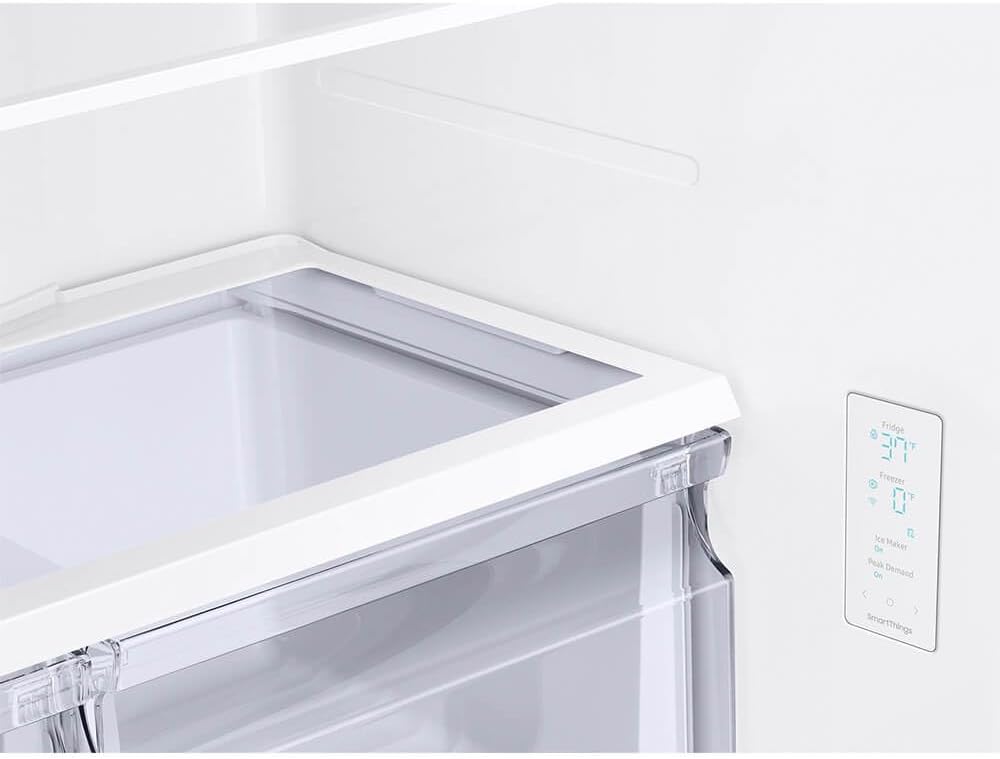
Image 6: Water and ice dispenser control panel.
4.4 Smart Features
Connect your refrigerator to your home Wi-Fi network to utilize smart features via the Samsung SmartThings app. Receive alerts for open doors or temperature fluctuations, and remotely adjust settings.
5. Maintenance
Regular maintenance ensures optimal performance and extends the lifespan of your refrigerator.
- Cleaning: Wipe down the fingerprint-resistant stainless steel exterior with a soft cloth and mild cleaner. Clean interior shelves and drawers with warm, soapy water.
- Water Filter Replacement: Replace the water filter every six months or when the indicator light illuminates to ensure clean, fresh water.
- Condenser Coils: Periodically clean the condenser coils located at the back or bottom of the refrigerator to maintain energy efficiency.
6. Troubleshooting
If you encounter issues with your refrigerator, consult the following common troubleshooting tips:
- No Cooling: Check if the power cord is securely plugged in and the circuit breaker has not tripped. Ensure temperature settings are correct.
- Excessive Noise: Verify the refrigerator is level. Ensure no items are vibrating against the interior walls.
- Water Leakage: Check for clogged drain lines or improperly installed water filters.
- Door Alarm: If the door alarm sounds, ensure all doors are fully closed. The smart feature will notify you via the app.
For more complex issues, refer to the full troubleshooting section in your product manual or contact customer support.
7. Specifications
| Product Dimensions (D x W x H) | 28.5"D x 32.13"W x 70"H |
| Brand | Samsung |
| Capacity | 18 Cubic Feet |
| Configuration | French Door |
| Color | Stainless Steel |
| Special Features | Adjustable Shelves, App Control, Energy Efficient, Separate Freezer, Touch Control |
| Installation Type | Counter-Depth |
| Number of Doors | 3 |
| Defrost System | Frost Free |
| Voltage | 115 Volts |
| Freezer Capacity | 5.8 Cubic Feet |
| Refrigerator Net Capacity | 11.7 Cubic Feet |
| Item Weight | 205 Pounds |
| Annual Energy Consumption | 595 Kilowatt Hours |
| Refrigerant | R-600A |
8. Warranty Information
Your Samsung Refrigerator is covered by the following warranty:
- One (1) Year: Parts and Labor on Refrigerator
- Five (5) Years: Parts and Labor on Sealed Refrigeration System Only*
- Ten (10) Years: Parts and Five (5) Years Labor on Digital Inverter Compressor
*Refer to your full warranty document for complete terms and conditions.
9. Support
For further assistance, technical support, or to order replacement parts, please contact Samsung Customer Service. You can find contact information on the Samsung website or in the warranty card included with your appliance.
Online Resources: Visit the official Samsung support website for FAQs, troubleshooting guides, and software updates.
Customer Service: Refer to your product registration card or the Samsung website for the most current customer service contact details.