
Introduction
The Brigade Select 7" Digital LCD Monitor, model VBV-770M, is a robust and versatile display unit designed for vehicle camera systems. It features multiple camera inputs, auto-triggers, and various display options to enhance vehicle safety and operational efficiency. This manual provides essential information for the proper installation, operation, and maintenance of your monitor.
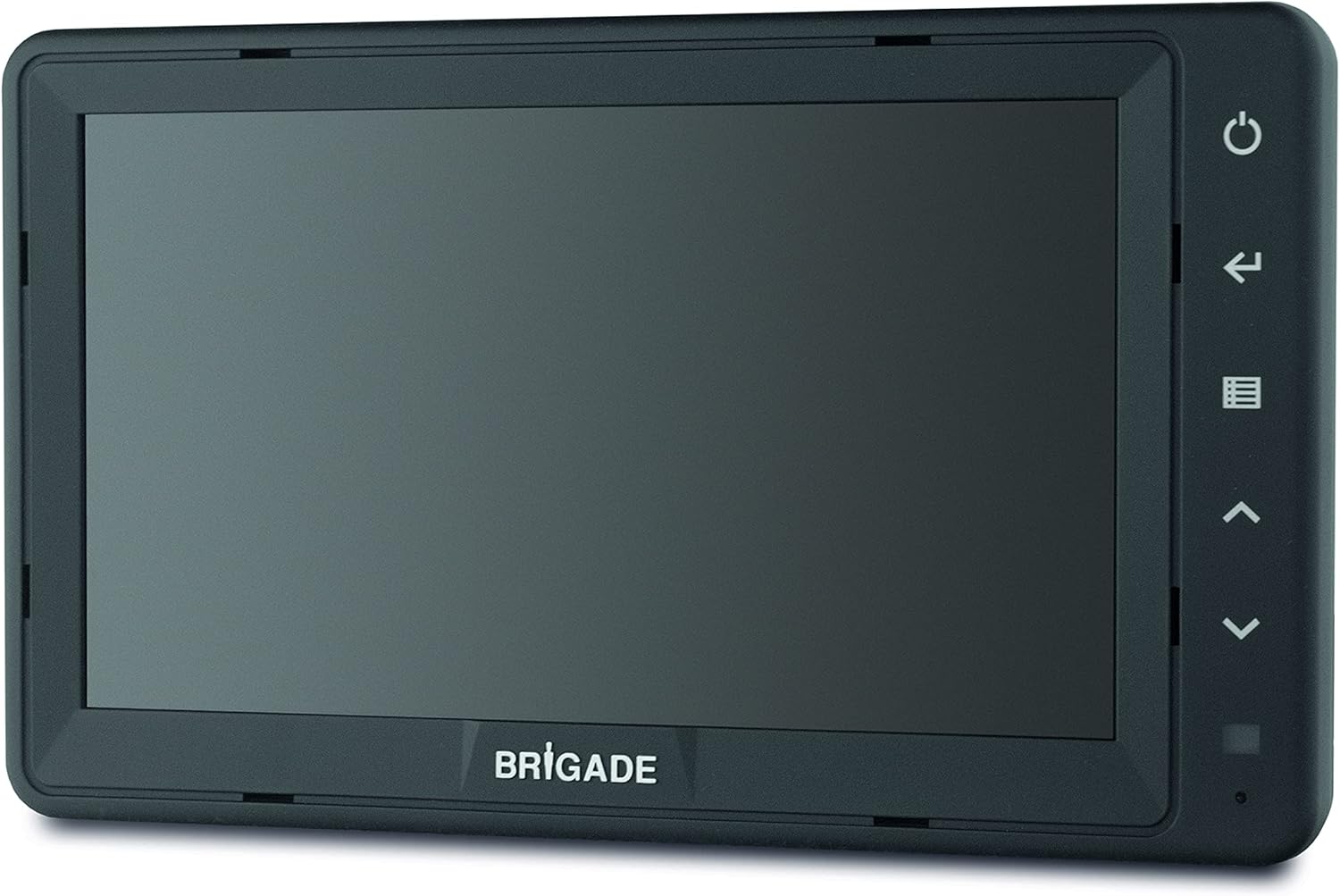
Figure 1: Brigade Select 7" Digital LCD Monitor (VBV-770M)
What's in the Box
Please check the contents of the package to ensure all items are present:
- 1 x Monitor (VBV-770M)
- 1 x Cable Adapter
- 1 x Sunshield
- 1 x Installation Guide (this manual)
- 1 x Bracket
Key Features
- Display: 7" Digital LCD
- Inputs: 3 Camera inputs
- Triggers: 3 Auto-triggers for automatic camera switching
- Display Modes: Mirror / Normal switching from menu
- Safety Features: On-screen distance markers
- Security: 'Button lock' anti-tamper feature
- Audio: Integrated audio support
- Visibility: Sun shield included, Auto-dimmer for varying light conditions
- User Interface: Multi-lingual menus
- Compatibility: Auto-switching PAL / NTSC video formats
- Compliance: DVS compliant, Vehicle camera monitor, CE marked, E-Marked: UNECE R10 compliant, HALT tested, Camera monitor system R46 approved (VBV-770M only)
Setup and Installation
This section provides general guidelines for installing the Brigade VBV-770M monitor. For detailed wiring diagrams and specific vehicle integration, please refer to the separate installation guide provided or consult a qualified technician.
Mounting the Monitor
- Choose a Location: Select a stable, flat surface in the vehicle's cabin that provides a clear view for the driver without obstructing vision or airbags.
- Secure the Bracket: Use appropriate fasteners to securely attach the provided mounting bracket to the chosen surface. Ensure it is firmly fixed to withstand vehicle vibrations.
- Attach the Monitor: Slide or clip the monitor onto the bracket. Adjust the angle for optimal viewing.
- Install Sunshield: Attach the sunshield to the monitor to reduce glare and improve screen visibility in bright conditions.
Power and Camera Connections
- Power Connection: Connect the monitor's power cable to a 12-24V DC power source in the vehicle. Ensure proper polarity. The monitor consumes approximately 18 Watts (1.5 Amps).
- Camera Inputs: Connect up to three cameras to the designated camera input ports on the monitor.
- Trigger Wires: Connect the auto-trigger wires from the monitor to the appropriate vehicle signals (e.g., reverse gear, left turn signal, right turn signal) to enable automatic camera switching.
- Cable Management: Route all cables safely, away from moving parts, heat sources, and sharp edges. Secure them with cable ties or clips.
Operating Instructions
Basic Operation
- Power On/Off: Press the power button (usually indicated by a circle with a vertical line) on the monitor to turn it on or off.
- Input Selection: Use the input selection button (often an arrow or 'M' for menu/mode) to cycle through the connected camera inputs.
- Auto-Trigger: When correctly wired, the monitor will automatically switch to the corresponding camera view when a trigger signal is received (e.g., engaging reverse gear).
Menu Navigation
The monitor features multi-lingual menus for adjusting settings. Use the navigation buttons (up/down arrows, enter/select) to browse and select options.
- Access Menu: Press the menu button (often an icon with lines or 'M').
- Navigate: Use the up/down arrow buttons to scroll through menu options.
- Select/Confirm: Press the enter or select button to confirm a choice or enter a sub-menu.
- Exit Menu: Press the menu button again or a dedicated 'back' button to exit the menu.
Adjustable Settings
- Brightness/Contrast: Adjust screen brightness and contrast for optimal viewing in different lighting conditions. The auto-dimmer feature will also assist.
- Mirror/Normal Image: For each camera input, you can set the image to be mirrored (typical for rear-view cameras) or normal.
- Distance Markers: Enable or disable on-screen distance markers and adjust their position or calibration if supported.
- Language: Select your preferred language for the menu interface.
- Button Lock: Activate the 'Button lock' feature to prevent unauthorized tampering with settings.
Maintenance
- Cleaning: Use a soft, dry, lint-free cloth to clean the monitor screen and casing. For stubborn marks, slightly dampen the cloth with water. Do not use abrasive cleaners, solvents, or alcohol-based solutions, as these can damage the screen or finish.
- Cable Inspection: Periodically check all cables and connections for signs of wear, fraying, or corrosion. Ensure they remain securely connected.
- Environmental Conditions: While designed for robust use, avoid exposing the monitor to extreme temperatures outside its operating range (-30 to +70°C) or direct prolonged sunlight when not in use.
Troubleshooting
| Problem | Possible Cause | Solution |
|---|---|---|
| Monitor does not power on. | No power supply; Loose power connection; Blown fuse. | Check power source (12-24V); Ensure power cable is securely connected; Check vehicle's fuse box for a blown fuse. |
| No image displayed. | Camera not connected; Incorrect input selected; Faulty camera or cable. | Verify camera connections; Cycle through inputs using the input button; Test with a known working camera/cable. |
| Image is distorted or flickering. | Poor connection; Electrical interference; Incorrect video format. | Check all cable connections; Ensure proper grounding; Verify camera output format (PAL/NTSC) matches monitor's auto-switching capability. |
| Auto-trigger not working. | Trigger wire not connected; Incorrect trigger signal. | Ensure trigger wires are correctly connected to the vehicle's signals; Verify the vehicle signal is active. |
If the problem persists after attempting these solutions, please contact Brigade customer support.
Specifications
| Feature | Detail |
|---|---|
| Model | VBV-770M (4288) |
| Screen Size | 7 Inches |
| Display Type | Digital LCD |
| Power Input | 12-24V DC |
| Power Consumption | 18 Watts |
| Current | 1.5 Amps |
| Camera Inputs | 3 |
| Auto-Triggers | 3 |
| Video Format | Auto-switching PAL / NTSC |
| Operating Temperature | -30 to +70°C |
| Mechanical Vibration | 4G |
| Mechanical Shock | 100G |
| Compliance | CE marked, E-Marked: UNECE R10 compliant, HALT tested, Camera monitor system R46 approved (VBV-770M only), DVS compliant |
| Control Method | Touch (buttons on monitor) |
| Included Components | Monitor, Cable Adapter, Sunshield, Installation Guide, Bracket |
Warranty Information
The Brigade Select 7" Digital LCD Monitor VBV-770M comes with a 3-year warranty from the date of purchase. This warranty covers defects in materials and workmanship under normal use. It does not cover damage caused by improper installation, accident, misuse, abuse, neglect, unauthorized modification, or natural disasters.
Please retain your proof of purchase for warranty claims. For full terms and conditions, refer to the warranty card included with your product or contact Brigade customer support.
Support
For technical assistance, troubleshooting beyond this manual, or warranty claims, please contact Brigade Electronics directly.
Brigade Electronics Contact:
- Website: brigade-electronics.com
- Phone: Please refer to the official Brigade website for regional contact numbers.
When contacting support, please have your product model (VBV-770M) and serial number (if applicable) ready.


