
1. Introduction
Thank you for purchasing the Panasonic EH-SC10-E Pore Suction Spot Clear Device. This device is designed to effectively remove sebum from around the nose and other facial areas, contributing to smoother skin with reduced pore visibility. Please read this manual thoroughly before use to ensure safe and optimal performance. Keep this manual for future reference.

Image: The Panasonic EH-SC10-E Pore Suction Spot Clear device, highlighting its function for pore care.
2. Safety Information
To prevent injury, damage to the device, or property damage, always observe the following safety precautions:
- Do not use on skin with wounds, rashes, inflammation, or other abnormalities.
- Avoid using on areas where cosmetic surgery has been performed.
- If you experience any skin irritation, redness, or discomfort, discontinue use immediately and consult a dermatologist.
- Do not press the suction cup too hard against the skin or hold it in one spot for an extended period, as this may cause bruising or skin damage.
- Keep out of reach of children.
- This device is waterproof and can be used in the bath, but do not submerge it completely in water for prolonged periods.
- Use only the specified battery type (1 AA alkaline dry battery, LR6). Do not mix old and new batteries or different types of batteries.
3. Package Contents
Verify that all items are present in the package:
- Panasonic EH-SC10-E Pore Suction Spot Clear Device (Main Unit)
- Small Nose Suction Slim Cup (for nose area)
- Tapping Cup (for forehead, cheeks, chin)
- Instruction Manual
Note: 1 AA alkaline dry battery (LR6) is required and sold separately.

Image: Front view of the product packaging for the Panasonic EH-SC10-E.
4. Product Features
- Powerful Suction: Approximately 40 kPa of suction power to effectively remove sebum and impurities from pores.
- Two Specialized Cups: Includes a Small Nose Suction Slim Cup for precise care around the nose and a Tapping Cup for broader areas like the forehead, cheeks, and chin.
- Skin-Friendly Design: The cup shapes are designed for comfortable contact with the skin, minimizing irritation.
- Waterproof Design: The device is waterproof, allowing for safe use in the bath or shower.
- Battery Operated: Conveniently powered by one AA alkaline dry battery (sold separately).

Image: Diagram showing how the powerful suction works to remove sebum from pores.

Image: Illustration of the Small Nose Suction Slim Cup and the Tapping Cup, demonstrating their attachment to the device.

Image: The device's waterproof feature, allowing use in the bath, with a steamer, or after a steamed towel.
5. Setup
5.1. Inserting the Battery
- Twist the bottom part of the main unit counter-clockwise to open the battery compartment.
- Insert one AA alkaline dry battery (LR6) according to the polarity indicators (+/-).
- Twist the bottom part clockwise to securely close the battery compartment.
5.2. Attaching the Suction Cup
- Select the appropriate cup for the area you wish to treat: the Small Nose Suction Slim Cup for the nose, or the Tapping Cup for the forehead, cheeks, and chin.
- Align the chosen cup with the suction opening on the device.
- Push and twist the cup gently until it clicks into place, ensuring a secure fit.
6. Operating Instructions
For best results, ensure your skin is moist and warm before use. This can be achieved by using the device during a bath, after a steamed towel, or while using a facial steamer.

Usage in bath on wet skin.
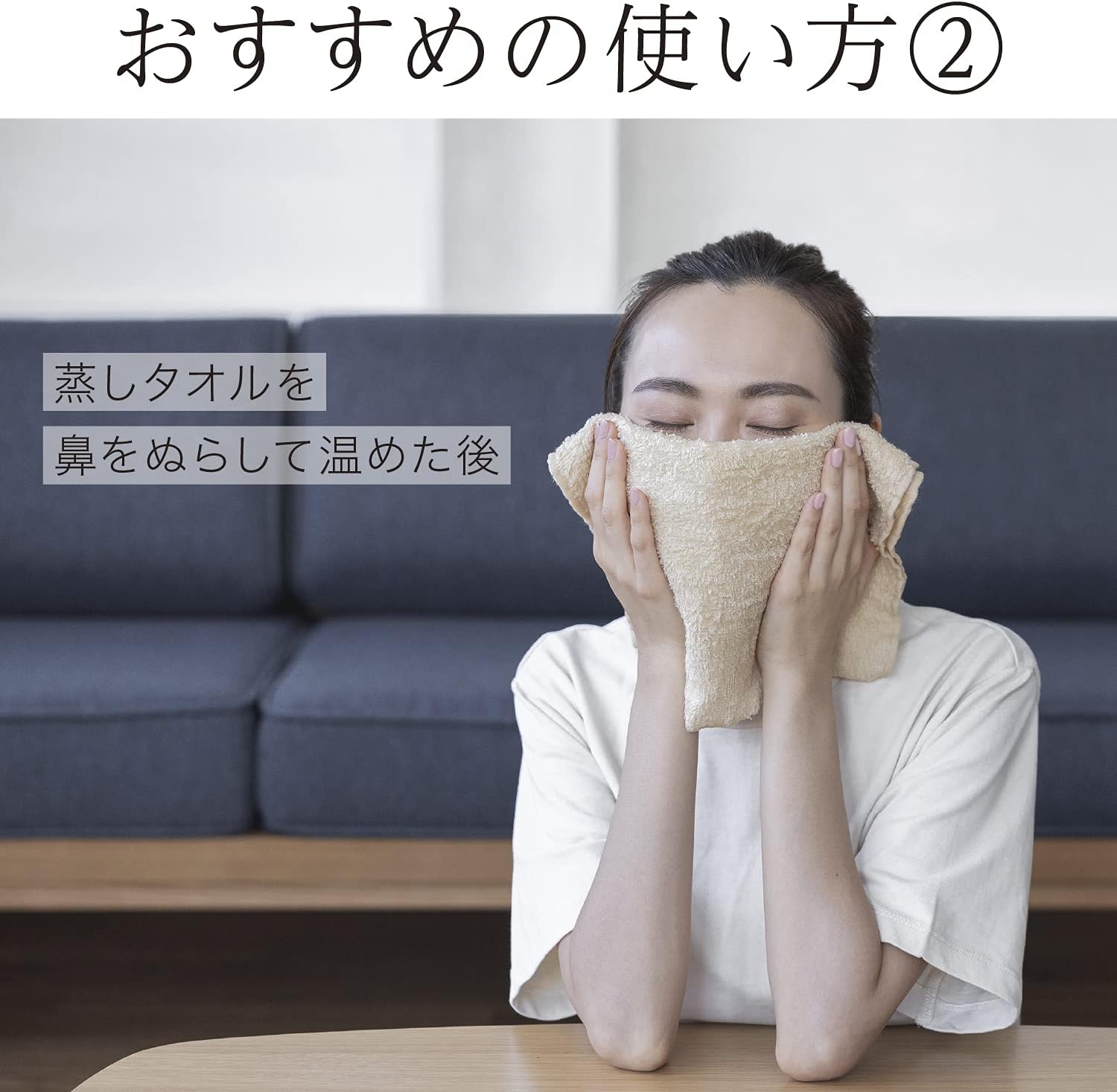
Preparation with a steamed towel.

Usage while warming skin with a steamer.
6.1. Using the Small Nose Suction Slim Cup (for Nose Area)
- Ensure the Small Nose Suction Slim Cup is securely attached.
- Press the power button to turn the device ON.
- Gently place the cup on the side of your nose and slowly slide it along the contours of your nose in the direction of the arrows shown in the diagram.
- Use for a maximum of 1 minute per session on the entire nose area, observing your skin's condition.
- After use, press the power button to turn the device OFF.

Image: Visual guide for using the slim cup on the nose, including attachment, movement, and post-care.
6.2. Using the Tapping Cup (for Forehead, Cheeks, Chin)
- Ensure the Tapping Cup is securely attached.
- Press the power button to turn the device ON.
- Gently tap and slide the cup across your forehead, cheeks, and chin, following the directions indicated by the arrows in the diagram.
- Use for a maximum of 4 minutes per session on the entire face, observing your skin's condition.
- After use, press the power button to turn the device OFF.

Image: Visual guide for using the tapping cup on the forehead, cheeks, and chin, including attachment, movement, and post-care.
6.3. Post-Usage Care
After each use, rinse your face thoroughly with water and apply your usual skincare products such as toner, serum, and moisturizer.
7. Maintenance and Cleaning
Regular cleaning ensures hygiene and extends the lifespan of your device.
- After Each Use: Remove the suction cup from the main unit. Rinse both the cup and the suction opening of the main unit thoroughly under running water to remove any sebum or residue.
- Drying: Wipe the device and cups with a soft, clean cloth. Allow all parts to air dry completely before reassembling or storing.
- Storage: Store the device in a clean, dry place away from direct sunlight and high temperatures.
- Do not use harsh chemicals, abrasive cleaners, or brushes to clean the device, as this may damage the surface or internal components.
8. Troubleshooting
If you encounter any issues with your device, refer to the following table:
| Problem | Possible Cause | Solution |
|---|---|---|
| Device does not turn ON. | Battery is depleted or incorrectly inserted. | Replace with a new AA alkaline battery. Ensure the battery is inserted with correct polarity. |
| Weak suction power. | Suction cup is not securely attached or is dirty. Skin is not sufficiently moist. | Ensure the cup is firmly attached. Clean the cup and suction opening. Moisten skin thoroughly before use. |
| Skin irritation or redness. | Device pressed too hard or held in one spot for too long. Skin is too dry. | Reduce pressure and keep the device moving. Ensure skin is moist. Discontinue use if irritation persists. |
If the problem persists after trying these solutions, please contact customer support.
9. Specifications
| Feature | Specification |
|---|---|
| Model Number | EH-SC10-E |
| Brand | Panasonic |
| Color | Beige Tone |
| Dimensions (approx.) | 16.7 x 7 x 4.9 cm (5.6 inches in length) |
| Weight (approx.) | 0.11 kg (excluding battery) |
| Power Source | 1 x AA Alkaline Dry Battery (LR6) (sold separately) |
| Suction Pressure | Approx. 40 kPa |
| Waterproof | Yes (suitable for use in bath) |

Image: The device with its approximate dimensions of 5.6 inches (14 cm).
10. Warranty and Support
This product comes with a manufacturer's warranty. Please refer to the warranty card included in the original packaging for details on coverage and duration. For technical support, replacement parts, or warranty claims, please contact Panasonic customer service through their official website or the contact information provided with your purchase.
For more information, visit the official Panasonic website: www.panasonic.com