
1. Introduction
The Bang & Olufsen Beoplay H95 headphones are designed to deliver an exceptional audio experience with advanced features for comfort and sound isolation. These premium over-ear headphones feature Adaptive Active Noise Cancellation, high-quality titanium drivers, and a seamless Bluetooth 5.1 wireless connection. Crafted with luxurious materials like lambskin leather and memory foam, they offer lasting comfort. Intuitive controls allow for easy management of audio and noise modes.

Figure 1: Front view of the Beoplay H95 headphones in Chestnut.
2. What's in the Box
- Beoplay H95 headphones
- Aluminium carrying case
- Microfibre cleaning cloth
- USB-A to USB-C charging cable
- 3.5 mm audio cable
- Flight adaptor
- Quick Start Guide & Instruction/Care card
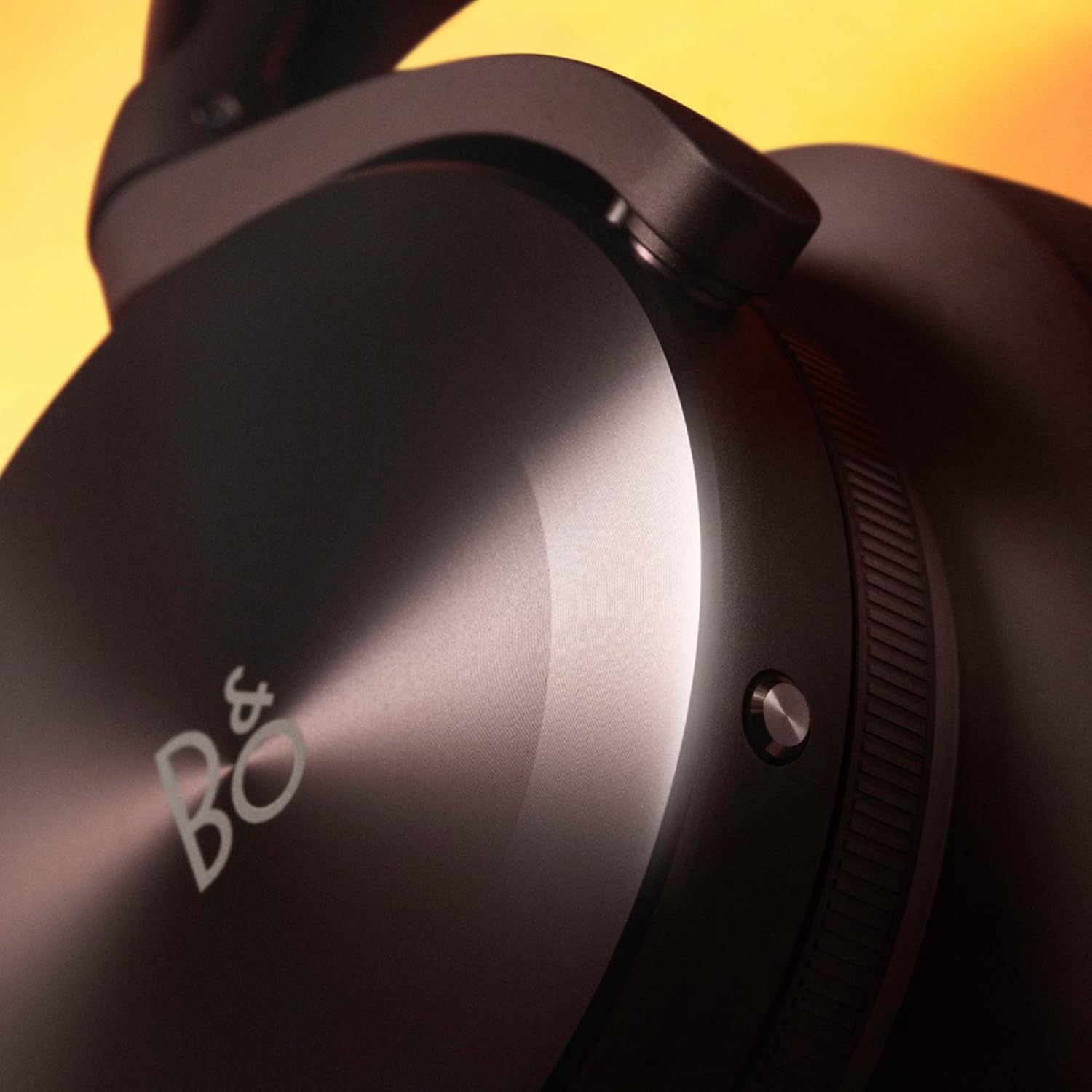
Figure 2: Beoplay H95 headphones and accessories within their protective carrying case.
3. Setup
3.1 Charging the Headphones
Before first use, fully charge your Beoplay H95 headphones. Connect the included USB-A to USB-C cable to the USB-C port on the headphones and to a power source. A full charge takes approximately 3 hours.

Figure 3: The included USB-A to USB-C charging cable.
3.2 Powering On/Off
- To Power On: Slide the power switch to the ON position. The indicator light will illuminate.
- To Power Off: Slide the power switch to the OFF position. The indicator light will turn off.
3.3 Bluetooth Pairing
- Ensure the headphones are powered off.
- Slide the power switch to the ON position and hold it for 2 seconds until the indicator light flashes blue. This indicates pairing mode.
- On your device (smartphone, tablet, laptop), go to Bluetooth settings and select "Beoplay H95" from the list of available devices.
- Once connected, the indicator light will turn solid blue.
4. Operating Instructions
4.1 Controls Overview
The Beoplay H95 features intuitive controls integrated into the earcups for easy access to various functions.

Figure 4: Detail of the earcup controls, including the volume dial.
- Volume Control: Rotate the dial on the right earcup clockwise to increase volume, counter-clockwise to decrease.
- Playback Control: Use the touch interface on the right earcup for play/pause, skip tracks.
- ANC/Transparency Control: Rotate the dial on the left earcup to adjust Active Noise Cancellation (ANC) or activate Transparency Mode.
- Call Management: Use the touch interface or dedicated buttons for answering/ending calls.
4.2 Active Noise Cancellation (ANC) and Transparency Mode
The Beoplay H95 offers Adaptive Active Noise Cancellation to minimize ambient noise and Transparency Mode to allow you to hear your surroundings without removing your headphones.
- Adaptive ANC: Automatically adjusts noise cancellation levels based on your environment.
- Transparency Mode: Allows external sounds to pass through, useful for conversations or situational awareness.
- Adjust these modes using the dial on the left earcup.
Video 1: Official Bang & Olufsen video showcasing the Beoplay H95 headphones and their features, including noise cancellation.
5. Maintenance
5.1 Cleaning
- Use the included microfibre cleaning cloth to gently wipe the headphones.
- For lambskin leather ear cushions, wipe with a soft, dry cloth. Avoid harsh chemicals or abrasive materials.
- The ear cushions are replaceable for extended product life.
5.2 Storage
Always store your Beoplay H95 headphones in their aluminium carrying case when not in use to protect them from dust, scratches, and impacts.

Figure 5: The durable aluminium carrying case for the Beoplay H95.
6. Troubleshooting
6.1 Connectivity Issues
- Headphones not pairing: Ensure headphones are in pairing mode (flashing blue light). Check your device's Bluetooth settings and try re-pairing.
- Intermittent connection: Ensure your device is within the 10-meter Bluetooth range. Avoid obstacles that may interfere with the signal.
6.2 Audio Problems
- No sound: Check volume levels on both headphones and your connected device. Ensure headphones are properly paired.
- Distorted sound: Try disconnecting and reconnecting the Bluetooth connection. Ensure audio source quality is good.
6.3 Battery and Charging
- Headphones not charging: Verify the USB-C cable is securely connected to both the headphones and the power source. Try a different USB-C cable or power adapter.
- Short battery life: Ensure ANC is not constantly active if not needed, as it consumes more power. Fully charge the headphones before each use.
7. Specifications
| Feature | Detail |
|---|---|
| Model Name | H95 |
| Connectivity | Bluetooth 5.1 |
| Wireless Range | 10 Meters |
| Noise Control | Adaptive Active Noise Cancellation |
| Audio Driver Type | Dynamic Driver |
| Audio Driver Size | 40 Millimeters |
| Headphones Jack | 3.5 mm Jack |
| Battery Life | Up to 38 Hours (with ANC) |
| Charging Time | 3 Hours |
| Weight | 323 Grams (11.4 ounces) |
| Materials | Aluminum, Fabric, Leather, Polymer, Titanium |
| Control Method | App, Touch |
| Water Resistance | Not Water Resistant |
8. Warranty and Support
Bang & Olufsen products are covered by a limited warranty. For detailed warranty information, product registration, and technical support, please visit the official Bang & Olufsen website or contact their customer service.
You can find additional support and product information at the Bang & Olufsen Store on Amazon.


