
1. Introduction
This manual provides essential information for the safe and efficient use of the Legrand Emdx3 Three-Phase Energy Meter, Model 412043. This device is designed for accurate measurement of electrical energy in three-phase systems, compliant with MID (Measuring Instruments Directive) standards, making it suitable for billing applications. Please read this manual thoroughly before installation and operation.
2. Safety Instructions
WARNING: Electrical shock hazard. Installation and maintenance must be performed by qualified personnel only.
- Always disconnect power before installing or servicing the device.
- Ensure all local and national electrical codes are followed.
- Do not operate the device if it appears damaged.
- Keep the device away from moisture and extreme temperatures.
- Use appropriate personal protective equipment (PPE) during installation.
3. Product Overview
The Legrand Emdx3 Three-Phase Energy Meter (Model 412043) is a robust device for monitoring energy consumption. It is designed for use with external current transformers (P/Ti 5A) to measure energy in industrial and commercial three-phase electrical installations. Its MID certification ensures accuracy and reliability for revenue metering.
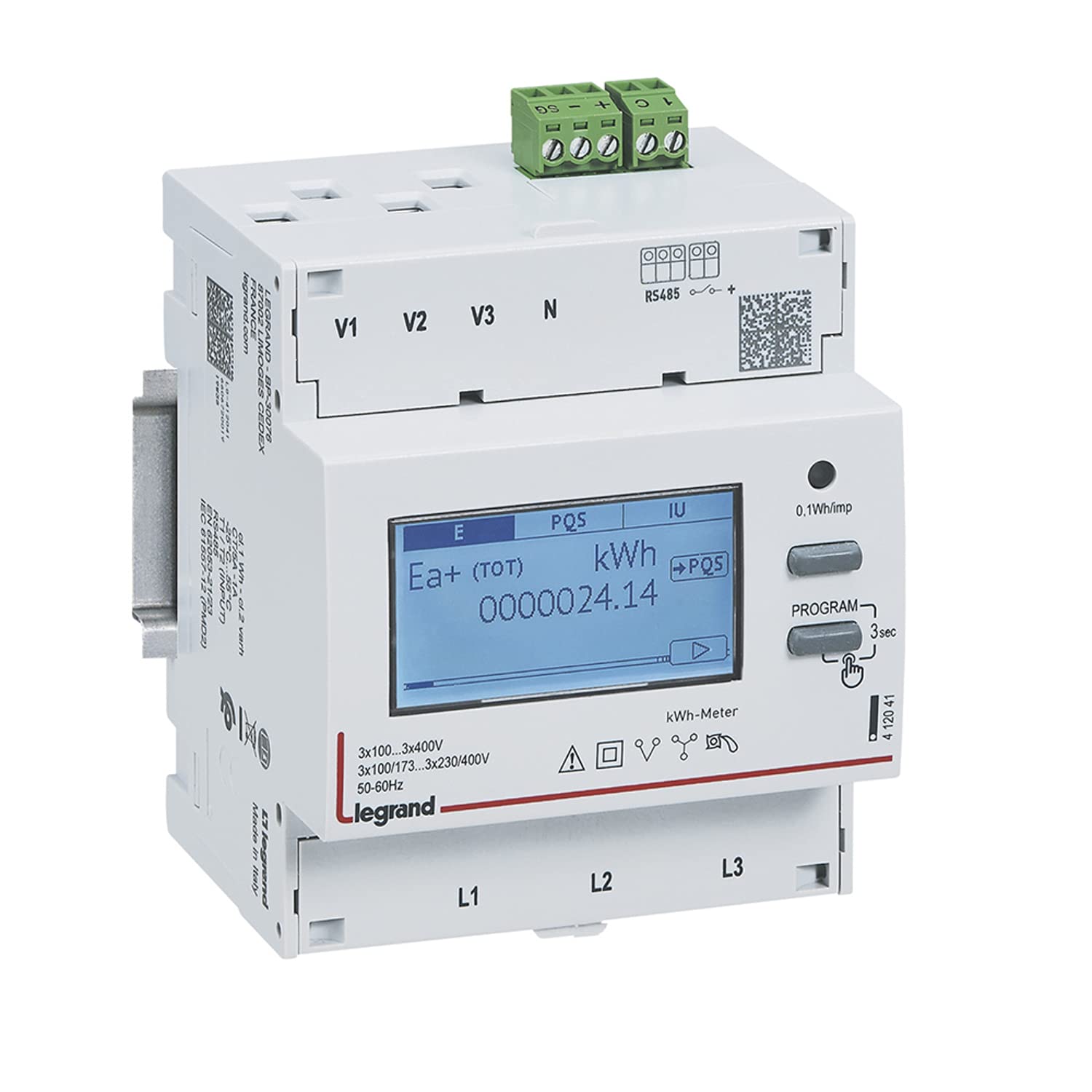
Figure 1: Front view of the Legrand Emdx3 Three-Phase Energy Meter. This image shows the display, control buttons, and general housing of the energy meter.
4. Setup and Installation
Installation of the Legrand Emdx3 energy meter requires expertise in electrical systems. It must be installed by a qualified electrician in accordance with the provided wiring diagrams and local regulations.
4.1 Mounting
The meter is typically mounted on a DIN rail within an electrical enclosure. Ensure adequate ventilation and clearance around the device.
4.2 Electrical Connections
Connect the voltage inputs and current transformer (CT) secondary wires (5A) to the designated terminals on the meter. Pay close attention to phase sequence and polarity for accurate measurements. Refer to the detailed wiring diagram supplied with the product packaging for specific terminal assignments.
- Voltage Connections: Connect the three-phase voltage lines (L1, L2, L3) and neutral (N) to the meter's voltage terminals.
- Current Transformer Connections: Connect the secondary outputs of the external current transformers (P/Ti 5A) to the corresponding current input terminals on the meter. Ensure correct phasing.
- Auxiliary Power (if applicable): Some models may require separate auxiliary power. Consult the wiring diagram.
CAUTION: Incorrect wiring can damage the meter and connected equipment, and pose a safety risk.
5. Operating Instructions
Once properly installed and powered, the Legrand Emdx3 meter will begin measuring energy consumption. The display provides real-time data and accumulated values.
5.1 Display Navigation
The meter typically features buttons on the front panel for navigating through various display screens. These screens may show:
- Total active energy (kWh)
- Total reactive energy (kvarh)
- Instantaneous voltage (V) per phase
- Instantaneous current (A) per phase
- Instantaneous active power (kW)
- Power factor
- Frequency (Hz)
Consult the specific product documentation for detailed instructions on button functions and display modes, as these can vary slightly between firmware versions.
5.2 Reading Data
The primary function is to display accumulated energy. For billing purposes, record the total active energy (kWh) reading at specified intervals. The MID certification ensures the accuracy of these readings.
6. Maintenance
The Legrand Emdx3 energy meter is designed for long-term, maintenance-free operation. However, periodic checks are recommended.
- Cleaning: Clean the exterior of the meter with a soft, dry cloth. Do not use abrasive cleaners or solvents.
- Visual Inspection: Periodically inspect the meter and its connections for any signs of damage, loose wiring, or overheating.
- No User-Serviceable Parts: The device contains no user-serviceable parts. Do not attempt to open or repair the meter. Refer all servicing to qualified Legrand service personnel.
7. Troubleshooting
If the energy meter is not functioning as expected, consider the following common issues:
| Problem | Possible Cause | Solution |
|---|---|---|
| No display/No power | No power supply to the meter; loose connections. | Check circuit breaker. Verify all voltage and auxiliary power connections are secure. |
| Incorrect readings | Incorrect CT wiring (polarity/phasing); incorrect CT ratio settings (if configurable); faulty CTs. | Verify CT connections and polarity. Ensure CT ratio settings match the installed CTs. Consult a qualified electrician. |
| Meter not responding | Internal fault; temporary software glitch. | Cycle power to the meter (turn off and on). If the problem persists, contact Legrand support. |
For issues not covered here, or if troubleshooting steps do not resolve the problem, contact Legrand technical support or a qualified electrician.
8. Specifications
- Model Number: 412043
- Brand: Legrand
- Type: Three-Phase Energy Meter
- Current Input: P/Ti 5A (via external Current Transformers)
- Compliance: MID (Measuring Instruments Directive)
- Dimensions (L x W x H): 10 x 10 x 15 cm
- Weight: 500 grams
- Manufacturer: Legrand
- Batteries Required: No
- Quantity of Items: 1
9. Warranty and Support
Legrand products are manufactured to high standards and are backed by a manufacturer's warranty. For specific warranty terms and conditions, please refer to the documentation included with your purchase or visit the official Legrand website.
For technical assistance, troubleshooting, or service inquiries, please contact Legrand customer support. Ensure you have your product model number (412043) and purchase details available when contacting support.
Legrand Official Website: www.legrand.com


