Introduction
This manual provides detailed instructions for the setup, operation, and maintenance of your UVISION S100 100-inch projector screen. Please read this manual thoroughly before use to ensure optimal performance and longevity of your product.
Package Contents
Verify that all items listed below are included in your package:
- 1 x UVISION S100 100-inch Projector Screen
- 1 x Storage Bag
- 16 x Seamless Hooks
- 16 x Seamless Double-Sided Adhesives
- 4 x Ropes

This image displays the complete packing list for the UVISION S100 projector screen, including the 100-inch screen, a storage bag, 16 seamless hooks, 16 seamless double-sided adhesives, and 4 ropes. The total package weight is approximately 1.30 lbs.
Key Features
- Enhanced Material: 2.5X thicker than standard screens, made from upgraded polyester for brilliant, vivid, and high-accuracy images. Reinforced edges prevent tearing.
- Wide Viewing Angle: Supports a 165° viewing angle, ensuring clear visibility from various positions.
- Dual Projection Support: Compatible with both front and rear projection setups, suitable for indoor and outdoor use.
- Easy Installation: Flexible setup options including hooks, seamless adhesives, ropes, or nails.
- Wrinkle-Free & Easy Maintenance: The upgraded polyester material is wrinkle-free, easy to clean, and simple to store.
- Optimal Size: 100-inch diagonal size with a 16:9 aspect ratio, ideal for various viewing environments.

This image illustrates the core features of the UVISION S100 projector screen, including its 100-inch 16:9 ratio, wrinkle-free material, 165-degree viewing angle, and support for both front and rear projection.
Setup and Installation
The UVISION S100 projector screen offers multiple installation methods to suit various environments. Choose the method most appropriate for your desired location.
Installation Methods:
- Hooks: Utilize the provided seamless hooks for quick and easy hanging on suitable surfaces.
- Ropes: Thread the included ropes through the screen's grommets and secure them to anchor points.
- Nails: For a more permanent fixture, use nails through the grommets into a wall or frame.
- Double-Sided Tape: Apply the seamless double-sided adhesive to the screen's edges and attach to a clean, flat surface.
Ensure the screen is stretched taut to minimize any remaining creases and achieve the best viewing surface.

This image details the flexible installation options for the UVISION S100 screen, including hooks, ropes, nails, and double-sided tape, making it easy to set up and remove in various environments.

This image provides a visual guide to the different setup methods for the UVISION S100 projector screen, including hooks, nails, ropes, and double-sided tape.
Operating Instructions
Viewing Angle
The UVISION S100 screen features a 165° wide viewing angle. This allows for clear and consistent image quality from a broad range of seating positions, making it suitable for various audience sizes and room layouts.
This diagram illustrates the 100-inch, 16:9 aspect ratio screen dimensions (87-inch width, 49-inch height) and its 165-degree wide viewing angle, allowing clear visibility from various seating positions.
Front and Rear Projection
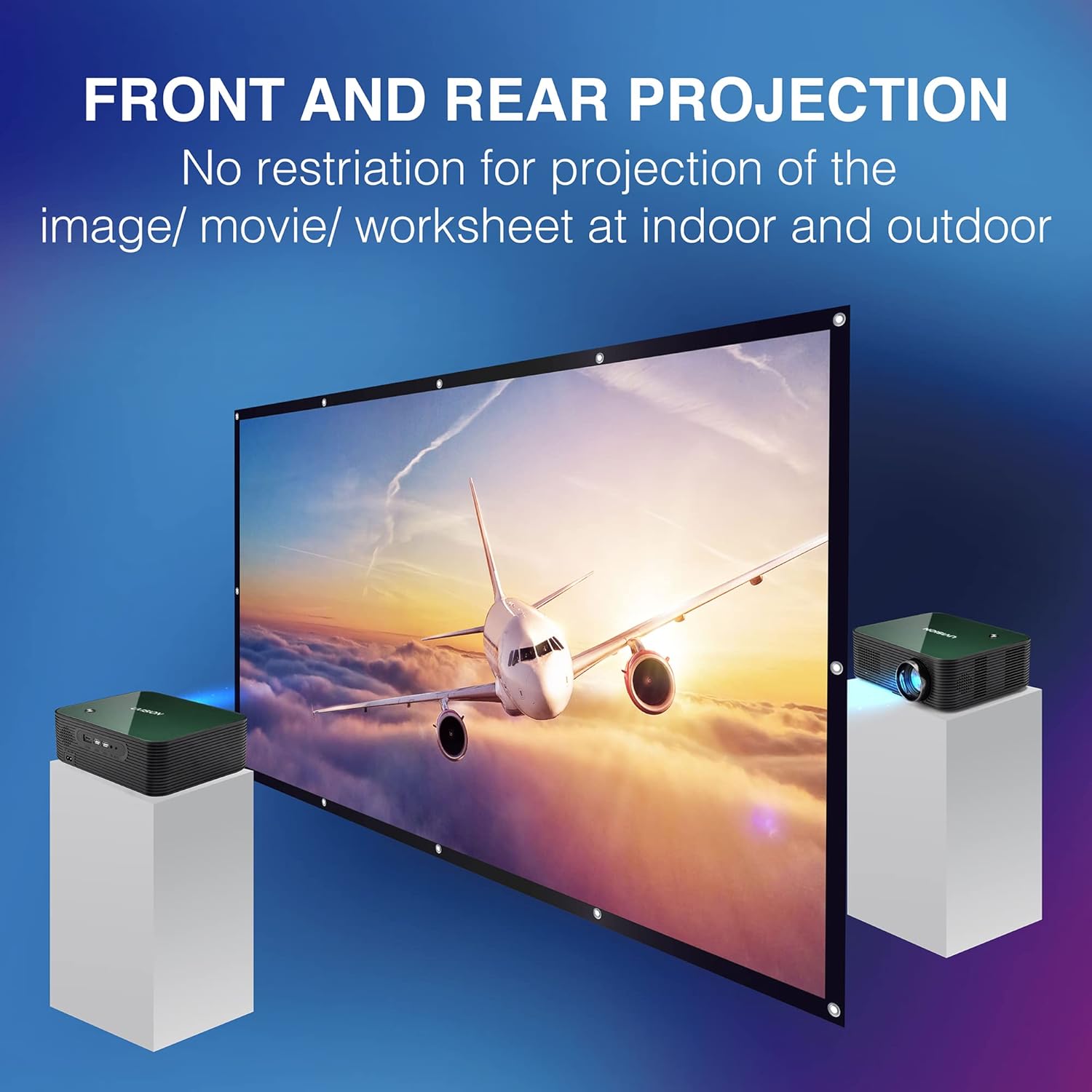
The screen material is designed to support both front and rear projection. This flexibility allows you to place your projector either in front of the screen (standard setup) or behind it, depending on your space and aesthetic preferences. This feature is particularly useful for events or outdoor cinema where the projector needs to be out of the audience's way.

The image shows the UVISION S100 screen supporting both front and rear projection, allowing flexible setup for indoor and outdoor use without image restriction.
Image Quality
The upgraded polyester material ensures a brilliant, vivid, and high-accuracy image display, enhancing your viewing experience for movies, presentations, or gaming.

The UVISION S100 screen displays brilliant and vivid colors with high accuracy, as demonstrated by the clear image of a football player, in contrast to a blurry, less defined image on other screens.
Maintenance and Care
Cleaning
The UVISION S100 projector screen is designed for easy cleaning. For best results:
- Gently hand wash the screen with mild soap and water.
- Avoid harsh chemicals or abrasive cleaning tools, as these can damage the screen surface.
- After washing, allow the screen to drip dry completely.
Wrinkle Removal
The upgraded polyester material is inherently wrinkle-free. If minor creases appear from prolonged storage, you can gently iron the screen at a low temperature (50°-60°C). Always use a protective cloth between the iron and the screen surface.
Storage
When not in use, the screen can be folded or compressed for compact storage. Store it in the provided storage bag in a cool, dry place away from direct sunlight and extreme temperatures.

The UVISION S100 screen is designed to be wrinkle-free and easy to clean. It can be folded for storage, gently hand washed, ironed at 50°-60°C, and hung flat to dry.
Troubleshooting
This section addresses common issues you might encounter with your projector screen.
| Problem | Possible Cause | Solution |
|---|---|---|
| Image appears dim or washed out | Excessive ambient light; Projector settings; Incorrect projection type. | Reduce ambient light in the room. Adjust projector brightness/contrast settings. Ensure you are using front projection for front-facing projectors, or rear projection for rear-facing projectors. |
| Wrinkles or creases on the screen | Improper storage; Screen not stretched taut during installation. | Ensure the screen is installed tightly and evenly. Gently iron the screen at a low temperature (50°-60°C) with a protective cloth. Store the screen folded or rolled in its bag. |
| Screen does not stay attached to the wall | Adhesive failure; Unsuitable surface. | Ensure the surface is clean, dry, and smooth before applying adhesives. For heavier or long-term installations, consider using hooks, ropes, or nails. |
Specifications
| Feature | Detail |
|---|---|
| Model | S100 |
| Display Dimensions (Diagonal) | 100 inches |
| Aspect Ratio | 16:9 |
| Product Dimensions (W x H x D) | 87 x 49 x 0.2 inches (87"W x 49"H) |
| Item Weight | 1.47 pounds |
| Material | Polyester |
| Viewing Angle | 165° |
| Mounting Type | Inside Mount, Outside Mount |
| Manufacturer | UVISION |
| Date First Available | September 27, 2021 |
Warranty and Support
For warranty information or technical support, please refer to the contact details provided with your purchase or visit the official UVISION website. Keep your purchase receipt as proof of purchase for any warranty claims.