
NICREW N26062
NICREW LED Aquarium Light Instruction Manual
Model: N26062
1. Introduction
Thank you for choosing the NICREW LED Aquarium Light. This light is designed to provide optimal illumination for your aquarium, featuring adjustable white and blue light modes, a built-in timer, and a fully submersible, waterproof design. Please read this manual carefully before installation and operation to ensure proper use and longevity of your product.
2. Product Features
- Integrated LED Bar: Smartly designed to enhance aquarium aesthetics and lighting.
- Multiple Lighting Modes: Freely switch between 3 lighting modes (white, blue, white & blue) and 5 brightness levels to meet diverse aquarium needs.
- Pre-set Timer Function: Ensures a natural day-night cycle in your aquarium with 3, 9, or 12-hour timer options. Note: The timer needs to be reset after a power outage, but brightness settings are retained.
- Safe Operation: Operates at a safe 12V, posing no risk to humans or aquatic animals.
- IP68 Waterproof Design: Can be fully submerged underwater or attached to the side of the aquarium using strong suction cups.
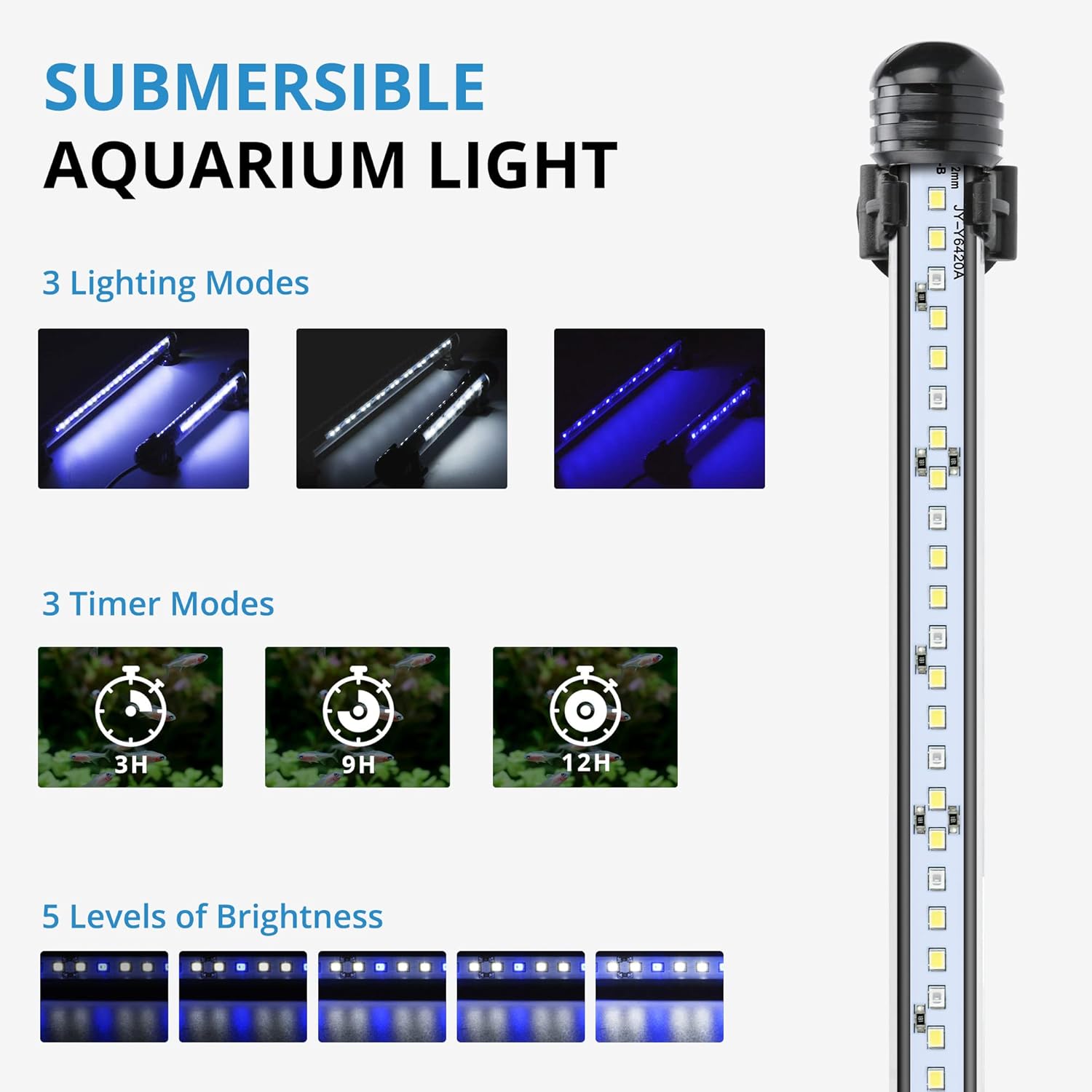
Image: Overview of the light's features including lighting modes, timer options, and brightness levels.

Image: Detailed view of the inline controller for adjusting white and blue LED brightness, selecting timer modes, and power control.
3. Installation
The NICREW LED Aquarium Light offers flexible installation options. It can be placed above water or fully submerged.
- Attach Suction Cups: Securely attach the provided suction cups to the ends of the light bar.
- Positioning:
- Above Water: Use the suction cups to attach the light to the inner rim or lid of your aquarium.
- Submerged: Use the suction cups to attach the light to the inside glass of your aquarium, ensuring it is fully submerged.
- Connect Power: Plug the power adapter into a suitable electrical outlet.

Image: Illustration of the two primary installation methods: above the water line and fully submerged within the aquarium.
Video: Demonstrates the installation of suction cups onto the light bar and how to turn on the light, adjust lighting modes, and set brightness levels. The video shows the light being attached to an aquarium and its various functions in action.
4. Operating Instructions
The NICREW LED Aquarium Light is controlled via an inline switch with multiple buttons.
- Power On/Off: Press and hold the power button for three seconds to turn the light on or off.
- Change Lighting Modes:
- Press the 'W' button to activate white light mode.
- Press the 'B' button to activate blue light mode.
- Press the 'W' and 'B' buttons simultaneously or cycle through modes to activate white and blue light mode.
- Adjust Brightness: The light offers 5 levels of brightness (20%, 40%, 60%, 80%, 100%). Use the brightness adjustment buttons (often integrated with mode buttons or separate up/down arrows) to cycle through these levels.
- Set Timer: Press the timer button to select a pre-set duration: 3 hours, 9 hours, or 12 hours. The light will automatically turn off after the selected duration and turn on again at the same time the next day.

Image: Visual representation of the 5 adjustable brightness levels and examples of the white, blue, and combined white and blue lighting modes in an aquarium setting.
5. Maintenance
- Cleaning: Regularly wipe the light bar with a soft, damp cloth to remove algae or mineral deposits. Ensure the light is unplugged before cleaning. Do not use abrasive cleaners.
- Inspection: Periodically check the power cord and connections for any signs of damage. If any damage is observed, discontinue use immediately and contact customer support.
- Water Quality: Maintain good aquarium water quality to minimize mineral buildup on the light.

Image: Close-up demonstrating the waterproof design of the light, highlighting its durability for submerged use.
6. Troubleshooting
| Problem | Possible Cause | Solution |
|---|---|---|
| Light does not turn on. |
|
|
| Timer function not working correctly. |
|
|
| Light appears dim or flickers. |
|
|
| Suction cups do not hold. |
|
|
7. Specifications
| Feature | Detail |
|---|---|
| Brand | NICREW |
| Model Number | N26062 |
| Power | 2.5 Watts |
| Lumen Output | 150 LM |
| Operating Voltage | 12V |
| Material | Metal |
| Color | Two Colors (White, Blue) |
| Waterproof Rating | IP68 |
| Dimensions (Package) | 31.3 x 8.3 x 4.6 cm |
| Item Weight | 240 grams |
| Power Source | Electric Cable |
| Switch Style | Toggle |

Image: Information on lumens and a guide for recommended lumen levels based on aquarium volume for low, medium, and high light intensity.
8. Warranty and Support
For warranty information or technical support, please refer to the documentation included with your purchase or visit the official NICREW website. If you encounter any issues not covered in this manual, please contact NICREW customer service for assistance.
Contact Information: Please refer to your product packaging or the NICREW official website for the most up-to-date contact details.
Related documentsN26062


Ask a question about this manual
Ask about setup, troubleshooting, compatibility, parts, safety, or missing instructions. Manuals+ will review the question and use this page’s manual context to help answer it.