
Introduction
The Rii RK204 Wireless RGB Gaming Keyboard is designed to enhance your gaming and computing experience with its advanced features and ergonomic design. This manual provides comprehensive instructions for setting up, operating, maintaining, and troubleshooting your keyboard to ensure optimal performance.
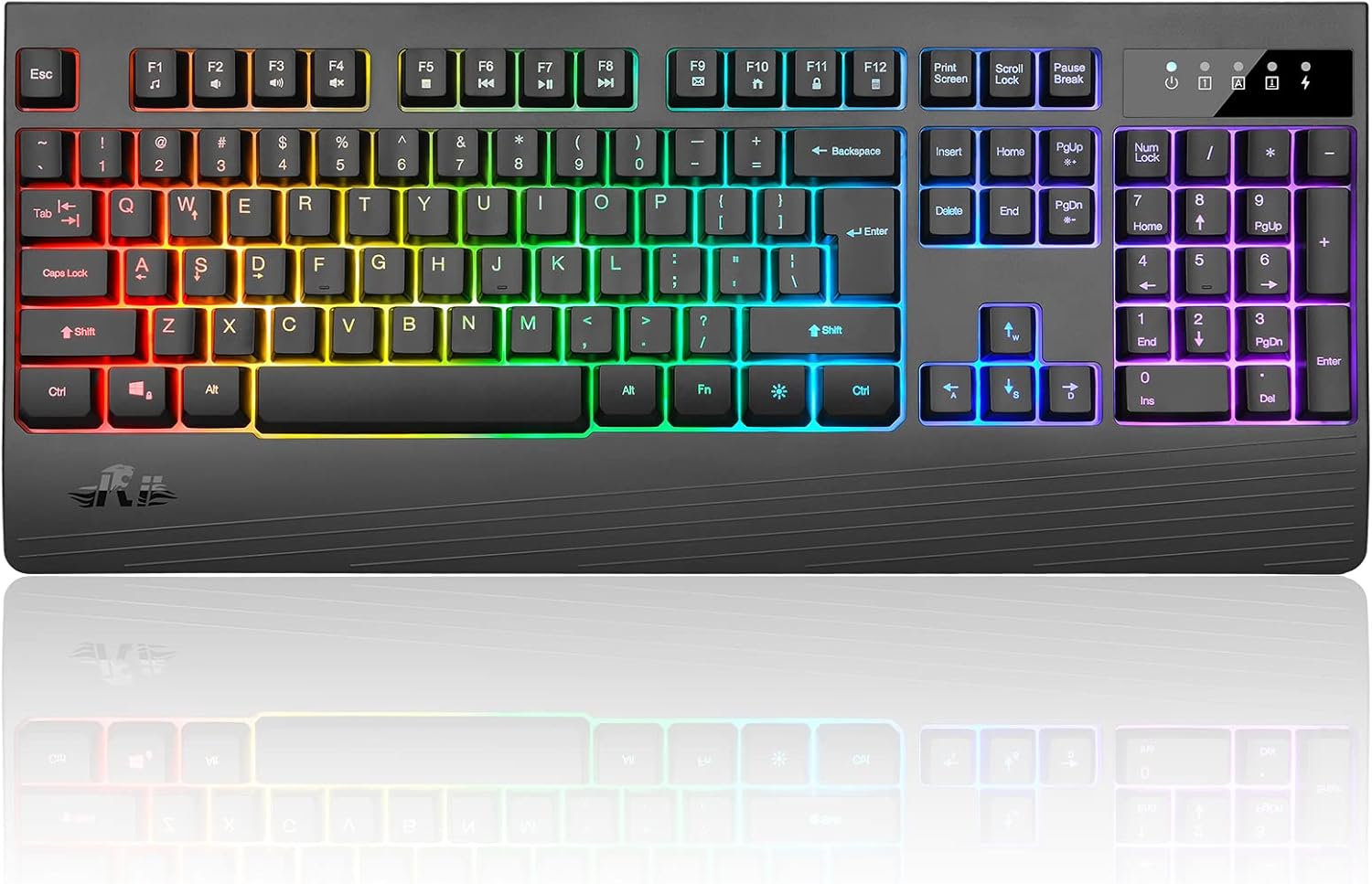
Figure 1: Rii RK204 Wireless RGB Gaming Keyboard
Key Features
The Rii RK204 keyboard offers a range of features designed for convenience and performance:
- Rechargeable Wireless Design: Equipped with an 1800mAh built-in battery, eliminating the need for frequent battery changes. Features an automatic sleep mode after 5 minutes of inactivity to conserve energy, with any key press waking it up.
- Durable Construction: Made from durable ABS material, ensuring sturdiness and longevity. Keys have a lifetime of 500,000 keystrokes.
- 2.4G Wireless Transmission: Provides a stable wireless connection up to 10 meters. The USB receiver is conveniently stored on the back of the keyboard for plug-and-play functionality, requiring no additional drivers.
- Vibrant RGB Backlighting: Features 5 LED backlit modes and 4 adjustable permanent mixed backlit modes. Brightness and breathing speed of the backlight can be adjusted to personal preference.
- Broad Compatibility: Compatible with Windows 10, Windows 8, Windows 7, Windows XP, Windows VISTA, Mac OS, PS4, and Xbox.
- Full-Size Layout: A 104-key standard keyboard with 19-key anti-ghosting capability and 13 multimedia key combinations for enhanced control.

Figure 2: Overview of Rii RK204 Keyboard Features
Setup Guide
1. Initial Charging
Before first use, fully charge the keyboard for approximately 4 hours. Use the provided USB cable to connect the keyboard to a power source (e.g., computer USB port, USB wall adapter).

Figure 3: Micro USB Charging Port and Power Switch
2. Wireless Connection
- Locate the USB receiver on the back of the keyboard. It is typically stored in a small compartment.
- Remove the USB receiver and plug it into an available USB port on your computer, gaming console (PS4, Xbox), or other compatible device.
- Turn on the keyboard using the ON/OFF switch, usually located near the charging port.
- The keyboard should automatically connect to your device. No additional drivers are required for most operating systems.

Figure 4: 2.4GHz Wireless USB Receiver
Operating Instructions
1. Basic Usage
Once connected, the keyboard functions like a standard 104-key keyboard. You can begin typing and using its various keys immediately.
2. Backlight Control
The Rii RK204 features customizable RGB backlighting. Use the following key combinations with the Fn (Function) key:
- Fn + PGUP / PGDN: Increase or reduce backlight brightness.
- Fn + "=" / "-": Control the breathing frequency and running speed of dynamic backlight modes.
- Fn + 1 / 2 / 3 / 4 / 5: Change between different backlight modes (5 LED modes, 4 adjustable permanent mixed modes).
- LED Backlight ON/OFF: Specific key combination for turning the backlight on or off (refer to keyboard layout for exact key, often indicated by a light bulb icon).

Figure 5: Backlight Control Functions
3. Multimedia Keys
The keyboard includes 13 multimedia key combinations, typically accessed by holding the Fn key and pressing the corresponding F-keys (F1-F12) or other designated keys. These allow quick access to functions like volume control, media playback, and more.
Maintenance
1. Battery Care
- To maximize battery life, fully charge the keyboard when the battery is low.
- If the keyboard will not be used for an extended period, turn off the power switch to prevent battery drain.
- Avoid exposing the keyboard to extreme temperatures, which can affect battery performance.

Figure 6: 1800mAh Large Capacity Battery
2. Cleaning
- Use a soft, dry cloth to wipe down the keyboard surface.
- For stubborn dirt, slightly dampen the cloth with water or a mild, non-abrasive cleaner. Ensure no liquid enters the keyboard.
- Use compressed air to remove dust and debris from between the keys.
Troubleshooting
| Problem | Possible Cause | Solution |
|---|---|---|
| Keyboard not responding / Not connecting wirelessly |
|
|
| Backlight not working or dim |
|
|
| Keys are not registering or feel sticky |
|
|
Specifications
| Attribute | Detail |
|---|---|
| Model | RK204 |
| Connectivity Technology | 2.4G Wireless (USB Receiver) |
| Number of Keys | 104 |
| Backlighting | RGB (5 LED modes, 4 mixed modes) |
| Battery Capacity | 1800mAh |
| Material | Acrylonitrile Butadiene Styrene (ABS) |
| Item Weight | 2.07 pounds |
| Package Dimensions | 17.6 x 8.43 x 1.54 inches |
| Compatible Devices | PC, PS4, Xbox, Windows 10/8/7/XP/VISTA, Mac OS |
| Included Components | USB Cable |

Figure 7: Ergonomic Design and Dimensions
Warranty and Support
Rii stands behind the quality of its products. The RK204 Wireless RGB Gaming Keyboard comes with the following:
- 30-Day Return Policy: Enjoy a 30-day no-reason return period from the date of purchase.
- 12-Month Warranty: A 12-month warranty covers manufacturing defects and ensures product reliability.
- Customer Service: Our dedicated Customer Service team is available to assist you with any inquiries or issues. We aim to respond within 24 hours.
For support, please refer to the contact information provided with your product packaging or visit the official Rii website for assistance.