
AOSU V8S1AX11
AOSU Doorbell Camera Wireless
Instruction Manual for Model V8S1AX11
Product Overview
The AOSU Doorbell Camera offers advanced home security with its 5MP Ultra HD resolution, ensuring clear and detailed video footage. Designed for versatility, it supports both battery and wired power options, along with dual-band 2.4/5 GHz WiFi connectivity for stable performance. This system includes a HomeBase for local storage, eliminating the need for monthly subscription fees for video access. It is also compatible with popular smart home platforms like Amazon Alexa and Google Assistant.
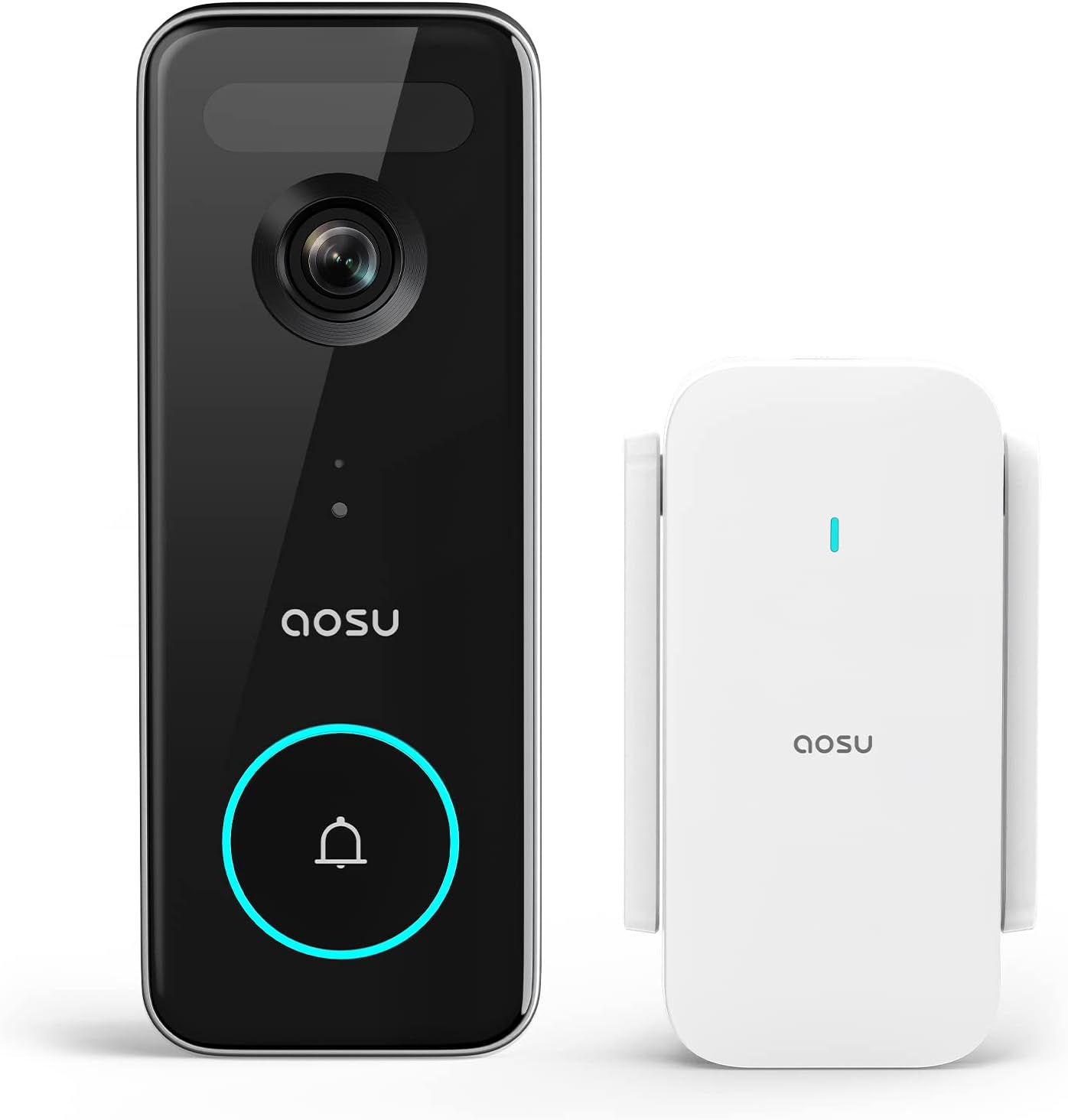
Figure 1: AOSU Doorbell Camera and accompanying HomeBase unit.
Key Features:
- 5MP Ultra HD Resolution: Equipped with a 5MP camera and 7-piece optical glass lens for sharp, detailed images in various lighting conditions.
- Triple Motion Detection: Utilizes advanced radar and PIR motion sensors, combined with intelligent human detection, to accurately identify movement and reduce false alerts.
- No Monthly Fees: Videos are stored directly to the HomeBase with built-in 8GB memory, providing up to 60 days of loop recording without additional subscription costs.
- Extended Battery Life: Features a built-in rechargeable battery and low-power wireless connection, offering up to 180 days of operation on a single charge.
- Wide Field of View: A 166° field of view allows for comprehensive coverage, capturing a person from head to toe or packages on the ground.
- Dual-Band WiFi: Supports both 2.4 GHz and 5 GHz WiFi for flexible and stable connectivity.
- Smart Home Integration: Works seamlessly with Amazon Alexa and Google Assistant for convenient voice control and integration into existing smart home ecosystems.

Figure 2: Visual comparison highlighting the superior clarity of 5MP Ultra HD resolution.

Figure 3: Triple detection system for enhanced accuracy and reduced false alerts.

Figure 4: The HomeBase provides local storage, eliminating recurring monthly fees.
What's in the Box
Upon unboxing your AOSU Doorbell Camera, you will find the following components:
- AOSU Doorbell Camera (V8S1AX11)
- AOSU HomeBase (with built-in 8GB memory)
- Mounting Bracket
- Mounting Screws and Wall Anchors
- Wedge Kit (for angled installation)
- Charging Cable (USB)
- Quick Start Guide
- Wiring Harness (for wired installation)
Video 1: An unboxing and initial review of the AOSU 5MP Ultra Camera Doorbell, showcasing its components and features.
Setup and Installation
The AOSU Doorbell Camera offers flexible installation options, allowing for both wireless (battery-powered) and wired setups. Ensure your HomeBase is powered on and connected to your network before proceeding with doorbell installation.
1. HomeBase Setup:
- Plug the HomeBase into a power outlet near your Wi-Fi router.
- Download the AOSU app from your device's app store.
- Follow the in-app instructions to add the HomeBase to your account and connect it to your Wi-Fi network (supports 2.4 GHz and 5 GHz).
2. Doorbell Camera Installation:
Choose between wireless or wired installation based on your preference and existing doorbell wiring.
Wireless Installation (Battery Powered):
- Select a suitable mounting location near your front door, ensuring good Wi-Fi signal strength.
- Use the provided mounting bracket as a template to mark drill holes.
- Drill the holes, insert wall anchors (if needed), and secure the mounting bracket with screws.
- Attach the doorbell camera to the mounting bracket.
Wired Installation (Utilizes existing doorbell wiring):
- Turn off power to your existing doorbell at the circuit breaker.
- Remove your existing doorbell button.
- Connect the existing doorbell wires to the terminals on the back of the AOSU Doorbell Camera using the provided wiring harness.
- Mount the doorbell camera using the provided bracket and screws, ensuring the wires are securely connected.
- Restore power at the circuit breaker.

Figure 5: The doorbell is designed for quick and easy installation.

Figure 6: The doorbell supports both 2.4GHz and 5GHz Wi-Fi for reliable connection.
Operating Your AOSU Doorbell Camera
Once installed, manage and monitor your doorbell camera through the intuitive AOSU mobile application.
Live View and Two-Way Talk:
- Open the AOSU app to access the live feed from your doorbell camera.
- Use the microphone icon to initiate two-way communication with visitors at your door.
- Utilize the quick reply feature for pre-recorded messages when you are unable to speak directly.

Figure 7: Engage in two-way conversations or use quick replies directly from your smartphone.
Motion Detection and Zones:
- The doorbell uses PIR, human, and radar motion detection to accurately identify activity.
- Customize motion detection zones within the app to focus on specific areas and minimize unwanted alerts.
- Receive instant notifications on your smartphone when motion is detected.

Figure 8: Define specific motion zones to receive relevant alerts.

Figure 9: Instant notifications keep you informed of activity at your door.
Night Vision:
- The doorbell automatically switches to infrared night vision in low-light conditions, providing clear black-and-white footage.

Figure 10: Clear night vision ensures visibility even in complete darkness.
Maintenance
Battery Charging:
For wireless installations, the doorbell's battery provides up to 180 days of use on a single charge. When the battery is low, you will receive a notification via the AOSU app. To charge, simply remove the doorbell from its mounting bracket and connect it to the provided USB charging cable.

Figure 11: Enjoy long-lasting battery performance with up to 180 days per charge.
Local Storage Management:
The HomeBase includes 8GB of built-in memory for local video storage. This provides approximately 60 days of loop recording. You can review recorded events directly from the AOSU app. Regularly review and delete old footage as needed to manage storage space, though the system will automatically overwrite the oldest files when full.

Figure 12: Local storage on the HomeBase provides secure and free video recording.
Troubleshooting
| Issue | Possible Solution |
|---|---|
| Frequent False Alerts | Adjust motion detection sensitivity in the app. Utilize customizable motion zones to exclude high-traffic areas or objects like trees. Ensure "People Only Mode" is enabled if available. |
| Poor Video Quality | Check your Wi-Fi signal strength in the app; relocate HomeBase closer to the doorbell if necessary. Ensure the camera lens is clean and free from obstructions. Verify "UHD - High quality" is selected in video settings. |
| Doorbell Not Connecting to Wi-Fi | Ensure your Wi-Fi network is operating on a supported frequency (2.4 GHz or 5 GHz). Restart your router and HomeBase. Re-pair the doorbell with the HomeBase via the app. |
| Short Battery Life | Reduce motion detection sensitivity or frequency of recordings. Disable the doorbell circular light if not essential. Ensure the doorbell is fully charged after each charging cycle. |
| No Notifications | Check notification settings in the AOSU app and your smartphone's system settings. Ensure the app has necessary permissions. Verify internet connectivity. |
Specifications
| Feature | Detail |
|---|---|
| Model Number | V8S1AX11 |
| Video Capture Resolution | 5 MP Ultra HD |
| Field of View | 166 Degrees |
| Power Source | Battery/Wired Powered |
| Connectivity Protocol | Wi-Fi (2.4 GHz & 5 GHz) |
| Local Storage | 8 GB (built-in HomeBase) |
| Battery Life | Up to 180 days (single charge) |
| Motion Detection | Triple Motion Detection (PIR, Human, Radar) |
| Night Vision | Infrared |
| Smart Home Compatibility | Amazon Alexa, Google Assistant |
| Water Resistance Level | Waterproof (IP66) |
| Dimensions (L x W x H) | 6.14 x 2.48 x 5.43 inches |
| Item Weight | 1.23 pounds |
Warranty and Support
AOSU products are designed for reliability and performance. For specific warranty details, please refer to the warranty card included with your product or visit the official AOSU website. If you encounter any issues or require technical assistance, please contact AOSU customer support through their official channels. Support contact information is typically available on the product packaging, the quick start guide, or the AOSU website.
For additional resources, you may also refer to the official User Guide (PDF) available online: AOSU Doorbell Camera User Guide
Related documentsV8S1AX11


Ask a question about this manual
Ask about setup, troubleshooting, compatibility, parts, safety, or missing instructions. Manuals+ will review the question and use this page’s manual context to help answer it.