
Anker A8751011
Anker USB C to USB C Cable User Manual
Model: A8751011
1. Introduction
This manual provides essential information for the proper use and care of your Anker USB C to USB C 60W Fast Charging Cable. This cable is designed for efficient power delivery and data transfer between compatible USB-C devices.

Image 1.1: The Anker USB C to USB C Cable, featuring a black braided exterior and USB-C connectors on both ends.
2. Setup
The Anker USB C to USB C cable is designed for plug-and-play functionality. No software installation is required.
- Identify Ports: Ensure both your charging adapter/power source and your device (smartphone, tablet, laptop) have a USB-C port.
- Connect to Power Source: Insert one end of the Anker USB C cable into a compatible USB-C power adapter or power bank.
- Connect to Device: Insert the other end of the Anker USB C cable into the USB-C port of your device.
- Verify Connection: Your device should indicate that it is charging or connected for data transfer.
3. Operation
3.1 Fast Charging
This cable supports up to 60W Power Delivery (PD) for fast charging compatible devices. To achieve fast charging speeds, ensure your power adapter also supports Power Delivery and provides sufficient wattage for your device.

Image 3.1: Illustration showing a smartphone charging from 0% to 62% in 30 minutes, demonstrating the cable's fast charging capability with a compatible 25W Power Delivery charger.
3.2 Data Transfer
The cable supports data transfer speeds of up to 480 Mbps (USB 2.0 standard). Connect your USB-C device to a computer or other compatible device to transfer files.
3.3 Wide Compatibility
The cable is compatible with a broad range of USB-C devices, including smartphones, tablets, and laptops. Full-speed charging is supported for many devices, while some laptops may charge at limited speeds depending on their power requirements.
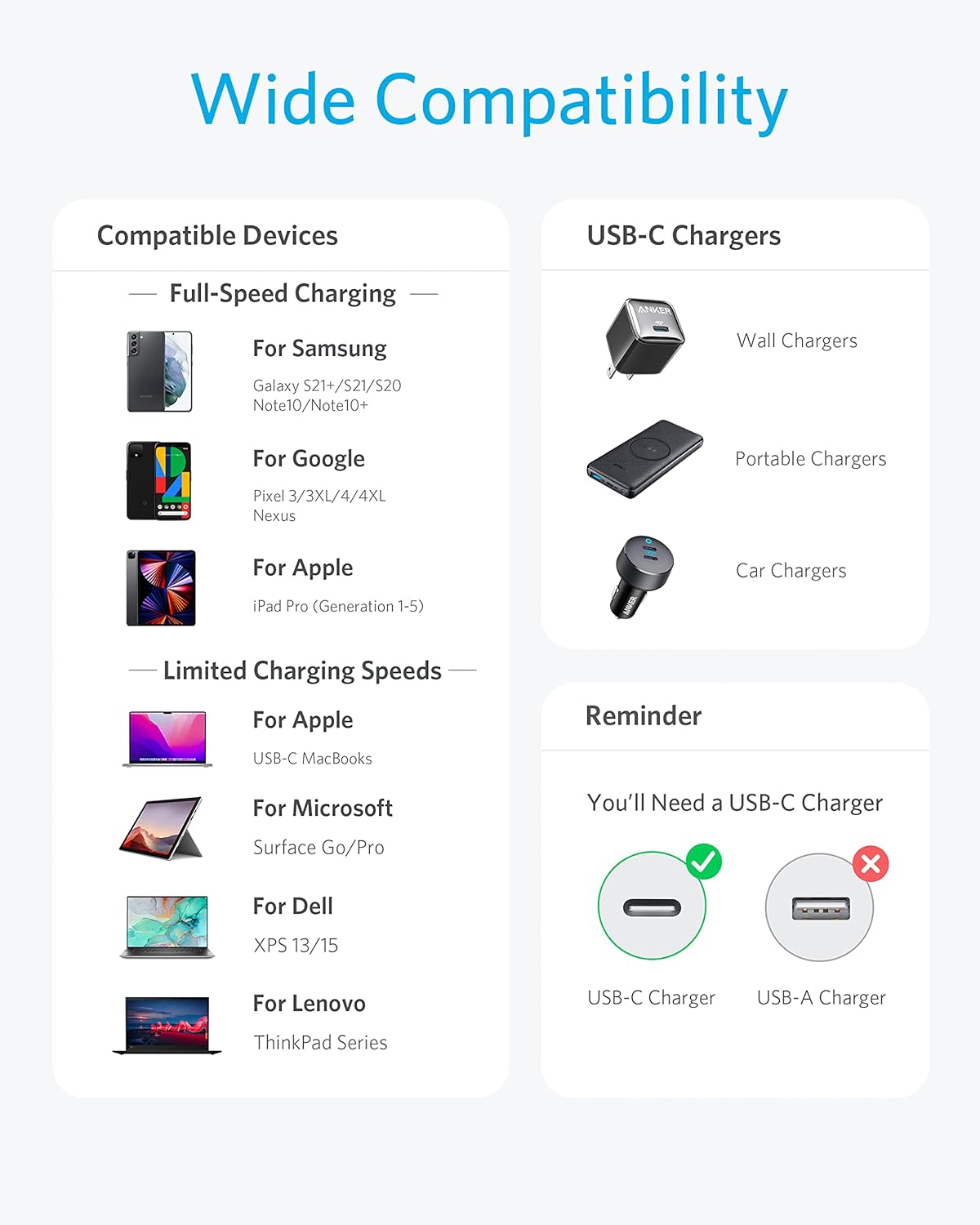
Image 3.2: A compatibility chart illustrating various devices (Samsung Galaxy, Google Pixel, Apple iPad Pro, USB-C MacBooks, Microsoft Surface Go/Pro, Dell XPS, Lenovo ThinkPad Series) and different types of USB-C chargers (wall, portable, car) that work with the cable. It also reminds users that a USB-C charger is required.
4. Maintenance
Proper care ensures the longevity and performance of your Anker USB C cable.
- Storage: Store the cable in a clean, dry place away from extreme temperatures. Avoid tightly coiling or bending the cable at sharp angles.
- Cleaning: Use a soft, dry cloth to wipe the cable and connectors. Do not use liquid cleaners or solvents.
- Handling: Always grasp the connector head when plugging or unplugging the cable, rather than pulling on the cable itself.

Image 4.1: A close-up image of the cable's braided nylon exterior tied in a knot, highlighting its durable and hard-wearing design.
5. Troubleshooting
If you encounter issues with your Anker USB C cable, consider the following:
- Not Charging:
- Ensure both ends of the cable are securely connected.
- Verify that your power adapter is functioning correctly and is compatible with your device.
- Try using a different power outlet or USB-C port on your device/adapter.
- Slow Charging:
- Confirm that your power adapter supports Power Delivery and provides sufficient wattage (e.g., 60W or higher for laptops).
- Close any power-intensive applications on your device.
- Data Transfer Issues:
- Ensure your device is set to allow data transfer when connected to a computer (e.g., 'File Transfer' mode on Android).
- Try connecting to a different USB-C port on your computer.
- Physical Damage: Inspect the cable and connectors for any visible signs of damage. Discontinue use if damage is found.
6. Specifications

Image 6.1: A cutaway diagram illustrating the internal structure of the cable, showing layers such as 22-AWG wiring, precision insulation, aluminum shielding, copper shielding, TPE insulation, and nylon shielding, indicating premium engineering.
| Feature | Detail |
|---|---|
| Brand | Anker |
| Model Number | A8751011 |
| Connector Type | USB Type C to USB Type C |
| Cable Type | USB C to USB C Cable |
| Power Delivery | Up to 60W |
| Data Transfer Rate | 480 Mbps (USB 2.0) |
| Material | Nylon (Braided Exterior) |
| Color | Black |
| Length | 1 Foot (1FT) |
| Bend Lifespan | 5,000+ bends (based on internal lab testing) |
| Item Weight | 0.32 ounces |
| Product Dimensions | 11.81 x 0.46 x 0.26 inches |
| UPC | 194644085391 |
7. Warranty and Support
Anker products typically come with a limited warranty. For specific warranty terms, registration, and customer support, please refer to the official Anker website or contact their customer service directly. Keep your purchase receipt for warranty claims.
For further assistance, visit the Anker Store on Amazon.