
1. Introduction
The RCF ART 912-A is a high-performance 12-inch powered speaker designed for professional live sound applications. This manual provides essential information for the safe and efficient operation of your ART 912-A speaker, covering setup, operation, maintenance, and troubleshooting.
Key Features:
- 2,100W 12" Active Speaker with 1.75" Compression Driver
- Bass Motion Control (BMC) for enhanced low-frequency performance
- FiRPHASE technology for optimized phase response
- Robust polypropylene composite construction with M-brace internal reinforcement

Image 1.1: Front view of the RCF ART 912-A powered speaker, showcasing its robust grille and cabinet design.
2. Important Safety Information
Please read and understand all safety instructions before operating the RCF ART 912-A speaker. Retain this manual for future reference.
- Power Source: Connect the speaker only to a power supply of the type specified in the operating instructions or marked on the appliance.
- Grounding: Ensure the power cord is properly grounded to prevent electric shock.
- Ventilation: Do not block any ventilation openings. Install in accordance with the manufacturer's instructions.
- Water and Moisture: Do not use this apparatus near water or expose it to dripping or splashing.
- Heat: Do not install near any heat sources such as radiators, heat registers, stoves, or other apparatus (including amplifiers) that produce heat.
- Servicing: Do not attempt to service this product yourself. Refer all servicing to qualified service personnel.
- Loud Volumes: Prolonged exposure to high sound pressure levels can cause permanent hearing damage. Use caution when setting volume levels.
3. Setup
3.1 Unpacking
Carefully remove the speaker from its packaging. Inspect the unit for any signs of damage that may have occurred during transit. If damage is found, contact your dealer immediately.
3.2 Placement Options
The ART 912-A is versatile and can be used in various configurations:
- Pole Mounting: The speaker features a standard pole mount socket on the bottom for use with speaker stands or poles.
- Floor Monitor: The cabinet design allows for use as a stage monitor.
- Suspension: Integrated M10 rigging points are available for permanent installation (consult a qualified installer).

Image 3.1: Bottom view of the RCF ART 912-A speaker, highlighting the integrated pole mount socket for stand placement.
3.3 Connections
Refer to the rear panel image for connection points.

Image 3.2: Rear panel of the RCF ART 912-A speaker, showing the input/output section, power connection, and control knobs.
- Power Connection: Connect the supplied power cable to the AC IN socket (1) and then to a suitable grounded power outlet. Ensure the power switch (2) is in the OFF position before connecting.
- Audio Input: Connect your audio source (mixer, instrument, etc.) to the BALANCED INPUT (3) using an XLR or 1/4-inch TRS cable.
- Audio Output (LINK): Use the BALANCED LINK OUTPUT (4) to send the audio signal to another ART 9 series speaker or other audio equipment.
3.4 Initial Power-On
- Ensure all connections are secure.
- Turn the VOLUME knob (5) to its minimum setting.
- Flip the POWER switch (2) to the ON position. The POWER LED will illuminate.
- Gradually increase the VOLUME knob to the desired listening level.
4. Operating the Speaker
4.1 Controls and Indicators
The rear panel (Image 3.2) features the following controls and indicators:
- AC IN (1): Power input connector.
- POWER Switch (2): Turns the speaker ON/OFF.
- BALANCED INPUT (3): XLR/TRS combo jack for audio input.
- BALANCED LINK OUTPUT (4): XLR output for linking to other speakers.
- VOLUME Knob (5): Adjusts the overall output level of the speaker.
- PRESET Selector (6): Cycles through available DSP presets (e.g., Flat, Boost, Stage, Club). Each preset optimizes the speaker's frequency response for different applications.
- LIMIT LED: Illuminates when the internal limiter is active, indicating that the signal is too high and could cause distortion. Reduce the input volume if this LED flashes frequently.
- SIGNAL LED: Illuminates when an audio signal is present at the input.
4.2 DSP Presets (FiRPHASE & Bass Motion Control)
The ART 912-A incorporates advanced DSP features to optimize sound performance:
- FiRPHASE: This proprietary RCF technology optimizes the speaker's phase response, ensuring a coherent and natural sound image across the entire frequency spectrum.
- Bass Motion Control (BMC): BMC manages the woofer's excursion, preventing over-excursion and improving low-frequency linearity and transient response.
Use the PRESET selector (6) to choose the most suitable sound profile for your environment and application. Experiment with different presets to find the best sound for your needs.
5. Maintenance
5.1 Cleaning
- Always disconnect the speaker from the power supply before cleaning.
- Use a soft, dry cloth to wipe down the exterior of the cabinet.
- For stubborn dirt, a slightly damp cloth with mild soap can be used, followed by a dry cloth.
- Do not use abrasive cleaners, solvents, or waxes, as these can damage the finish.
- Keep ventilation openings free of dust and debris.
5.2 Storage
When not in use for extended periods, store the speaker in a dry, cool environment, away from direct sunlight and extreme temperatures. If possible, use the original packaging or a protective cover to prevent dust accumulation and physical damage.
6. Troubleshooting
If you encounter issues with your RCF ART 912-A speaker, refer to the following common problems and solutions:
| Problem | Possible Cause | Solution |
|---|---|---|
| No power | Power cable disconnected; Power switch off; No power from outlet | Check power cable connection; Ensure power switch is ON; Test outlet with another device |
| No sound | Volume too low; Input cable disconnected/faulty; Audio source issue; Incorrect DSP preset | Increase volume; Check input cable and source; Verify audio source is sending signal; Try different DSP presets |
| Distorted sound | Input signal too high (LIMIT LED active); Faulty cable; Speaker damaged | Reduce input volume from source; Replace input cable; If distortion persists, contact support |
| Hum or noise | Ground loop; Faulty cable; Interference from other electronics | Ensure proper grounding; Try different cables; Move speaker away from other electronics; Use a ground loop isolator |
If the problem persists after trying these solutions, please contact RCF customer support or a qualified service technician.
7. Specifications
Detailed technical specifications for the RCF ART 912-A powered speaker:
| Feature | Specification |
|---|---|
| Model Number | ART912-A |
| Item Weight | 41.8 pounds (18.96 kg) |
| Product Dimensions | 27.3 x 17.1 x 17 inches (69.3 x 43.4 x 43.2 cm) |
| Speaker Amplification Type | Active |
| Wattage | 2100 watts (Peak) |
| Power Source | Corded Electric |
| Material Type | Polypropylene Composite (Cabinet), Stainless Steel (Grille) |
| Compatible Devices | Desktop, Laptop, Mixers, Audio Interfaces |
| Woofer Size | 12-inch |
| Compression Driver Size | 1.75-inch |
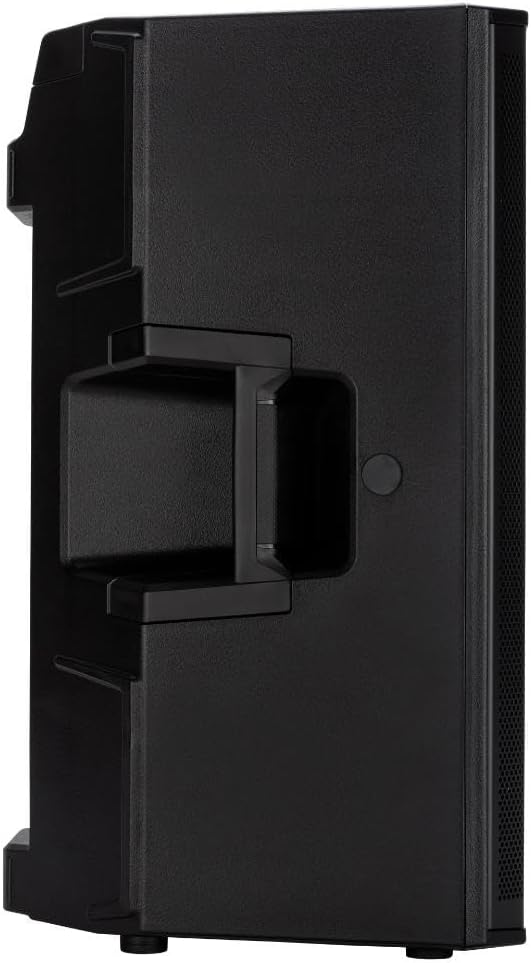
Image 7.1: Internal components of the RCF ART 912-A, revealing the 12-inch woofer and the horn-loaded compression driver.
8. Warranty and Support
8.1 Warranty Information
RCF products are covered by a limited warranty against defects in materials and workmanship. The specific terms and duration of the warranty may vary by region and product. Please refer to the warranty card included with your product or visit the official RCF website for detailed warranty information.
8.2 Customer Support
For technical assistance, service, or questions regarding your RCF ART 912-A speaker, please contact RCF customer support through their official website or your local distributor. When contacting support, please have your product model number (ART912-A) and serial number ready.
RCF Official Website: www.rcf.it


