
Introduction
Thank you for choosing the NexiGo Smart Table Lamp. This versatile lamp offers a wide range of lighting options, from warm to cool white light (2000K-6500K) and 16 million RGB colors. It features convenient touch controls, app control via the "NexiGo Home" app, and voice control compatibility with Amazon Alexa and Google Assistant. This manual provides detailed instructions to help you set up and operate your new smart lamp.
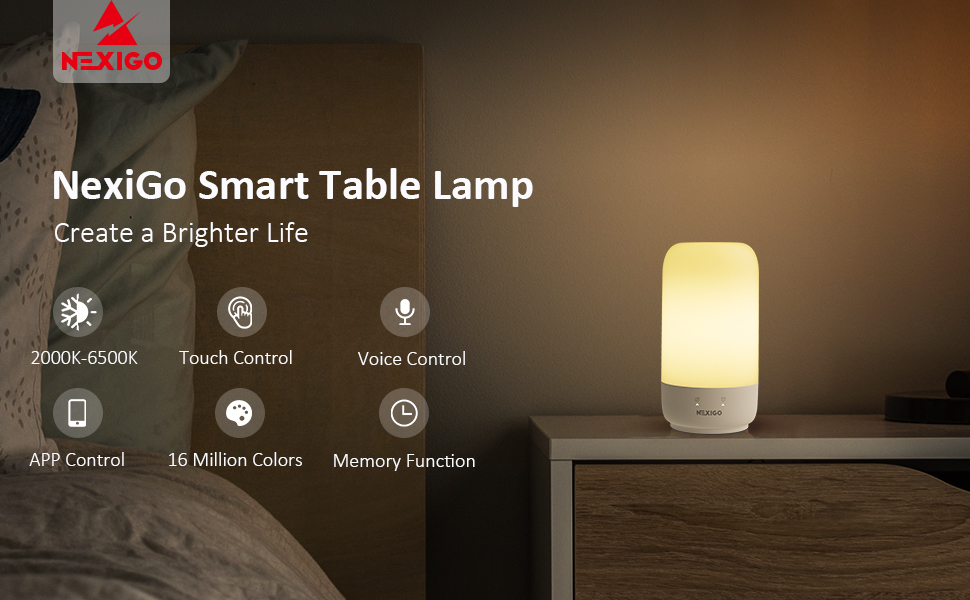
Image: The NexiGo Smart Table Lamp creating a pleasant ambiance on a bedside table.
Features
- Adjustable Brightness: 350-lumen diffused lighting with a full dimming range (1%-100%).
- Color Temperature Control: Three shades of white light from warm to cool (2000K-6500K).
- RGB Color Options: Access to 16 million dimmable colors for personalized ambiance.
- Touch Control: Simple tap on the top for on/off, long press for brightness adjustment, and side taps for color change.
- Night Light Mode: Press and hold the top for two seconds to activate a dim night light.
- APP Control: Full control via the "NexiGo Home" app for color selection, brightness, timers, and schedules.
- Voice Control: Compatible with Amazon Alexa and Google Home for hands-free operation.
- Memory Function: Internal memory retains previous settings.
- Timers & Schedules: Create custom schedules, timers, and countdowns through the app.
- Multiple Scene Modes: Choose from eight preset scenes (Night, Read, Working, Leisure, Soft, Colorful, Dazzling, Gorgeous) and customization options.

Image: The lamp demonstrating its ability to produce warm white (2000K), neutral white (3500K), and cool white (6500K) light at 100% brightness.
Setup
- Unpack: Carefully remove the lamp and all accessories from the packaging.
- Power Connection: Connect the provided USB-C cable to the lamp's power port and plug the adapter into a standard electrical outlet. The lamp requires continuous power to operate.

- App Download: Download the "NexiGo Home" app from your device's app store (available on iOS and Android).
- App Registration: Open the NexiGo Home app and register for an account if you don't already have one.
- Device Pairing:
- Ensure your smartphone is connected to a 2.4GHz Wi-Fi network.
- In the NexiGo Home app, use the "Auto Scan" function to detect the lamp.
- Follow the on-screen prompts to connect the lamp to your Wi-Fi network. The lamp's indicator light may flash green during pairing.
- Voice Assistant Integration (Optional):
- Once paired with the NexiGo Home app, you can link your lamp to Amazon Alexa or Google Home.
- Open the Alexa or Google Home app, search for the "NexiGo Home" skill/service, and enable it.
- Log in with your NexiGo Home account credentials to complete the linking process.
Operating Instructions
Touch Control
The lamp features intuitive touch controls located on its top and front panel.
- Turn On/Off: Short press the power button on the top of the lamp.
- Change Brightness (1%-100%): Long press the power button on the top of the lamp.
- RGB Color Cycling Mode: Long press the RGB color button on the front panel.
- RGB Color Speed Mode: Long press the RGB color speed button on the front panel.
- Timer Button: Short press once for 30 minutes, twice for 60 minutes.
- Mode Button: Short press to cycle through five available light modes.
- Night Light Mode: Press and hold the top for two seconds to reduce brightness to the lowest comfortable level.

Image: A visual guide illustrating the various touch control functions available on the NexiGo Smart Table Lamp.
App Control ("NexiGo Home")
The "NexiGo Home" app provides comprehensive control over your lamp's features.
- Color Selection: Choose from 16 million colors using the color wheel.
- Brightness Control: Adjust brightness from 1% to 100%.
- Warm to Cool Whites: Select desired white light temperature (2000K-6500K).
- Timers & Schedules: Set automated on/off times, countdowns, and recurring schedules.
- Scene Options: Apply preset lighting scenes (e.g., Night, Read, Working, Leisure, Soft, Colorful, Dazzling, Gorgeous) or create custom ones.

Image: The NexiGo Home app interface on a smartphone, showing the color selection wheel and various control options for the smart lamp.
Voice Control (Alexa & Google Assistant)
Once integrated, you can control your lamp using voice commands.
- Turn On/Off: "Alexa, turn on the lamp." / "Hey Google, turn off the bedside lamp."
- Adjust Brightness: "Alexa, set the lamp to 50% brightness." / "Hey Google, dim the lamp."
- Change Color: "Alexa, change the lamp to blue." / "Hey Google, make the lamp red."

Image: A user interacting with the smart lamp and an Alexa device, demonstrating hands-free voice control capabilities.
Specifications
| Feature | Detail |
|---|---|
| Model Number | LT01s |
| Dimensions | 3.93"D x 3.93"W x 7.08"H |
| Item Weight | 13.6 ounces |
| Light Source Type | LED |
| Wattage | 7 watts |
| Voltage | 5 Volts |
| Color Temperature | 2000K-6500K |
| Control Method | Touch, App, Voice (Alexa, Google Assistant) |
| Connectivity Technology | USB, Wi-Fi |
| Material | Metal |
| Indoor/Outdoor Usage | Indoor |
Maintenance
To ensure the longevity and optimal performance of your NexiGo Smart Table Lamp, follow these simple maintenance guidelines:
- Cleaning: Unplug the lamp before cleaning. Use a soft, dry cloth to wipe the surface. Do not use liquid cleaners or abrasive materials, as they may damage the finish or internal components.
- Placement: Place the lamp on a stable, flat surface. Avoid placing it in direct sunlight, near heat sources, or in excessively humid environments.
- Handling: Handle the lamp with care. Avoid dropping it or subjecting it to strong impacts.
- Power Cord: Regularly inspect the power cord for any signs of damage. If the cord is damaged, discontinue use and contact customer support.
Troubleshooting
If you encounter any issues with your NexiGo Smart Table Lamp, please refer to the following common troubleshooting steps:
- Lamp Not Turning On:
- Ensure the power adapter is securely plugged into both the lamp and the wall outlet.
- Verify that the wall outlet is functional by plugging in another device.
- App Connectivity Issues:
- Make sure your Wi-Fi network is 2.4GHz. The lamp does not support 5GHz networks.
- Restart your Wi-Fi router and the lamp.
- Ensure your smartphone is close to the lamp during the pairing process.
- If the app is not updating or connecting, check for app updates in your app store. Some users have reported issues with older app versions on newer Android OS versions.
- Voice Control Not Responding:
- Confirm that the lamp is successfully paired with the NexiGo Home app.
- Ensure the NexiGo Home skill/service is enabled and linked correctly in your Alexa or Google Home app.
- Check your internet connection.
- Try re-linking the NexiGo Home skill/service in your voice assistant app.
- Touch Controls Unresponsive:
- Ensure your fingers are clean and dry when using touch controls.
- Briefly unplug the lamp and plug it back in to reset it.
Warranty & Support
NexiGo is committed to providing high-quality products and excellent customer service. For detailed warranty information and technical support, please refer to the following:
- Warranty: Please refer to the warranty card included with your product or visit the official NexiGo website for the most up-to-date warranty policy.
- Technical Support: For any technical assistance, troubleshooting beyond this manual, or product inquiries, please contact NexiGo customer support.
- Returns: NexiGo offers a 30-day return policy for exchange or refund.
- Lifetime Technical Support: Enjoy lifetime technical customer support for your NexiGo product.