
1. Product Overview
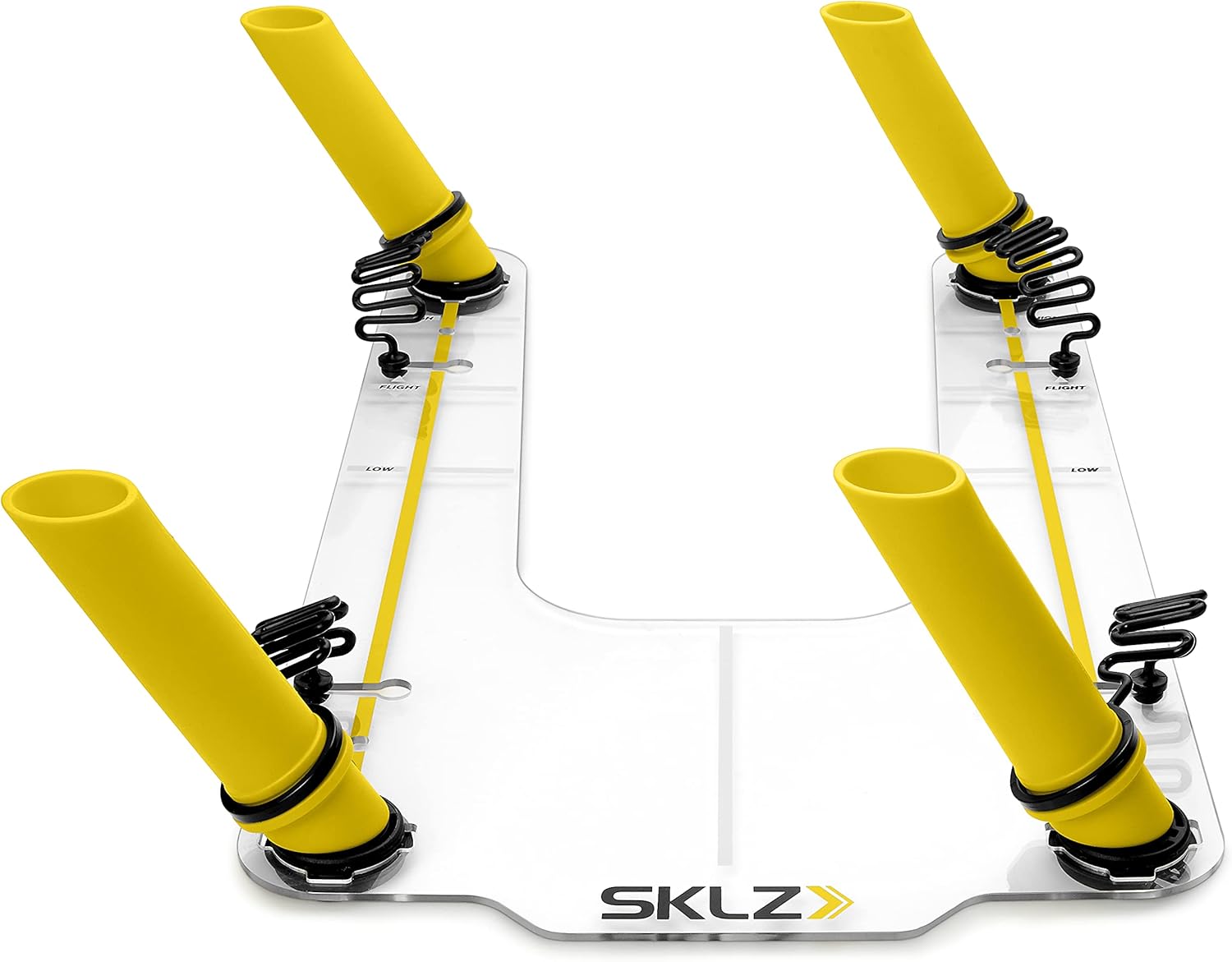
The SKLZ Golf Swing Guide Trainer is designed to enhance your golf swing by providing instant feedback on swing path and plane. This training aid helps golfers develop a more reliable swing, leading to improved accuracy and increased distance on the green. Its durable construction ensures longevity and consistent performance.
Key Features:
- Helps develop a more reliable swing for improved accuracy and increased distance.
- Composite guides provide instant feedback on swing path and plane.
- Bungie and magnet system prevent guides from flying away on impact from missed shots.
- Alignment markers help build and reinforce proper setup and ball position.
- Ultra-durable polycarbonate base.
2. Setup Instructions
Follow these steps to properly set up your SKLZ Golf Swing Guide Trainer:
- Unpack Components: Carefully remove the base and four composite guides from the packaging.
- Position the Base: Place the ultra-durable polycarbonate base on a flat, stable surface where you intend to practice your golf swing. Ensure there is ample space around the trainer for your swing.
- Insert Composite Guides: Insert the four composite guides into the designated slots on the base. The guides are designed to provide instant feedback on your swing path and plane. Ensure they are securely seated.
- Utilize Alignment Markers: The base features alignment markers. Use these to establish and reinforce proper setup and ball position relative to the trainer. Adjust your stance and ball placement according to your desired shot shape and club.

3. Operating Instructions
The SKLZ Golf Swing Guide Trainer is designed to help you achieve a consistent and accurate swing. Here’s how to use it effectively:
- Initial Setup: Place a golf ball in the designated area on the base. Use the alignment markers to ensure your feet and the ball are in the correct starting position for your desired shot.
- Practice Swings: Begin with slow, controlled practice swings. The composite guides are positioned to define the optimal swing path. If your club makes contact with a guide, it indicates an incorrect swing path or plane, providing immediate feedback.
- Adjusting for Feedback: Pay attention to which guide your club hits (if any). This feedback helps you understand deviations in your swing. Adjust your swing mechanics to avoid hitting the guides, aiming for a smooth, unobstructed path.
- Focus on Consistency: The goal is to consistently swing through the guides without making contact. This reinforces proper muscle memory and helps engrain the correct swing path and plane.
- Varying Practice: The guides are removable, allowing you to adjust their position to train for different shots or to focus on specific aspects of your swing. Experiment with different guide configurations to address various swing flaws.
- Full Swings: Once comfortable with practice swings, gradually increase your swing speed and power. The bungie and magnet system will help prevent the guides from flying away on impact during missed shots, ensuring they remain in place for continued practice.


4. Maintenance
Proper care and maintenance will extend the life of your SKLZ Golf Swing Guide Trainer:
- Cleaning: Wipe down the polycarbonate base and composite guides with a damp cloth after each use to remove dirt, grass, and debris. Avoid abrasive cleaners that could scratch the surface.
- Storage: Store the trainer in a cool, dry place away from direct sunlight and extreme temperatures. Disassemble the guides from the base for compact storage if desired.
- Inspection: Periodically inspect the base and guides for any signs of wear, cracks, or damage. Replace any damaged components to ensure optimal performance and safety.
5. Troubleshooting
If you encounter issues with your SKLZ Golf Swing Guide Trainer, consider the following:
- Guides Flying Off: Ensure the composite guides are fully inserted and securely seated in the base. The bungie and magnet system is designed to keep them attached, but improper insertion can lead to them dislodging.
- Inconsistent Feedback: Verify that the base is placed on a flat, even surface. Uneven ground can affect the stability and accuracy of the feedback.
- Difficulty Avoiding Guides: Start with slower, more deliberate swings. Focus on the feeling of the correct path rather than just avoiding the guides. Gradually increase speed as your consistency improves. Consider adjusting the spacing of the guides if available, or removing some to create a wider path initially.
- Product Damage: If any part of the trainer is damaged, discontinue use and refer to the warranty information for replacement options.
6. Specifications
| Attribute | Detail |
|---|---|
| Brand | SKLZ |
| Model Number | 13121 |
| Product Dimensions | 47.7 x 34.01 x 12.52 cm |
| Item Weight | 0.51 Kilograms |
| Material | 40% MAGNET, 37% PC, 13% TPE + 6% PEBAX RNEW 35R53, 2% STEEL, 2% ABS |
| Color | Black (Base), Yellow (Guides) |
| Included Components | Base, 4 Composite Guides |
| Manufacturer | Implus |
| Country/Region of Origin | China |
7. Warranty & Support
The SKLZ Golf Swing Guide Trainer comes with a 1 Year Limited Warranty. For warranty claims, product support, or any inquiries, please contact the manufacturer, Implus, or refer to the retailer's return policy.
For purchases made through Amazon, the standard return policy allows for refunds/replacements within 30 days. Please check your specific purchase details for the most accurate and up-to-date information.