
Blossom S3(M)-20
Blossom S3(M)-20 LED Lighted Mirror Medicine Cabinet User Manual
Model: S3(M)-20 | Brand: Blossom
1. Product Overview
This manual provides detailed instructions for the installation, operation, and maintenance of your Blossom S3(M)-20 LED Lighted Mirror Medicine Cabinet. This cabinet features advanced LED lighting, a built-in defogger, adjustable color temperature and brightness, a 3X makeup mirror, and integrated power outlets and USB ports. It is designed for both recessed and surface mount installations.
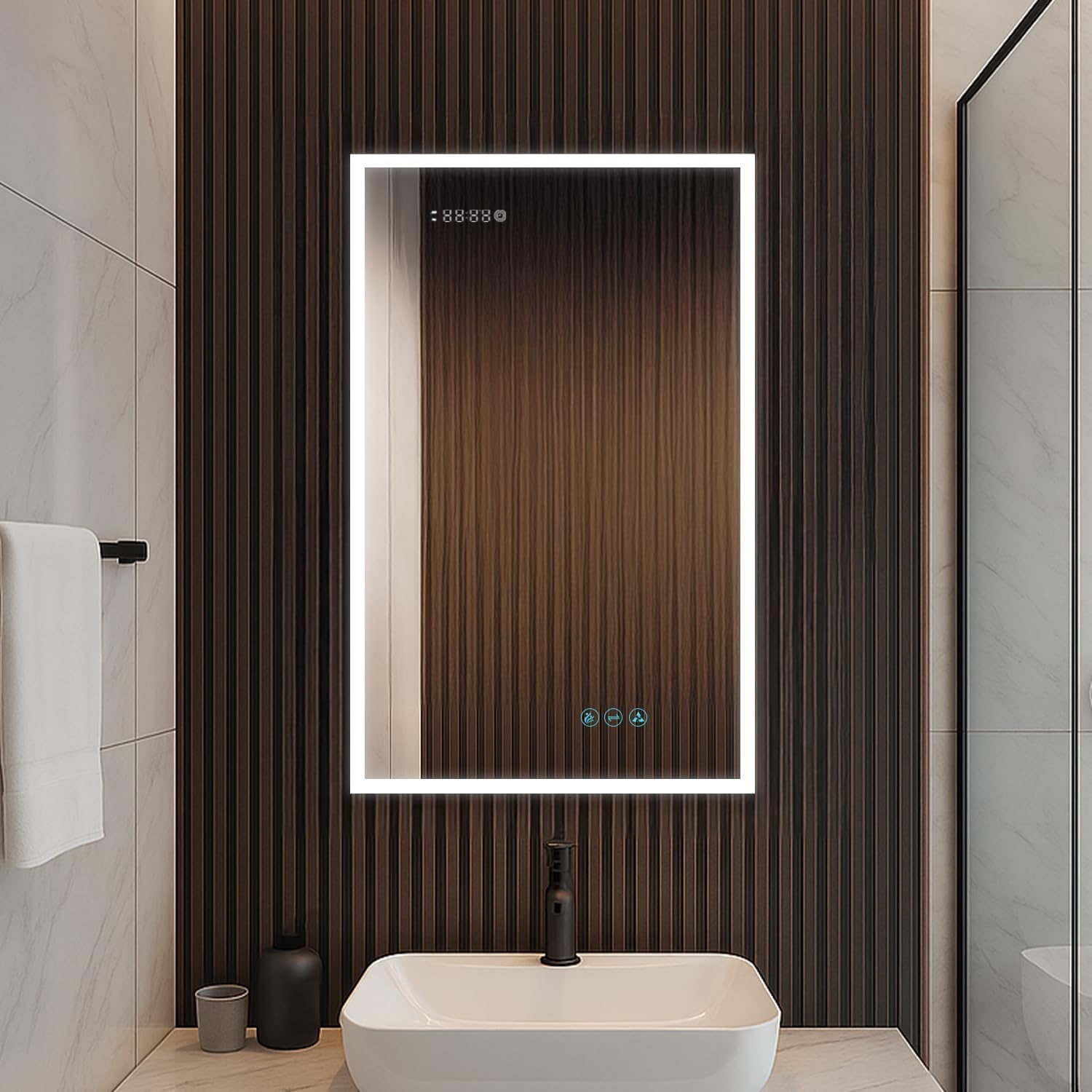
Image 1.1: The Blossom S3(M)-20 LED Lighted Mirror Medicine Cabinet in a bathroom setting.
2. Safety Information
Please read all instructions carefully before installation and use. Failure to follow these instructions may result in electric shock, fire, or other injuries.
- Always unplug the cabinet from the power source before performing any installation, cleaning, or maintenance.
- Do not install the cabinet near heat sources or in areas prone to excessive water splashes.
- Be cautious of pinch points when opening and closing the cabinet doors.
- Always use appropriate safety gear, such as gloves and eye protection, when handling the cabinet.
- If you are unsure about any aspect of the installation or maintenance, consult a qualified professional electrician or installer.
- This product is ETL-certified and IP44-rated for water resistance and safety.
3. Package Contents
Verify that all components are present and undamaged before beginning installation.
- Blossom S3(M)-20 LED Lighted Mirror Medicine Cabinet (1 unit)
- Adjustable 8mm Tempered Glass Shelves (3 units)
- Mounting Hardware (screws, anchors, etc. - specific types may vary)
- Instruction Manual
4. Specifications
| Feature | Detail |
|---|---|
| Model | S3(M)-20 |
| Dimensions (W x H x D) | 20"W x 32"H x 5"D |
| Mounting Type | Recessed or Surface Mount |
| Hinge Orientation | Left Hinge |
| LED Light Output | 120lm-1750lm |
| Color Temperature | 3000K-6000K (Adjustable) |
| Total Power | 54 W |
| Defogger | Built-in, 45-60 minute auto shut-off |
| Interior Features | Dual Power Outlets, Dual USB Ports, 3X Makeup Mirror, Interior LED Light |
| Shelves | 3 x 8mm Tempered Glass, Adjustable |
| Hinges | BLUM 110° Soft-Close |
| Frame Material | Anodized Aluminum |
| Mirror Material | Copper-free silver mirror, tempered glass with anti-black coating |
| Certifications | ETL-certified, IP44-rated |
| LED Lifespan | Up to 50,000 hours |
| Touch Control Lifespan | Tested for 100,000 uses |
| Item Weight | 58 Pounds |

Image 4.1: Product dimensions and key specifications.
5. Installation
5.1 Mounting Options
The Blossom S3(M)-20 medicine cabinet offers versatile installation options: it can be either surface-mounted directly onto the wall or recessed into a wall opening for a flush appearance.

Image 5.1: Surface mounting and recessed mounting options.
5.2 Electrical Connection
The electric wire for the cabinet comes through an access hole on the top of the cabinet. Ensure proper electrical connections are made by a qualified professional, following all local electrical codes.
5.3 Adjustable Shelves and Hinges
The cabinet includes three 8mm thick tempered glass shelves that are fully adjustable to suit your storage needs. The door is equipped with premium BLUM 110° soft-close hinges for smooth and quiet operation.

Image 5.2: Interior features including adjustable shelves, outlets, and soft-close hinges.

Image 5.3: Detail of the BLUM 110° soft-close hinges.

Image 5.4: Detail of the adjustable glass shelves.
6. Operating Instructions
6.1 Touch Controls
The mirror features intuitive touch controls for various functions. These controls are tested for 100,000 uses.
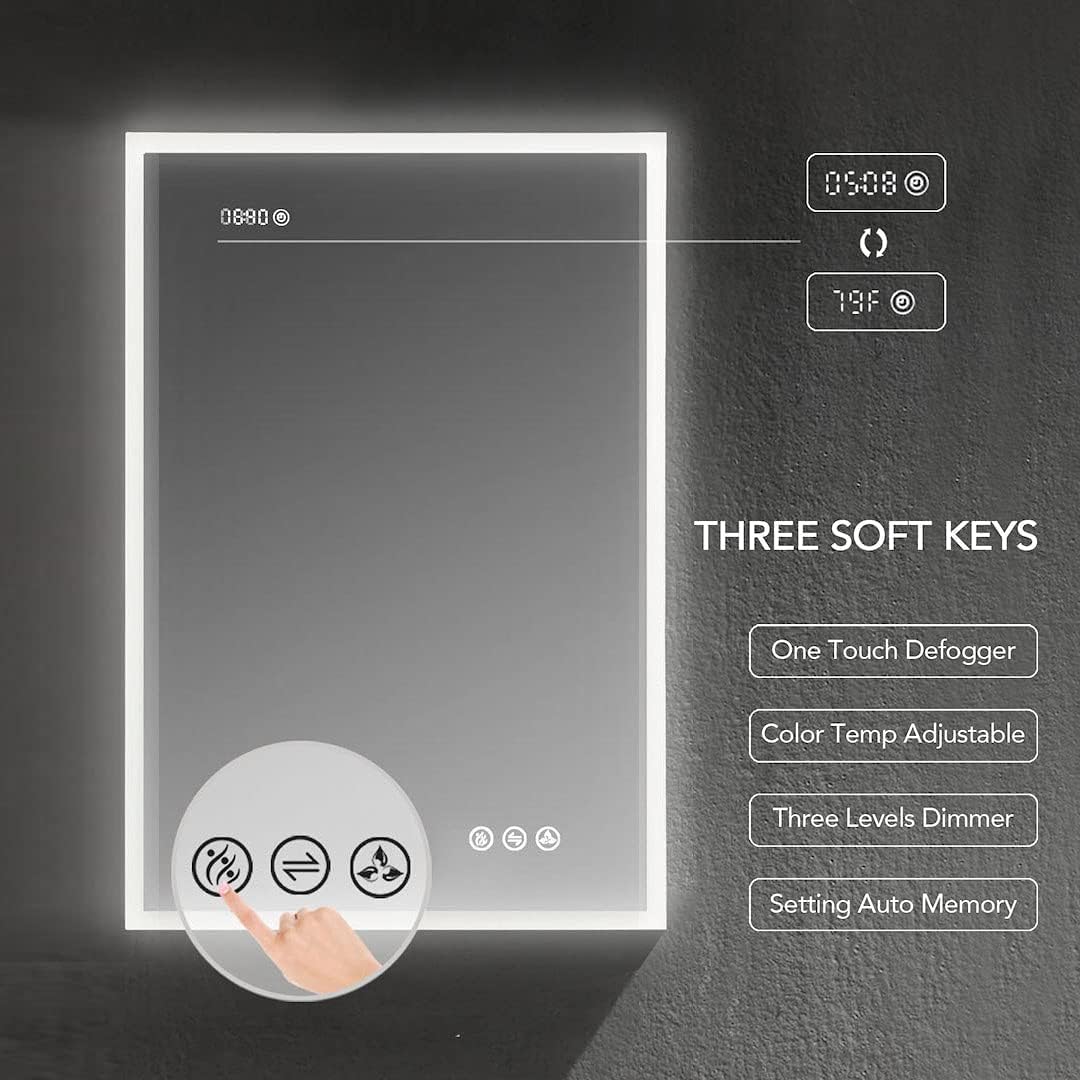
Image 6.1: Three soft keys for controlling mirror functions.
- One Touch Defogger: Activates the defogging function to ensure a clear reflection. It has a 45-60 minute auto shut-off.
- Color Temperature Adjustable: Cycles through different color temperatures (e.g., 3000K, 4500K, 6000K) to match your preference.
- Three Levels Dimmer: Adjusts the brightness of the LED lighting.
- Setting Auto Memory: The cabinet remembers your last brightness and color temperature settings.

Image 6.2: Visual representation of the touch control functions.

Image 6.3: Activation of the built-in defogger.

Image 6.4: Stepless dimming system for color temperature adjustment.
6.2 Interior Lighting and Features
The cabinet is equipped with a smart door sensor that automatically activates the interior LED lights when the door is opened and turns them off when closed. Inside, you will find dual power outlets and USB ports for convenient charging of devices.
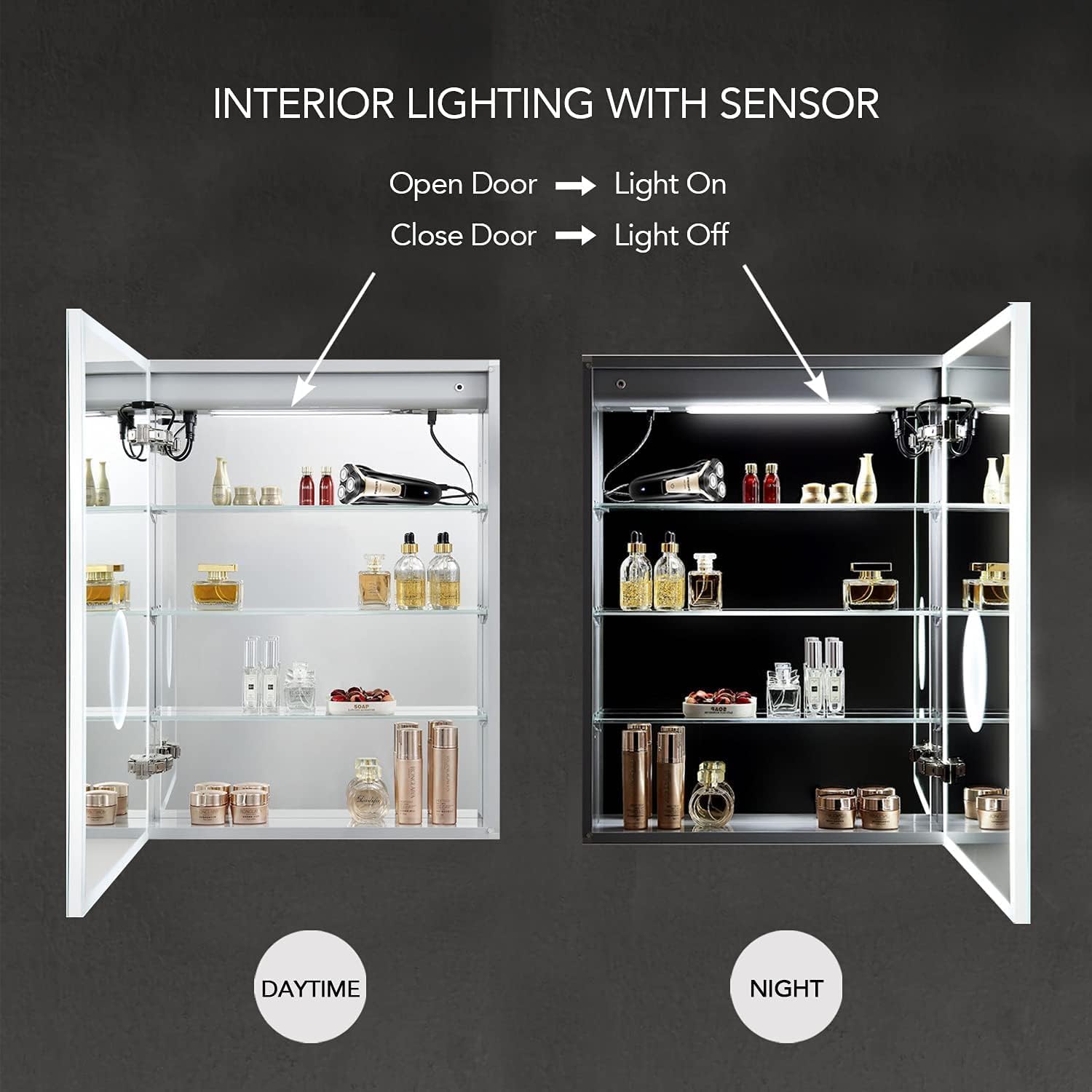
Image 6.5: Interior lighting with door sensor functionality.

Image 6.6: Detail of the interior power outlets and USB charger.
6.3 3X Makeup Mirror
An integrated 3X amplified LED makeup mirror is located inside the cabinet door, providing enhanced visibility for detailed tasks.

Image 6.7: Interior with 3X amplified LED makeup mirror.
7. Maintenance
- Cleaning the Mirror: Use a soft, damp cloth and a mild glass cleaner. Avoid abrasive cleaners or harsh chemicals that could damage the mirror surface or frame.
- Cleaning the Frame: Wipe the anodized aluminum frame with a soft, dry or slightly damp cloth.
- Electrical Components: Ensure the cabinet is unplugged before cleaning any electrical components or the interior. Do not spray water directly onto electrical parts.
- Hinge Maintenance: The BLUM soft-close hinges are designed for long-term use and generally require no maintenance. Avoid applying excessive force when opening or closing the door.
8. Troubleshooting
| Problem | Possible Cause | Solution |
|---|---|---|
| LED lights do not turn on. | No power supply; loose connection; faulty LED driver. | Check power connection. Ensure the wall switch (if any) is on. Verify wiring connections. If problem persists, contact support. |
| Defogger is not working. | Defogger not activated; power issue. | Press the defogger touch button. Check power supply to the unit. |
| Interior lights not working when door opens. | Door sensor obstructed or faulty. | Ensure nothing is blocking the door sensor. If problem persists, contact support. |
| Outlets/USB ports not providing power. | No power to the cabinet; internal wiring issue. | Confirm the cabinet has power. Ensure devices are properly plugged in. If problem persists, contact support. |
For issues not listed here, or if solutions do not resolve the problem, please contact Blossom customer support.
9. Product Video
Watch the official product video for a visual guide to the features and functionality of the Blossom LED Lighted Mirror Medicine Cabinet.
Video 9.1: Official product video showcasing the Blossom LED Lighted Mirror Medicine Cabinet features.
10. Warranty and Support
For warranty information, technical support, or any inquiries regarding your Blossom product, please refer to the contact information provided with your purchase documentation or visit the official Blossom website.
Blossom Customer Service: Please refer to your purchase receipt or the manufacturer's website for the most current contact details.
Related documentsS3(M)-20


Ask a question about this manual
Ask about setup, troubleshooting, compatibility, parts, safety, or missing instructions. Manuals+ will review the question and use this page’s manual context to help answer it.