Introduction
This manual provides detailed instructions for the setup, operation, and maintenance of your EZETAI WiFi 4K 30MP Trail Camera. Designed for wildlife monitoring, home security, and property surveillance, this camera captures high-resolution photos and videos with advanced features like Wi-Fi connectivity, Bluetooth control, and clear night vision.

Image: The EZETAI Trail Camera is suitable for diverse applications such as hunting, home security, property monitoring, and wildlife observation.
Product Overview
Package Contents
- 1 x EZETAI Trail Camera
- 1 x 32GB Micro SD Card
- 1 x Password Lock
- 1 x Installation Belt
- 1 x Micro USB Cable
- 1 x Mounting Bracket
- 3 x Bolts and Stoppers
- 1 x User Manual

Image: EZETAI WiFi 4K 30MP Trail Camera with its complete set of accessories.
Key Features
- High Resolution Imaging: Captures 30 Megapixel still images and 4K Ultra HD videos with sound recording.
- Fast Trigger Speed: 0.2-second trigger speed to capture fast-moving subjects.
- Wide Detection Angle: 120° detection range with 3 infrared sensors.
- Clear Night Vision: Equipped with 42 850nm infrared LEDs for clear night vision up to 20 meters (65 feet) without disturbing wildlife.
- Wi-Fi & Bluetooth Connectivity: Connects to your smartphone via Wi-Fi and Bluetooth for remote viewing, downloading, and settings adjustment using the "Hunting Camera 4K Pro" app.
- Durable Design: IP66 waterproof and dustproof rating ensures reliable operation in various outdoor conditions.
- 2.4-inch LCD Screen: For direct viewing of recordings on the camera.

Image: The EZETAI Trail Camera captures 30MP photos and 4K/30FPS videos, suitable for detailed wildlife monitoring.
Setup Guide
1. Power Source
The camera requires batteries for operation (not included). Insert the required batteries into the battery compartment, ensuring correct polarity.
Note: The camera operates on 6 Volts (e.g., 8 AA batteries).
2. Micro SD Card Installation
Insert the provided 32GB Micro SD card into the designated slot. Ensure the card is inserted correctly until it clicks into place. The camera supports up to 32GB Micro SD cards.
3. Mounting the Camera
Use the included installation belt or mounting bracket to secure the camera to a tree or other stable surface. Position the camera to cover the desired monitoring area.

Image: The camera's IP66 rating ensures durability and protection against water and dust in outdoor environments.
4. App Installation and Connection
- Download the "Hunting Camera 4K Pro" app from the official app page, Google Play Store (for Android) or Apple App Store (for iOS). You can also scan the QR code provided in the manual or on the product packaging.
- Enable Wi-Fi and Bluetooth on your smartphone.
- Open the "Hunting Camera 4K Pro" app and follow the on-screen instructions to connect to your EZETAI Trail Camera via its Wi-Fi hotspot.
- Once connected, you can view live footage, adjust settings, and download photos/videos directly to your phone within a range of approximately 20 meters (65 feet).

Image: Download the "Hunting 4K Pro" app to manage your camera and view recordings on your smartphone.
Note: The Wi-Fi connection range is approximately 20 meters. This camera is not a webcam and has range limitations for app control.

Image: Connect your camera to your smartphone via Wi-Fi and Bluetooth for convenient app control and file access.
Operating Instructions
1. Powering On/Off
Locate the power switch on the camera. Switch it to the "ON" position to power on the camera. To power off, switch it to the "OFF" position.
2. Mode Selection
The camera typically has different modes (e.g., Photo, Video, Photo+Video). Use the camera's internal controls or the mobile app to select your desired operating mode.
3. Capturing Photos and Videos
When motion is detected within the 120° detection range, the camera will automatically trigger and capture photos or record videos based on your selected mode. The fast 0.2-second trigger speed ensures minimal delay.
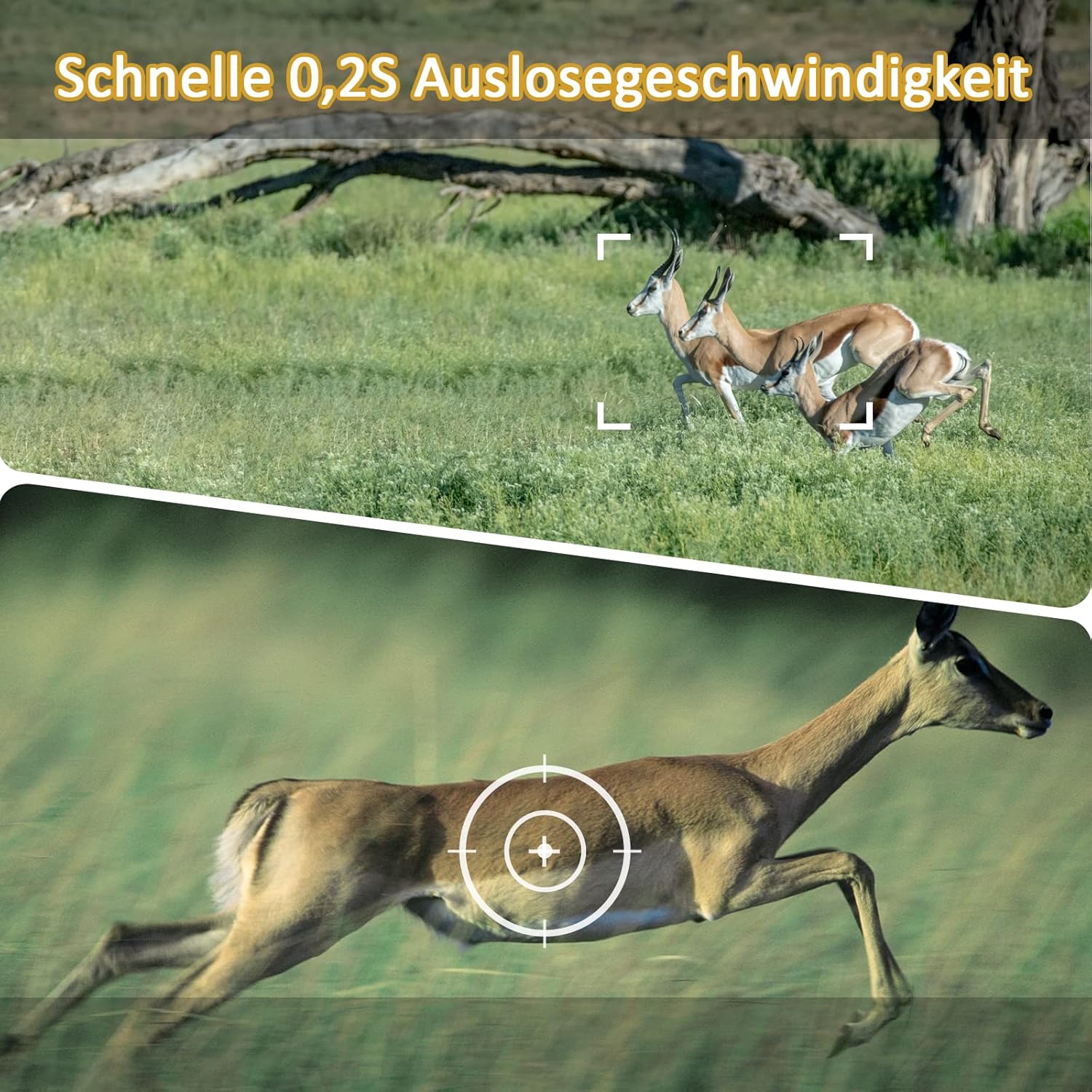
Image: The camera's 0.2-second trigger speed ensures quick capture of moving subjects.
4. Night Vision Operation
The camera automatically switches to night vision mode in low-light conditions. The 42 infrared LEDs provide clear black-and-white images and videos at night without a visible flash.

Image: Clear night vision capabilities, capturing detailed images in low-light conditions.

Image: Excellent night vision performance, capturing wildlife clearly in dark environments.

Image: The 42 non-glowing infrared LEDs ensure discreet 24-hour motion detection without disturbing wildlife.
5. Viewing and Downloading Files
You can view captured photos and videos directly on the camera's 2.4-inch LCD screen. For remote access and downloading, connect the camera to your smartphone via the "Hunting Camera 4K Pro" app.

Image: The camera delivers high-quality 4K videos and 30MP photos, showcasing fine details of wildlife.
Maintenance
- Cleaning: Gently wipe the camera lens and sensors with a soft, dry cloth to remove dust or smudges. Avoid using abrasive cleaners.
- Battery Replacement: Replace batteries when the low battery indicator appears or when performance degrades. Always use fresh batteries of the same type.
- SD Card Management: Regularly format the Micro SD card to ensure optimal performance and prevent data corruption. Back up important files before formatting.
- Weather Protection: While the camera is IP66 rated for water and dust resistance, avoid submerging it in water or exposing it to extreme conditions unnecessarily. Ensure the battery compartment and ports are securely sealed.
Troubleshooting
Camera Not Powering On
- Ensure batteries are inserted correctly with the right polarity.
- Check if batteries have sufficient charge. Replace with new ones if necessary.
- Verify the power switch is in the "ON" position.
Poor Image/Video Quality
- Clean the camera lens and infrared sensors.
- Ensure the camera is positioned correctly and not obstructed.
- Check the selected resolution settings in the camera or app.
- For night vision, ensure there are no reflective surfaces too close to the camera that could cause IR glare.
Wi-Fi/Bluetooth Connection Issues
- Ensure the camera's Wi-Fi/Bluetooth is enabled.
- Verify your smartphone's Wi-Fi and Bluetooth are turned on.
- Make sure you are within the 20-meter connection range.
- Restart both the camera and your smartphone, then try connecting again.
- Ensure you have the latest version of the "Hunting Camera 4K Pro" app installed.
Motion Detection Not Working
- Check the camera's motion detection settings in the app or on the device.
- Ensure the detection area is clear of obstructions.
- Adjust the sensitivity settings if necessary.
Specifications
| Feature | Detail |
|---|---|
| Image Resolution | 30 Megapixels |
| Video Resolution | 4K UHD 2160p |
| Trigger Speed | 0.2 seconds |
| Detection Angle | 120 Degrees |
| Night Vision Range | Up to 20 meters (65 feet) |
| Infrared LEDs | 42 pcs 850nm (non-glowing) |
| Connectivity | Wi-Fi, Bluetooth |
| App Compatibility | Android, iOS (Hunting Camera 4K Pro) |
| Waterproof Rating | IP66 |
| Display | 2.4-inch LCD |
| Storage | Micro SD card (up to 32GB, 32GB included) |
| Power Source | 6 Volts (Batteries not included) |
| Dimensions (L x W x H) | 11.4 x 7.62 x 15.24 cm (4.5 x 3 x 6 inches) |
| Weight | 590 grams (1.3 lbs) |
| Operating Temperature | -20°C to 60°C (-4°F to 140°F) |

Image: Overview of the camera's main features and technical specifications.
Warranty and Support
For warranty information and technical support, please refer to the contact details provided with your purchase or visit the official EZETAI website. Keep your purchase receipt as proof of purchase.


