Introduction
Welcome to the PureGear PureBoom Bluetooth Wireless Earbuds user manual. These earbuds are designed to provide a superior audio experience with wireless convenience, touch controls, and a waterproof design. This manual will guide you through the setup, operation, maintenance, and troubleshooting of your new PureBoom earbuds.
Package Contents
- PureGear PureBoom Wireless Earbuds
- Wireless Charging Case
- Multiple sizes of ear tips
- USB Charging Cable (not explicitly mentioned but implied for charging case)
- User Manual
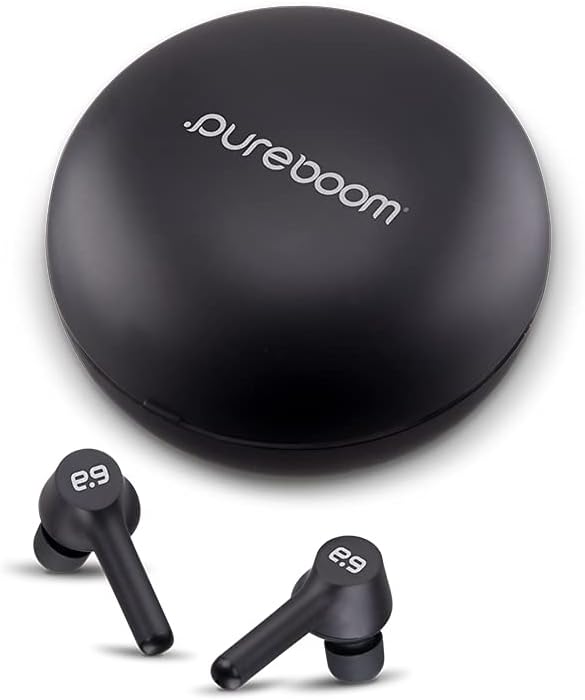
Image: The PureGear PureBoom wireless earbuds and their compact charging case. The earbuds are black with the "e:9" logo, and the case is a smooth, matte black circle with "pureboom" branding.
Setup
1. Charging the Earbuds and Case
Before first use, fully charge the PureBoom earbuds and their charging case. Place the earbuds into the charging case. The case provides up to 3 full charges for the earbuds and fully charges itself in approximately 1.5 hours.

Image: A black, circular PureBoom charging case, indicating its portability and charging function.
2. Pairing with a Bluetooth Device
- Ensure the earbuds are charged and inside the charging case.
- Open the charging case. The earbuds will automatically enter pairing mode.
- On your device (smartphone, tablet, laptop, etc.), navigate to the Bluetooth settings.
- Select "PureBoom Orbs" from the list of available devices.
- Once connected, you will hear an audible confirmation.
The PureBoom earbuds offer wide compatibility with various Bluetooth devices, including iPhones, Android phones, PCs, tablets, smart TVs, and gaming consoles.
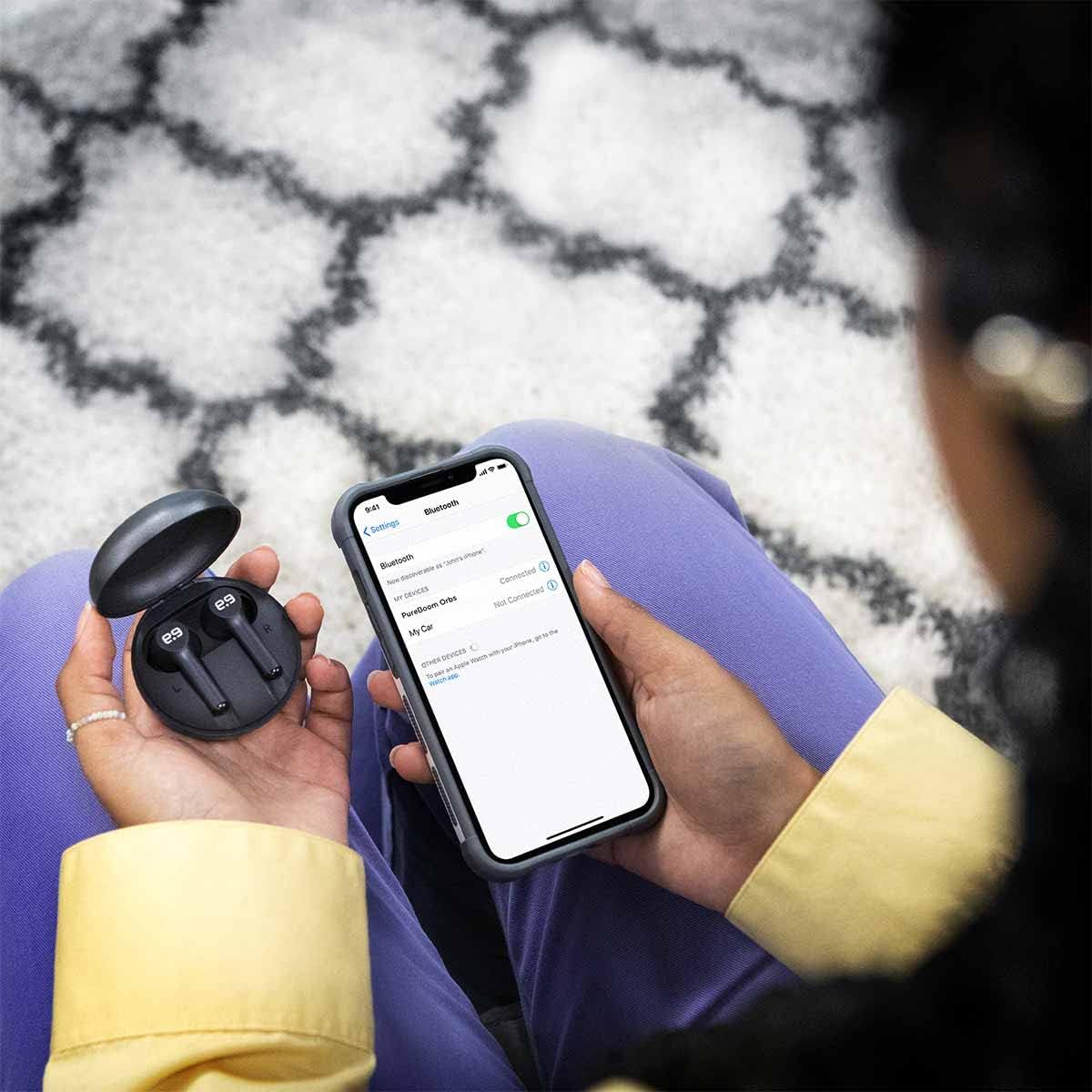
Image: A person holding a smartphone displaying Bluetooth settings, with the PureBoom charging case and earbuds nearby, illustrating the pairing process.
3. Selecting the Right Ear Tips
For optimal sound quality and comfort, choose the ear tips that best fit your ears. The PureBoom earbuds come with multiple sizes of ear tips.

Image: An exploded view of a PureBoom earbud showing four different sizes of ear tips detached, demonstrating the customizable fit.
Operating Instructions
The PureBoom earbuds feature convenient touch controls for managing your audio and calls.

Image: PureBoom earbuds with glowing outlines and green sound waves, emphasizing the true wireless experience and touch control capabilities.
Music Playback Controls
- Play/Pause: Single tap on either earbud.
- Next Track: Double tap on the right earbud.
- Previous Track: Double tap on the left earbud.
- Volume Up: Triple tap on the right earbud.
- Volume Down: Triple tap on the left earbud.
Call Management
The built-in microphone allows for hands-free calling.
- Answer/End Call: Single tap on either earbud.
- Reject Call: Press and hold either earbud for 2 seconds.
Battery Life
Enjoy up to 9 hours of listening or talk time on a single charge. The charging case provides additional charges for extended use throughout your day.

Image: A person smiling while wearing PureBoom earbuds, with text highlighting "9 Hours of listening Time", demonstrating the extended battery life for daily use.
Maintenance
Proper care will ensure the longevity and performance of your PureBoom earbuds.
- Cleaning: Gently wipe the earbuds and charging case with a soft, dry, lint-free cloth. Do not use abrasive cleaners or solvents.
- Water Resistance: The earbuds are IPX4 waterproof, protecting them from sweat, rain, and water splashes. They are not designed for submersion. Ensure earbuds are dry before placing them back in the charging case.
- Storage: When not in use, store the earbuds in their charging case to protect them and keep them charged. Store in a cool, dry place away from extreme temperatures.
Troubleshooting
| Problem | Solution |
|---|---|
| Earbuds not pairing/connecting. |
|
| No sound or low volume. |
|
| One earbud not working. |
|
| Charging case not charging. |
|
Specifications
| Feature | Detail |
|---|---|
| Model Name | PureBoom |
| Connectivity Technology | Wireless (Bluetooth) |
| Bluetooth Version | 5.0 |
| Control Type | Touch Control |
| Water Resistance Level | IPX4 (Water Resistant) |
| Battery Life (Earbuds) | Up to 9 Hours |
| Charging Case Battery Life | Provides up to 3 charges (9 Hours average life) |
| Charging Case Material | Polycarbonate (PC) |
| Frequency Range | 20 Hz - 20,000 Hz |
| Dimensions | 3.5 x 1.5 x 4.5 inches |
| Item Weight | 3.52 ounces |
| UPC | 810032996390 |
Warranty and Support
PureGear PureBoom earbuds come with a Lifetime Warranty. Additionally, a 30-day money back guarantee is offered.
For further support or warranty claims, please visit the official PureGear website or contact their customer service.
Note: Warranty terms and conditions may apply. Please refer to the official PureGear documentation for full details.


