1. Introduction
The Smartwares FGA-13051 Carbon Monoxide (CO) Detector is designed to provide early warning of increased carbon monoxide levels in your home. Carbon monoxide is a colorless, odorless, and tasteless gas that can be fatal. This detector features a highly sensitive electrochemical sensor with a 10-year lifespan and replaceable batteries, offering reliable protection for your household.
2. Important Safety Information
WARNING: Carbon monoxide is a silent killer. This detector is designed to detect carbon monoxide gas. It is not designed to detect smoke, fire, or other gases. Always ensure proper ventilation and maintenance of fuel-burning appliances.
- Never ignore the alarm. Investigate the cause and take appropriate action immediately.
- Do not paint the detector. Paint can clog the sensor openings and prevent the unit from operating properly.
- Do not block the alarm's sound openings.
- Test the detector regularly as described in this manual.
- This device should be installed by a competent person and in accordance with the manufacturer's instructions.
3. Package Contents
Verify that all items are present in the package:
- Smartwares FGA-13051 Carbon Monoxide Detector
- Mounting Bracket
- Screws and Wall Plugs (Dowels)
- 3 x AA Batteries
- User Manual
4. Product Overview

Figure 4.1: Front view of the Smartwares FGA-13051 Carbon Monoxide Detector, showing the test button and indicator lights.

Figure 4.2: Close-up view of the indicator lights: Alarm (bell), Fault (triangle), and Power (circle).

Figure 4.3: Close-up view of the 'TEST' button, used for verifying detector functionality.
The detector features a prominent 'TEST' button on the front for easy functional checks. Below the model number 'FGA-13051', there are three indicator lights: a bell symbol for alarm, a triangle for fault/error, and a circle for power/operation status. The device also has speaker grilles for the 85 dB alarm sound.
5. Setup
5.1 Battery Installation
- Remove the mounting bracket from the back of the detector by twisting it counter-clockwise.
- Locate the battery compartment.
- Insert the 3 x AA batteries (included) into the compartment, ensuring correct polarity (+ and -).
- Once batteries are inserted, the detector will emit a short beep and the power indicator light will flash, indicating it is powered on.
6. Installation
6.1 Recommended Placement
Install at least one CO detector on each floor of your home. Prioritize installation in or near rooms containing fuel-burning appliances (e.g., furnaces, water heaters, fireplaces) and near sleeping areas. Ensure the alarm is audible to all occupants.
- For rooms with fuel-burning appliances: Install the detector at a horizontal distance of 1 to 3 meters from the appliance.
- For sleeping areas: Install the detector within 1 to 3 meters of the sleeping area.
- General placement: Install on a wall, at a height above any door or window, but below the ceiling. Avoid corners.
6.2 Mounting Instructions
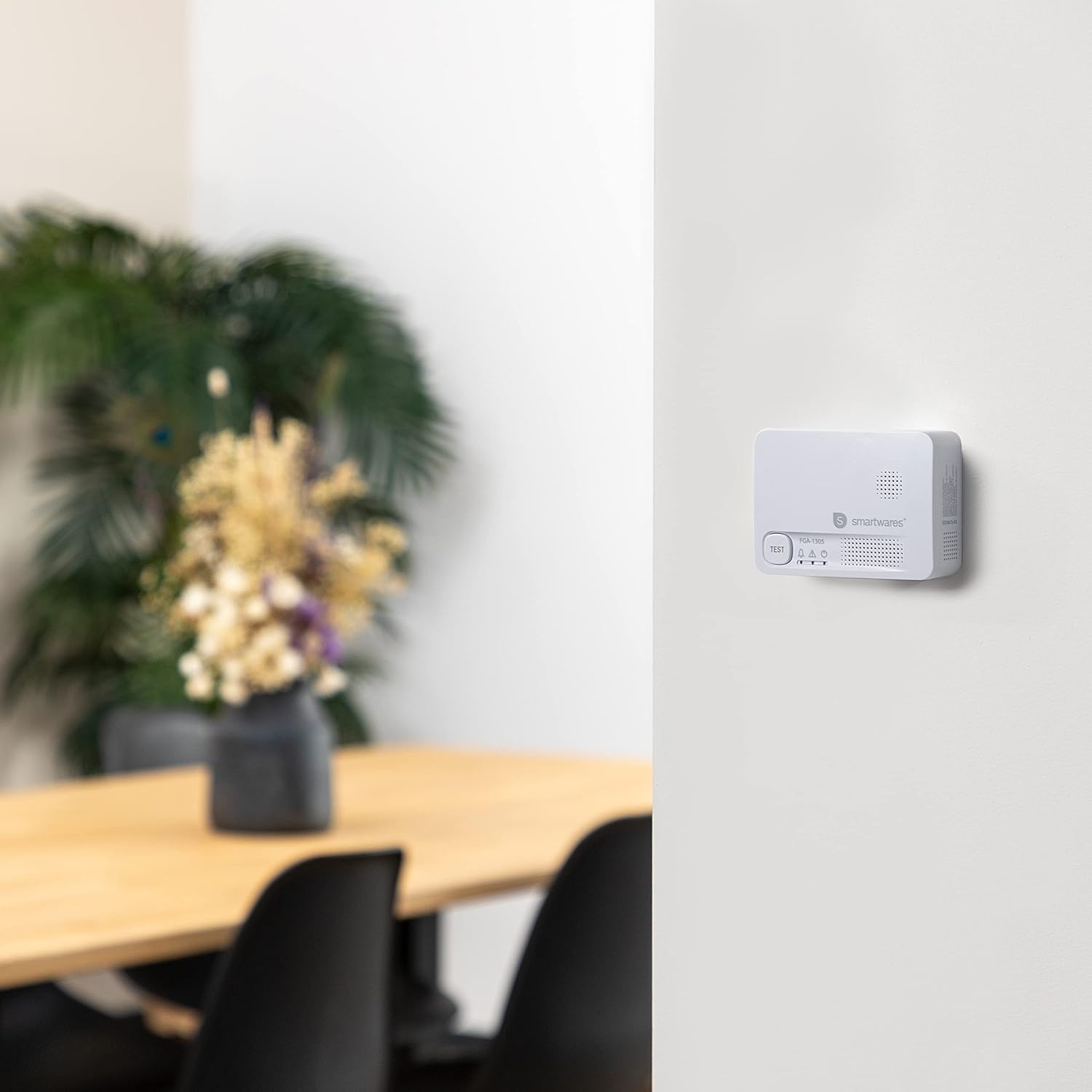
Figure 6.1: Example of the detector mounted on a wall.

Figure 6.2: Back view of the detector, illustrating the mounting slots for the bracket.
- Choose a suitable location for installation based on the recommendations above.
- Use the mounting bracket as a template to mark the positions for drilling holes on the wall.
- Drill two holes at the marked positions. Insert the wall plugs (dowels) into the drilled holes.
- Secure the mounting bracket to the wall using the provided screws.
- Align the detector with the mounting bracket and twist clockwise until it clicks securely into place.
7. Operating Instructions
7.1 Normal Operation
Once powered on and installed, the detector will continuously monitor carbon monoxide levels. The green power indicator light (circle symbol) will flash approximately once every 45 seconds, indicating normal operation.
7.2 Alarm Conditions
If carbon monoxide is detected at dangerous levels, the detector will activate its alarm. The alarm will sound loudly (85 dB) in a pattern of 4 quick beeps followed by 5 seconds of silence, and the red alarm indicator light (bell symbol) will flash rapidly.
If the alarm sounds:
- Immediately move to fresh air outdoors or open all doors and windows to ventilate the area.
- Do not re-enter the premises until the alarm has stopped and the area has been thoroughly ventilated.
- Call the emergency services or a qualified technician to investigate the source of the CO.
7.3 Fault/Error Indication
If the detector experiences a fault or malfunction, the yellow fault indicator light (triangle symbol) will illuminate or flash, often accompanied by a specific beep pattern. Refer to the Troubleshooting section for details.
8. Testing the Detector
It is crucial to test your CO detector regularly, at least once a month, to ensure it is functioning correctly.
- Press and hold the 'TEST' button on the front of the detector for a few seconds.
- The detector will emit a loud alarm sound (4 quick beeps) and the red alarm indicator light will flash. This confirms that the alarm and internal circuitry are working.
- Release the 'TEST' button. The alarm will stop, and the detector will return to normal monitoring mode.
If the detector does not alarm during the test, refer to the Troubleshooting section.
9. Maintenance
Regular maintenance helps ensure the longevity and proper functioning of your CO detector.
- Cleaning: Dust the detector regularly with a soft, damp cloth. Do not use cleaning agents or solvents. Do not spray air fresheners, hairspray, or other aerosols near the detector.
- Ventilation: Ensure the ventilation openings on the detector are not blocked by dust, dirt, or other objects.
- Avoid extreme conditions: Do not expose the detector to extreme temperatures, high humidity, or direct sunlight.
10. Battery Replacement
The detector is powered by 3 x AA alkaline batteries. A low battery warning will alert you when it's time to replace them.
10.1 Low Battery Warning
When the batteries are low, the detector will emit a single chirp approximately every 45 seconds, and the yellow fault indicator light (triangle symbol) may flash. This indicates that the batteries need to be replaced immediately.
10.2 Replacing Batteries
- Twist the detector counter-clockwise to remove it from the mounting bracket.
- Open the battery compartment cover.
- Remove the old batteries and dispose of them according to local regulations.
- Insert 3 new AA alkaline batteries, ensuring correct polarity.
- Close the battery compartment cover.
- Reattach the detector to the mounting bracket by twisting it clockwise until it locks into place.
- Perform a test as described in Section 8 to confirm proper operation.
11. Troubleshooting
| Problem | Possible Cause | Solution |
|---|---|---|
| Detector does not power on after battery installation. | Incorrect battery polarity; dead batteries; faulty unit. | Check battery polarity. Replace with new batteries. If problem persists, contact support. |
| Detector chirps every 45 seconds (single chirp). | Low battery warning. | Replace all 3 AA batteries immediately (refer to Section 10). |
| Detector does not alarm during test. | Batteries are dead; faulty unit. | Replace batteries. If still no alarm, the unit may be faulty and needs replacement. |
| Alarm sounds without apparent CO source. | Actual CO presence; false alarm due to interference; detector malfunction. | Evacuate and ventilate immediately. Contact emergency services. If confirmed false, check for strong fumes or chemicals nearby. |
| Yellow fault light (triangle) is on or flashing. | Internal fault; end-of-life warning. | If the detector is near its 10-year lifespan, it needs replacement. Otherwise, contact support. |
| Detector reaches end of life (approx. 10 years). | Sensor lifespan expired. | The detector will typically indicate this with specific beeps and/or light patterns. Replace the entire unit. |
12. Specifications
| Feature | Specification |
|---|---|
| Model Number | FGA-13051 |
| Manufacturer Reference | 060566 |
| Sensor Type | Electrochemical |
| Sensor Lifespan | 10 years |
| Power Source | 3 x AA Alkaline Batteries (included) |
| Alarm Volume | 85 dB at 1 meter |
| Operating Humidity | 0-70% RH |
| Dimensions (L x W x H) | 10.7 x 7.7 x 3.6 cm (approx. 4.2 x 3.0 x 1.4 inches) |
| Weight | 104 grams (approx. 3.7 ounces) |
| Installation | Wall-mounted |
13. Warranty and Support
The Smartwares FGA-13051 Carbon Monoxide Detector comes with a 1-year availability of spare parts. For warranty claims, technical support, or further assistance, please refer to the contact information provided on the product packaging or the official Smartwares website. Keep your proof of purchase for warranty purposes.


