
Oral-B 80364451
Oral-B Aquacare 6 Pro-Expert Water Flosser User Manual
Model: 80364451
Introduction
The Oral-B Aquacare 6 Pro-Expert Water Flosser is designed to enhance your oral hygiene routine by providing effective interdental cleaning and invigorating gum care. Utilizing Oxyjet Technology, it enriches water with microfine bubbles of air to support gum health and gently remove food particles trapped between teeth, particularly beneficial for users with wires and braces.
Setup
Charging the Device: Place the Oral-B Aquacare 6 Pro-Expert Water Flosser onto the provided charging station. Ensure the device is securely seated to initiate charging. A full charge is recommended before first use.

Image: The Oral-B Aquacare 6 Pro-Expert Water Flosser positioned on its charging base, illustrating the charging setup.
Filling the Water Tank: Open the water tank cap and fill the 145ml reservoir with lukewarm water. Close the cap firmly to prevent leaks.

Image: A hand filling the water tank of the Oral-B Aquacare 6 Pro-Expert Water Flosser directly from a faucet, showing the ease of refilling.
Attaching the Nozzle: Select one of the two Oxyjet nozzles provided. Align the nozzle with the opening at the top of the device and push it down until it clicks into place. Ensure it is securely attached before use.

Image: The Oral-B Aquacare 6 Pro-Expert Water Flosser displayed with its components, including a separate nozzle, highlighting the interchangeable design.
Operating Instructions
Powering On/Off: Press the power button located on the front of the device to turn it on. Press it again to turn it off.
Selecting Cleaning Modes and Intensity: The Aquacare 6 offers six cleaning modes, combining three intensity settings (Sensitive, Medium, and Intense) with two nozzle water streams (Focused or Rotational). Use the mode selection buttons to cycle through the intensity settings. The chosen intensity will be indicated by an illuminated light.

Image: A detailed view of the flosser's control panel, highlighting the intensity selection buttons for personalized cleaning.

Image: A visual representation of the two distinct water stream patterns, focused and rotational, available for customized flossing.
Using the On-Demand Button: Place the tip of the nozzle in your mouth, directing it towards your gumline and between your teeth. Press the on-demand button to control the water stream with precision. This allows for targeted cleaning and helps minimize mess.
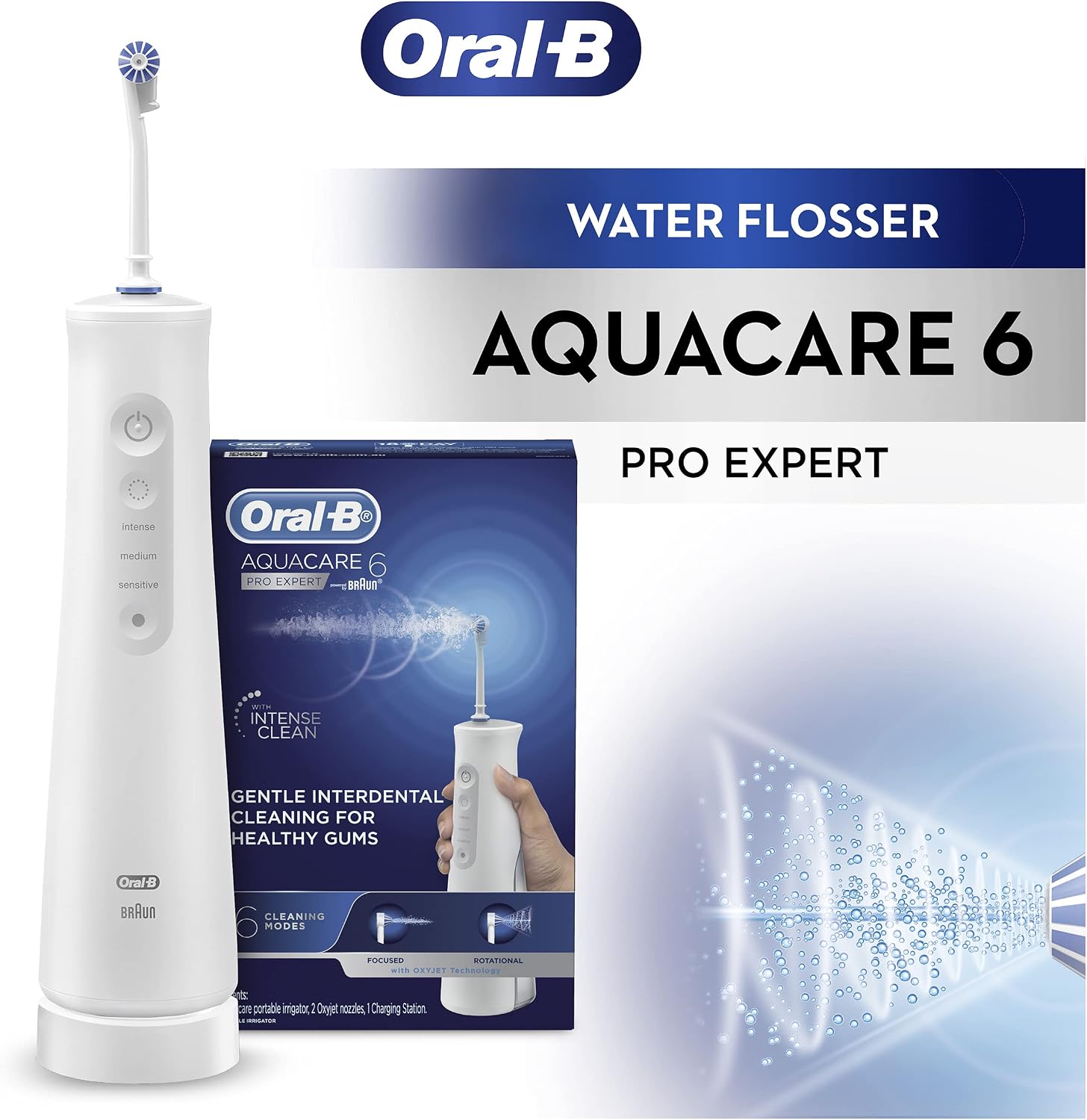
Image: A magnified view of the flosser's on-demand button, indicating its illuminated state and central role in controlling water flow.
Recommended Usage: For optimal results, follow the recommended uses for the product, focusing on deep cleaning along the gumline and between teeth. The Oxyjet Technology helps eliminate plaque-associated bacteria for healthier gums.
Maintenance
Cleaning the Device and Nozzles: After each use, empty any remaining water from the tank. Rinse the water tank and the nozzle thoroughly under running water. Wipe the main unit with a damp cloth. Do not immerse the main unit in water.
Storage: Store the Oral-B Aquacare 6 Pro-Expert Water Flosser in a dry place. Ensure the nozzle is detached or properly secured to prevent damage.
Nozzle Replacement: The product includes two Oxyjet nozzles. It is recommended to replace nozzles every 3 months, or sooner if the bristles become splayed or damaged, to maintain optimal cleaning performance.
Troubleshooting
Low Water Pressure: If the water stream appears weak or inconsistent, ensure the water tank is adequately filled and the nozzle is securely attached. Check for any blockages in the nozzle or the device's internal components. If issues persist, a thorough cleaning of the nozzle and device may be required.
Device Not Charging: Verify that the charging station is properly connected to a power outlet and that the device is correctly placed on the charging base. Ensure there is no debris obstructing the charging contacts on either the device or the station. The device requires 2 AA batteries (included) for operation; ensure they are correctly installed and functional.
Water Leaking: Confirm that the water tank cap is closed firmly and that the nozzle is securely attached. Inspect the water tank and seals for any visible damage or cracks.
Device Not Turning On: Ensure the device is charged. If the battery is low, place it on the charging station. If the issue persists after charging, contact customer support.
Specifications
| Feature | Detail |
|---|---|
| Model Number | 80364451 |
| Product Dimensions | 16.1 x 6.8 x 26.3 cm |
| Item Weight | 690 Grams |
| Power Source | Battery Powered (2 AA batteries included) |
| Water Tank Volume | 145 ml |
| Special Features | Cordless, Portable, Oxyjet Technology, 6 Cleaning Modes |
| Manufacturer | Procter & Gamble |
Warranty and Support
The Oral-B Aquacare 6 Pro-Expert Water Flosser is manufactured by Procter & Gamble. For information regarding warranty coverage, claims, or technical support, please refer to the warranty card included with your product or visit the official Oral-B website. Keep your proof of purchase for any warranty-related inquiries.
Related documents80364451


Ask a question about this manual
Ask about setup, troubleshooting, compatibility, parts, safety, or missing instructions. Manuals+ will review the question and use this page’s manual context to help answer it.