
1. Introduction
The BIGGERFIVE Vigor 2 is a fitness tracker designed for children aged 5-12, offering a range of features to monitor daily activity and promote healthy habits. This manual provides instructions for setting up, operating, and maintaining your device.

Image 1.1: The BIGGERFIVE Vigor 2 Kids Fitness Tracker in purple, displaying time and step count.
2. Setup Guide
2.1. Charging the Device
Before first use, fully charge the fitness tracker. The Vigor 2 features a convenient charging method. Connect the charging cable to the designated port on the tracker and a USB power source. A full charge takes approximately 2 hours and provides up to 7 days of battery life.

Image 2.1: Illustration of the BIGGERFIVE Vigor 2 fitness tracker connected to its charging cable and a wall adapter.
2.2. App Installation and Pairing
To access all features and synchronize data, download the free "BIGGERFIVE" app from your smartphone's App Store (compatible with Android 6.0+ and iOS 9.0+). Follow the in-app instructions to pair your Vigor 2 tracker with your smartphone via Bluetooth.
The app also supports a family account function, allowing parents to manage multiple kids' fitness trackers from a single account.

Image 2.2: A smartphone screen displaying the BIGGERFIVE app's family account interface, showing options to add multiple family members and their trackers.
3. Operating Instructions
3.1. Activity Tracking
The Vigor 2 automatically tracks daily activities, including steps taken (pedometer), distance covered, and calories burned. This data is continuously recorded and can be viewed on the device screen or in detail within the BIGGERFIVE app.
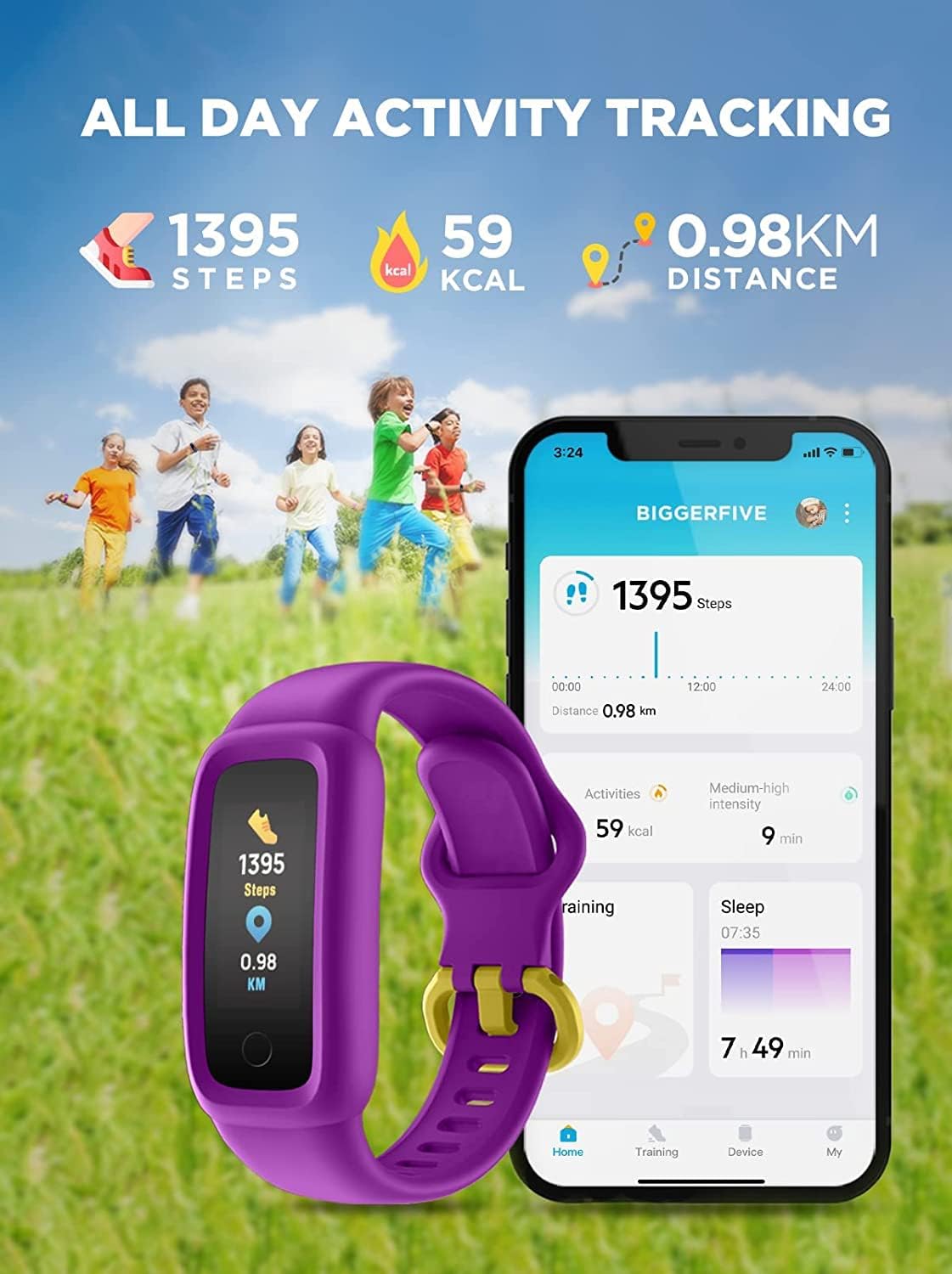
Image 3.1: A visual representation of the BIGGERFIVE Vigor 2 tracking steps, calories, and distance, alongside a smartphone displaying the app's activity summary.
3.2. Sport Modes
The tracker supports over 10 activity modes, allowing for more precise tracking during specific exercises. These modes include walking, running, cycling, dancing, basketball, football, tennis, climbing, and general training. Select the appropriate mode in the app or on the device for specialized data collection.

Image 3.2: Icons representing various sport modes supported by the tracker, such as walking, cycling, basketball, tennis, running, dancing, and football.
3.3. Heart Rate Monitoring
The Vigor 2 continuously monitors your child's heart rate in real-time throughout the day. This data helps in understanding activity intensity and overall cardiovascular health. Detailed heart rate trends can be viewed in the BIGGERFIVE app.

Image 3.3: The fitness tracker displaying a heart rate reading, with a smartphone showing a graph of 24-hour heart rate data.
3.4. Sleep Monitoring
The device automatically tracks sleep patterns, recording duration of deep sleep, light sleep, and awake times. This information is synchronized with the app, providing insights into sleep quality and trends. A silent alarm feature can be set to gently wake your child without disturbing others.
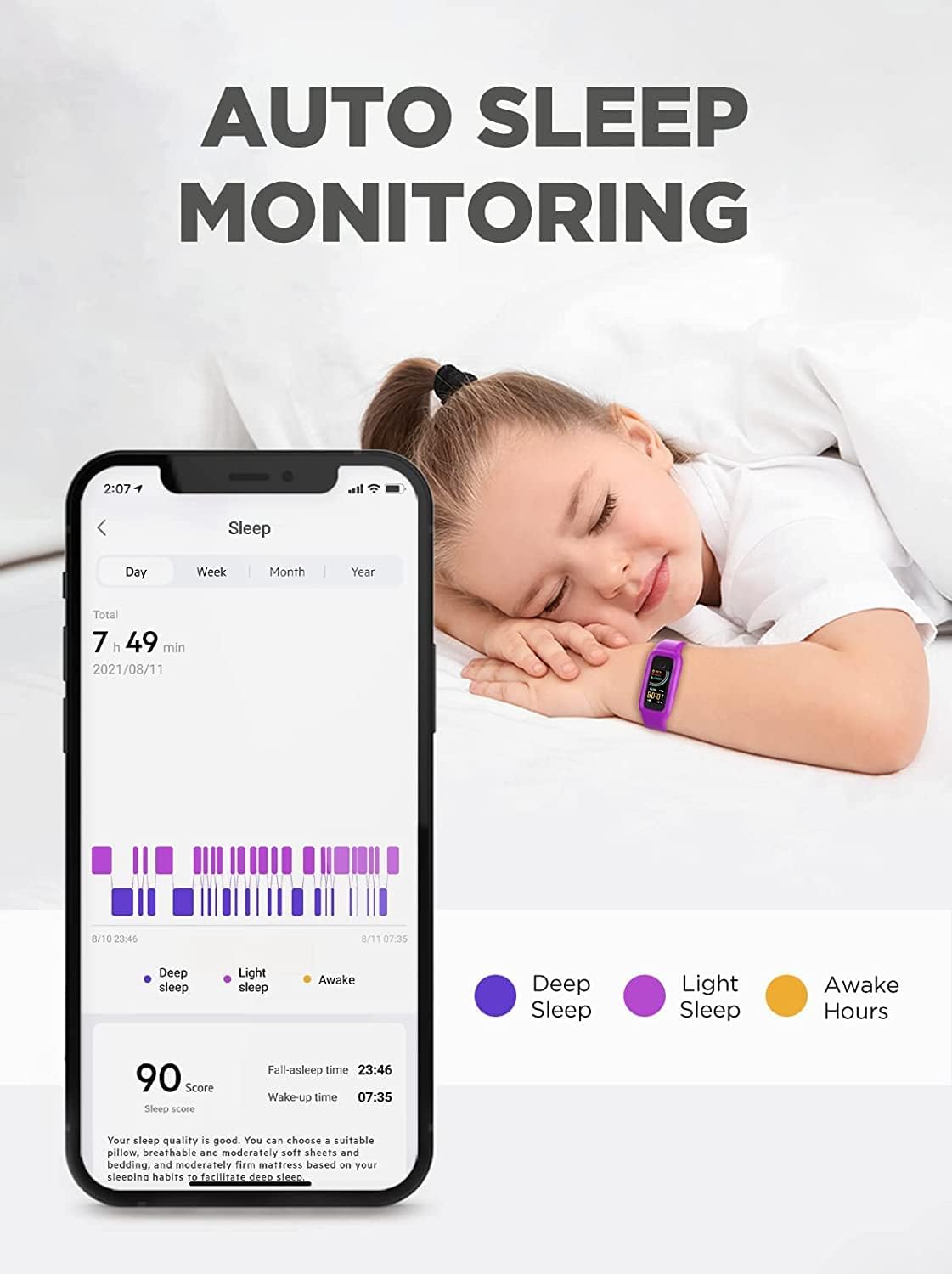
Image 3.4: A child sleeping peacefully, with the fitness tracker on their wrist, and a smartphone displaying detailed sleep analysis data from the app.
4. Maintenance
4.1. Water Resistance
The BIGGERFIVE Vigor 2 is IP68 waterproof, meaning it is resistant to dust and can withstand immersion in water up to 1.5 meters for 30 minutes. This allows children to wear it during swimming or other water activities. However, it is not recommended for hot showers, saunas, or diving, as steam and high pressure can damage the device.
4.2. Cleaning
To maintain the device and strap, clean them regularly with a soft, damp cloth. Avoid using harsh chemicals or abrasive materials, which can damage the finish or sensors. Ensure the charging contacts are clean and dry before charging.
5. Troubleshooting
If you encounter issues with your BIGGERFIVE Vigor 2, please try the following common troubleshooting steps:
- Device not turning on: Ensure the device is fully charged. Connect it to the charger for at least 10 minutes.
- Not pairing with app: Make sure Bluetooth is enabled on your smartphone and the tracker is within range. Restart both the tracker and your phone. Ensure the BIGGERFIVE app is updated to the latest version.
- Inaccurate data: Ensure the tracker is worn snugly on the wrist, about one finger's width above the wrist bone. Clean the sensor on the back of the device.
- Screen unresponsive: Try restarting the device by connecting it to the charger. If the issue persists, contact customer support.
6. Specifications
| Brand | BIGGERFIVE |
| Model Number | BF200 |
| Color | Purple |
| Operating System | Android Wear 2.6 (Compatibility) |
| Connectivity | Bluetooth |
| Special Features | Heart Rate Monitor, Sleep Monitor, Activity Tracker |
| Compatible Devices | Smartphones (Android 6.0+, iOS 9.0+) |
| Battery Composition | Lithium-ion Polymer |
| Battery Life | Up to 7 days (2-hour charge time) |
| Water Resistance | IP68 |
| Target Audience | Boys, Girls (Ages 5-12) |
7. Warranty and Support
BIGGERFIVE provides a 60-day refund policy, a 12-month replacement warranty, and lifetime technical support for the Vigor 2 fitness tracker. For any product-related issues or inquiries, please contact BIGGERFIVE customer service. Your feedback is valued for continuous product improvement.
Contact information can typically be found on the official BIGGERFIVE website or through your purchase platform.
8. Safety Information
- Do not attempt to open or disassemble the device.
- Keep the device away from extreme temperatures and direct sunlight.
- Avoid exposing the device to strong impacts or drops.
- Supervise children when they are wearing or charging the device.
- If skin irritation occurs, discontinue use and consult a doctor.
- Dispose of the device and its battery responsibly according to local regulations.


