
W-KING W-KING Bluetooth Speaker
W-KING Bluetooth Speaker User Manual
Model: W-KING Bluetooth Speaker
1. Introduction
Thank you for choosing the W-KING 50W Powerful Bluetooth Speaker. This manual provides comprehensive instructions to help you set up, operate, and maintain your speaker, ensuring optimal performance and longevity. Please read this manual thoroughly before using the product.

Image: The W-KING Bluetooth Speaker, showcasing its robust design in both black and green color options. It features a durable casing, a prominent W-KING logo on the speaker grille, and a sturdy carrying handle.
2. Package Contents
Please check the package for the following items:
- W-KING Bluetooth Speaker
- 3.5mm audio cable
- USB charging cable
- User Manual (this document)
3. Product Features
The W-KING Bluetooth Speaker is designed with advanced features for a superior audio experience:
- Powerful Audio Output: Delivers 50W of power with 4 drivers (2 passive subwoofers and 2 tweeters) and double passive bass radiators for punchy bass and clear HD sound.
- True Wireless Stereo (TWS): Easily pair two W-KING speakers to achieve 100W stereo surround sound for an immersive audio experience.
- IPX6 Waterproof: Features a robust IPX6 waterproof mechanical casing, making it suitable for various outdoor environments.
- Power Bank Function: Equipped with a large rechargeable battery that doubles as a power bank to charge your smart devices.
- Extended Playtime: Provides up to 40 hours of playtime on a single charge.
- Advanced Bluetooth 5.0: Ensures a stable and fast wireless connection up to 100ft, minimizing disconnections.
- Hands-Free Calling: Built-in microphone allows for convenient hands-free phone calls.
- Multiple Playback Options: Supports TF-Card, AUX input, and Bluetooth connectivity.
- Equalizer Modes: Built-in equalizer with indoor and outdoor modes to customize your sound.
- One-touch NFC: For Android devices, simply touch your smartphone to the speaker for quick pairing.

Image: An exploded view of the W-KING Bluetooth Speaker, highlighting its internal components including two tweeters, two subwoofers, and two passive radiators, demonstrating its 50W superior sound clarity and deep bass capabilities.

Image: A person kitesurfing with the W-KING Bluetooth Speaker attached, illustrating its IPX6 waterproof rating and suitability for outdoor water activities.
4. Controls and Indicators
The W-KING Bluetooth Speaker features intuitive button controls and indicators for easy operation. While specific button layouts may vary slightly, common controls include:
- Power Button: Typically used for turning the speaker on/off and sometimes for play/pause.
- Volume Buttons (+/-): Adjusts the playback volume.
- Play/Pause Button: Controls audio playback.
- Mode Button: Switches between Bluetooth, AUX, and TF-Card modes.
- EQ Button: Toggles between different equalizer sound modes (e.g., indoor/outdoor).
- Bluetooth Pairing Button: Initiates Bluetooth pairing mode.
- LED Indicators: Show battery status, charging status, and Bluetooth connection status.

Image: The top panel of the W-KING Bluetooth Speaker, displaying its control buttons (TF-Card slot, AUX port, NFC area, QE Button) and demonstrating its power bank functionality by charging a smartphone.
5. Setup
5.1 Charging the Speaker
- Connect the provided USB charging cable to the speaker's charging port.
- Connect the other end of the USB cable to a 5V 2.0A power adapter (not included) or a compatible USB power source.
- The LED indicator will show the charging status. A full charge provides up to 40 hours of playtime.
5.2 Bluetooth Pairing
- Power on the W-KING speaker. It will automatically enter Bluetooth pairing mode, indicated by a flashing LED.
- On your device (smartphone, tablet, laptop), enable Bluetooth and search for available devices.
- Select "W-KING Bluetooth Speaker" from the list of devices.
- Once connected, the LED indicator will become solid, and you will hear a confirmation sound.
5.3 NFC Pairing (Android Only)
- Ensure NFC is enabled on your Android smartphone.
- Gently tap your smartphone to the NFC area on the speaker.
- Confirm the pairing request on your smartphone.
5.4 True Wireless Stereo (TWS) Pairing
To achieve 100W stereo sound, you can pair two W-KING Bluetooth Speakers:
- Ensure both W-KING speakers are powered on and not connected to any other Bluetooth device.
- On one speaker (this will be the primary speaker), press and hold the TWS pairing button (refer to your speaker's specific button layout if available).
- The speakers will automatically search for and connect to each other. You will hear a confirmation sound once TWS pairing is successful.
- Connect your device to the primary speaker via Bluetooth as described in Section 5.2. Audio will now play in stereo through both speakers.

Image: Two W-KING Bluetooth Speakers positioned to demonstrate True Wireless Stereo (TWS) pairing, creating a 100W super powerful stereo sound experience.
6. Operating Instructions
6.1 Basic Playback
- Power On/Off: Press and hold the Power button.
- Play/Pause: Press the Play/Pause button.
- Volume Up/Down: Press the Volume + or Volume - buttons.
- Next/Previous Track: (If available) Long press Volume + for next track, long press Volume - for previous track.
6.2 Hands-Free Calling
When connected via Bluetooth, the speaker's built-in microphone allows for hands-free calls:
- Answer Call: Press the Play/Pause button once.
- End Call: Press the Play/Pause button once during a call.
- Reject Call: Press and hold the Play/Pause button.

Image: A split image showing a person talking on the phone and another person listening, illustrating the hands-free calling feature of the W-KING Bluetooth Speaker with its built-in microphone.
6.3 Using EQ Modes
Press the EQ button to cycle through available sound modes (e.g., Indoor, Outdoor) to optimize audio for your environment.
6.4 Power Bank Function
Connect your smart device to the speaker's USB output port using your device's charging cable. The speaker's internal battery will begin charging your device.
6.5 AUX Input
Use the provided 3.5mm audio cable to connect the speaker's AUX port to the audio output of a non-Bluetooth device. The speaker will automatically switch to AUX mode or you may need to press the Mode button.
6.6 TF-Card Playback
Insert a TF-Card (MicroSD card) with audio files into the designated slot. The speaker will automatically switch to TF-Card mode and begin playing music.
7. Maintenance
To ensure the longevity and optimal performance of your W-KING Bluetooth Speaker, follow these maintenance guidelines:
- Cleaning: Use a soft, dry cloth to wipe the speaker's surface. For stubborn dirt, a slightly damp cloth can be used. Avoid harsh chemicals or abrasive cleaners.
- Water Resistance: While IPX6 waterproof, avoid submerging the speaker in water for extended periods. Ensure all port covers are securely closed before exposure to water. After exposure to water, wipe the speaker dry.
- Storage: Store the speaker in a cool, dry place away from direct sunlight and extreme temperatures.
- Battery Care: For best battery life, avoid fully discharging the battery frequently. Charge the speaker regularly, even if not in use for extended periods.
- Handling: The speaker is designed to be rugged, but avoid dropping it or subjecting it to severe impacts.
8. Troubleshooting
If you encounter issues with your W-KING Bluetooth Speaker, refer to the following common troubleshooting steps:
| Problem | Possible Cause | Solution |
|---|---|---|
| Speaker does not turn on | Low battery; Power button not pressed correctly. | Charge the speaker fully. Press and hold the Power button for a few seconds. |
| Cannot pair via Bluetooth | Speaker not in pairing mode; Device Bluetooth off; Speaker already connected to another device; Out of range. | Ensure speaker is in pairing mode (flashing LED). Turn Bluetooth on your device. Disconnect from other devices. Move speaker closer to your device (within 100ft). |
| No sound or low volume | Volume too low on speaker or device; Incorrect input mode; Audio cable not fully inserted. | Increase volume on both speaker and device. Ensure correct mode (Bluetooth, AUX, TF-Card). Re-insert audio cable firmly. |
| Poor sound quality / Distortion | Low battery; Device too far from speaker; Interference. | Charge the speaker. Move device closer to speaker. Avoid obstacles between speaker and device. |
| TWS pairing fails | Speakers already connected to other devices; Not in TWS pairing mode. | Ensure both speakers are disconnected from other devices. Follow TWS pairing steps carefully (Section 5.4). |
| Battery drains quickly | High volume usage; Speaker not fully charged; Aging battery. | Reduce volume. Ensure speaker is fully charged before use. Battery life naturally degrades over time. |
9. Specifications
Detailed technical specifications for the W-KING Bluetooth Speaker:
| Feature | Specification |
|---|---|
| Model Name | W-KING Bluetooth Speaker |
| Speaker Type | Subwoofer, Outdoor |
| Speaker Maximum Output Power | 50 Watts |
| Connectivity Technology | Bluetooth 5.0, NFC, AUX, TF-Card |
| Wireless Communication Technology | Bluetooth, NFC |
| Bluetooth Range | 100 Feet |
| Battery Life | 40 Hours |
| Battery Capacity | 2000 Milliamp Hours (Note: This might be a typo in source data, typically higher for 40H playtime) |
| Waterproof Rating | IPX6 |
| Audio Output Mode | Surround, Stereo (with TWS) |
| Control Method | Button, Touch (NFC) |
| Power Source | Battery Powered |
| Recommended Uses | Outdoor |
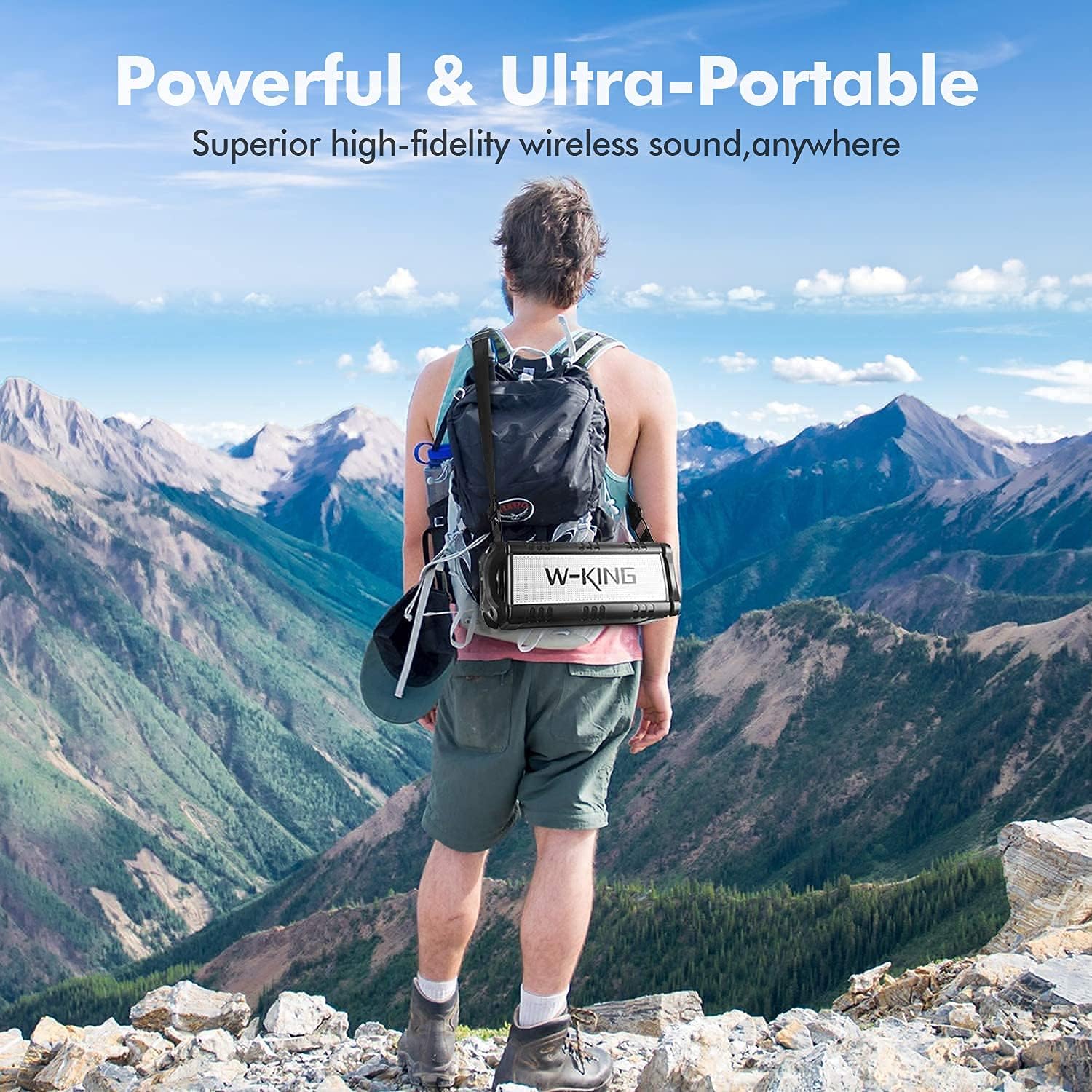
Image: A person hiking in a mountainous landscape with the W-KING Bluetooth Speaker attached to their backpack, emphasizing its portability and suitability for outdoor adventures.
10. Warranty and Support
The W-KING Bluetooth Speaker comes with a Limited Warranty. For specific details regarding warranty coverage, duration, and terms, please refer to the warranty card included in your product packaging or visit the official W-KING website.
For technical support, troubleshooting assistance, or any inquiries not covered in this manual, please contact W-KING customer service through their official website or the contact information provided with your purchase.
Manufacturer: W-KING
Date First Available: September 17, 2021
Related documentsW-KING Bluetooth Speaker


Ask a question about this manual
Ask about setup, troubleshooting, compatibility, parts, safety, or missing instructions. Manuals+ will review the question and use this page’s manual context to help answer it.