
1. Introduction
This manual provides detailed instructions for the installation, operation, and maintenance of your ORACLE Lighting ColorSHIFT RGB+W Headlight DRL Upgrade kit. This kit is designed to enhance the daytime running lights (DRLs) of your 2021-2023 Nissan Titan with customizable RGB+W lighting. Please read this manual thoroughly before beginning installation to ensure proper function and safety.
2. Safety Information
Always prioritize safety during installation and operation. Failure to follow these guidelines may result in injury, damage to the product, or damage to your vehicle.
- Disconnect the vehicle's battery before performing any electrical work.
- Wear appropriate personal protective equipment, including safety glasses and gloves.
- Ensure all connections are secure and properly insulated to prevent short circuits.
- Consult a professional automotive technician if you are unsure about any step of the installation process.
- Do not modify the product in any way not specified in this manual.
3. Package Contents
Verify that all components listed below are present in your package before beginning installation. If any items are missing or damaged, contact ORACLE Lighting customer support.
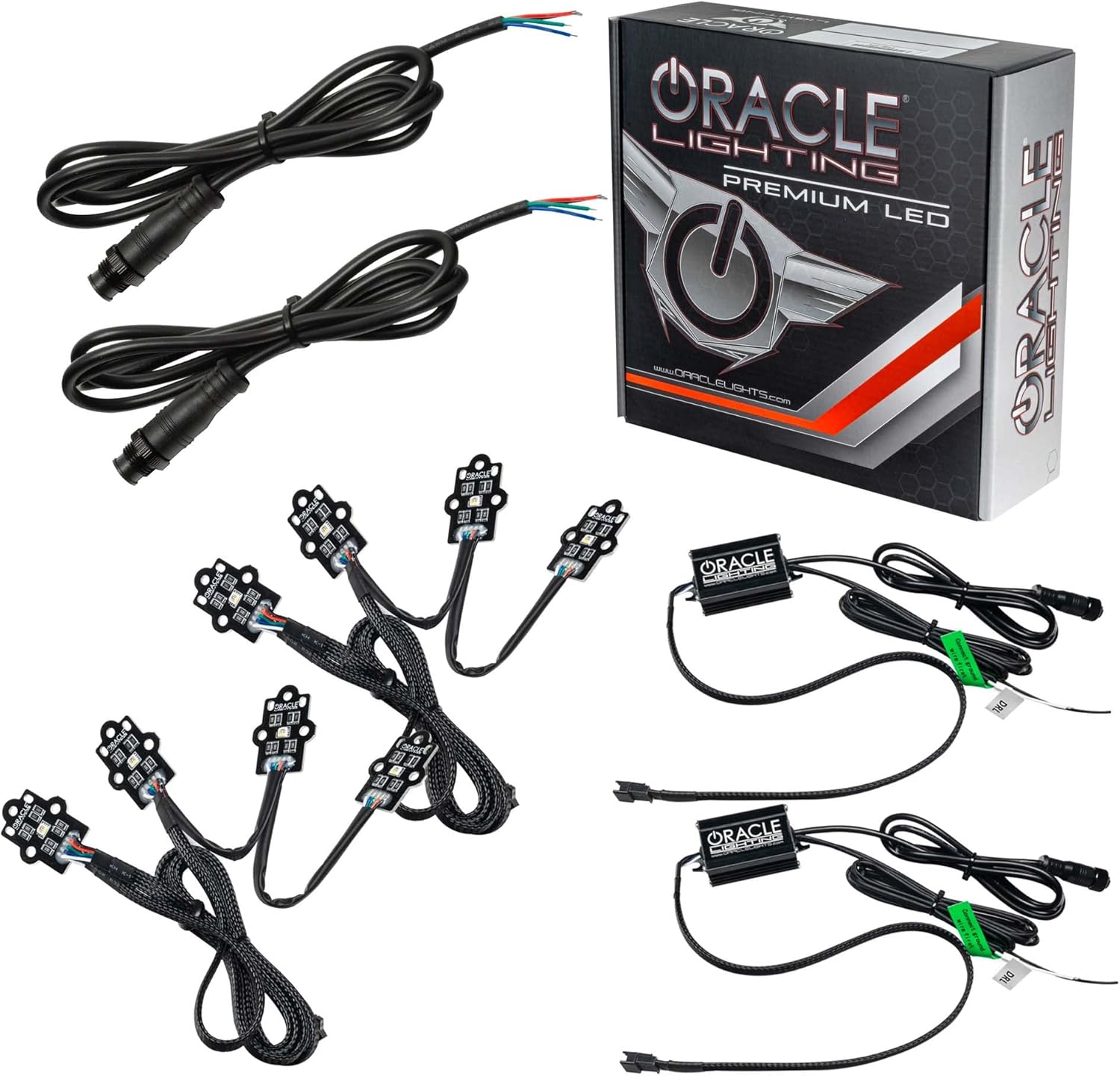
Image 3.1: Overview of the ORACLE Lighting ColorSHIFT RGB+W Headlight DRL Upgrade kit components and packaging.
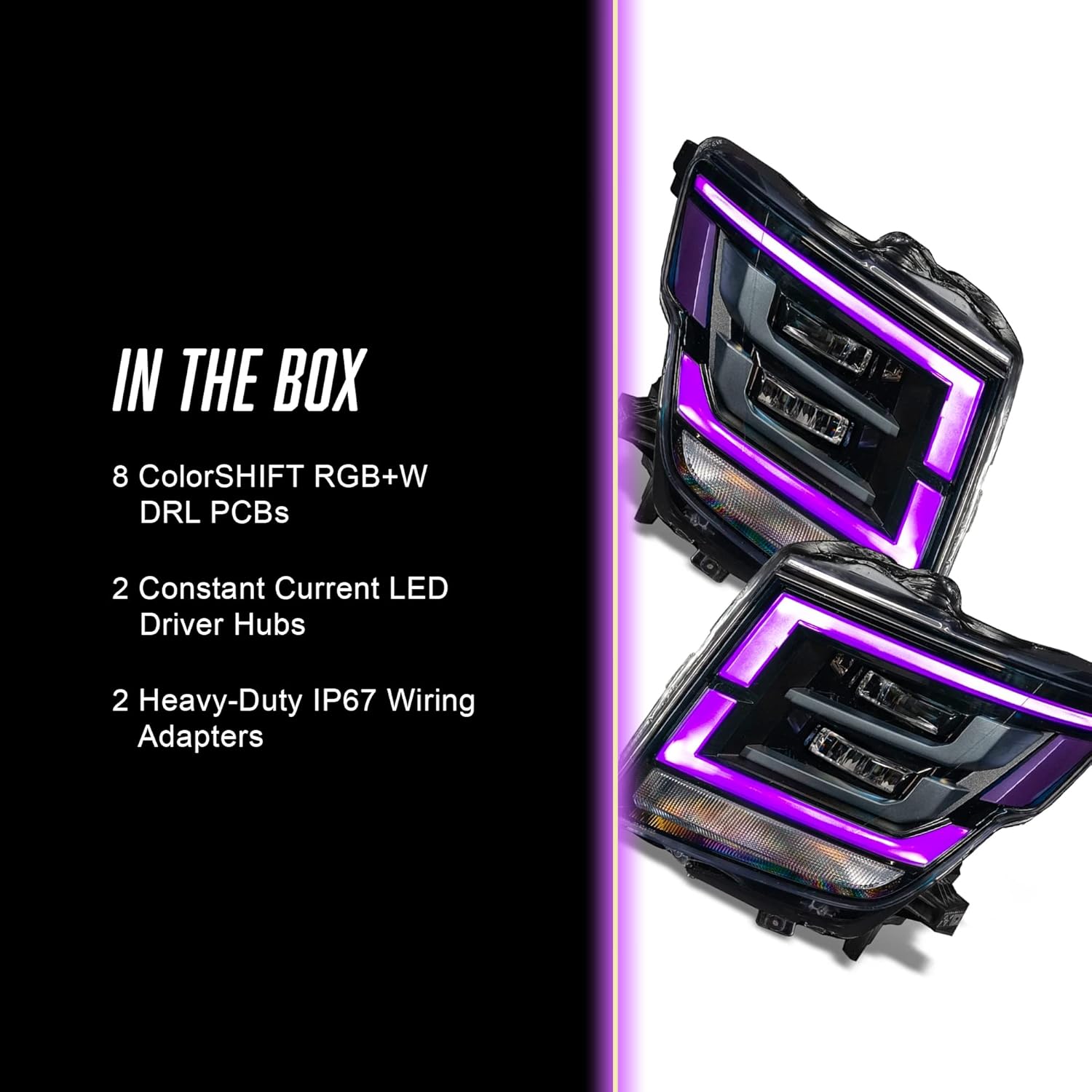
Image 3.2: Detailed view of the components included in the kit, labeled as "IN THE BOX".
- (8) ColorSHIFT RGB+W DRL PCBs
- (2) Constant Current LED Driver Hubs
- (2) Heavy-Duty IP67 Wiring Adapters
Note: A ColorSHIFT controller is required for full color-changing functionality and is sold separately. This kit does not include a controller.
4. Installation
This kit is designed for easy installation, converting existing DRL features to color-changing DRLs while maintaining a true white color option. The estimated installation time is approximately 1 hour, with a moderate difficulty level.

Image 4.1: A Nissan Titan truck demonstrating the installed ORACLE Lighting DRLs, illuminated in green. The image also indicates an installation difficulty level and an estimated 1-hour install time.
4.1. Pre-Installation Steps
- Park the vehicle on a level surface and engage the parking brake.
- Disconnect the negative terminal of the vehicle's battery.
- Allow the vehicle's lighting system to cool down if recently operated.
- Gather all necessary tools (e.g., screwdrivers, trim removal tools, wire strippers, crimpers).
4.2. Headlight Removal
Access to the DRLs typically requires removal of the headlight assemblies. Refer to your vehicle's service manual for specific instructions on removing the headlight assemblies for your 2021-2023 Nissan Titan.
4.3. DRL PCB Replacement
- Carefully open the headlight assembly to access the factory DRL circuit boards.
- Disconnect and remove the original DRL PCBs.
- Install the new ORACLE Lighting ColorSHIFT RGB+W DRL PCBs into the designated slots. Ensure proper orientation and secure fitment.
- Connect the DRL PCBs to the Constant Current LED Driver Hubs using the provided wiring.
4.4. Wiring and Connection
- Connect the Heavy-Duty IP67 Wiring Adapters to the LED Driver Hubs.
- Route the wiring safely, away from moving parts or heat sources. Secure with zip ties if necessary.
- Connect the wiring adapters to the vehicle's DRL power source. This typically involves tapping into the existing DRL wiring. Ensure polarity is correct.
- If using a ColorSHIFT controller (sold separately), connect it according to its specific instructions.
4.5. Reassembly and Testing
- Carefully reassemble the headlight assemblies, ensuring all seals are properly seated to prevent moisture intrusion.
- Reinstall the headlight assemblies into the vehicle.
- Reconnect the vehicle's battery.
- Test the DRLs to ensure they illuminate correctly. If a controller is connected, test the color-changing functions.
For detailed visual guides and troubleshooting, refer to ORACLE Lighting's official support videos and guides available on their website.
5. Operating Instructions
The ORACLE Lighting ColorSHIFT RGB+W DRL Upgrade kit provides dynamic lighting options. To fully utilize the color-changing features, a ColorSHIFT controller (sold separately) is required.

Image 5.1: The ORACLE ColorSHIFT App interface, demonstrating features like unlimited color choices, sound activation mode, and custom color themes. The app is available on Google Play and the App Store.
5.1. Basic Operation (Without Controller)
Without a ColorSHIFT controller, the DRLs will operate in a standard white mode, providing a crisp, true white illumination for street-legal DRLs. The RGB+W chips allow for this dedicated white output.
5.2. Advanced Operation (With ColorSHIFT Controller)
When paired with a compatible ORACLE Lighting ColorSHIFT controller (e.g., Simple Controller, 2.0 Controller, BC1 Controller), you can unlock the full potential of your RGB+W DRLs:
- Color Selection: Choose from thousands of colors to customize your DRLs.
- Brightness Adjustment: Control the intensity of the lighting.
- Strobing Effects: Apply various strobing patterns.
- Sound Activation Mode: Sync your lights with music for dynamic displays.
- Custom Themes: Create and save personalized color themes.
Refer to your specific ColorSHIFT controller's instruction manual for detailed operating procedures and app usage.

Image 5.2: Nissan Titan headlights illuminated with red DRLs, illustrating features such as bright output with less power consumption, true white DRL for legal on-road driving, quality materials, and being built in the USA.
6. Maintenance
The ORACLE Lighting ColorSHIFT RGB+W DRL Upgrade kit is designed for durability and minimal maintenance. Follow these guidelines to ensure longevity:
- Cleaning: Clean the headlight lenses regularly with a soft cloth and mild automotive cleaner. Avoid abrasive materials or harsh chemicals that could damage the lens or LED components.
- Inspection: Periodically inspect wiring and connections for any signs of wear, corrosion, or damage. Ensure all connections remain secure.
- Moisture: The wiring adapters are IP67 rated for water resistance. However, avoid direct high-pressure water spray on the headlight assemblies, especially if they have been opened during installation.
7. Troubleshooting
If you encounter issues with your ORACLE Lighting ColorSHIFT RGB+W DRLs, refer to the following common troubleshooting steps:
| Problem | Possible Cause | Solution |
|---|---|---|
| DRLs do not illuminate. | Loose wiring connection, incorrect polarity, blown fuse, faulty component. | Check all wiring connections. Verify correct polarity. Inspect vehicle's fuse box for blown fuses. Contact support if components appear faulty. |
| Only some DRLs illuminate or flicker. | Loose connection, damaged PCB, insufficient power. | Inspect connections to individual PCBs. Ensure adequate power supply. Contact support for potential component replacement. |
| Color-changing functions not working (with controller). | Controller not properly connected, controller malfunction, app issue. | Ensure controller is correctly wired and powered. Refer to controller's manual. Reinstall or update the control app. |
If these steps do not resolve the issue, please contact ORACLE Lighting customer support for further assistance.
8. Specifications
| Feature | Detail |
|---|---|
| Brand | ORACLE Lighting |
| Model Number | 1463-334 |
| Compatibility | 2021-2023 Nissan Titan |
| Product Type | ColorSHIFT RGB+W Headlight DRL Upgrade |
| DRL Color Options | RGB+W (Red, Green, Blue + True White) |
| Wiring Adapters | Heavy-Duty IP67 Rated |
| Item Weight | 3 pounds |
| Product Dimensions | 9 x 9 x 9 inches |
| Assembly Required | No (for the kit itself, but installation into vehicle requires assembly) |
| UPC | 810030395263 |
9. Warranty Information
ORACLE Lighting provides a 1-Year Warranty on this ColorSHIFT RGB+W Headlight DRL Upgrade kit. This warranty covers manufacturing defects and ensures the quality of the product.

Image 9.1: A warranty badge displaying "1 YEAR WARRANTY" alongside a statement about ORACLE Lighting's commitment to quality and customer satisfaction.
ORACLE Lighting has over 20 years of innovation and experience, producing high-quality parts with 100% customer satisfaction. Our parts are crafted in the U.S. and made with you in mind.
For specific warranty terms, conditions, and claim procedures, please visit the official ORACLE Lighting website or contact their customer support.
10. Customer Support
For technical assistance, troubleshooting, or warranty inquiries, please contact ORACLE Lighting customer support:
- Website: www.oraclelights.com
- Phone: Refer to the website for current contact numbers.
- Email: Refer to the website for current contact email.
When contacting support, please have your product model number (1463-334) and purchase information readily available.