
1. Introduction
This manual provides essential information for the proper use and care of your Rollei Actioncam 7S Plus. Please read it thoroughly before operating the device to ensure optimal performance and longevity. The Rollei Actioncam 7S Plus is a versatile 4K action camera designed for capturing high-quality video and photos in various environments, including underwater, thanks to its robust waterproof housing.

Figure 1.1: Rollei Actioncam 7S Plus. This image shows the front view of the camera, highlighting its compact design and lens.
2. Package Contents
Verify that all items listed below are included in your package. If any items are missing or damaged, please contact customer support.
- Rollei Actioncam 7S Plus Camera
- Underwater Housing
- Remote Control
- Replaceable Lithium-Ion Battery (850 mAh)
- Mounting Frame
- Tripod Thread Adapter
- Bicycle Mount
- Helmet Mount
- Velcro Straps
- Stickers
- Cable Ties
- USB Cable
- Lens Cleaning Cloth

Figure 2.1: Included accessories for the Rollei Actioncam 7S Plus. This image displays the camera along with various mounts, straps, cables, and the remote control.
3. Setup
3.1. Battery Installation and Charging
- Open the battery compartment cover on the bottom of the camera.
- Insert the provided 850 mAh Lithium-Ion battery, ensuring the contacts align correctly.
- Close the battery compartment cover securely.
- Connect the camera to a USB power source using the supplied USB cable to charge the battery. The charging indicator light will illuminate.
- A full charge typically takes approximately 2-3 hours.
3.2. MicroSD Card Installation
The camera requires a MicroSD card (Class 10 or U3 recommended) for storing recordings.
- Locate the MicroSD card slot on the side of the camera.
- Insert the MicroSD card with the gold contacts facing the front of the camera until it clicks into place.
- To remove, gently push the card until it springs out.
3.3. Powering On/Off
- To power on: Press and hold the Power/Mode button for a few seconds.
- To power off: Press and hold the Power/Mode button again until the camera shuts down.
3.4. Initial Settings
Upon first use, or after a factory reset, you may need to set the language, date, and time via the touchscreen menu.
4. Operating the Camera
4.1. Camera Overview and Controls

Figure 4.1: Rear view of the Rollei Actioncam 7S Plus in its waterproof housing, showing the 2-inch touchscreen display.
The Rollei Actioncam 7S Plus features a 2-inch touchscreen for intuitive navigation and settings adjustment. Physical buttons are typically for power/mode and shutter/OK functions.
4.2. Video Recording
The camera supports various video resolutions and frame rates:
- 4K at 30 frames per second (fps)
- Full HD (1080p) at 120 fps for smooth slow-motion playback
- Other resolutions and frame rates available via settings.
Available video modes include: Normal, Time-Lapse, Idle, and Loop Recording.
4.3. Photo Capture
Capture high-resolution still images up to 16 Megapixels (4608 x 3456 pixels).
Photo modes include: Single Shot, Burst, Delay, Time-Lapse, and Long Exposure.
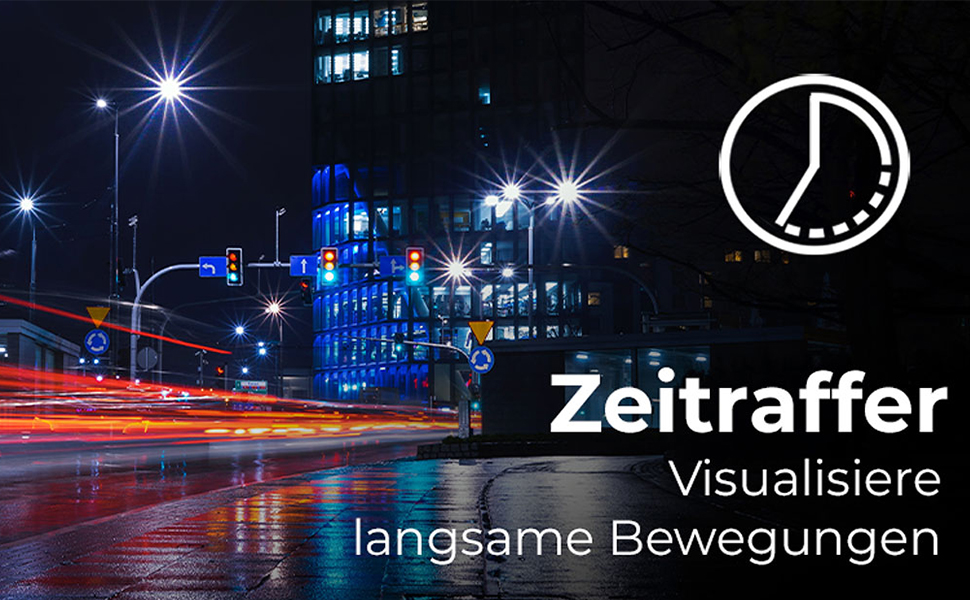
Figure 4.2: Illustration of the Time-Lapse feature. This image depicts a city night scene with light trails, demonstrating the camera's ability to capture time-lapse videos.

Figure 4.3: Illustration of the Slow Motion feature. This image shows colorful powder being thrown, emphasizing the camera's capability to capture detailed slow-motion footage.
4.4. Electronic Image Stabilization (EIS)
The camera features electronic image stabilization to reduce blur and shake in your recordings, especially during active use.
4.5. Wi-Fi Connectivity and Webcam Function
Connect your Actioncam to a smartphone or tablet via Wi-Fi using the dedicated app for remote control and file transfer. The camera also supports a webcam function for live streaming or video calls when connected to a computer.
4.6. Underwater Use
The included waterproof housing allows the Actioncam 7S Plus to be used at depths of up to 30 meters (approximately 98 feet).

Figure 4.4: The camera in its waterproof housing being used underwater. This image shows a diver interacting with a shark, demonstrating the camera's waterproof capability up to 30m.
4.7. Remote Control
Use the included remote control to start/stop recording or take photos from a distance, enhancing convenience during various activities.
5. Maintenance
5.1. Cleaning the Camera and Lens
- Use the provided lens cleaning cloth to gently wipe the lens and display.
- For the camera body, use a soft, dry cloth. Do not use chemical cleaners.
- Ensure the waterproof housing is clean and free of debris before each underwater use to maintain its seal. Rinse with fresh water after saltwater exposure.
5.2. Battery Care
- Store batteries in a cool, dry place.
- Avoid fully discharging the battery for extended periods.
- If storing for a long time, charge the battery to about 50% every few months.
5.3. Storage
When not in use, store the camera and accessories in a protective case in a dry environment, away from direct sunlight and extreme temperatures.
6. Troubleshooting
| Problem | Possible Cause | Solution |
|---|---|---|
| Camera does not power on. | Battery is depleted or not inserted correctly. | Charge the battery fully. Ensure the battery is inserted with correct polarity. |
| Cannot record video/take photos. | MicroSD card is full, corrupted, or not inserted. | Insert a MicroSD card. Format the card (this will erase all data). Replace the card if corrupted. |
| Poor video/photo quality. | Lens is dirty, insufficient lighting, incorrect settings. | Clean the lens. Ensure adequate lighting. Adjust resolution and exposure settings. |
| Wi-Fi connection issues. | Incorrect Wi-Fi settings, app issues, distance from device. | Ensure Wi-Fi is enabled on camera and device. Reinstall the app. Reduce distance between camera and device. |
| Camera freezes or becomes unresponsive. | Software glitch. | Press and hold the Power button for 10 seconds to force a shutdown. Restart the camera. |
7. Specifications
| Feature | Detail |
|---|---|
| Brand | Rollei |
| Model Name | Actioncam 7S Plus |
| Sensor Technology | CMOS |
| Video Resolution | 4K (3840x2160) at 30fps, Full HD (1080p) at 120fps |
| Photo Resolution | 16 MP (4608 x 3456) |
| Max Aperture | F 2.8 |
| Lens Type | Wide Angle (120 degrees) |
| Flash Memory Type | Micro SD (Class 10, U3 recommended) |
| Video Format | MP4 |
| Audio Format | AAC |
| Screen Size | 2 Inches (Touchscreen) |
| Connectivity | USB, Wi-Fi (802.11b/g) |
| Special Features | Touchscreen, Time-Lapse, Slow Motion, Remote Control, Webcam Function |
| Waterproof Level | Waterproof with housing up to 30 meters |
| Image Stabilization | Electronic (EIS) |
| Weight | 61 Grams |
| Battery Life | Up to 75 Minutes (850 mAh Li-ion battery) |
| Dimensions (D x W x H) | 3.2 x 6 x 4.2 cm |
| Operating System | Proprietary operating system developed by Rollei |
8. Warranty & Support
8.1. Warranty Information
The Rollei Actioncam 7S Plus comes with a 24-month warranty from the date of purchase. This warranty covers manufacturing defects and material faults. It does not cover damage caused by improper use, accidents, unauthorized repairs, or normal wear and tear.
8.2. Customer Support
For technical assistance, warranty claims, or further inquiries, please refer to the official Rollei website or contact their customer service department. Keep your proof of purchase handy when contacting support.
Official Rollei Website: www.rollei.com

