
1. Introduction
The QYT KT-8900D is a dual-band GMRS mobile radio designed for reliable communication. It features a 25W VHF and 20W UHF power output, 200 customizable channels, CTCSS/DCS support, UHF scanning, and GMRS repeater capability. This manual provides essential information for the proper installation, operation, and maintenance of your device.
2. What's in the Box
Carefully unpack your QYT KT-8900D GMRS Mobile Radio and verify that all items listed below are present and in good condition.
- 1x Mobile Transceiver
- 1x Microphone with DTMF Keypad
- 1x 2.8 ft DC Cable with Cigarette Plug Connector
- 1x Mounting Bracket (Fuse and Screws included)
- User Manual
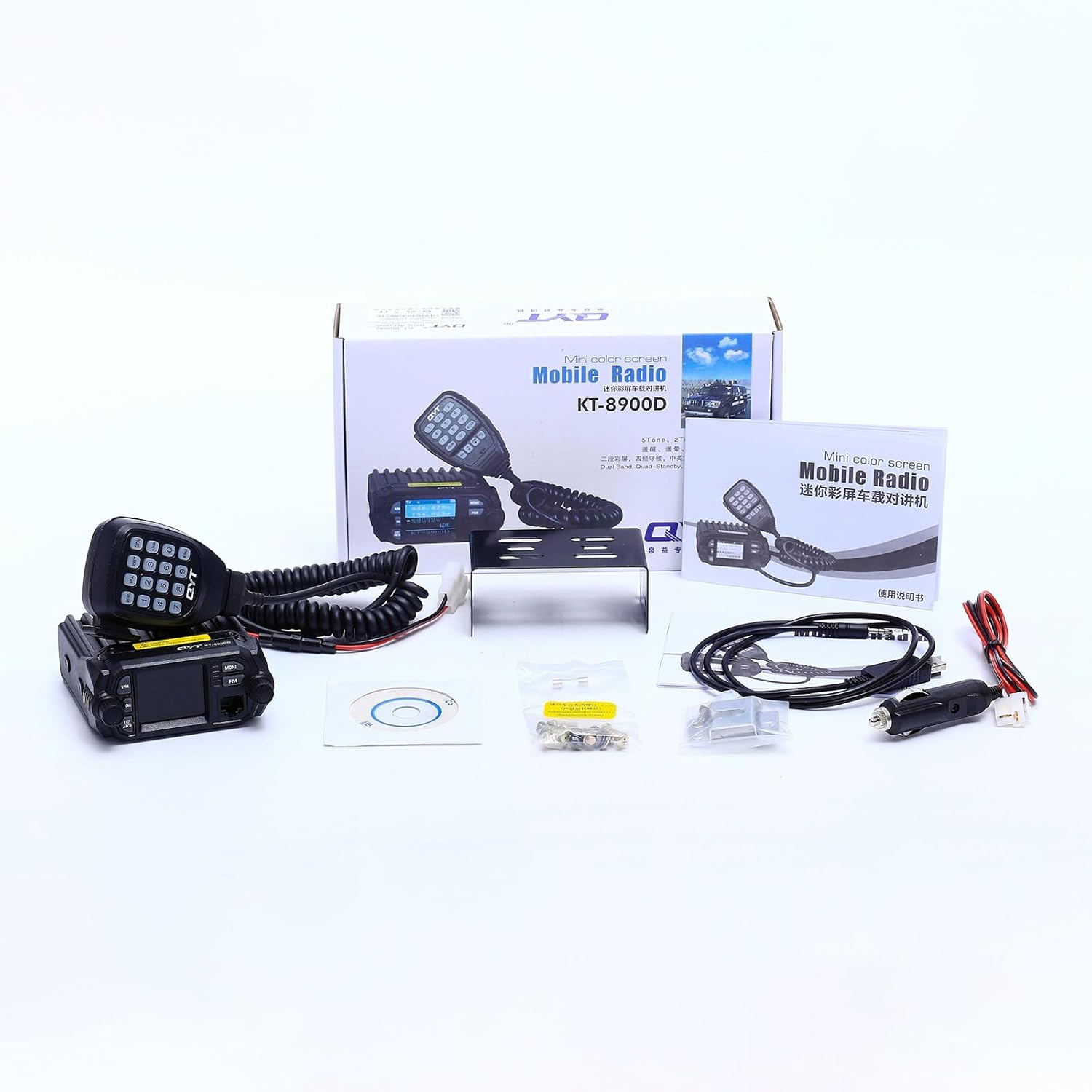
Figure 2.1: Contents of the QYT KT-8900D GMRS Mobile Radio package.
3. Setup
3.1 Mounting the Radio
Use the provided mounting bracket and screws to securely install the mobile transceiver in your vehicle. Ensure the location allows for proper ventilation and easy access to controls.
3.2 Connecting the Microphone
Connect the microphone cable to the designated port on the front of the transceiver. Ensure a firm connection.
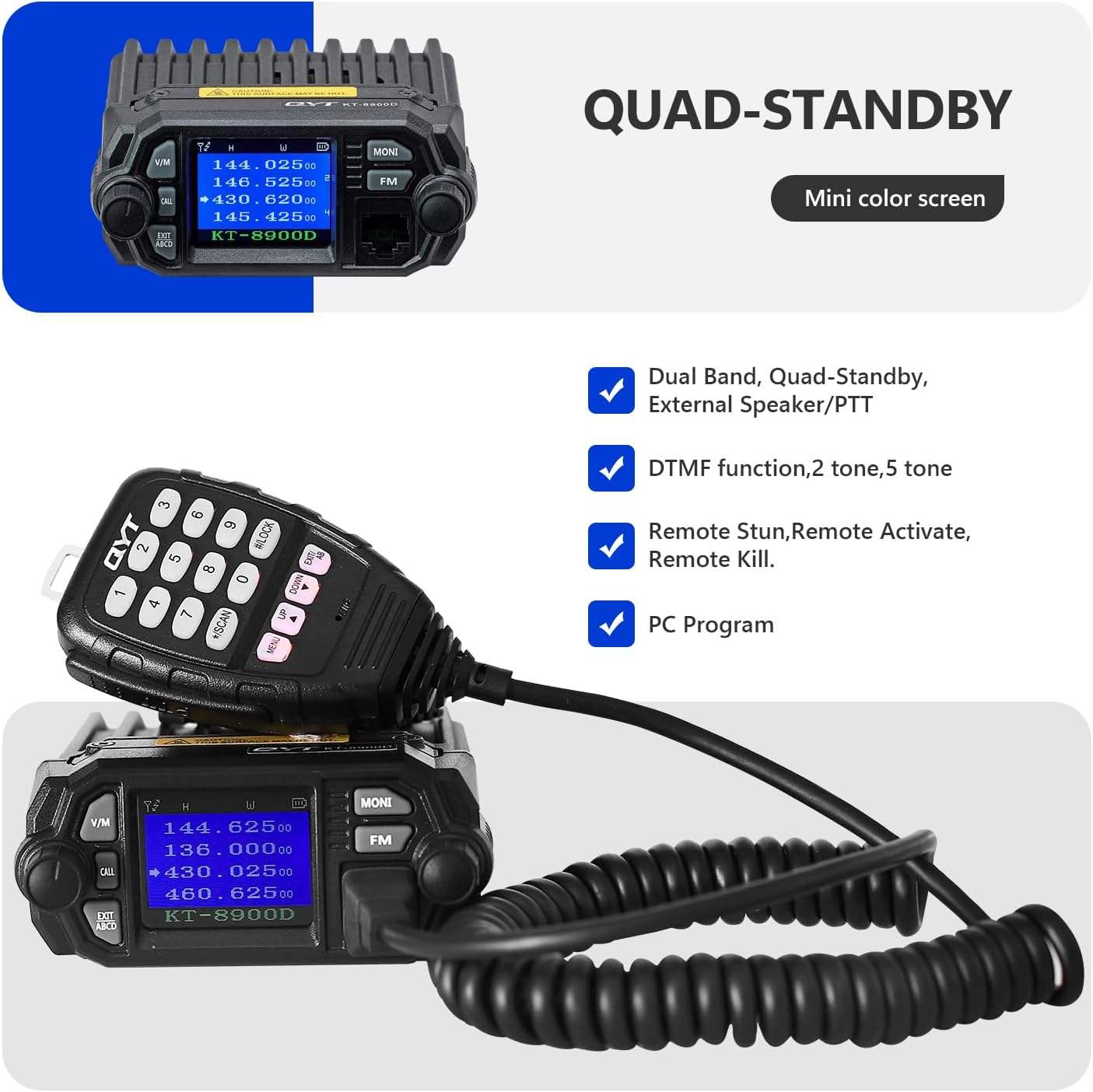
Figure 3.1: Microphone connected to the QYT KT-8900D transceiver.
3.3 Power Connection
Connect the DC feed cable with the cigarette plug connector to your vehicle's 12V or 13.8V power outlet. For 24V vehicles, a voltage regulator must be used to prevent damage to the device. Always connect the voltage regulator first, then the vehicle radio.
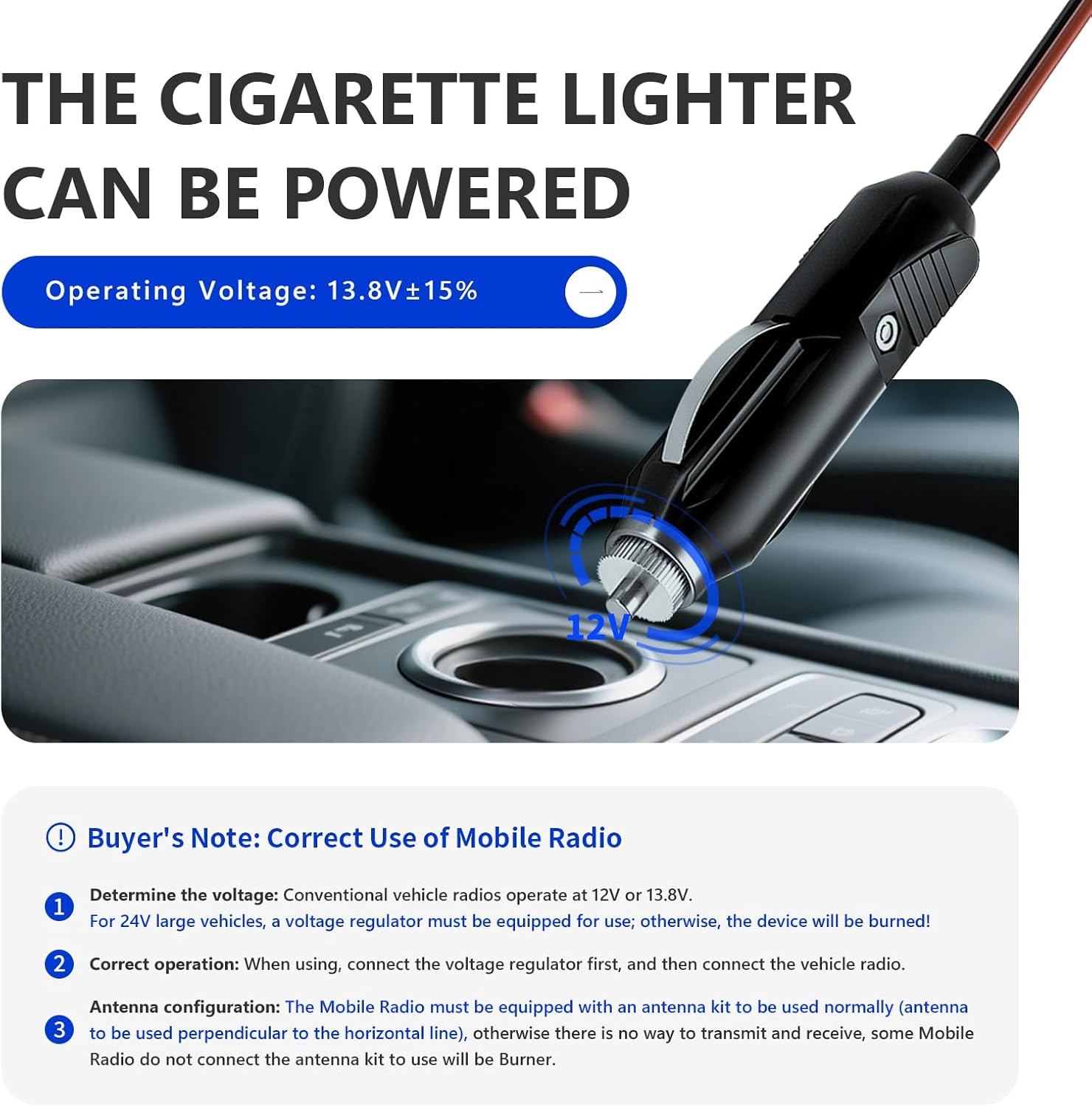
Figure 3.2: Powering the radio via a cigarette lighter adapter.
3.4 Antenna Connection
An external antenna is required for proper operation and must be purchased separately. Connect the antenna to the 'M port' interface on the rear of the radio. Ensure the antenna is correctly configured and mounted perpendicular to the horizontal line for optimal performance. Operating the radio without an antenna can cause damage to the unit.

Figure 3.3: Antenna interface on the rear of the radio.
4. Operating Instructions
4.1 Powering On/Off
Turn the Power/On/Off and Volume Knob (labeled '3' in Figure 4.1) clockwise to power on the radio. Turn counter-clockwise until it clicks to power off.
4.2 Key Analysis and Display
The KT-8900D features a mini color LCD screen and a microphone with a DTMF keypad for various functions. The screen displays dual-band frequencies, signal strength, and other operational indicators.
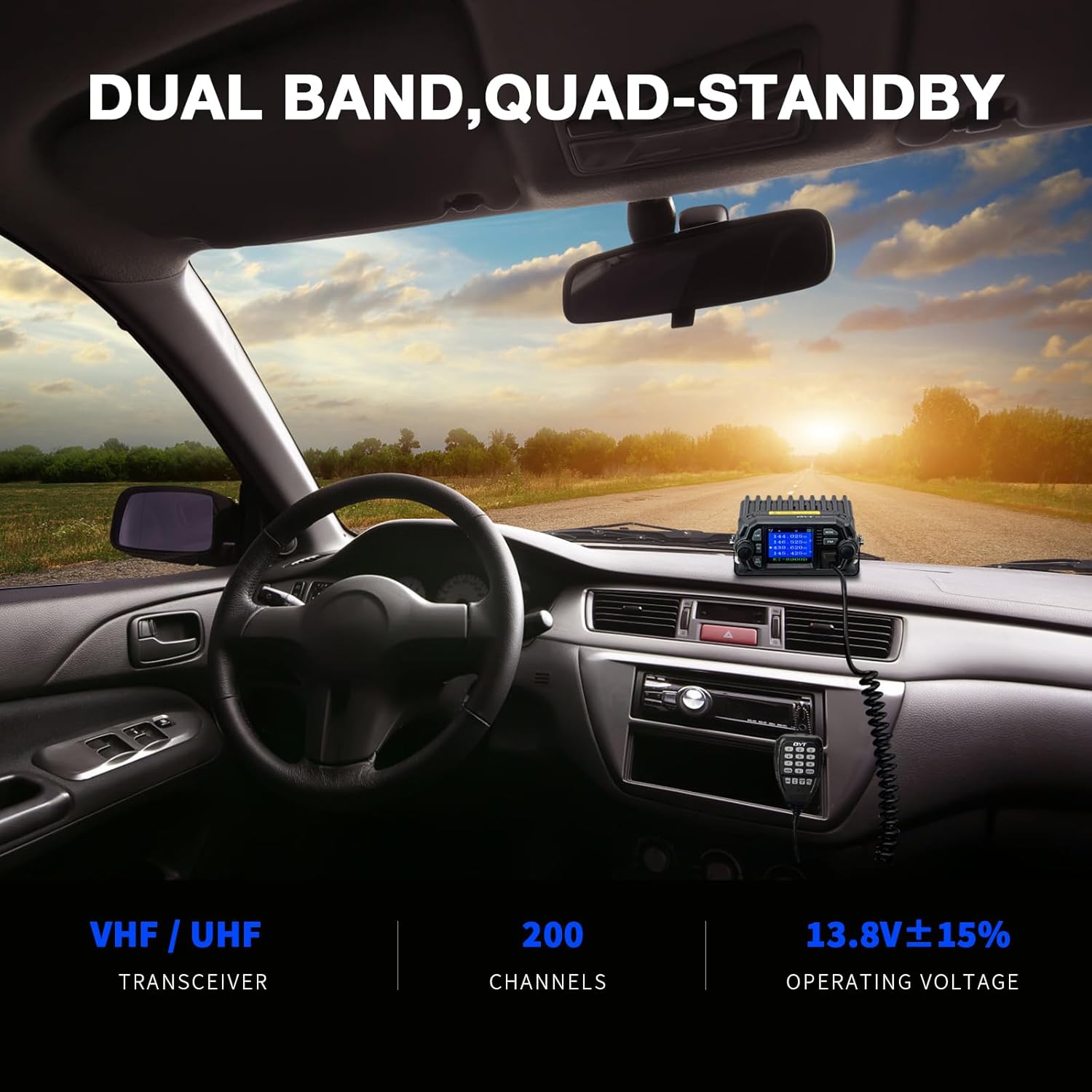
Figure 4.1: Key analysis and display layout.
- 1. V/M Mode Switch: Toggles between Channel and Frequency modes.
- 2. Call Key: Initiates a call.
- 3. Power/On/Off + Volume Knob: Controls power and audio volume.
- 4. Exit A/B/C/D Signal Switching + Alarm Function: Used for exiting menus, switching signals, and activating the alarm.
- 5. Monitor Function: Activates the monitor function.
- 6. FM Radio Function Key: Toggles FM radio.
- 7. Confirm Key Press + Main Selector (Menu Knob): Confirms selections and navigates menus.
- 8. Microphone Connector: Connects the hand microphone.
- 9. External Speaker Jack: For connecting an external speaker.
- 10. Frequency Writing Interface: For programming the radio.
- 11. Thermostatic Small Fan: Cooling fan for the unit.
- 12. Antenna Interface: M port: Connection for the external antenna.
4.3 Channel Programming and Features
The radio supports 200 fully customizable channels, including GMRS channels, GMRS repeaters, and UHF channels. It is compatible with all FRS and GMRS radios.
- Dual Band Receive & Quad-Display/Quad-Standby: Allows simultaneous monitoring of two channels.
- CTCSS/DCS Codes: Use these codes to filter unwanted signals and enhance communication privacy. Switching between different CTCSS/DCS codes on the same frequency can optimize repeater connections.
- VOX Function: Enables voice-activated transmission without pressing the PTT button on the microphone.
- DTMF Function: Supports DTMF signaling for advanced control and communication.

Figure 4.2: QYT KT-8900D in-car installation showing dual-band display.
4.4 Programming Software
The QYT KT-8900D radio is only compatible with QYT's proprietary programming software. Using other software may cause damage to the machine.
4.5 Operational Overview Video
Video 4.1: An overview of the QYT KT-8900D GMRS Mobile Radio's features and basic operation.
5. Maintenance
Proper maintenance ensures the longevity and optimal performance of your radio.
- Cleaning: Use a soft, damp cloth to clean the exterior of the radio. Avoid harsh chemicals or abrasive cleaners.
- Heat Management: The radio surface may become hot during extended operation. Ensure adequate ventilation around the unit.
- Connections: Periodically check all cable connections (power, microphone, antenna) to ensure they are secure and free from damage.
- Storage: Store the radio in a dry, cool environment when not in use.

Figure 5.1: Caution label regarding potential hot surface during operation.
6. Troubleshooting
If you encounter issues with your QYT KT-8900D, refer to the following common problems and solutions:
| Problem | Possible Cause | Solution |
|---|---|---|
| Radio does not power on. | Loose power connection, blown fuse, incorrect voltage. | Check DC cable connection. Inspect the fuse in the cigarette plug. Ensure correct voltage (12V/13.8V) or use a voltage regulator for 24V systems. |
| No transmission or reception. | Antenna not connected, incorrect frequency/channel, low power setting. | Verify antenna is securely connected. Check selected frequency/channel and CTCSS/DCS settings. Ensure power output is set appropriately. |
| Microphone not working. | Loose microphone connection, faulty microphone cable. | Ensure the microphone cable is fully inserted into the radio's port. Test with another compatible microphone if available. |
| Programming issues. | Using incompatible software. | Only use QYT's official programming software. Using third-party software may lead to unexpected behavior or damage. |
7. Specifications
Key technical specifications for the QYT KT-8900D GMRS Mobile Radio:
| Feature | Detail |
|---|---|
| Model Number | KT-8900D |
| Item Weight | 2.16 pounds (approx. 0.98 kg) |
| Product Dimensions | 4.96"D x 3.86"W x 1.69"H (approx. 12.6 x 9.8 x 4.3 cm) |
| Display Type | LCD |
| Color | Black |
| Number of Channels | 200 |
| Frequency Range | VHF: 136-174MHz, UHF: 400-480MHz |
| Talking Range Maximum | 12 Miles (approx. 19.3 km) |
| Voltage | 13.8 Volts (DC) |
| Water Resistance Level | Not Water Resistant |
| Special Features | Quad-Standby, External Speaker/PTT, DTMF, Noise Reduction, ANI, VOX Function, GMRS Repeater Capable, Dual Band Receive |
8. Warranty & Support
8.1 Warranty Information
The QYT KT-8900D GMRS Mobile Radio comes with a 1-year limited warranty from the date of purchase. This warranty covers manufacturing defects under normal use. It does not cover damage caused by misuse, accidents, unauthorized modifications, or failure to follow the instructions in this manual.
8.2 Customer Support
For technical assistance, warranty claims, or further inquiries, please contact QYT customer support through the retailer where the product was purchased or visit the official QYT website for contact information.