
QYT KT-980PLUS
Contents
User Manual for QYT KT-980PLUS GMRS Mobile Radio
Model: KT-980PLUS | Brand: QYT
Introduction
The QYT KT-980PLUS is a high-power GMRS mobile radio designed for long-range two-way communication. It features 75/55 Watts of output power, GMRS repeater capability, and 200 programmable channels. This radio supports UHF scanning and receiving, and includes VOX functionality, making it ideal for off-roading, vehicle driving, and various professional applications.
This manual provides comprehensive instructions for the proper installation, operation, and maintenance of your KT-980PLUS GMRS Mobile Radio. Please read this manual thoroughly before using the device to ensure safe and efficient operation.
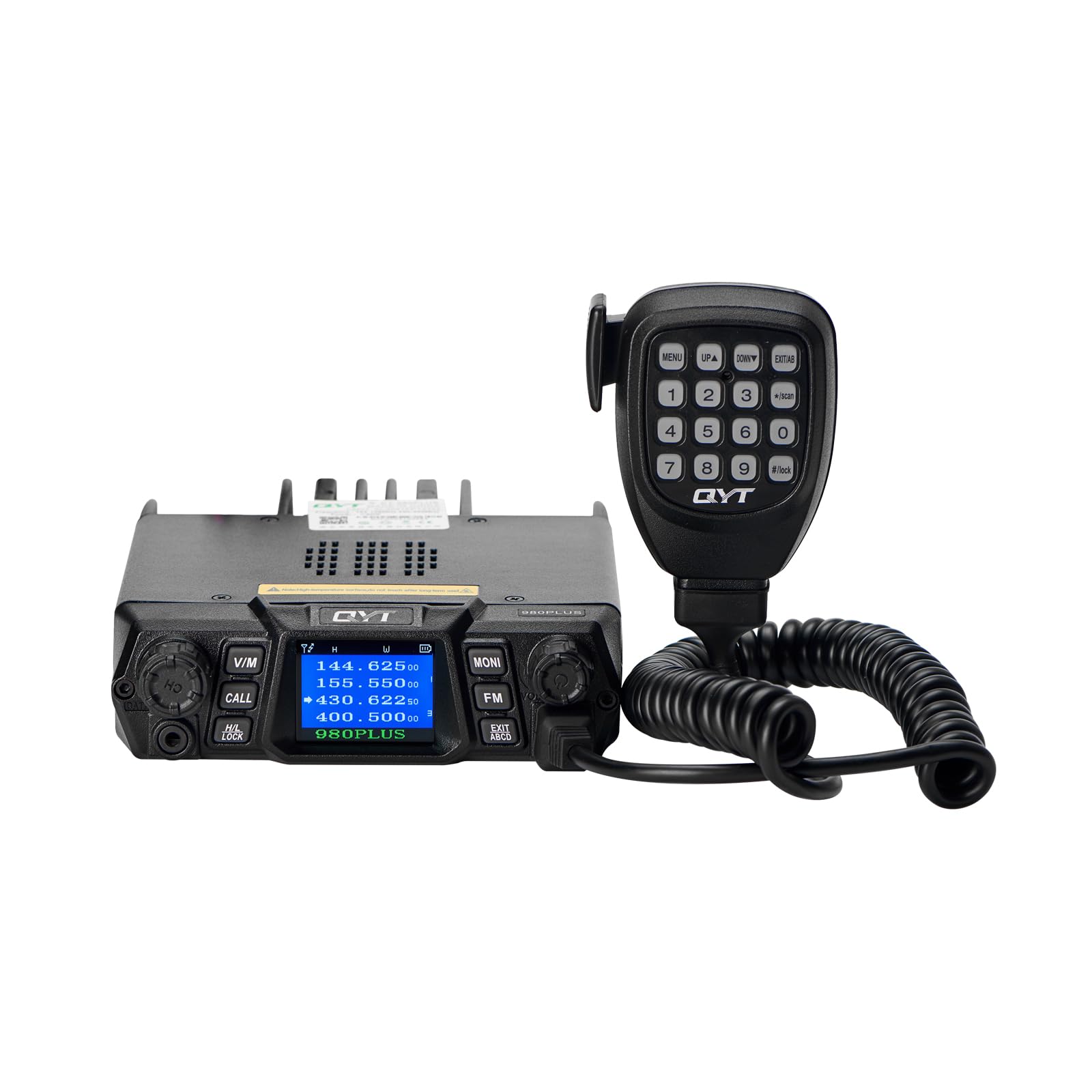
Image: The QYT KT-980PLUS GMRS Mobile Radio unit with its connected speaker microphone, showcasing its compact design.
Safety Information
Always observe the following safety precautions to prevent fire, injury, or damage to the radio:
- Do not operate the radio in explosive atmospheres (e.g., flammable gases, dust particles, metallic powders).
- Ensure the radio is connected to a stable 12V DC power source. Avoid using cigarette lighter outlets for primary power.
- Do not expose the radio to direct sunlight for prolonged periods or place it near heating appliances.
- Ensure proper ventilation around the radio to prevent overheating, especially during high-power transmission.
- Use only the provided accessories or QYT-approved replacements.
- Do not attempt to disassemble or modify the radio. Refer all servicing to qualified personnel.
- Always connect the antenna before transmitting to prevent damage to the radio's final amplifier.
What's in the Box
Upon opening the package, please verify that all the following items are included:
- 1x QYT KT-980PLUS Mobile Transceiver
- 1x Speaker Microphone with DTMF Keypad
- 1x DC Power Cable (approx. 6.23 ft)
- 1x Mobile Mounting Bracket (with fuse and screws)
- 1x User's Manual
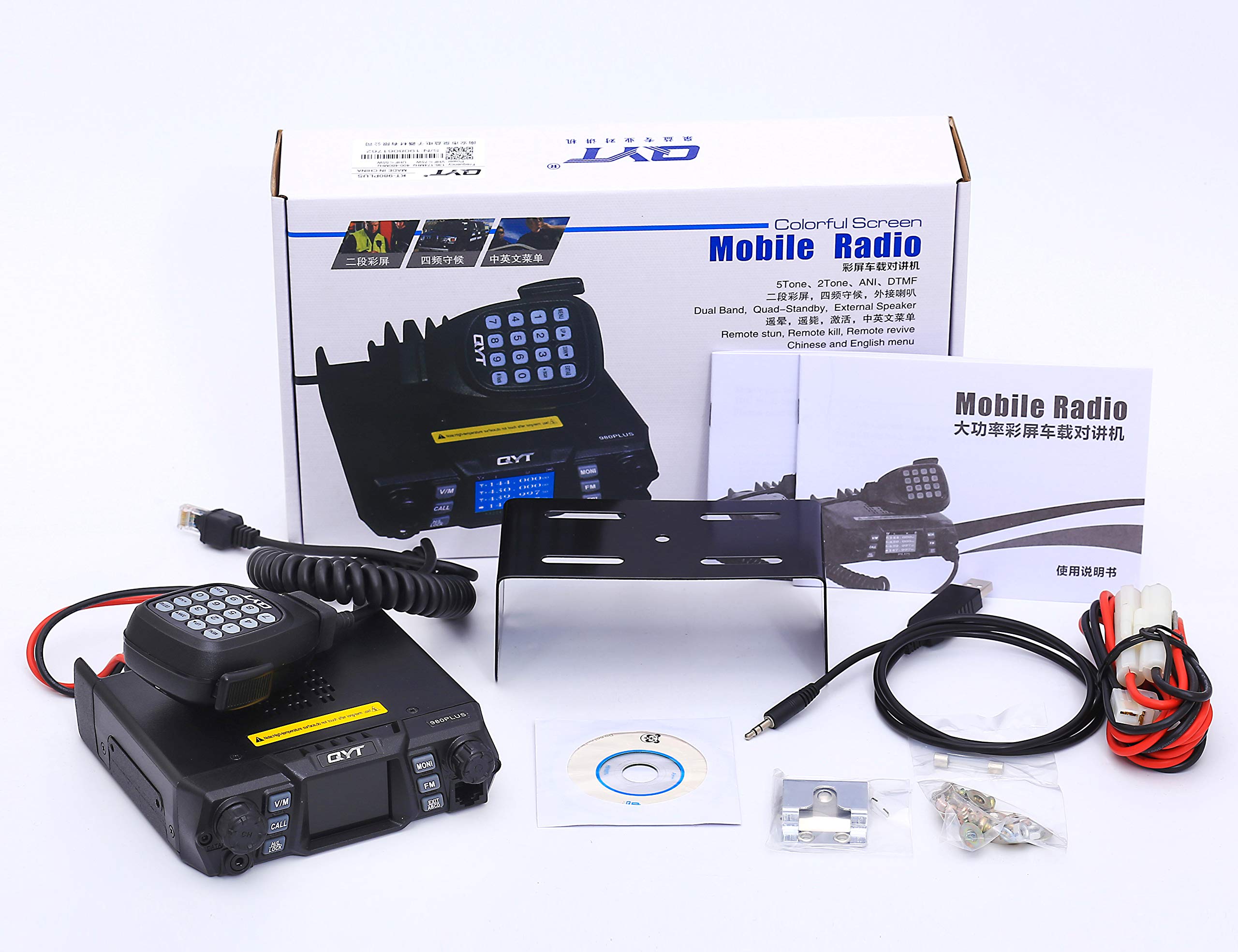
Image: All components included in the QYT KT-980PLUS package, laid out for inspection.
Product Overview
The KT-980PLUS features a large LCD display and intuitive controls for ease of use. Below is a diagram highlighting the key components and their functions.
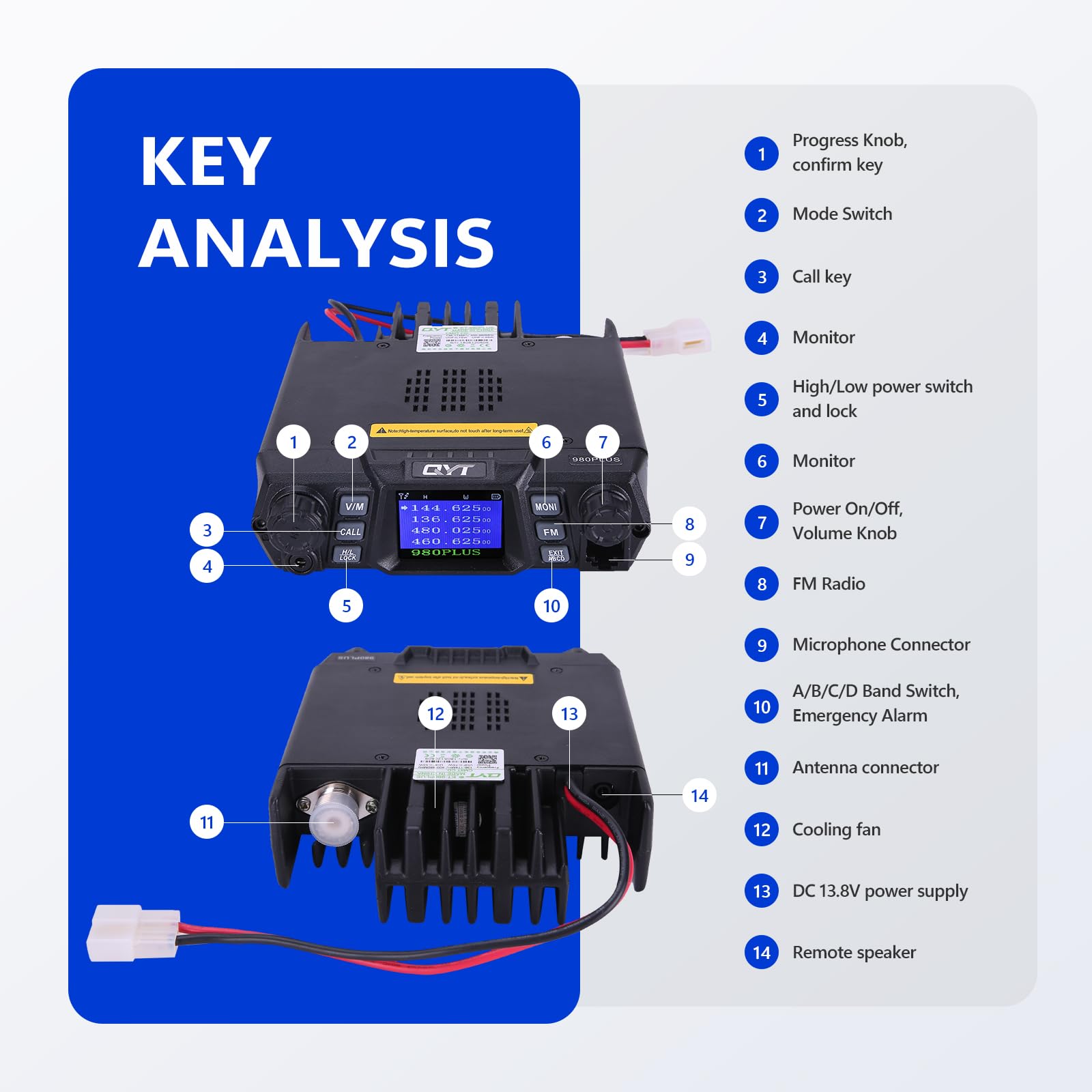
Image: Detailed "Key Analysis" diagram of the KT-980PLUS radio and its speaker microphone, with numbered labels indicating various controls and ports.
Key Components:
- Front Panel: Features a large LCD display, V/M (Voice/Memory) button, CALL button, H/L LOCK (High/Low Power/Lock) button, MONI (Monitor) button, FM (FM Radio) button, EXIT ABCD button, and rotary knobs for Progress/Confirm and Power On/Off/Volume.
- Speaker Microphone: Equipped with a DTMF keypad, MENU, UP, DOWN, EXIT/AB, and #/LOCK buttons for channel selection, menu navigation, and direct frequency input.
- Rear Panel: Includes the antenna connector, cooling fan, DC 13.8V power supply input, and remote speaker output.
Setup
1. Microphone Installation:
Connect the speaker microphone cable to the dedicated port on the front panel of the radio unit. Ensure the connection is secure.
Video: This video demonstrates the unboxing of the QYT KT-980PLUS GMRS Mobile Radio and the process of connecting the speaker microphone to the main unit, followed by the initial power-up sequence.
2. Power Connection:
The KT-980PLUS requires a 13.8V DC power supply. Use the provided DC power cable to connect the radio directly to your vehicle's battery or a suitable regulated power supply. It is crucial to connect the voltage regulator first, then the vehicle radio.
Important: Do not use a cigarette lighter or 24V power supply for power. Only a 12V power supply is recommended for optimal performance and to prevent damage.
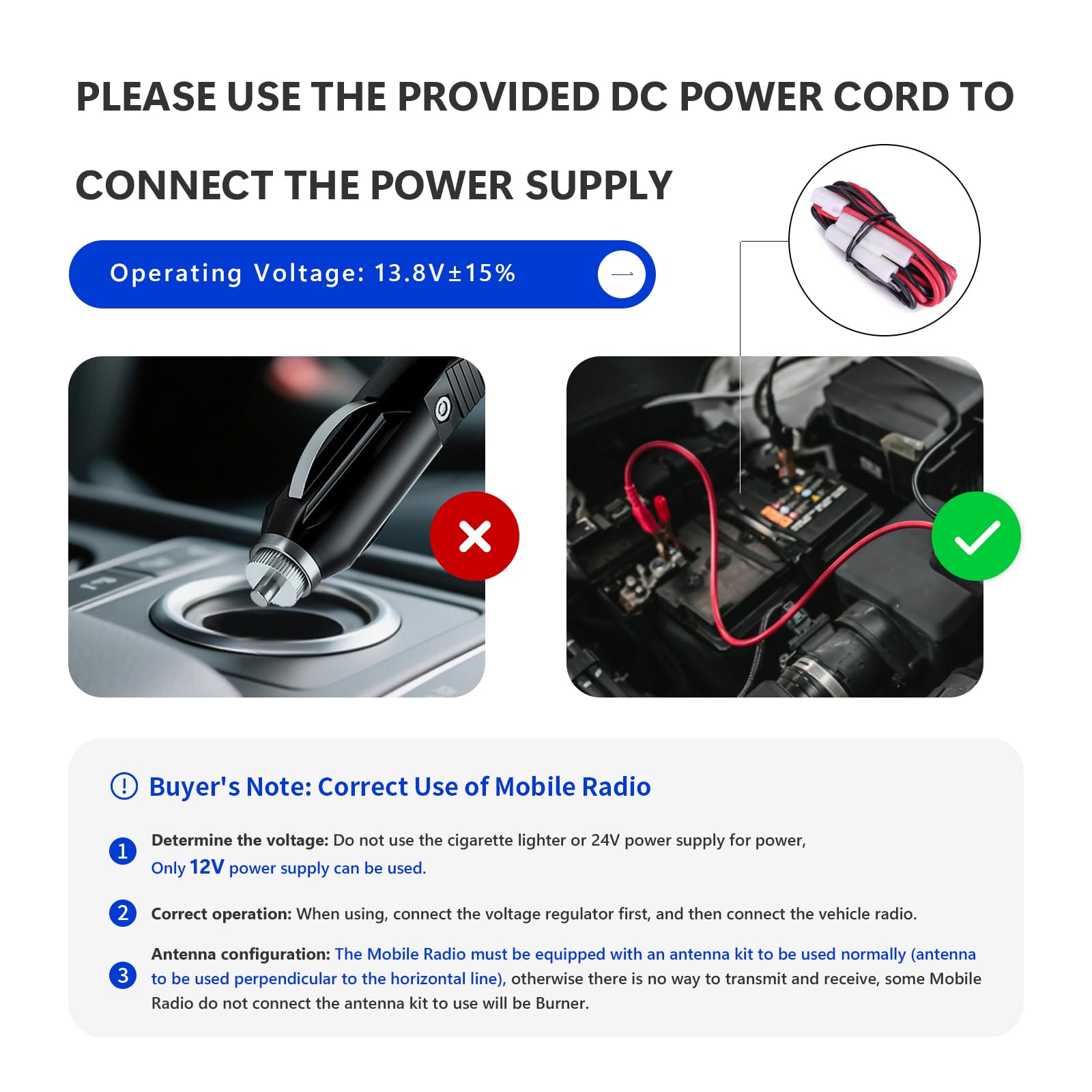
Image: Illustration demonstrating the correct method of connecting the radio's power cable directly to a vehicle battery, and an incorrect method using a cigarette lighter socket.
3. Antenna Configuration:
The mobile radio must be equipped with an antenna kit to be used normally. Ensure the antenna is mounted perpendicular to the horizontal line for proper transmission and reception. Without a correctly configured antenna, the radio will not transmit or receive effectively and may be damaged.
Operating the Radio
Power On/Off and Volume:
Rotate the Power On/Off/Volume knob clockwise to turn on the radio and adjust the volume. Rotate counter-clockwise until it clicks to turn off.
Channel Selection:
Use the UP/DOWN buttons on the speaker microphone or the Progress Knob on the radio to navigate through the 200 available channels. The large LCD display shows the current frequency and channel information.
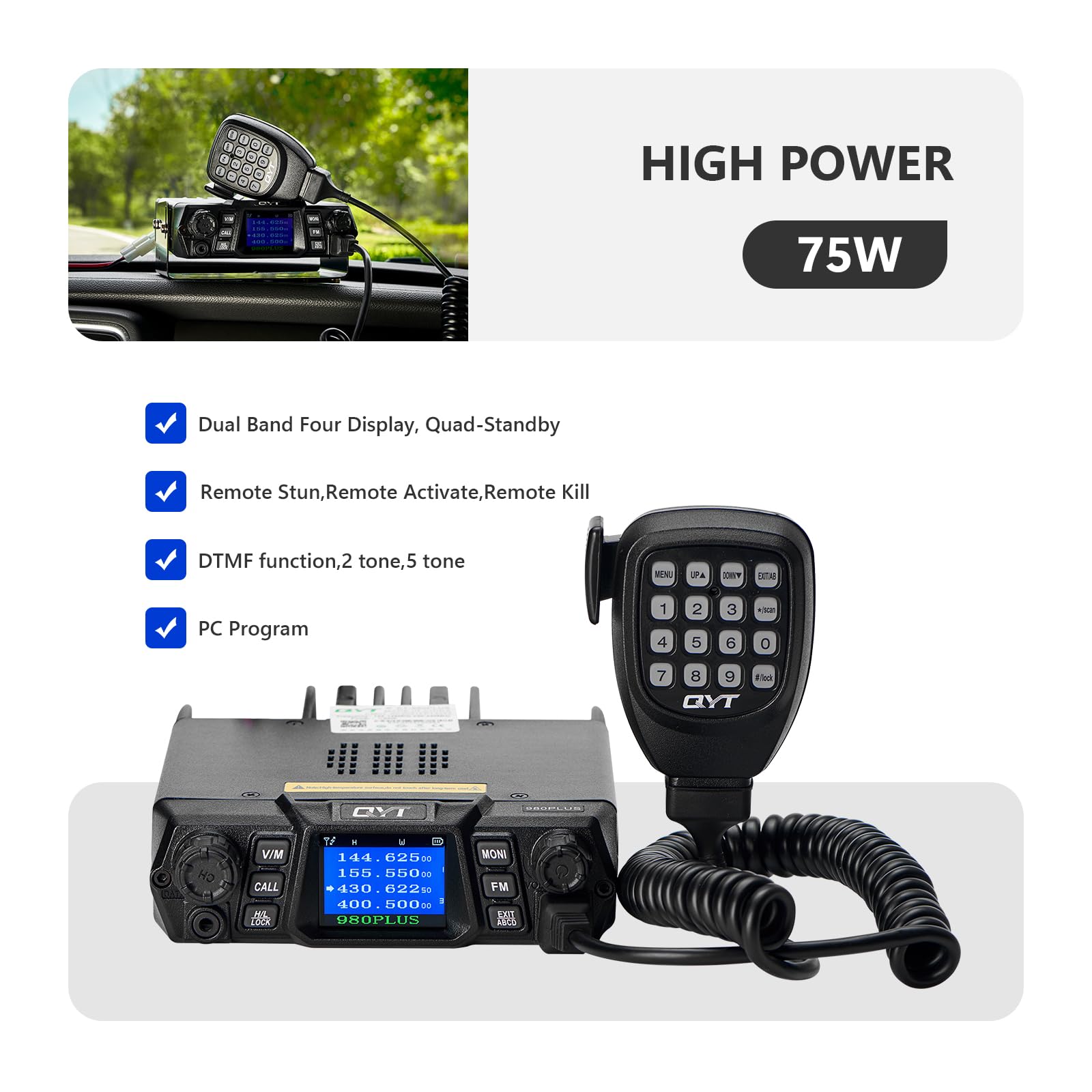
Image: The radio unit and microphone, emphasizing its 75W high power output and features such as dual band four display, quad-standby, DTMF function, and PC programming capability.
Transmission and Reception:
Press and hold the PTT (Push-To-Talk) button on the speaker microphone to transmit. Release it to receive. Ensure you are on a clear channel before transmitting.
High/Low Power Setting:
Press the H/L LOCK button to toggle between high and low power output. High power (75W VHF / 55W UHF) is suitable for long-range communication, while low power conserves battery life for shorter distances.
Scanning and Receiving:
The KT-980PLUS has a built-in VHF and UHF scanning receiver. Use the scan function to find active channels. You can also add additional scanner channels for receive-only purposes.
GMRS Repeater Capability:
This radio is capable of connecting to GMRS repeaters, significantly extending your communication range. Refer to local GMRS repeater directories for available repeaters and their frequencies.

Image: A visual representation of the radio's repeater function, demonstrating how it extends communication range over challenging terrain.
VOX Function:
Voice Operated Exchange (VOX) allows for hands-free transmission. When VOX is enabled, the radio will automatically transmit when it detects your voice. Adjust VOX sensitivity in the menu to suit your environment.
DTMF Technology:
The DTMF (Dual-Tone Multi-Frequency) keypad on the microphone allows for various advanced functions, including remote stun, remote activate, and remote kill, as well as direct frequency input.
Maintenance
Proper maintenance ensures the longevity and optimal performance of your QYT KT-980PLUS radio:
- Cleaning: Use a soft, damp cloth to clean the radio's exterior. Avoid using harsh chemicals or abrasive cleaners.
- Antenna Care: Regularly inspect the antenna and its connection for any damage. A damaged antenna can impair performance and potentially harm the radio.
- Power Cable: Check the power cable for fraying or damage. Replace if necessary.
- Storage: When not in use for extended periods, store the radio in a cool, dry place away from direct sunlight and extreme temperatures.
- Firmware Updates: Check the manufacturer's website periodically for any available firmware updates to improve performance or add new features.
Troubleshooting
| Problem | Possible Cause | Solution |
|---|---|---|
| Radio does not power on. | No power, loose connection, blown fuse. | Check power cable connection. Verify power source. Inspect and replace fuse if blown. |
| Cannot transmit or receive. | Antenna not connected, incorrect frequency/channel, squelch too high. | Ensure antenna is securely connected. Verify correct frequency/channel. Adjust squelch level. |
| Poor audio quality / Static. | Weak signal, interference, loose microphone connection. | Move to an area with better signal. Check for sources of interference. Reconnect microphone securely. |
| Display is blank or flickering. | Power issue, internal fault. | Check power connection. If problem persists, contact customer support. |
Specifications
| Feature | Detail |
|---|---|
| Model Number | KT-980PLUS |
| Frequency Range | VHF: 136-174MHz, UHF: 400-480MHz |
| Output Power | 75 Watts (VHF), 55 Watts (UHF) |
| Number of Channels | 200 |
| Display Type | LCD |
| Operating Voltage | 13.8 Volts (DC) ±15% |
| Product Dimensions | 6.77 x 5.51 x 1.69 inches |
| Item Weight | 3.83 pounds |
| Special Features | Dual Band, Quad-Standby, External Speaker, Noise Reduction, CARRIER, CTCSS, DCS, ANI, DTMF, 5Tone, 2Tone, VOX |
| Talking Range Maximum | 18 Mile (dependent on terrain and conditions) |
Warranty and Support
The QYT KT-980PLUS GMRS Mobile Radio comes with a 1-year manufacturer's warranty. Please retain your proof of purchase for warranty claims.
For technical support, troubleshooting assistance, or warranty inquiries, please contact QYT customer service through their official website or the retailer where you purchased the product.
For additional resources and product information, visit the official QYT Store: QYT Store on Amazon.
Documents and downloads
Ask a question about this manual
Ask about setup, troubleshooting, compatibility, parts, safety, or missing instructions. Manuals+ will review the question and use this page’s manual context to help answer it.