Introduction
Welcome to the user manual for your Instiwitt K81 True Wireless Bluetooth Earphones. These earphones are designed to provide a high-quality audio experience with features such as noise reduction, waterproofing, and extended battery life. This manual will guide you through the setup, operation, maintenance, and troubleshooting of your new earphones.
What's in the Box
Please ensure all the following items are included in your package:
- 1 x Wireless Earbuds (Left and Right)
- 1 x Charging Case
- 1 x USB-C Charging Cable
- 1 x Instruction Manual
- 1 x Package Box
- 3 pairs of rubber ear tips of different sizes (included with earbuds)

Setup
1. Charging the Earphones and Case
Before first use, fully charge the earphones and the charging case.
- Place the earbuds into the charging case. Ensure they are properly seated; the red light on the earbuds will indicate they are charging.
- Connect the USB-C charging cable to the charging case and a power source. The charging case has a 350mAh battery capacity and can provide up to 5 full charges for the earbuds.
- A full charge for the case and earbuds takes approximately 1.5 hours. Each earbud provides up to 4 hours of continuous usage on a single charge, with a total of 40 hours of music time when utilizing the charging case.
2. Pairing with Your Device
The Instiwitt K81 earphones feature one-click pairing for convenience.
- Open the charging case and take out both wireless Bluetooth earphones. They will automatically power on and attempt to pair with each other.
- On your mobile phone or Bluetooth-enabled device, go to the Bluetooth settings and enable the Bluetooth function.
- Search for available devices and select "K62" (or "K81" depending on the specific model identifier) from the list.
- Once connected, you will hear a confirmation prompt, and the earphones are ready for use.

Operating Instructions
Touch Controls
The Instiwitt K81 earphones feature intuitive touch controls for easy management of music and calls.
| Action | Function |
|---|---|
| Quick tap 2x (Left or Right Earbud) | Play/Pause Music |
| Quick tap 2x (Left or Right Earbud) | Answer Call |
| Long press for 2 seconds (Left or Right Earbud) | Reject Call |
| Quick tap 3x (Left Earbud) | Activate Voice Assistant |
| Quick tap 3x (Right Earbud) | Switch between Music/Game Modes |
| Long press once (Left Earbud) | Previous Song |
| Long press once (Right Earbud) | Next Song |
| Single tap (Left Earbud) | Decrease Volume |
| Single tap (Right Earbud) | Increase Volume |

Voice Assistant
Triple-tapping the left earbud activates your device's voice assistant (e.g., Siri, Google Assistant), allowing for hands-free control and quick access to information.

Wearing Modes
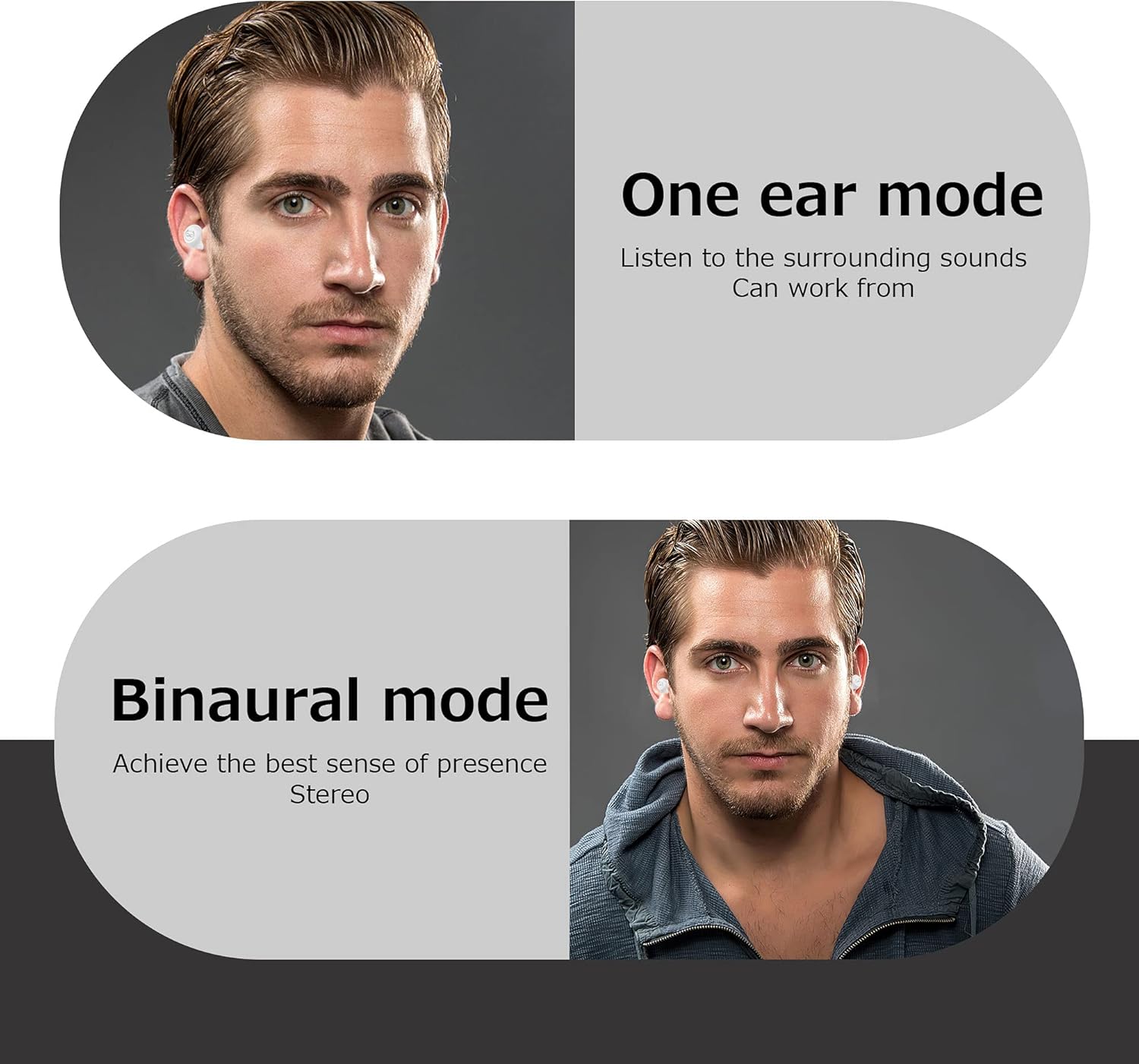
The Instiwitt K81 earphones support both single-ear and dual-ear modes for flexible usage.
- One Ear Mode: Use a single earbud to listen to audio while remaining aware of your surroundings. This is ideal for situations where you need to hear ambient sounds.
- Binaural Mode: Use both earbuds for a full stereo sound experience, providing immersive audio for music, movies, and calls.
Maintenance
Waterproofing (IPX5)
The Instiwitt K81 earphones have an IPX5 waterproof rating. This means they are resistant to splashes and sweat, making them suitable for sports and exercise.
- The nano-coating on the surface of the earbuds prevents water and sweat from penetrating.
- While they are waterproof for daily use and light rain, avoid submerging them in water or exposing them to high-pressure water jets.
- Always dry the earbuds thoroughly before placing them back into the charging case to prevent damage.

Cleaning
Regular cleaning helps maintain sound quality and hygiene.
- Use a soft, dry, lint-free cloth to wipe the earbuds and charging case.
- For ear tips, remove them from the earbuds and clean with mild soap and water if necessary. Ensure they are completely dry before reattaching.
- Gently clean the charging contacts on both the earbuds and the case with a dry cotton swab to remove any dust or debris.
Troubleshooting
| Problem | Solution |
|---|---|
| Earbuds not pairing with each other or device. |
|
| Only one earbud is working. |
|
| Earbuds not charging in the case. |
|
| Poor sound quality or intermittent connection. |
|
Specifications
| Feature | Detail |
|---|---|
| Model Name | YG-K81 |
| Connectivity Technology | Wireless, Bluetooth |
| Wireless Communication Technology | Bluetooth |
| Bluetooth Range | 10 Meters |
| Noise Control | Active Noise Cancellation |
| Water Resistance Level | IPX5 Waterproof |
| Battery Life (Earbuds) | 4 Hours (single charge) |
| Total Playtime (with Charging Case) | Up to 40 Hours |
| Charging Time (Earbuds & Case) | 1.5 Hours |
| Charging Case Battery Capacity | 350mAh |
| Control Method | Touch, Voice |
| Item Weight (each earbud) | 4 Grams |
| Dimensions (Product) | 2.36 x 2.36 x 1.57 inches |
| Material | Plastic |
| Manufacturer | Instiwitt |
Official Product Video
Watch the official product video for a visual guide on the Instiwitt K81 True Wireless Bluetooth Earphones.
Warranty and Support
Your Instiwitt K81 True Wireless Bluetooth Earphones come with a standard manufacturer's warranty. For detailed warranty information, product support, or to purchase protection plans, please refer to the product's official listing page or contact Instiwitt customer service.
For further assistance, visit the Instiwitt Store on Amazon.


