
DieseRC 3 récepteurs et 1 commutateur
DieseRC Mini Wireless WiFi Switch User Manual
Model: 3 récepteurs et 1 commutateur
1. Product Overview
The DieseRC Mini Wireless WiFi Switch system provides a smart and convenient way to control your home lighting and other electrical appliances. It consists of compact smart relay modules and a wireless wall switch, offering multiple control methods including smartphone app, voice commands, and traditional RF wireless control. This system is designed for easy integration into existing electrical setups, enhancing your smart home experience.

This image displays the complete DieseRC Mini Wireless WiFi Switch system, featuring a sleek, white, multi-gang wireless wall switch alongside three compact smart relay modules. The modules are designed for integration into existing electrical systems to enable smart control.
2. Key Features
- Multiple Control Methods: Control devices via Tuya APP, Amazon Alexa, Google Home, or the included RF wireless wall switch.
- Remote Access: Turn lights and appliances on/off from anywhere using your smartphone.
- Timing and Scheduling: Set schedules, countdowns, and loop timers for automated operation.
- Restart Status Memory: Configure the device to remember its last state after a power interruption.
- Flexible Pairing: Support for multi-remote control of one receiver and one remote control of multiple receivers.
- Family Sharing: Share control of devices with family members through the app.
- Wide Compatibility: Works with various types of lights and ceiling fans (up to 2500W for most, 300W for LED/CFL/Fluorescent).
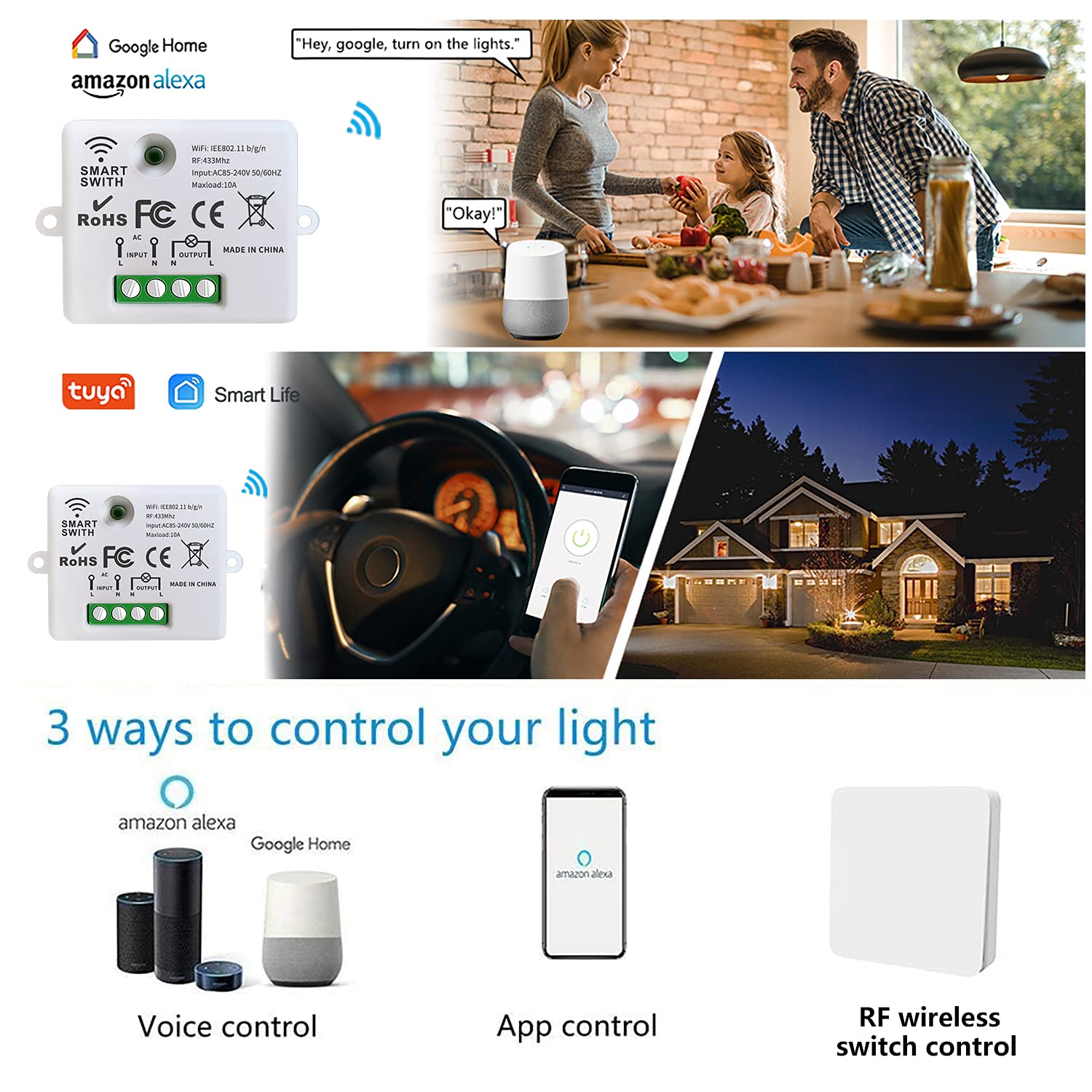
This visual guide demonstrates the versatile control options available for the DieseRC smart switch. It depicts control via voice commands using Amazon Alexa or Google Home, direct control through the smartphone application, and traditional RF wireless control using the included wall switch.
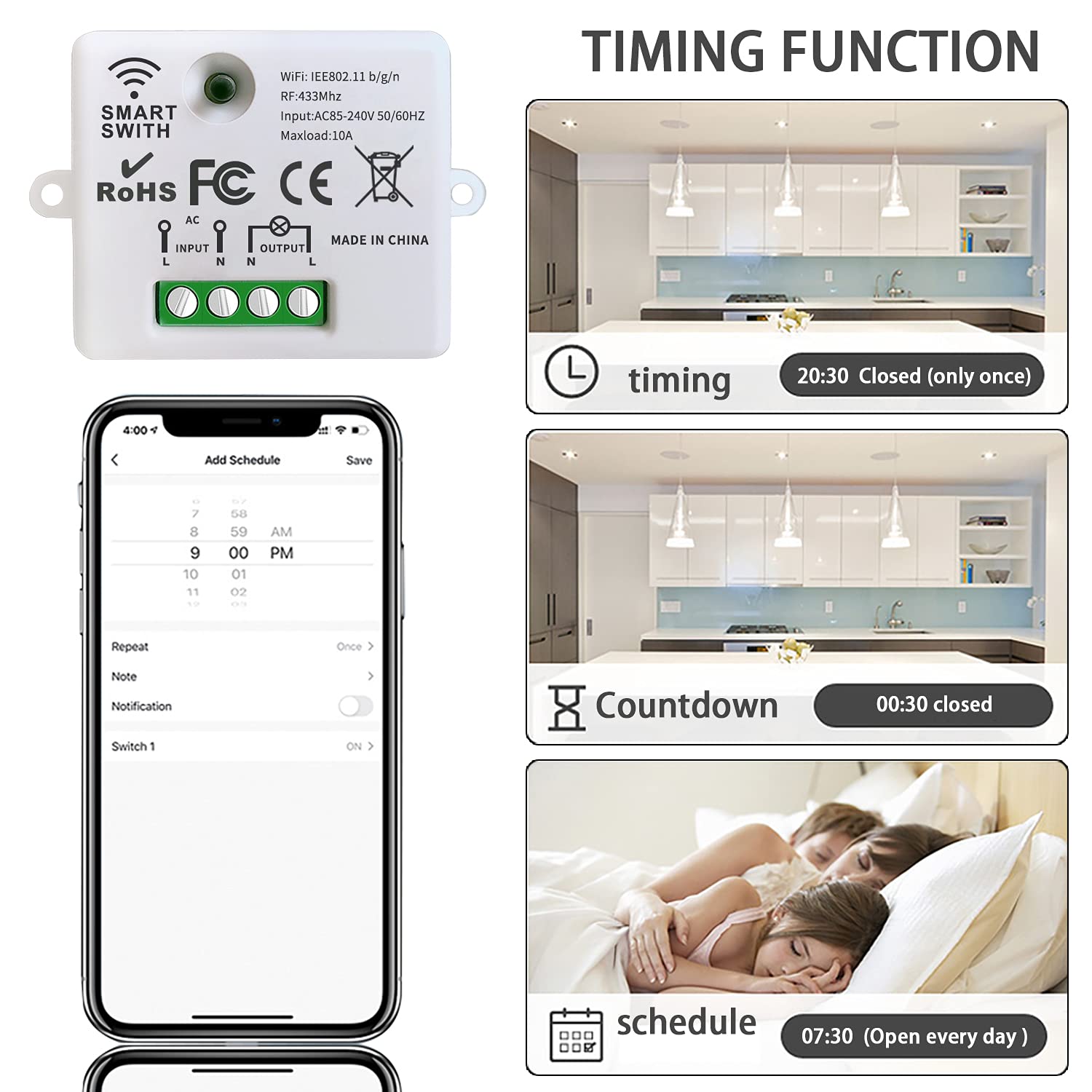
This image illustrates the timing and scheduling capabilities of the smart switch. It shows how users can set specific times for devices to turn on or off, create countdown timers, and establish recurring schedules for automated control of lighting and appliances.
3. Setup Guide
3.1 Package Contents
- 3 x Mini Wireless WiFi Relay Receivers
- 1 x Wireless Wall Switch
- User Manual
3.2 Installation of the Relay Module
Important: Ensure power is disconnected at the main circuit breaker before beginning any electrical installation. If you are unsure about electrical wiring, please consult a qualified electrician.
- Identify the Live (L) and Neutral (N) wires from your power source.
- Connect the Live wire to the 'L INPUT' terminal and the Neutral wire to the 'N INPUT' terminal on the relay module.
- Connect the Live wire of your light fixture or appliance to the 'L OUTPUT' terminal and the Neutral wire to the 'N OUTPUT' terminal on the relay module.
- Secure all wire connections firmly using the screw terminals.
- Mount the relay module in a suitable electrical box or location, ensuring it is protected and has adequate ventilation.
- Restore power and test the connection.

This image provides a clear wiring diagram for installing the smart relay module, showing connections for live wire, neutral wire, input, and output to a light or ceiling fan. It also includes precise dimensions of the module: 47mm (length), 42mm (width), and 23mm (height), along with its electrical specifications.
3.3 Pairing the Wireless Wall Switch
The wireless wall switch communicates with the relay module via RF (Radio Frequency). Follow these steps to pair them:
- Ensure the relay module is powered on.
- Press and hold the pairing button on the relay module for approximately 3-5 seconds until the indicator light starts blinking rapidly.
- Within 10 seconds, press any button on the wireless wall switch you wish to pair.
- The indicator light on the relay module will stop blinking and remain solid for a moment, indicating successful pairing.
- Repeat the process for additional wall switches or to pair one switch with multiple receivers.
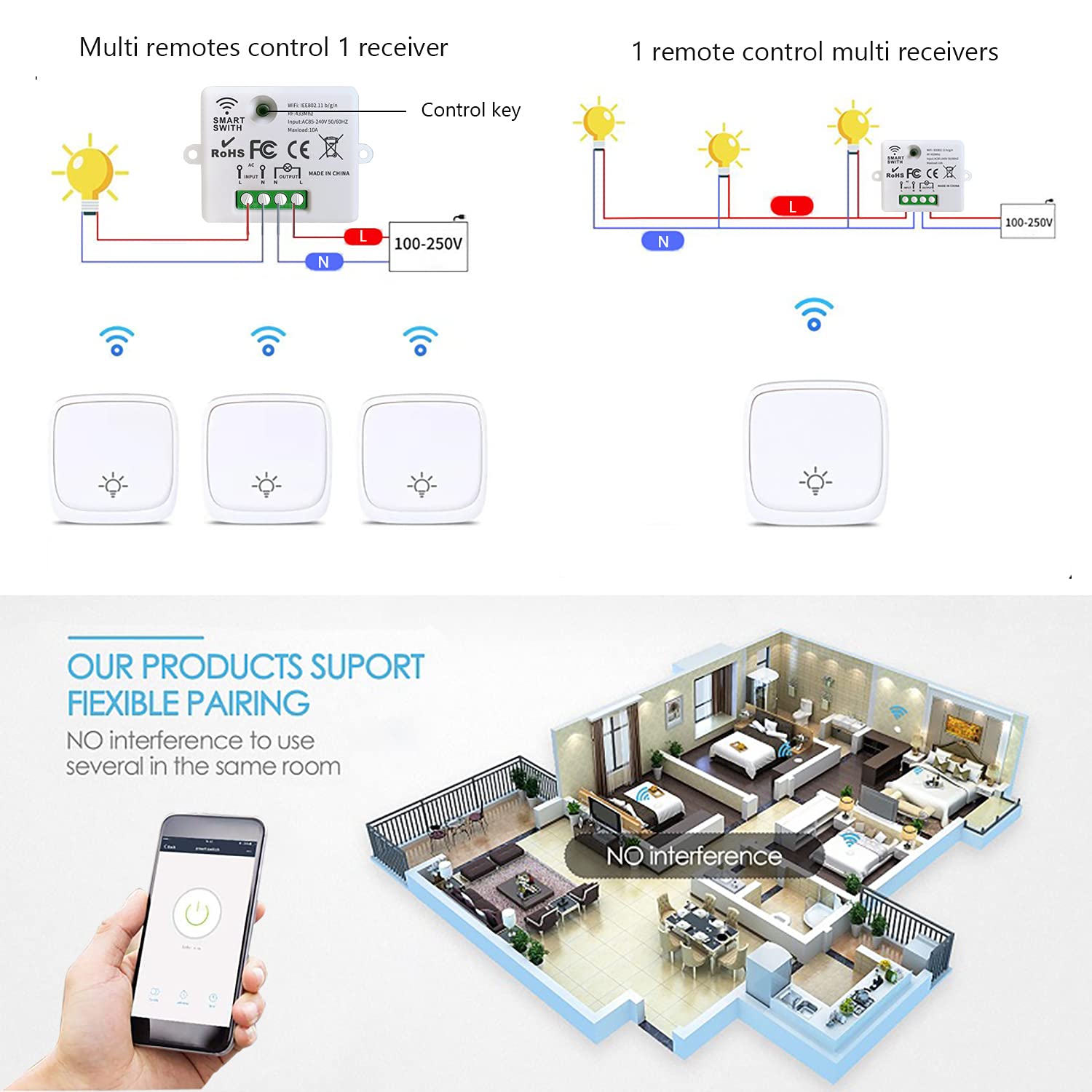
This diagram explains the flexible pairing options of the DieseRC system. It shows how multiple wireless wall switches can control a single receiver, and conversely, how one wireless wall switch can control multiple receivers, allowing for customized control setups.
4. Operating Instructions
4.1 App Control (Tuya APP / Smart Life APP)
Download the Tuya Smart or Smart Life app from your smartphone's app store (iOS or Android).
- Register or log in to your account.
- Tap '+' or 'Add Device' in the app.
- Select 'Electrical' > 'Switch (Wi-Fi)' or 'Smart Switch'.
- Follow the on-screen instructions to connect the relay module to your Wi-Fi network (ensure your Wi-Fi is 2.4GHz). This usually involves putting the device into pairing mode (e.g., by rapidly toggling power or pressing a button).
- Once connected, you can rename the device and control it from the app.

This image illustrates the convenience of controlling your lights and other fixtures remotely using the dedicated smartphone application. A user is shown operating the smart switch from their phone, demonstrating the 'Control from Anywhere' capability.
4.2 Voice Control (Amazon Alexa / Google Home)
To enable voice control, link your Tuya Smart or Smart Life account with Amazon Alexa or Google Home:
- Open the Amazon Alexa or Google Home app.
- Navigate to 'Skills & Games' (Alexa) or 'Works with Google' (Google Home).
- Search for 'Tuya Smart' or 'Smart Life' and enable the skill/service.
- Link your Tuya/Smart Life account when prompted.
- Discover devices. You can now control your switch using voice commands (e.g.,
Ask a question about this manual
Ask about setup, troubleshooting, compatibility, parts, safety, or missing instructions. Manuals+ will review the question and use this page’s manual context to help answer it.