
1. Introduction
This user manual provides detailed instructions for the operation and maintenance of your Eyesound Night Light Bluetooth Speaker Alarm Clock, Model Y11. Please read this manual thoroughly before using the product to ensure proper function and longevity.

Image: The Eyesound Night Light Bluetooth Speaker Alarm Clock, showcasing its main unit, remote control, and examples of its 7 color changing modes. The main unit features a 3D starry glass design, a digital display for time and alarm, and control buttons. The remote allows for comprehensive control of light and audio functions.
2. Product Overview
2.1 Components
- Night Light Bluetooth Speaker Unit
- Remote Control
- USB Charging Cable
- User Manual (this document)
2.2 Key Features
- Customizable Colors & Light Modes: 7 colors (red, green, sky blue, pink purple, yellow, dark blue, warm white) and 4 light modes (Dynamic music mode, Static color mode, RGB colorful gradient, Colors cycling).
- Dimmable Warm Light: Adjustable brightness from 1%-100%.
- 3D Glass Starry Night Light: Exclusive handmade 3D glass technology for a starry lighting effect.
- Portable Bluetooth Speaker: Built-in Bluetooth V5.0 chipset for stable connection up to 33ft.
- Hi-Fi Stereo Sound: 70mm/8W/360° full-frequency speaker.
- Multiple Audio Modes: Bluetooth, TF card, AUX input.
- Hands-Free Calls: Built-in MEMS microphone.
- Auto-Off Timer: Set light to turn off after 10min or 30min.
- Dual Memory Function: Alarm clock settings retained.
- Rechargeable Battery: 3000mAh battery, up to 8 hours non-stop playback, 96 hours with minimum brightness, 24 hours with maximum brightness. Full charge in 3 hours.
- Fast Charging: Type-C fast charging port.
- Alarm Clock Function: Time display and alarm setting.

Image: This image illustrates the multi-functional aspects of the device, serving as a gentle night light for children, an ambient decor light for social settings, a Bluetooth speaker for music playback, and an alarm clock for daily use.
3. Setup
3.1 Initial Charging
Before first use, fully charge the device. Connect the provided USB charging cable to the Type-C port on the unit and the other end to a USB power adapter, power bank, or laptop. A full charge takes approximately 3 hours.
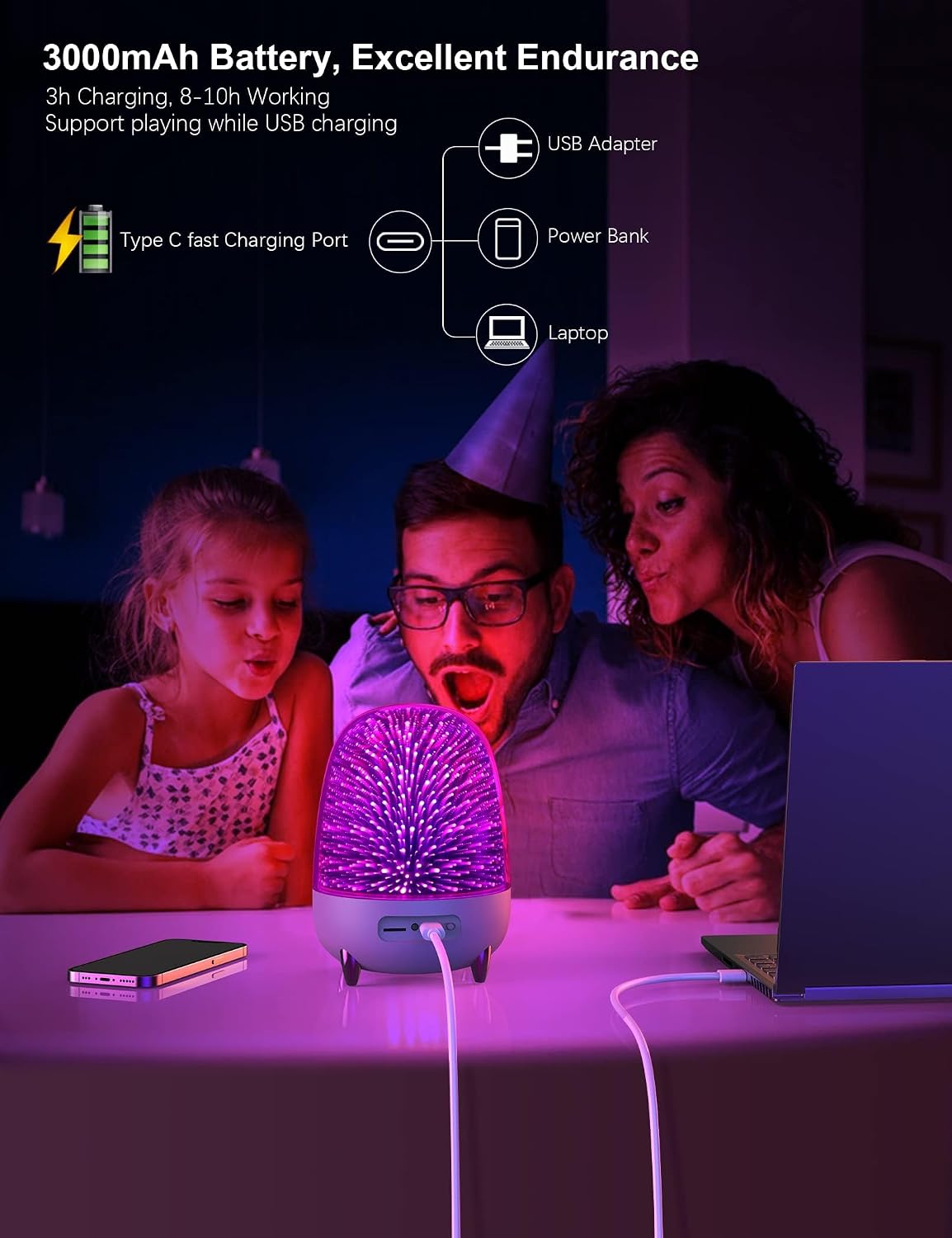
Image: A visual representation of the 3000mAh battery capacity and flexible charging options, including USB adapter, power bank, and laptop connections via the Type-C fast charging port.
3.2 Power On/Off
Locate the ON/OFF switch on the back or bottom of the unit to power the device on or off.
3.3 Remote Control Setup
The remote control is included for convenient operation. Ensure the remote has working batteries (1 AAA battery required, included). Point the remote directly at the digital screen of the main unit for optimal control.

Image: The remote control, highlighting its functions for remote control, color changes, brightness adjustment, mode changes, time display, and alarm setting. A note advises directing the remote at the digital screen for better control.
4. Operating Instructions
4.1 Light Functions
- Color Selection: Use the color buttons on the remote control to switch between 7 available colors: red, green, sky blue, pink purple, yellow, dark blue, and warm white.
- Light Modes:
- Dynamic music mode: Light changes with music rhythm.
- Static color mode: Displays a single chosen color.
- RGB colorful gradient: Smooth transition through RGB colors.
- Colors cycling: Cycles through all available colors.
- Brightness Adjustment: For warm light, long-press the 'sun' button on the remote control to adjust brightness from 1% to 100%.
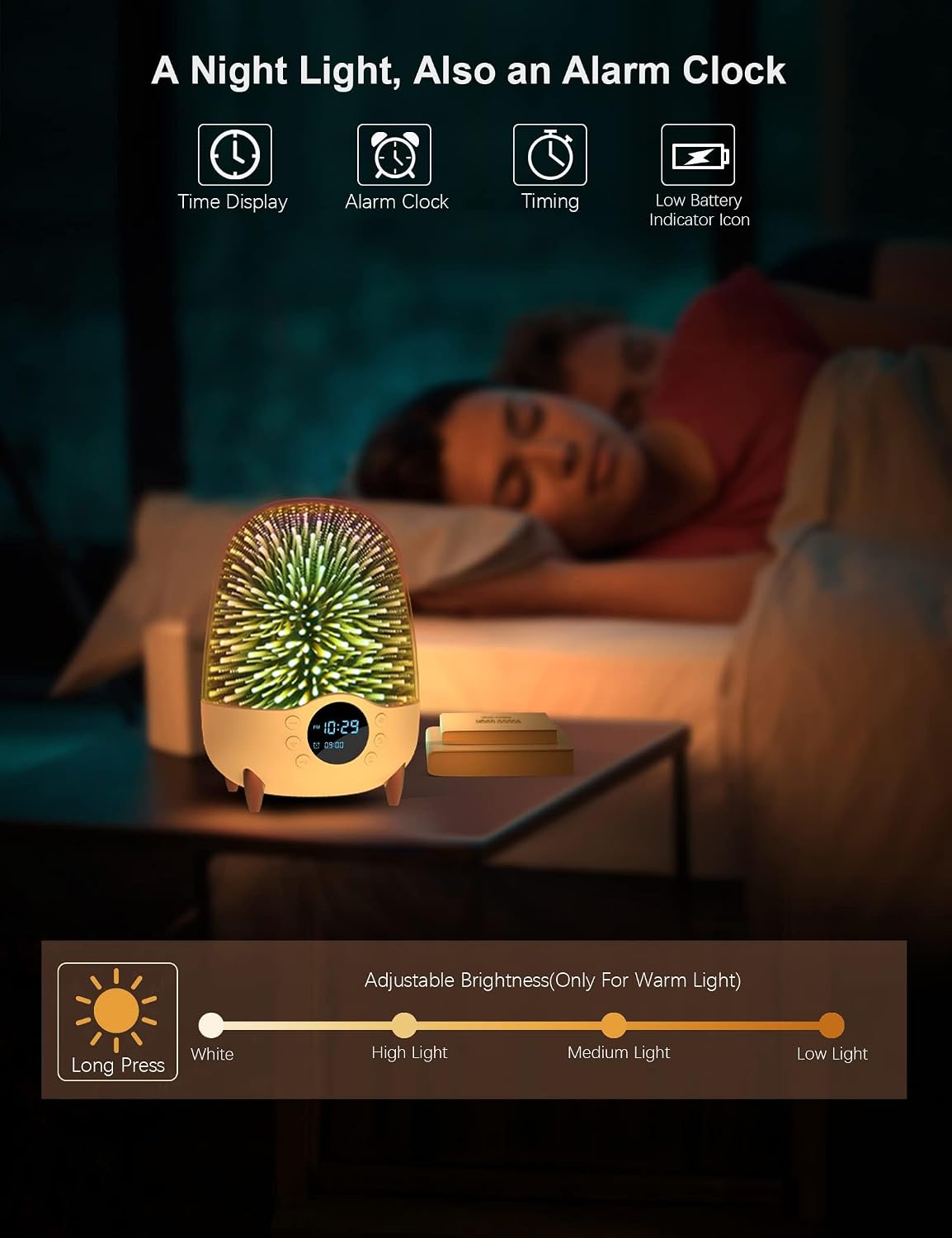
Image: The night light displaying time and alarm settings, along with icons for timing and low battery. An adjustable brightness bar illustrates the range from 1% to 100% for warm light, controlled by a long press of the sun icon.
4.2 Bluetooth Speaker Functions
- Bluetooth Pairing:
- Ensure the speaker is powered on.
- Activate Bluetooth on your mobile device or computer.
- Search for "Eyesound Y11" (or similar name) in your device's Bluetooth settings.
- Select the speaker to pair. A confirmation sound will indicate successful pairing.
- Music Playback: Control volume, skip songs, and pause/play using the remote control or buttons on the unit.
- Hands-Free Calls: When connected via Bluetooth, the built-in MEMS microphone allows for hands-free HD calls. Use the remote or unit buttons to answer/end calls.

Image: The product functioning as a Bluetooth speaker, emphasizing its 3D stereoscopic surround sound. Key features like TWS (True Wireless Stereo), Bluetooth 5.0, TF Card support, and Handsfree Call capability are highlighted.
4.3 Alarm Clock Functions
- Time Setting: Use the remote control to set the current time. The device supports 12/24 hour time format.
- Alarm Setting: Use the remote control to set your desired alarm time. The alarm settings will be retained even after the device is turned off and on again.
- Auto-Off Timer: Set the light to automatically turn off after 10 minutes or 30 minutes using the remote control. This feature is useful for falling asleep without worrying about leaving the light on.

Image: A detailed view of the digital display on the device, showing the current time (10:29 AM) and the set alarm time (09:00 AM), along with a battery indicator.
4.4 Audio Input Modes
- Bluetooth Mode: (Refer to section 4.2)
- TF Card Play Mode: Insert a TF (microSD) card with audio files into the designated slot on the unit. The device will automatically switch to TF card playback.
- AUX Input Mode: Connect an external audio device using an AUX cable (not included) to the AUX port on the unit.

Image: A close-up view of the device's rear ports, clearly showing the TF card slot, AUX input, DC 5V charging port (Type-C), and the ON/OFF switch, indicating various connectivity options.
5. Maintenance
- Cleaning: Wipe the device with a soft, dry cloth. Do not use abrasive cleaners or solvents.
- Storage: Store the device in a cool, dry place away from direct sunlight and extreme temperatures.
- Battery Care: To prolong battery life, avoid fully discharging the battery frequently. Charge the device regularly, even if not in use for extended periods.
6. Troubleshooting
| Problem | Possible Cause | Solution |
|---|---|---|
| Device does not power on. | Battery is depleted. | Charge the device for at least 3 hours. |
| Bluetooth connection unstable or fails. | Device is out of range (33ft). Interference from other devices. | Move the device closer to the speaker. Turn off other Bluetooth devices. Re-pair the device. |
| Remote control not working. | Batteries are low or dead. Remote not pointed at the digital screen. | Replace remote control batteries. Ensure direct line of sight to the digital screen. |
| Light functions are not responding. | Incorrect mode selected. | Cycle through light modes using the remote control. |
7. Specifications
| Feature | Detail |
|---|---|
| Model Number | Y11 |
| Brand | Eyesound |
| Product Dimensions | 4.2"D x 4.2"W x 8.13"H |
| Item Weight | 1.21 Pounds (0.55 Kilograms) |
| Material | Glass |
| Light Source Type | LED |
| Wattage | 8 watts |
| Voltage | 3.7 Volts |
| Power Source | Battery Powered |
| Battery Capacity | 3000mAh |
| Charging Time | Approx. 3 hours |
| Playback Time | Up to 8 hours (non-stop playback), 96 hours (min brightness), 24 hours (max brightness) |
| Bluetooth Version | V5.0 |
| Bluetooth Range | Up to 33ft (10 meters) |
| Speaker Output | 8W |
| Control Method | Remote, On-unit buttons |
| Included Components | Remote Control |
| Indoor/Outdoor Usage | Indoor |
Note: The product's "Is Waterproof" attribute is listed as "False". Please avoid exposing the device to water.
8. Warranty and Support
For warranty information or technical support, please contact Eyesound customer service through the Amazon Message Center. Provide your order number and a detailed description of the issue for prompt assistance.
Contact Information: Visit the Eyesound Store on Amazon
