
Introduction
This manual provides essential instructions for the proper use, setup, and maintenance of your Kenneth Cole Quartz Chronograph Watch, model NEKCWGO2104904MN. Please read this manual thoroughly before using your watch to ensure optimal performance and longevity.
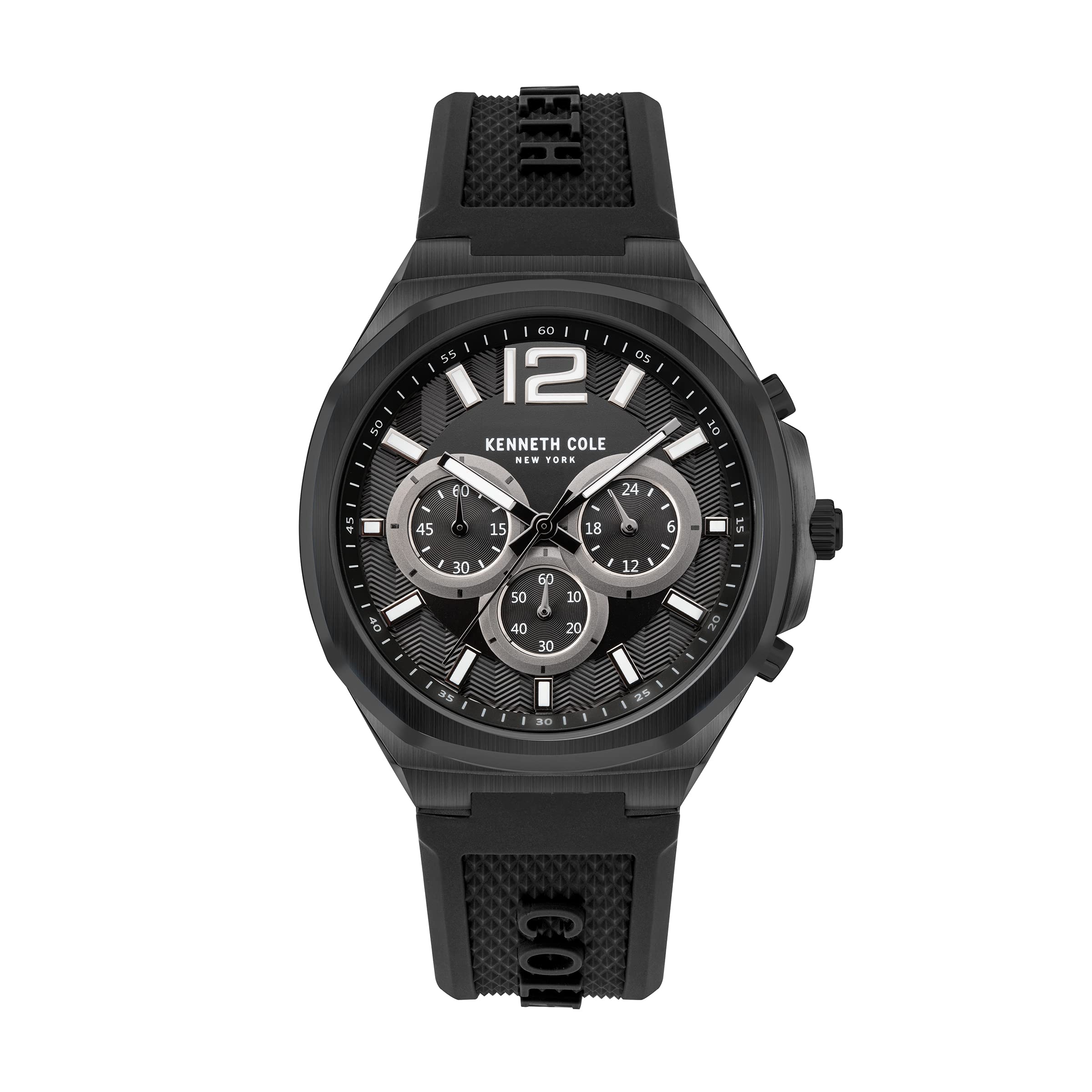
Image: The Kenneth Cole Quartz Chronograph Watch, model NEKCWGO2104904MN, displayed on a wrist, showcasing its black dial and silicone strap.
Product Features
- Quartz Movement: Ensures accurate timekeeping.
- Chronograph Function: Features subdials for precise time measurement.
- Date Display: Conveniently shows the current date.
- Black Dial with Baton Markers and Arabic Numeral: Provides clear readability.
- Black Silicone Strap: Offers comfort and durability for daily wear.
- Water Resistance: Designed to withstand water exposure up to 30 meters (3 ATM).

Image: A detailed front view of the watch, highlighting the black dial, chronograph subdials, and hands.
Setup
Setting the Time
- Pull the crown out to position 2 (the outermost position).
- Turn the crown to set the hour and minute hands to the correct time. Ensure AM/PM is correctly set if your watch has a 24-hour indicator.
- Push the crown back into position 0 (normal operating position).
Setting the Date
- Pull the crown out to position 1 (the middle position).
- Turn the crown clockwise or counter-clockwise (depending on the movement) to set the date. Avoid setting the date between 9 PM and 3 AM, as this can damage the movement.
- Push the crown back into position 0.
Operating Instructions
Using the Chronograph
Your watch is equipped with a chronograph function for measuring elapsed time. The specific operation may vary slightly, but generally involves:
- Start: Press the upper pusher button to start the chronograph. The chronograph second hand and subdial hands will begin to move.
- Stop: Press the upper pusher button again to stop the chronograph. The elapsed time will be indicated by the chronograph hands.
- Reset: Press the lower pusher button to reset the chronograph hands to their zero positions.
Refer to the specific markings on your watch's subdials for minute and hour accumulation if applicable.

Image: A close-up side view of the watch, illustrating the crown and pusher buttons used for setting and chronograph functions.
Water Resistance
This watch is water resistant up to 30 meters (3 ATM). This means it is suitable for everyday use and can withstand splashes or brief immersion in water. It is not suitable for swimming, showering, or diving. Do not operate the crown or pushers when the watch is wet or submerged.

Image: The back of the watch case, displaying the "Water Resistant 3ATM" engraving, indicating its water resistance rating.
Maintenance
Cleaning
Wipe the watch case and silicone strap regularly with a soft, dry cloth. For stubborn dirt, a slightly damp cloth can be used, followed by immediate drying. Avoid using harsh chemicals or abrasive materials.
Battery Replacement
The watch is powered by a quartz battery. When the battery runs low, the watch may stop or the second hand may skip. Battery replacement should be performed by a qualified watch technician to ensure proper sealing and maintain water resistance.
Storage
Store your watch in a cool, dry place away from direct sunlight, extreme temperatures, and strong magnetic fields when not in use.
Troubleshooting
- Watch Not Running: Check if the crown is pushed all the way in. If it is, the battery may need replacement.
- Date Not Changing: Ensure the time is set correctly, especially past midnight. If the date changes at noon, the AM/PM setting needs adjustment.
- Chronograph Hands Not Resetting to Zero: This may require a chronograph reset procedure. Consult a watch technician if the issue persists after attempting to reset by pressing the lower pusher.
- Condensation Under Crystal: This indicates a loss of water resistance. Avoid further water exposure and have the watch inspected by a technician immediately.
Specifications
| Model Name | NEKCWGO2104904MN |
| Item Model Number | NTKCWGO2104904MN |
| Movement Type | Quartz |
| Display Type | Analog |
| Case Diameter | 43.5 Millimetres |
| Case Thickness | 11.3 Millimetres |
| Band Material Type | Silicone |
| Band Width | 24 Millimetres |
| Water Resistance Depth | 30 Metres (3 ATM) |
| Crystal Material | Mineral Glass |
| Item Weight | 200 Grams |
Warranty and Support
Warranty Information
This Kenneth Cole watch comes with a 24-month warranty covering the movement and manufacturing defects from the date of purchase. This warranty does not cover normal wear and tear, damage caused by improper use, accidents, or unauthorized repairs.
Customer Support
For warranty claims, service, or technical assistance, please contact the authorized Kenneth Cole service center or the retailer from whom the watch was purchased. Keep your proof of purchase for warranty validation.
Manufacturer: ILG ASIA LIMITED, Units 401-406, New East Ocean Centre, 9 SCIENCE MUSEUM ROAD, TSIM SHA TSUI, HONG KONG
Packer: Titan Company Limited, Sipcot Industrial Complex, Hosur, Tamil Nadu - 635129
