1. Introduction and Overview
The 3DFitBud Simple Step Counter is a user-friendly 3D pedometer designed to accurately track your daily steps. It is an ideal device for individuals seeking a straightforward and effective way to monitor their walking activity without the need for complex setups or smartphone connections.
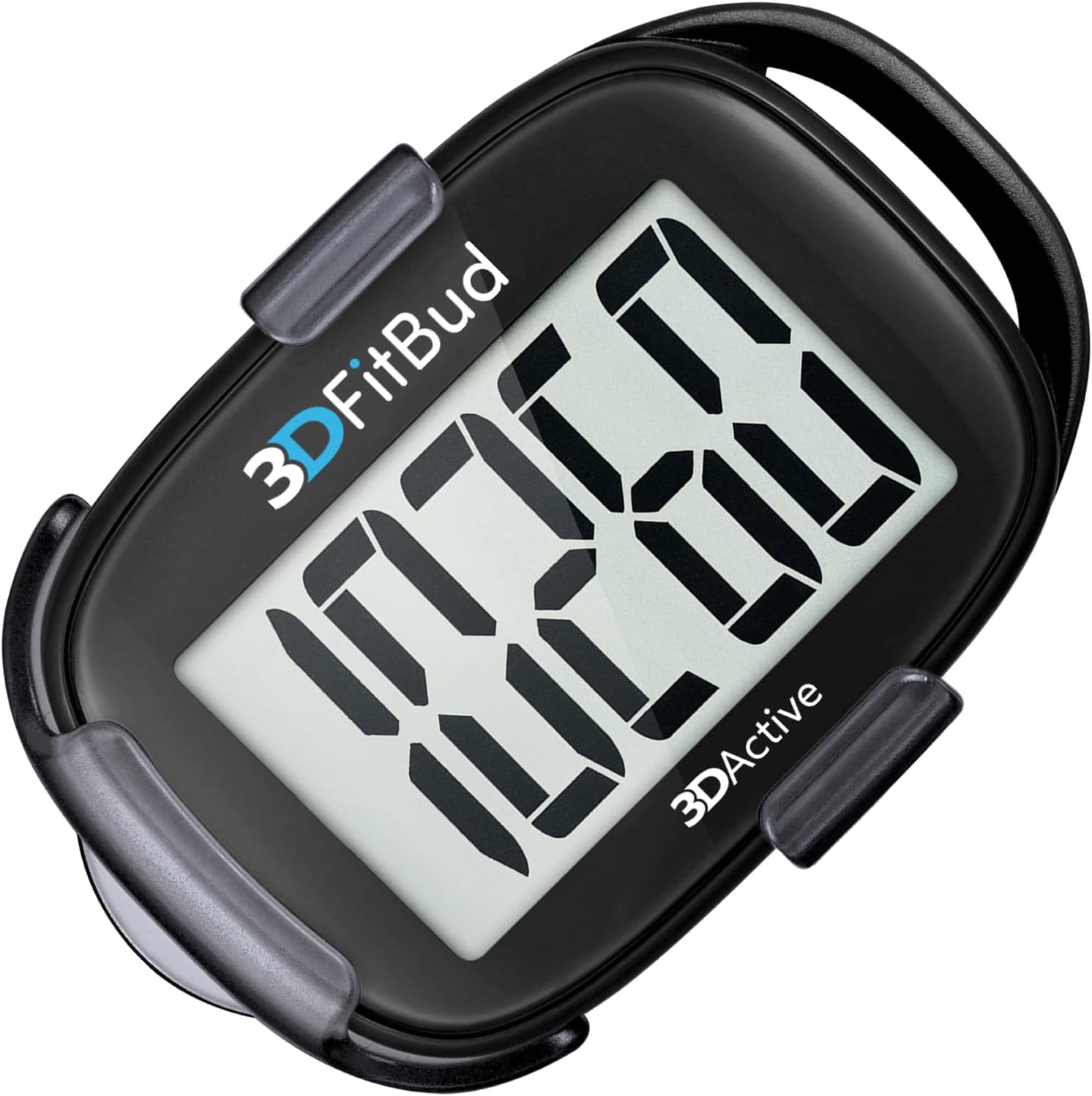
Image 1.1: The 3DFitBud A420S Pedometer, showcasing its clear digital display.
Key Features:
- Simple and Easy to Use: Ready to use directly out of the package with no complicated setups, Bluetooth, or smartphone connections required.
- Accurate Step Tracking: Utilizes advanced 3D Tri-Axis Sensor technology for superior accuracy in counting steps from any position or angle.
- Extra Large Digit Display: Features a full-screen display for clear and easy reading of step counts at a glance.
- Long Battery Life: Powered by a CR2032 battery, providing up to 12 months of operation.
- Multiple Wearing Options: Can be clipped to your pocket or hip, worn around your neck with the included lanyard, or placed in a pocket or bag.
2. Setup
The 3DFitBud Pedometer is designed for immediate use upon unboxing. No initial setup or charging is required.
2.1 Battery Installation (Pre-installed)
The device comes with a CR2032 button-cell battery pre-installed, providing power for up to 12 months. No user installation is necessary for initial use.
2.2 Wearing Options
The 3DFitBud offers versatile wearing options to suit your preference and activity:
- Clip: Use the included removable clip to attach the pedometer securely to your waistband, pocket, or belt.
- Lanyard: Attach the provided neck lanyard to wear the pedometer around your neck.
- Pocket/Bag: The pedometer can also be placed directly into your pocket or bag, thanks to its accurate 3D Tri-Axis Sensor.

Image 2.1: The pedometer's rear with the reset button and its clip mechanism.

Image 2.2: Example of wearing the pedometer clipped to the hip.
3. Operating Instructions
3.1 Power On/Off
The 3DFitBud Pedometer does not have a manual power button. It automatically powers on when movement is detected and enters an auto-sleep mode after 2 minutes of inactivity to conserve battery life. The display will turn off during auto-sleep and reactivate when movement resumes.
3.2 Resetting Step Count
To reset the step count to zero, locate the "RESET" button on the back of the pedometer. Press and hold this button until the display clears and shows "0". This action will clear the current step count, allowing you to begin tracking a new session.

Image 3.1: Viewing the large digit display on the pedometer.
3.3 Reading the Display
The large LCD display shows your current step count. The numbers are designed to be easily readable at a glance.
4. Maintenance
4.1 Battery Replacement
When the display becomes dim or unresponsive, it is time to replace the battery. The 3DFitBud Pedometer uses a standard CR2032 button-cell battery.
- Locate the battery compartment on the back of the device.
- Use a small coin or screwdriver to open the battery cover by twisting it counter-clockwise.
- Remove the old CR2032 battery.
- Insert a new CR2032 battery with the positive (+) side facing upwards.
- Replace the battery cover and twist clockwise to secure it.
Note: Dispose of old batteries responsibly according to local regulations.
4.2 Cleaning and Care
- Wipe the pedometer with a soft, dry cloth to remove dust and smudges.
- Avoid using abrasive cleaners or solvents, as these can damage the device's surface or internal components.
- Keep the pedometer dry. While it is designed for active use, it is not waterproof. Avoid exposure to heavy rain or submersion in water.
- Store the device in a cool, dry place when not in use.
5. Troubleshooting
If you encounter any issues with your 3DFitBud Pedometer, refer to the following common troubleshooting steps:
| Problem | Possible Cause | Solution |
|---|---|---|
| Display is blank or dim. | Battery is low or depleted. Device is in auto-sleep mode. | Replace the CR2032 battery. Move the device to wake it from auto-sleep. |
| Step count is inaccurate. | Improper wearing position. Excessive non-step movements (e.g., driving, shaking). | Ensure the pedometer is securely attached and stable. Avoid wearing during activities that involve significant non-walking motion. The 3D Tri-Axis Sensor is highly accurate for walking steps. |
| Cannot reset step count. | "RESET" button not pressed correctly or long enough. | Press and hold the "RESET" button firmly on the back of the device until the display shows "0". |
6. Specifications
Detailed technical specifications for the 3DFitBud Simple Step Counter (Model A420S):

Image 6.1: Dimensions and weight of the 3DFitBud Pedometer.
| Feature | Detail |
|---|---|
| Brand | 3DActive |
| Model Name | A420S |
| Material | Acrylonitrile Butadiene Styrene (ABS) |
| Color | Black |
| Compatible Devices | No Bluetooth or smartphone connections required |
| Screen Size | 1.7 Inches |
| Product Dimensions (LxWxH) | 2.4"L x 1.6"W x 0.4"H (approx. 6cm x 4cm x 1cm) |
| Item Weight | 0.84 Ounces (approx. 24g) |
| Battery Life | Up to 12 months |
| Sensor Type | 3D Tri-Axis Sensor |
| Battery Description | CR2032 button-cell battery |
| Included Components | 3DFitBud Simple Step Counter 3D Pedometer (A420S), CR2032 Battery, Clip, Neck Lanyard, User Guide |
| Sport Type | Walking |
7. Warranty and Support
7.1 Warranty Information
The 3DFitBud Simple Step Counter (Model A420S) comes with a 2-year warranty from the date of purchase. This warranty covers manufacturing defects and ensures the product functions as intended under normal use. Please retain your proof of purchase for warranty claims.
7.2 Customer Support
For any questions, technical assistance, or warranty claims, please contact 3DActive customer support. You can find more information and contact details by visiting the official 3DActive brand store or website:
Visit the 3DActive Brand Store
Please refer to the packaging or the 3DActive website for the most current contact information.
