
Introduction
This manual provides essential information for setting up, operating, and maintaining your LG OLED B1 Series 65-inch 4K Smart TV (Model: OLED65B1PUA). Please read this manual thoroughly before using the product to ensure safe and correct usage.

Figure 1: Front view of the LG OLED B1 Series 65-inch 4K Smart TV.
Setup
1. Unpacking and Initial Inspection
Carefully remove the TV and all accessories from the packaging. Inspect for any damage. Keep packaging materials for future transport or service if needed.
2. What's in the Box
- LG OLED B1 Series 65-inch 4K Smart TV
- Stand
- Magic Remote Control
- AA Batteries for Remote Control
- Power Cable
- Quick Start Guide
- E-Manual (accessible via TV)
3. Stand Installation / Wall Mounting
The TV includes a stand for tabletop placement. For wall mounting, an optional wall mount (OLW480B) is sold separately. Ensure proper installation by following the instructions provided with the stand or wall mount.

Figure 2: Side view illustrating the TV's slim profile.
4. Connecting External Devices
Connect your external devices to the appropriate ports on the back and side of the TV. Refer to the diagrams below for port locations.
- HDMI Input (HDCP 2.2): 2 (rear) / 2 (side). HDMI ports 3 and 4 support 4K @ 120Hz.
- HDMI Audio Return Channel (ARC): eARC (HDMI 3)
- USB Ports (v 2.0): 1 (rear) / 2 (side)
- RF Connection Input (Antenna/Cable): 1 (Rear, RF)
- Ethernet Input: 1 (rear)
- RS-232C Input (Mini Jack): 1 (rear)
- Digital Audio Output (Optical): 1 (rear)
- Headphone Out: 1 (rear)

Figure 3: Rear connectivity ports.

Figure 4: Side connectivity ports.
5. Power Connection
Connect the power cable to the TV and then to a wall outlet. The TV operates on 120 V~ 50/60 Hz.
Operating Instructions
1. Magic Remote Control
The Magic Remote allows for intuitive control of your TV with point, click, scroll, and voice commands. It also features button shortcuts for popular content providers.

Figure 5: LG Magic Remote Control.
2. webOS Smart TV Features
Your LG OLED TV runs on webOS, providing access to a wide range of streaming services and smart features. The newly designed home screen offers personalized content suggestions and easier access to favorites.
- Content Providers: Netflix, Prime Video, Disney+, Apple TV, Hulu, Paramount+, Peacock, Youtube TV, Spotify, iHeartRadio, and more.
- Voice Assistants: Google Assistant and Alexa are built-in, allowing voice control of your TV and connected smart home devices.
- LG ThinQ AI: Maximize your TV experience with AI features and control.

Figure 6: webOS New Home Screen.
3. Picture and Sound Enhancements
- OLED Display: Self-lit pixels provide perfect black, intense color, and infinite contrast.
- α7 Gen4 AI Processor 4K: This processor automatically adjusts viewing and audio settings with AI Picture and AI Sound, and performs AI 4K Upscaling.
- Dolby Vision IQ & Dolby Atmos: Enjoy breathtaking cinematic results with intelligent picture adjustments and multi-dimensional surround sound.
- Filmmaker Mode: Preserves original aspect ratios, colors, and frame rates for an authentic viewing experience.
- AI Picture: Uses deep-learning algorithms to optimize picture quality by recognizing content and removing noise.
- AI Sound: Identifies voices, effects, and frequencies to optimize sound by genre for an immersive experience.
- Bluetooth Surround Ready: Connect up to two LG Bluetooth speakers for wireless surround sound.
- WiSA Ready: Supports high-fidelity wireless audio with a separate transmitter dongle.
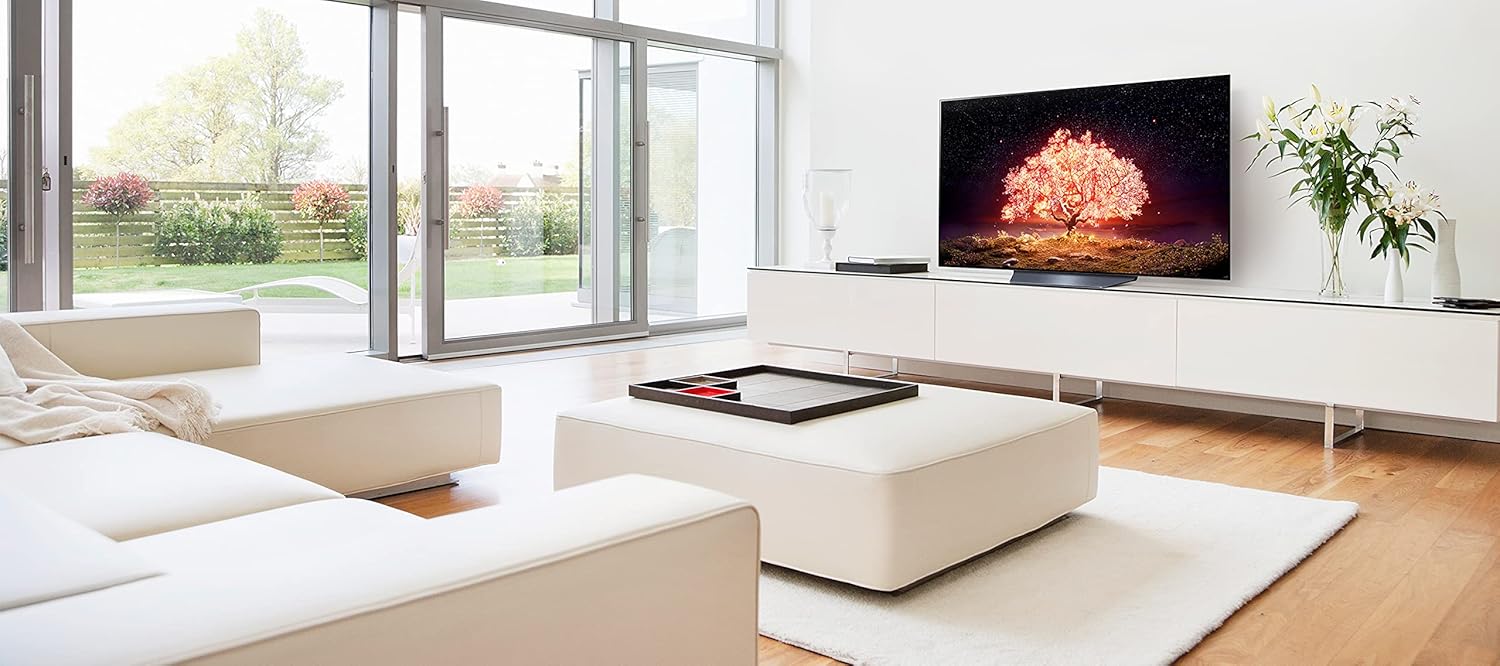
Figure 7: OLED Display capabilities.

Figure 8: α7 Gen4 AI Processor 4K.
4. Gaming Features
The LG OLED B1 TV is optimized for gaming with features designed for a responsive and smooth experience.
- G-SYNC Compatible & FreeSync Premium: Ensures real-time action with virtually no tearing.
- Game Optimizer: Centralizes all game settings for easy access and customization.
- VRR (Variable Refresh Rate), ALLM (Auto Low Latency Mode), HGiG: Supports the latest HDMI 2.1 specifications for fast-moving content, smooth graphics, and low input lag.
- Response Time: Less than 1 ms.
- Cloud Gaming: Stadia (firmware update required).

Figure 9: Gaming compatibility.

Figure 10: Game Optimizer interface.
5. Sports Alert
Stay informed about your favorite teams with Sports Alert, which provides updates on start times and scores, even while watching other content. Easily switch to games without searching for the channel.
Maintenance
1. Screen Cleaning
To clean the screen, gently wipe it with a soft, dry cloth. For stubborn marks, slightly dampen the cloth with water or a specialized screen cleaner. Avoid using harsh chemicals or abrasive materials.
2. General Care
Keep the TV in a well-ventilated area. Avoid exposing it to direct sunlight, high humidity, or extreme temperatures. Do not block ventilation openings. Regularly dust the TV and its components.
Specifications
| Feature | Detail |
|---|---|
| Model Number | OLED65B1PUA |
| Display Type | OLED Display |
| Display Resolution | 4K Ultra HD (3,840 x 2,160) |
| Refresh Rate | 120Hz Native |
| Picture Processor | α7 Gen4 AI Processor 4K |
| HDR Support | Cinema HDR (Dolby Vision, HDR10, HLG), Dolby Vision IQ |
| Gaming Features | G-SYNC Compatible, FreeSync Premium™, VRR, ALLM, HGiG, Response Time >1 ms |
| Operating System | webOS |
| Voice Assistants | Google Assistant & Alexa Built-in |
| Speaker System | 2.2 Channel, 40W Output Power, Down Firing |
| Audio Technologies | Dolby Atmos, AI Sound, Bluetooth Surround Ready, WiSA Ready (dongle required) |
| Wi-Fi Standard | Wi-Fi Certified 802.11ac |
| Bluetooth Support | Version 5.0 |
| HDMI Inputs | 4 (2 rear, 2 side), HDMI 3 & 4 support 4K @ 120Hz, HDMI 3 supports eARC |
| USB Ports | 3 (1 rear, 2 side) |
| Ethernet Input | 1 (rear) |
| Digital Audio Output | 1 (Optical, rear) |
| TV Dimensions with Stand (WxHxD) | 57.0" x 34.2" x 9.7" |
| TV Dimensions without Stand (WxHxD) | 57.0" x 32.7" x 1.8" |
| TV Weight with Stand | 55.1 lbs |
| Power Supply | 120 V~ 50/60 Hz |
| Power Consumption | 120W (Typical) |
| Standby Power Consumption | Under 0.5W |
Warranty & Support
1. Limited Warranty
This product is covered by a limited warranty. For complete details regarding the terms and conditions of your warranty, please refer to the "Support" section on the official LG website or the E-Manual accessible through your TV's settings.
2. Customer Support
For technical assistance, troubleshooting, or service inquiries, please contact LG Customer Support. You can find contact information and additional resources on the official LG website.
Additional resources such as the E-Manual and Quick Start Guide are provided with your TV and can also be found online.