
Introduction
Thank you for choosing the ThermoPro TP19H Waterproof Digital Meat Thermometer. This manual provides essential information for the proper setup, operation, and maintenance of your new thermometer, ensuring accurate temperature readings for perfectly cooked food every time. Please read this manual thoroughly before use and retain it for future reference.

Figure 1: ThermoPro TP19H Digital Meat Thermometer with its probe extended. This compact and waterproof thermometer is designed for quick and accurate temperature readings of various foods.
Safety Information
- Always use caution when handling the sharp probe.
- Do not leave the thermometer in an oven or grill while cooking. The plastic handle is not designed for high heat.
- Clean the probe thoroughly after each use to prevent cross-contamination.
- Keep out of reach of children.
- Do not expose the thermometer to extreme temperatures outside its operating range (-58°F to 572°F / -50°C to 300°C).
Product Overview
The ThermoPro TP19H is an advanced digital meat thermometer featuring a large, auto-rotating backlit display and motion-sensing technology for ease of use. Its durable, waterproof design ensures longevity and simple cleaning.
Key Features:
- 2.0-inch Large Auto-Rotating Backlit Display: Provides clear readings from any angle, ideal for both left and right-handed users, and visible in low-light conditions.
- Motion Sensing Sleep/Wake: Automatically turns on when picked up or the probe is opened, and enters sleep mode when set down or the probe is closed, conserving battery life.
- IP65 Waterproof: Allows for quick and easy cleaning under running water.
- 3-4 Seconds Ultra-Fast Response Time: Delivers highly accurate temperature readings within ±0.9°F (±0.5°C).
- 4.3-inch Food Grade Stainless Steel Probe: Suitable for measuring the temperature of various food types.
- Lock Function: Holds the temperature reading on the display, allowing you to view it away from the heat source.
- Calibration Function: Ensures long-term accuracy of your thermometer.
- Convenient Storage: Features a magnetic back for attachment to metal surfaces and a hang hole for hooks.
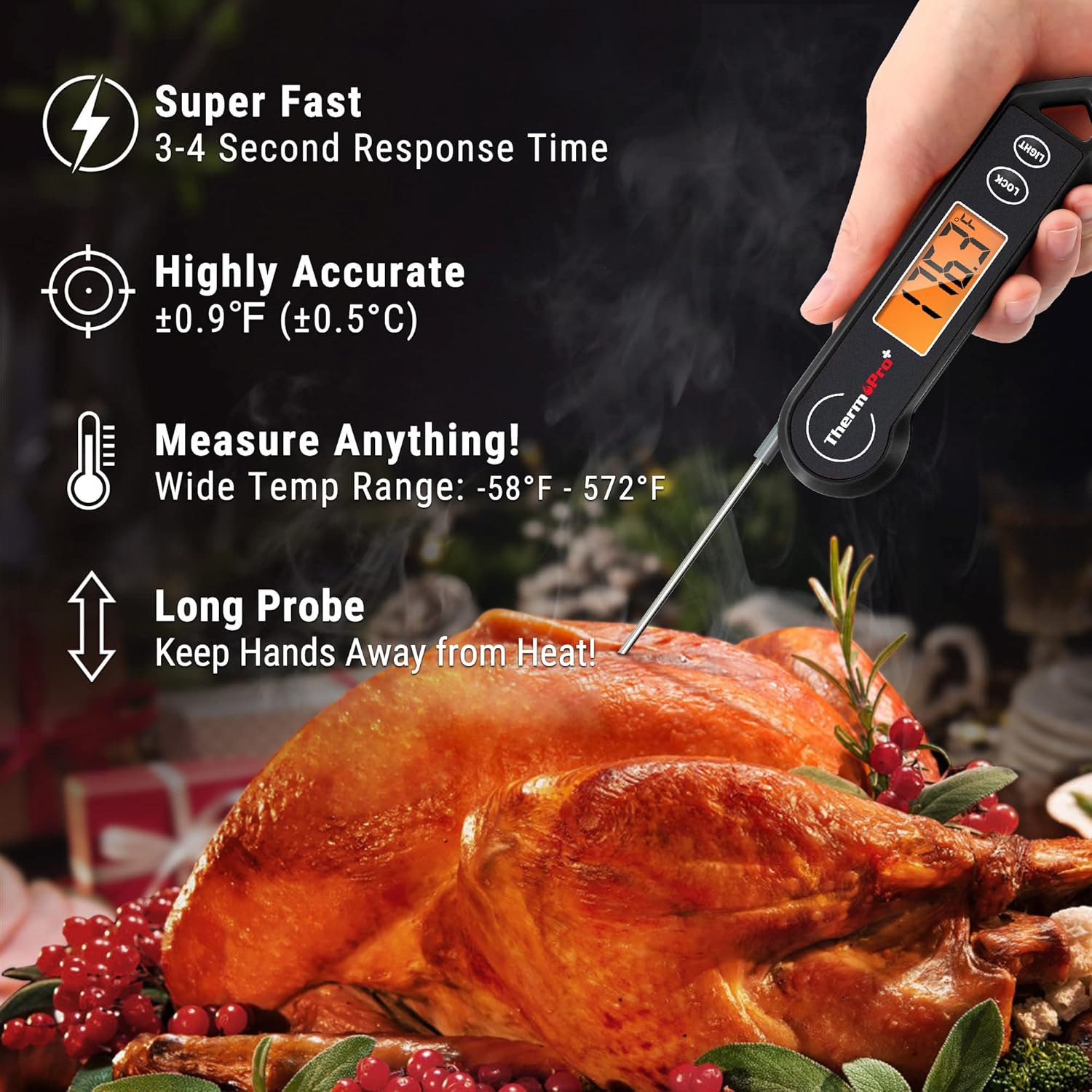
Figure 2: Visual representation of the thermometer's key features, including its super-fast response time, high accuracy, wide temperature range, and long probe for safe use.
Setup
Battery Installation:
Your ThermoPro TP19H thermometer requires one AAA 1.5V battery. The battery compartment is located on the back of the unit.
- Locate the battery compartment cover on the back of the thermometer.
- Use a small Phillips head screwdriver (often included) to unscrew the battery cover.
- Insert one AAA battery, ensuring the correct polarity (+/-) as indicated inside the compartment.
- Replace the battery cover and secure it with the screw.
Operating Instructions
Turning On/Off:
- To Turn On: Simply unfold the probe from the thermometer body. The display will automatically light up. Alternatively, pick up the thermometer, and its motion sensor will activate it.
- To Turn Off: Fold the probe back into the thermometer body. The unit will automatically power off. If left idle for 90 seconds, the thermometer will enter sleep mode to conserve battery.

Figure 3: Illustration of the motion-sensing feature, showing how the thermometer automatically turns on when the probe is opened or when it's picked up, and enters sleep mode after 90 seconds of inactivity.
Taking a Temperature Reading:
- Unfold the probe to turn on the thermometer.
- Insert the tip of the stainless steel probe into the thickest part of the food, avoiding bone or gristle.
- The display will show the temperature reading within 3-4 seconds.
Auto-Rotating Backlit Display:
The display automatically rotates 180° to ensure the numbers are always right-side up, regardless of how you hold the thermometer. This feature makes it convenient for both left and right-handed users.

Figure 4: The thermometer's large, backlit display automatically rotates for easy reading in any orientation, enhancing usability in various cooking environments.
Lock Function:
Press the LOCK button to hold the current temperature reading on the display. This is useful when you need to remove the probe from the food to read the temperature more clearly or away from heat. Press the LOCK button again to unlock and resume live temperature readings.

Figure 5: The lock function allows users to freeze the temperature reading on the display, making it easier to read the temperature without keeping the probe in the hot food.
Switching Between °C/°F:
To switch between Celsius and Fahrenheit, locate the C/F button on the back of the thermometer, near the battery compartment. Press and hold this button for 5 seconds to toggle between the two units.
Calibration
The ThermoPro TP19H comes pre-calibrated from the factory. However, over time, or if you suspect inaccurate readings, you can recalibrate it using an ice-water bath.
Calibration Steps:
- Fill a large glass with ice and top it off with cold water. Stir well.
- Insert the thermometer probe into the ice-water mixture, ensuring the tip is fully submerged but not touching the bottom or sides of the glass.
- Wait for the reading to stabilize (it should be around 32°F / 0°C).
- Press and hold the CAL button (located on the back, near the C/F switch) for 3 seconds until the display flashes "CAL".
- If the reading is not 32°F (0°C), use the LIGHT and LOCK buttons to adjust the temperature up or down until it reads 32°F (0°C).
- Press the CAL button again to confirm and exit calibration mode.

Figure 6: The calibration process using an ice bath ensures the thermometer provides accurate readings over time, maintaining its reliability for precise cooking.
Care and Maintenance
- Cleaning: The thermometer is IP65 waterproof and can be rinsed under running water. Do NOT immerse the entire unit in water or place it in a dishwasher. Wipe the body with a damp cloth.
- Storage: The thermometer features a magnetic back, allowing it to be conveniently stored on metal surfaces like refrigerators or grills. It also has a large hang hole for hooks.
- Battery: Replace the AAA battery when the display becomes dim or unresponsive.

Figure 7: The thermometer's IP65 waterproof rating allows for easy cleaning under running water, ensuring hygiene and durability.

Figure 8: The thermometer offers versatile storage options, including a built-in magnet for attaching to metal surfaces and a large hang hole for convenient hanging.
Troubleshooting
| Problem | Possible Cause | Solution |
|---|---|---|
| Display is dim or blank. | Low battery or no battery. | Replace the AAA battery. |
| Inaccurate temperature readings. | Needs calibration; probe not inserted correctly. | Perform calibration (refer to Calibration section); ensure probe tip is in the thickest part of the food, away from bone. |
| Thermometer does not turn on/off automatically. | Probe not fully extended/retracted; motion sensor issue. | Ensure probe is fully extended to activate; try gently shaking the unit to activate motion sensor. |
| "LLL" or "HHH" displayed. | Temperature is outside the measurable range. | Ensure the temperature is within -58°F to 572°F (-50°C to 300°C). |
Specifications
- Temperature Range: -58°F to 572°F (-50°C to 300°C)
- Accuracy: ±0.9°F (±0.5°C)
- Response Time: 3-4 seconds
- Probe Length: 4.3 inches (food grade stainless steel)
- Display: 2.0-inch auto-rotating backlit LCD
- Waterproof Rating: IP65
- Power Source: 1 x AAA 1.5V battery
- Battery Life: Up to 3000 hours
- Auto-Off: 90 seconds of inactivity
- Dimensions: Product dimensions are not accurately provided by the manufacturer.
- Weight: 3.84 ounces
- Model Number: TP-19H Black
Warranty and Support
ThermoPro provides a warranty for this product against defects in materials and workmanship. For specific warranty details, product registration, or technical support, please refer to the information provided in your product packaging or visit the official ThermoPro website. Please note that specific warranty terms and conditions may vary.

