Introduction
This manual provides instructions for the VINABTY AK59-00119A replacement remote control. This remote is designed to be compatible with various Samsung Blu-ray Disc player models, including BD-D8500A, BD-D8900A, BD-D6900M, BD-D6900A, and BD-D8200A. Please read these instructions carefully before use to ensure proper operation.
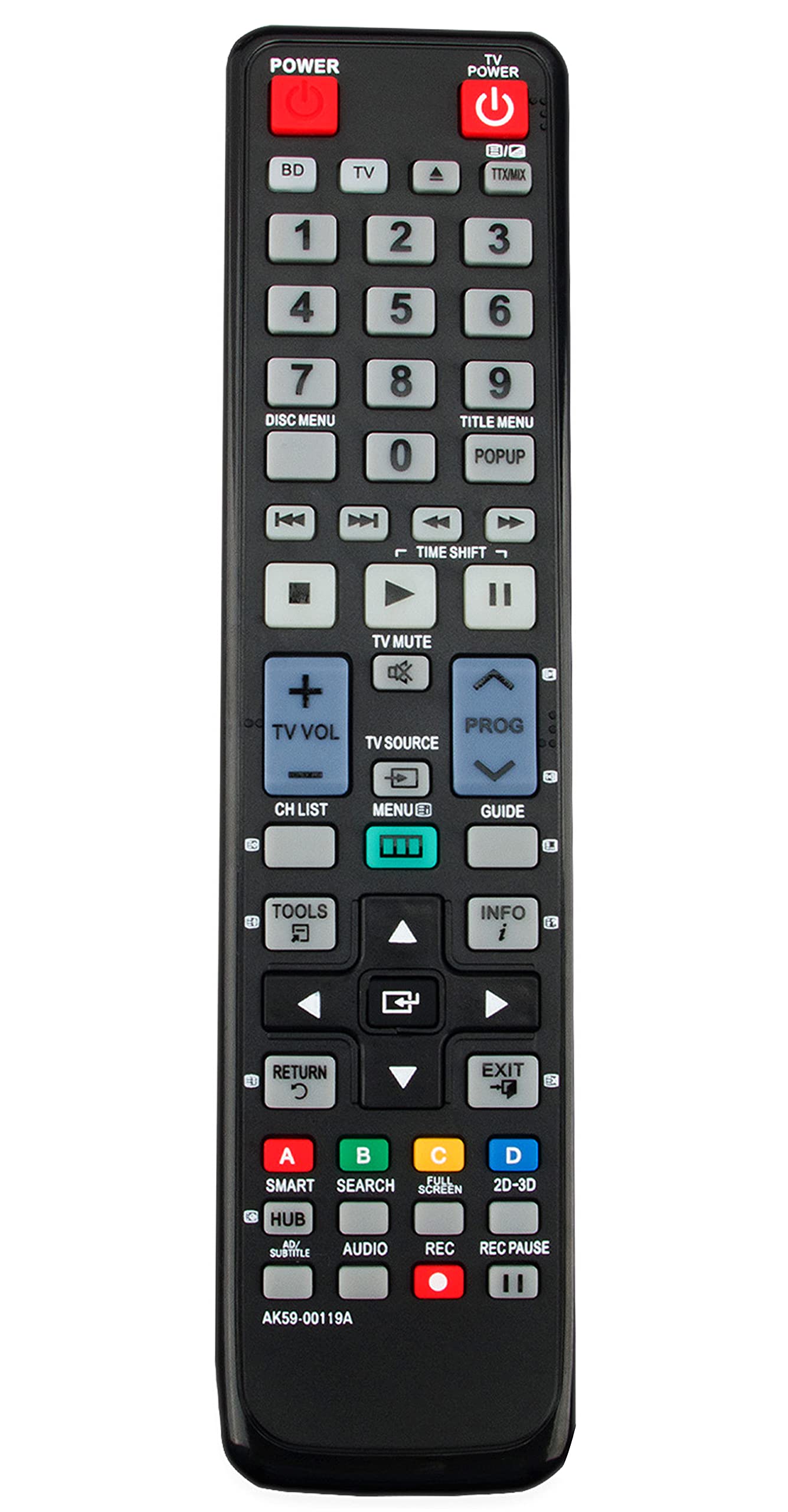
Image: The VINABTY AK59-00119A replacement remote control, black in color, showing its array of buttons.
Setup
Battery Installation
- Locate the battery compartment on the back of the remote control.
- Slide the battery cover downwards or in the direction indicated by an arrow to open it.
- Insert two AAA batteries (not included), ensuring the positive (+) and negative (-) terminals align correctly with the markings inside the compartment.
- Replace the battery cover by sliding it back into position until it clicks securely.
Initial Use
This replacement remote control is pre-programmed for compatible Samsung Blu-ray Disc players. No additional programming is typically required. After installing the batteries, point the remote control at your Blu-ray player and test its functions.
Operating Your Remote
The VINABTY AK59-00119A remote control provides full functionality for your Samsung Blu-ray Disc player. Below is a general overview of common button functions:
- POWER: Turns the Blu-ray player on or off.
- PLAY/PAUSE: Starts or pauses disc playback.
- STOP: Stops disc playback.
- REW/FFW: Rewinds or fast-forwards through content.
- SKIP: Skips to the next or previous track/chapter.
- MENU/HOME: Accesses the player's main menu or home screen.
- ARROW BUTTONS (Up, Down, Left, Right): Navigates through menus and options.
- ENTER/OK: Confirms selections in menus.
- VOLUME (+/-): Adjusts the volume of the connected audio system (if supported by the player).
- MUTE: Mutes or unmutes the audio.
- EJECT: Opens or closes the disc tray.
- NUMBER BUTTONS (0-9): For direct track selection or inputting numbers.
Maintenance
Cleaning
To clean the remote control, gently wipe its surface with a soft, dry cloth. For stubborn dirt, slightly dampen the cloth with water or a mild, non-abrasive cleaner. Avoid using harsh chemicals, solvents, or abrasive materials, as these can damage the remote's finish or internal components.
Battery Replacement
Replace batteries when the remote's response becomes sluggish or stops working. Always replace both batteries at the same time with new ones of the same type (AAA). Do not mix old and new batteries, or different types of batteries, as this can lead to leakage or malfunction. Dispose of used batteries according to local regulations.
Troubleshooting
- Remote not responding:
- Check if the batteries are installed correctly with the correct polarity.
- Replace old batteries with new ones.
- Ensure there are no obstructions between the remote control and the Blu-ray player's infrared sensor.
- Confirm the remote is pointed directly at the Blu-ray player.
- Limited range:
- Ensure batteries are fresh.
- Reduce the distance between the remote and the player.
- Remove any potential sources of infrared interference (e.g., strong lights).
- Specific buttons not working:
- This remote is designed to be a direct replacement. If specific buttons do not function, ensure your Blu-ray player model is listed as compatible.
- Clean the remote surface, as dirt or debris might be obstructing button presses.
Specifications
| Feature | Detail |
|---|---|
| Product Dimensions | 7.8 x 2 x 0.7 inches |
| Item Weight | 2.8 ounces |
| Brand | VINABTY |
| Special Feature | Ergonomic |
| Color | Black |
| Max Number of Supported Devices | 1 (Specific Samsung Blu-ray Disc Players) |
| Compatible Devices | Samsung Blu-ray Disc Players (BD-D8500A, BD-D8900A, BD-D6900M, BD-D6900A, BD-D8200A) |
Warranty Information
Specific warranty details for this VINABTY replacement remote control may vary. Please refer to the product packaging or contact the seller directly for information regarding warranty coverage and terms. Keep your purchase receipt as proof of purchase.
Support
For further assistance or inquiries regarding your VINABTY AK59-00119A replacement remote control, please contact the retailer or manufacturer's customer support channels. Provide your product model number (AK59-00119A) and details of your issue for efficient support.
