
1. Product Overview
The nooie Baby Monitor is a 1080P Full HD camera designed for monitoring babies, children, the elderly, or pets. It features advanced detection capabilities, two-way audio, and night vision to provide comprehensive surveillance. This manual provides instructions for setup, operation, and maintenance of your nooie Baby Monitor.

Image: The nooie Baby Monitor camera shown alongside a smartphone displaying a live feed of a baby.
2. Package Contents
Before proceeding with installation, please verify that all items are present in your package:
- nooie Baby Cam
- Power Cable
- 3M Sticker (for mounting)
- Power Adapter
- Faceplate (decorative cover)
- Cable Concealer x 6
- Quick Start Guide
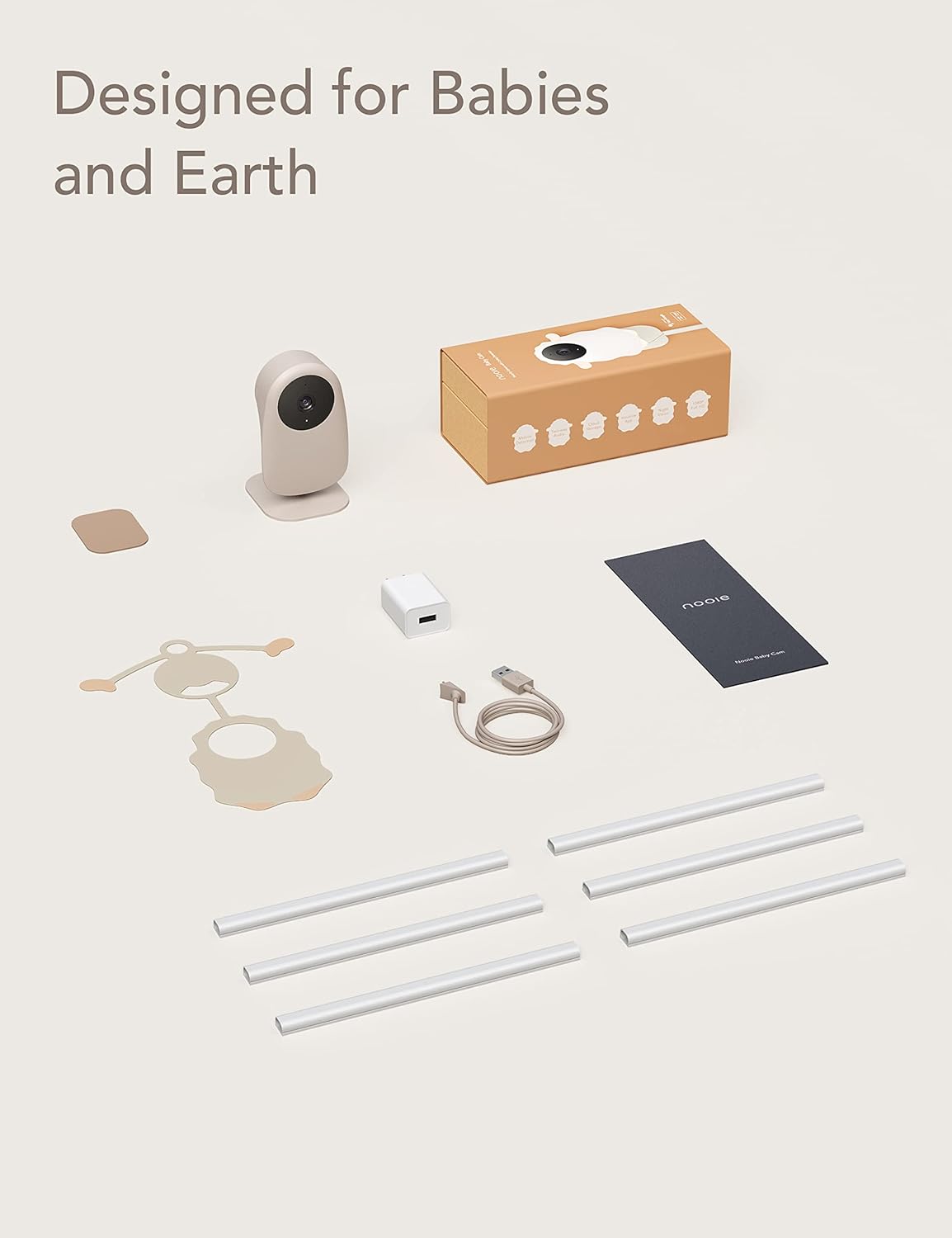
Image: All included components of the nooie Baby Monitor, including the camera, power accessories, mounting sticker, cable concealers, and quick start guide.
3. Setup Guide
3.1 Physical Installation
- Choose a Location: Select a location that provides a clear view of the area you wish to monitor. Ensure the camera is within range of your 2.4GHz Wi-Fi network.
- Mounting Options: The camera can be placed on a flat surface or mounted to a wall using the provided 3M sticker. Ensure the mounting surface is clean and dry.
- Adjust Camera Angle: The camera features an adjustable base, allowing you to tilt it to achieve the desired viewing angle.

Image: The nooie Baby Monitor, adorned with a sheep-shaped faceplate, demonstrating its 90-degree adjustable tilt for optimal positioning.
3.2 Cable Management
To ensure safety and a tidy installation, use the included cable concealers to secure the power cable along the wall or furniture, keeping it out of reach of children and pets.

Image: The nooie Baby Monitor mounted on a wall, with its power cable neatly hidden by a cable concealer, illustrating safe placement away from curious children.
3.3 App Installation and Pairing
- Download the App: Download the nooie app from your smartphone's app store (iOS or Android).
- Create Account: Open the app and follow the on-screen instructions to create a new user account or log in if you already have one.
- Add Device: Tap the '+' icon to add a new device. Select the nooie Baby Monitor from the list of available devices.
- Connect to Wi-Fi: Follow the app's instructions to connect the camera to your 2.4GHz Wi-Fi network. Note: The camera only supports 2.4GHz Wi-Fi.
- Pairing: The app will guide you through the pairing process, which typically involves scanning a QR code displayed on your phone with the camera lens.
4. Operating Instructions
4.1 Live View
Once paired, open the nooie app to access the live video feed from your camera. You can view your baby, elderly family member, or pet in 1080P Full HD resolution at any time.
4.2 Two-Way Audio
The monitor features two-way audio, allowing you to hear sounds from the camera's location and speak through the camera's speaker using the app. This is useful for comforting a baby or communicating with family members.

Image: A person holding a smartphone, viewing a live feed of a smiling child through the nooie app, demonstrating the remote viewing and communication feature.
4.3 Crying and Sound Detection
The nooie Baby Monitor is equipped with advanced crying and sound detection. When a cry or significant sound is detected, you will receive real-time notifications on your smartphone, allowing you to respond promptly.

Image: A smartphone screen showing a notification from the nooie app indicating "Device baby room sound detected," with a child in the background, highlighting the sound detection feature.
4.4 Motion Detection
The camera can detect motion within its field of view. You can customize motion detection zones within the app to focus on specific areas and reduce unnecessary alerts. Real-time notifications will be sent upon detection.

Image: A smartphone screen displaying the nooie app interface, showing how to set a customizable motion detection zone around a baby's crib.
4.5 Night Vision
Equipped with two 940nm Infrared LEDs, the camera provides clear night vision up to 32 feet (10 meters) in complete darkness without emitting visible red lights, ensuring undisturbed monitoring.

Image: A grayscale night vision image captured by the nooie Baby Monitor, showing a child peacefully sleeping in bed, demonstrating its low-light capabilities.
4.6 Recording and Storage
You can record video footage and store it either on a MicroSD card (not included) inserted into the camera or via the nooie Cloud service (subscription may be required). This allows you to review past events and capture important moments.
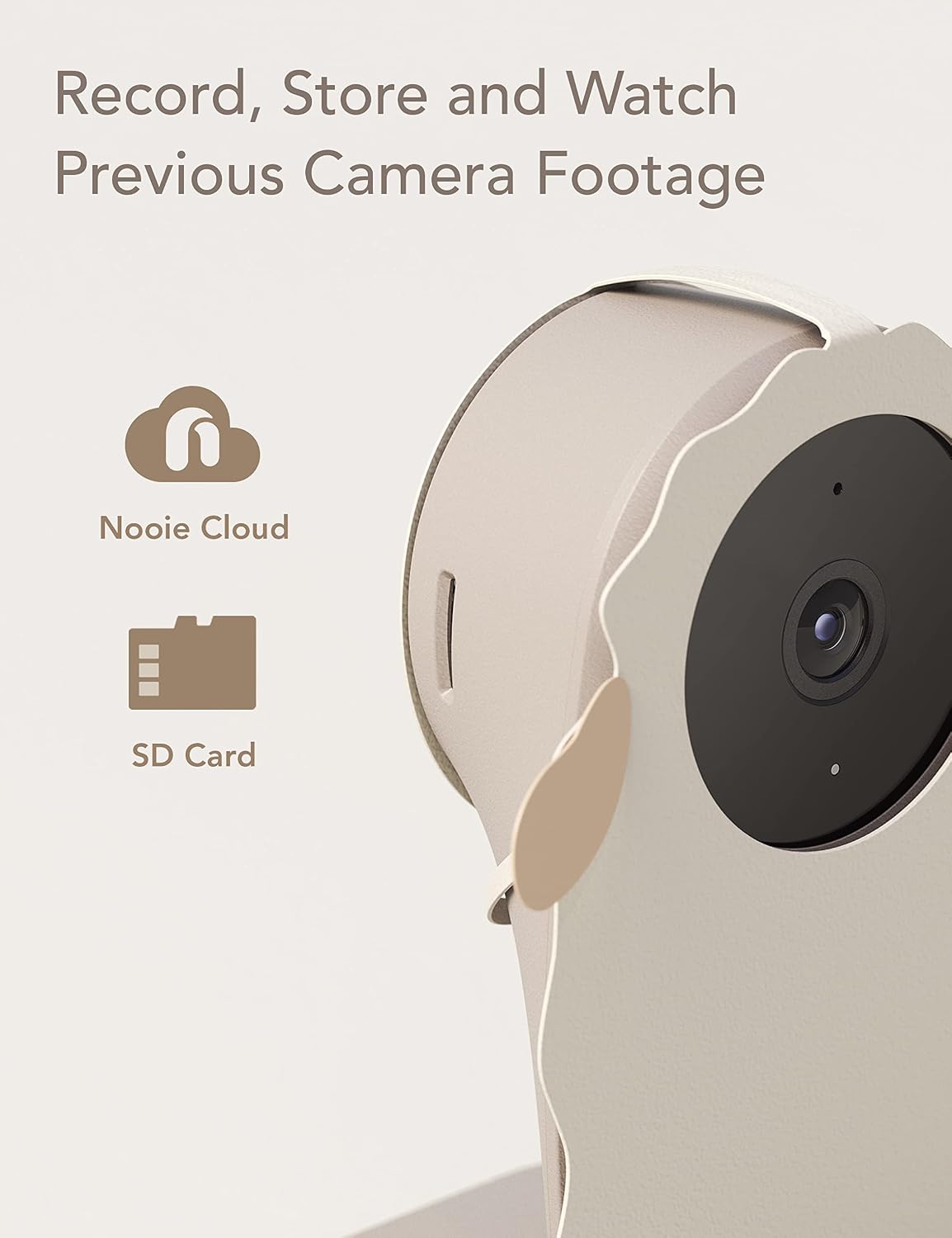
Image: A close-up of the nooie Baby Monitor camera, accompanied by graphical icons representing Nooie Cloud storage and MicroSD card storage options.
4.7 Sharing Access
The nooie app allows you to securely share camera access with family members, enabling multiple users to monitor the feed simultaneously.
4.8 Smart Home Integration
The nooie Baby Monitor is compatible with Amazon Alexa, allowing for voice control and integration into your smart home ecosystem.
5. Specifications
| Feature | Detail |
|---|---|
| Indoor/Outdoor Usage | Indoor |
| Video Capture Resolution | 1080p |
| Connectivity Protocol | Wi-Fi (2.4GHz only) |
| Night Vision Range | Up to 32 Feet (10 meters) |
| Field Of View | 90 Degrees |
| Alert Type | Audio and Motion, Cry Detection |
| Storage Options | Cloud, MicroSD Card |
| Compatible Devices | Smartphone, Amazon Alexa/Google Home |
| Power Source | Corded Electric (5V, 5W) |
| Dimensions (L x W x H) | 3.11 x 2.6 x 4.59 inches |
| Item Weight | 8.8 ounces |
| Material | Acrylonitrile Butadiene Styrene (ABS) |
| International Protection Rating | IP67 (Waterproof) |
6. Troubleshooting
6.1 Camera Not Connecting to Wi-Fi
- Ensure your Wi-Fi network is 2.4GHz. The camera does not support 5GHz networks.
- Check that the camera is within range of your Wi-Fi router.
- Verify your Wi-Fi password is entered correctly in the nooie app.
- Restart your Wi-Fi router and the camera, then attempt to reconnect.
6.2 No Notifications Received
- Check your smartphone's notification settings to ensure the nooie app has permission to send notifications.
- Verify that motion, sound, or crying detection is enabled in the camera settings within the nooie app.
- Adjust the sensitivity settings for detection if alerts are too frequent or too infrequent.
6.3 Poor Video Quality
- Ensure your internet connection is stable and has sufficient bandwidth.
- Clean the camera lens with a soft, dry cloth to remove any dust or smudges.
- Check the camera's position to ensure there are no obstructions blocking the view.
7. Care and Maintenance
- Cleaning: Use a soft, dry cloth to clean the camera lens and exterior. Avoid using harsh chemicals or abrasive materials.
- Placement: Keep the camera in a dry environment and avoid direct exposure to water or extreme temperatures.
- Cable Safety: Regularly check the power cable and connections for any signs of damage.
8. Warranty and Support
For warranty information, technical support, or further assistance, please refer to the official nooie website or contact nooie customer service directly. Details can typically be found in the Quick Start Guide or on the product packaging.


