
Introduction
The RENPHO Wi-Fi Bluetooth Smart Scale is designed to provide comprehensive body composition analysis, tracking 13 essential health metrics. This digital bathroom scale offers both Wi-Fi and Bluetooth connectivity for convenient data synchronization with the RENPHO Health app. This manual provides instructions for setting up, operating, and maintaining your smart scale to ensure accurate and consistent health monitoring.

Image: The RENPHO Smart Scale, demonstrating its connectivity with a smartphone app and a smartwatch, displaying various health metrics.
Setup
1. Battery Installation
Locate the battery compartment on the underside of the scale. Insert 3 AAA batteries, ensuring correct polarity. The scale will power on automatically once batteries are installed.
2. App Download and Account Creation
- Download the 'RENPHO Health' app from the Apple App Store or Google Play Store.
- Open the app and create a new account or log in if you already have one.
- Follow the on-screen prompts to set up your personal profile, including age, height, and gender.
3. Device Pairing (Wi-Fi & Bluetooth)
- Ensure your phone's Bluetooth is enabled and the scale is within range.
- In the RENPHO Health app, navigate to 'Device' and select 'Add Device'.
- Step onto the scale briefly to activate it. The app should detect the scale.
- Follow the app instructions to connect via Bluetooth.
- For Wi-Fi connectivity, the app will guide you through connecting the scale to your home Wi-Fi network. This allows data to sync automatically even when your phone is not nearby.

Image: The RENPHO Smart Scale displaying a Wi-Fi connection icon, illustrating its convenient wireless data synchronization capability.
Operating Instructions
Taking a Measurement
- Place the scale on a hard, flat surface. Avoid carpets or uneven flooring.
- Step onto the scale barefoot. Ensure your feet are centered on the electrodes for accurate body composition analysis.
- Stand still until your weight is displayed and stabilized on the LED screen.
- If connected via Wi-Fi, your data will automatically upload to the RENPHO Health app. If using Bluetooth, open the app on your phone to sync the data.
Understanding the Display
The scale features a clear LED display that shows your weight. Additional indicators for Wi-Fi, Bluetooth, overload, and low battery are also present.

Image: The RENPHO Smart Scale highlighting its helpful functions: a clear LED display, automatic on/off, an overload indicator, and a low battery indicator.
Baby Weighing Mode
The RENPHO Health app includes a baby weighing mode. To use this feature:
- Open the RENPHO Health app and select the baby weighing mode.
- First, weigh yourself on the scale.
- Then, step off the scale and immediately step back on while holding the baby or pet. The app will calculate the baby's or pet's weight by subtracting your initial weight.
Body Composition Analysis
The RENPHO Smart Scale provides 13 essential body composition metrics to help you monitor your health and fitness progress. These metrics include:
- Weight: Your total body mass.
- BMI (Body Mass Index): A measure of body fat based on height and weight.
- Body Fat: The percentage of fat in your body.
- Body Water: The total amount of fluid in your body.
- BMR (Basal Metabolic Rate): The number of calories your body needs to perform basic, life-sustaining functions.
- Bone Mass: The amount of bone tissue in your body.
- Protein: The percentage of protein in your body.
- Fat-Free Mass: The total weight of your body minus all fat.
- Muscle Mass: The total amount of muscle in your body.
- Skeletal Muscle: The muscles attached to bones that are responsible for movement.
- Subcutaneous Fat: Fat stored directly under the skin.
- Visceral Fat: Fat stored around the organs in the abdomen.
- Metabolic Age: An indicator of your body's metabolic health compared to your chronological age.

Image: An infographic illustrating the 13 essential body composition metrics measured by the RENPHO Smart Scale, including Weight, BMI, Body Fat, and more.
App Integration
The RENPHO Health app serves as your central hub for all health data. It allows you to:
- View detailed graphs of your progress over time (daily, weekly, monthly).
- Set fitness goals and track your achievements.
- Manage multiple user profiles (up to 8 users) on a single scale, with automatic user recognition.
- Sync data with other popular fitness applications such as Apple Health, Samsung Health, and MyFitnessPal for a comprehensive overview of your health and fitness journey.
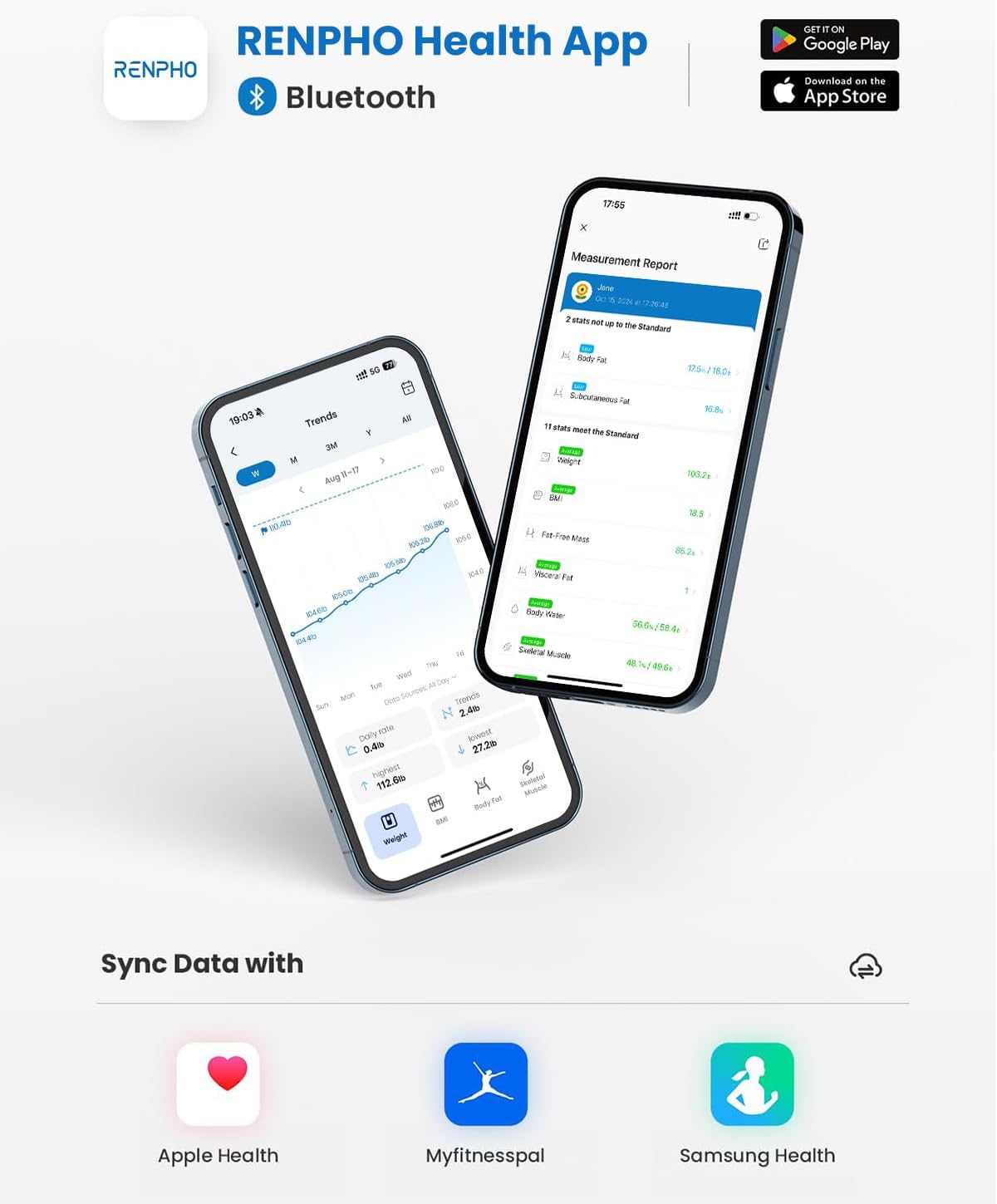
Image: The RENPHO Health App interface, demonstrating its ability to sync health data with other popular fitness platforms like Apple Health, MyFitnessPal, and Samsung Health.

Image: A woman performing a yoga pose, with the RENPHO scale in the foreground. The image also displays graphs illustrating weight and body fat percentage progress over time.
Maintenance
Cleaning
To clean the scale, wipe the surface with a damp cloth and mild detergent. Do not use abrasive cleaners or submerge the scale in water. Ensure the scale is dry before storage or next use.
Battery Replacement
When the low battery indicator appears on the display, replace all 3 AAA batteries with new ones. Always replace all batteries at the same time.
Storage
Store the scale in a cool, dry place. Avoid extreme temperatures and direct sunlight. Do not place heavy objects on the scale when not in use.
Troubleshooting
- Scale not turning on: Check if batteries are installed correctly and are not depleted. Replace if necessary.
- Inaccurate readings: Ensure the scale is on a hard, flat surface. Avoid moving the scale between measurements. Step on barefoot and stand still.
- App not syncing data: Verify Bluetooth is enabled on your phone and the scale is within range. For Wi-Fi, ensure the scale is connected to a stable network. Restart the app or your phone if issues persist.
- Body composition data not appearing: Ensure you are stepping on the scale barefoot with your feet making good contact with all four electrodes.
- Overload indicator: If 'Err' or 'OL' appears, the weight limit has been exceeded. Step off the scale immediately.
For further assistance, refer to the FAQ section within the RENPHO Health app or contact RENPHO customer support.
Specifications
| Feature | Detail |
|---|---|
| Model Number | R-A003 |
| Product Dimensions | 10.24 x 10.24 x 0.98 inches |
| Weight Limit | 180 Kilograms (approximately 396 lbs) |
| Power Source | 3 AAA batteries (included) |
| Connectivity | Wi-Fi, Bluetooth |
| Display Type | LED |
| Special Features | Auto Shut Off, Body Fat, Bodyweight, Bone Mass, 13 Body Metrics |

Image: The RENPHO Smart Scale with its physical dimensions clearly labeled: 10.2 inches in length, 10.2 inches in width, and 0.9 inches in thickness.

Image: An exploded diagram of the RENPHO Smart Scale, detailing its internal components such as the durable tempered glass surface, high-sensitive electrodes, accurate weight measurement sensors, and anti-slip stable pads.
Warranty and Support
Warranty Information
RENPHO products typically come with a manufacturer's warranty. Please refer to the product packaging or the official RENPHO website for specific warranty terms and conditions applicable to your region and purchase date. Retain your proof of purchase for warranty claims.
Customer Support
If you encounter any issues or have questions regarding your RENPHO Smart Scale, please contact RENPHO customer support. Contact details can usually be found on the official RENPHO website (www.renpho.com) or within the RENPHO Health app.


