
1. Product Overview
The TECLAST P50T is an 11-inch Android 16 tablet designed for versatile use, from business and entertainment to creative tasks and education. It features a 90Hz display, an Unisoc T7200 Octa-Core processor, and Gemini AI integration for optimized performance. With 12GB RAM and 128GB ROM (expandable up to 5TB), it offers ample storage and smooth multitasking capabilities. The tablet includes dual-band Wi-Fi, Bluetooth 5.0, GPS, and a 7000mAh battery for extended use.
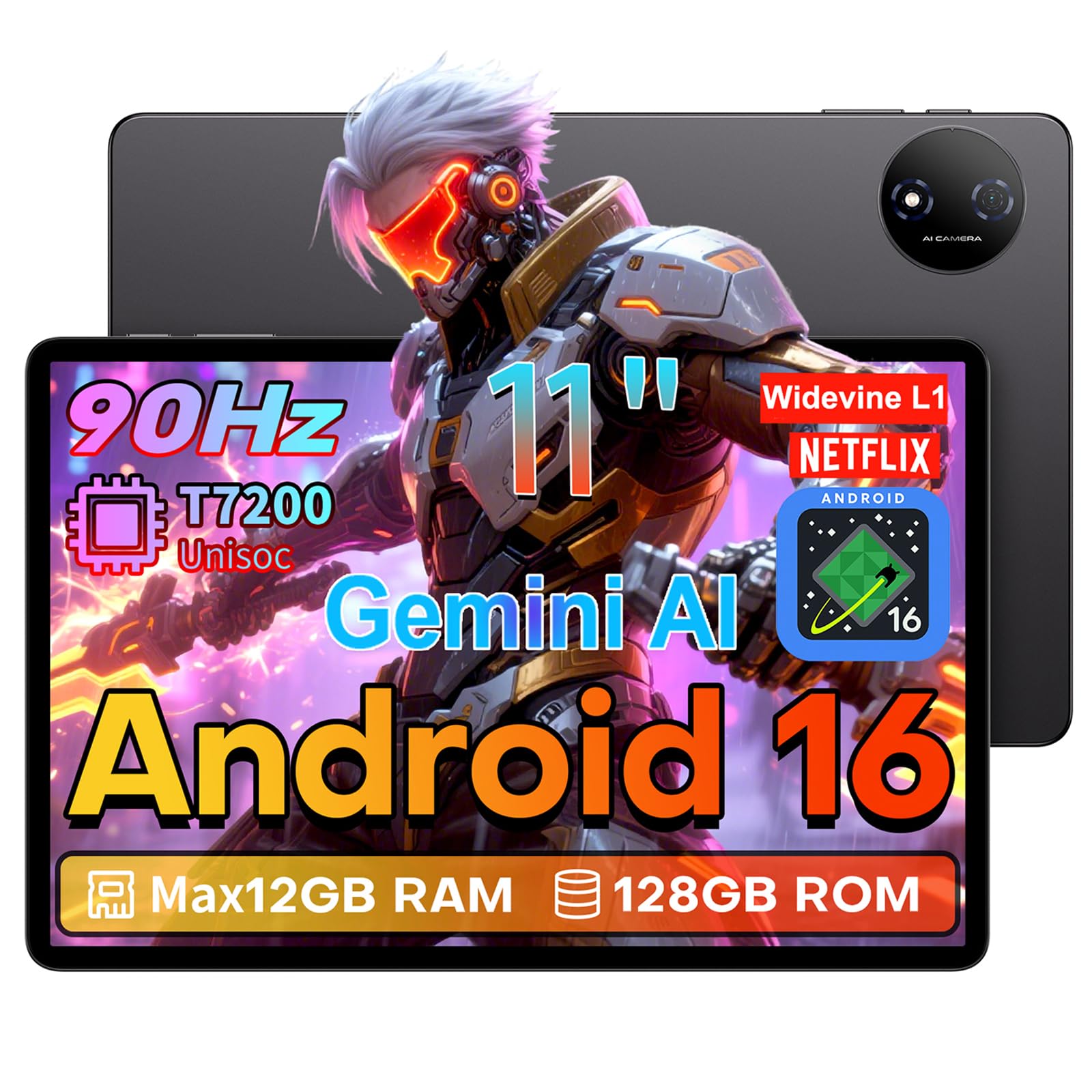
Front view of the TECLAST P50T tablet, showcasing its sleek design.
Key Features:
- Operating System: Android 16 with Gemini AI
- Processor: Unisoc T7200 Octa-Core (2.0GHz)
- Display: 11-inch IPS TDDI HD screen with 90Hz refresh rate and eye protection
- Memory & Storage: 12GB RAM (4GB physical + 8GB virtual), 128GB ROM (expandable up to 5TB via TF card)
- Battery: 7000mAh high-capacity battery
- Cameras: 13MP rear camera, 5MP front camera
- Connectivity: 2.4G+5G Dual-band Wi-Fi, Bluetooth 5.0, GPS (AGPS/GPS/BeiDou/GLONASS/Galileo), OTG
- Security: Face ID unlock
- Audio: Dual speakers, 3.5mm headphone jack
2. Setup Guide
2.1 Unboxing and Package Contents
Carefully unpack your TECLAST P50T tablet. Ensure all components are present before proceeding.

Illustration of the TECLAST P50T tablet and its included accessories.
The package should contain:
- TECLAST P50T Tablet
- Power Adapter (may vary by country)
- Data Cable (USB Type-C)
- Stylus
- User Manual
2.2 Initial Charging
Before first use, fully charge your tablet. Connect the provided USB Type-C cable to the tablet's charging port and the power adapter to a wall outlet. The charging indicator will show the charging status.
2.3 Power On/Off
- To Power On: Press and hold the Power button until the TECLAST logo appears on the screen.
- To Power Off: Press and hold the Power button until the power options appear. Select 'Power Off'.
- To Restart: Press and hold the Power button until the power options appear. Select 'Restart'.
2.4 Initial Configuration
Upon first power-on, the tablet will guide you through the initial setup process. Follow the on-screen prompts to:
- Select your language.
- Connect to a Wi-Fi network.
- Sign in with your Google account or create a new one.
- Set up screen lock (PIN, pattern, password, or Face ID).
- Review and accept terms and conditions.
2.5 Inserting a MicroSD Card
The TECLAST P50T supports storage expansion up to 5TB via a microSD card. Locate the card slot on the side of the tablet. Gently insert the microSD card into the slot until it clicks into place. Ensure the tablet is powered off before inserting or removing the card.
3. Operating Instructions
3.1 Android 16 Operating System
The P50T runs on Android 16, offering an optimized user experience with enhanced privacy controls, a fresh user interface, and personalized settings. Gemini AI intelligently optimizes resources for tasks like photo editing and real-time translations.

The Android 16 interface with Gemini AI integration for smoother performance.
3.2 Display and Touch Interaction
The 11-inch TDDI HD IPS display features a 90Hz refresh rate for smooth scrolling and sharp visuals. It also includes eye protection to reduce harmful blue light. The In-Cell touch technology provides a 180Hz touch sampling rate for reduced latency and improved responsiveness.

The 90Hz AdaptiveSync display provides fluid visuals and conserves battery life.

The TDDI integrated display with In-Cell touch technology ensures quick and responsive interaction.
3.3 Performance and Storage
Powered by the Unisoc T7200 Octa-Core processor and Mali-G57 GPU, the P50T handles multitasking, high-resolution video playback, and light gaming efficiently. It comes with 12GB RAM (4GB LPDDR4X + 8GB virtual memory) and 128GB internal storage, expandable up to 5TB with a TF card.

The Unisoc T7200 octa-core processor provides efficient performance.

The tablet offers flexible storage options with 12GB RAM and 128GB ROM, expandable via TF card.
3.4 Connectivity
- Wi-Fi: Supports dual-band 2.4G+5G Wi-Fi for stable and fast internet access.
- Bluetooth: Bluetooth 5.0 for connecting wireless accessories.
- GPS: Integrated AGPS/GPS/BeiDou/GLONASS/Galileo for precise positioning.
- OTG: Supports On-The-Go functionality for connecting USB devices.

Enjoy stable and fast wireless connectivity with dual-band Wi-Fi and Bluetooth 5.0.

The tablet supports four global satellite positioning systems for accurate navigation.
3.5 Camera Usage
The tablet is equipped with a 13MP autofocus rear camera and a 5MP front camera. Use the camera application to capture photos and videos. The rear camera includes an LED flash for low-light conditions.

The 13MP rear camera with autofocus and 5MP front camera for clear imaging.
3.6 Audio
The P50T features dual speakers for an immersive audio experience. A 3.5mm headphone jack is also available for private listening.
3.7 Face ID
Set up Face ID in the security settings to unlock your tablet quickly and conveniently using facial recognition.
4. Maintenance
4.1 Battery Care
The 7000mAh lithium-polymer battery provides up to 12 hours of average use. To prolong battery life:
- Avoid extreme temperatures.
- Do not let the battery completely drain frequently.
- Use the provided charger for optimal charging.

The 7000mAh high-capacity battery ensures long usage times.
4.2 Cleaning Your Tablet
Use a soft, lint-free cloth to clean the screen and body of the tablet. Avoid using harsh chemicals or abrasive materials, as these can damage the device. For stubborn smudges, slightly dampen the cloth with water or a screen cleaner designed for electronics.
4.3 Software Updates
Regularly check for and install software updates to ensure your tablet has the latest features, security patches, and performance improvements. You can usually find this option in the tablet's 'Settings' menu under 'System' or 'About tablet'.
5. Troubleshooting
- Tablet not turning on: Ensure the battery is charged. Connect the charger and wait a few minutes before attempting to power on again.
- Screen is unresponsive: Try restarting the tablet by holding the power button for about 10-15 seconds until it reboots.
- Wi-Fi connection issues: Check if Wi-Fi is enabled. Restart your router and the tablet. Forget the network and reconnect.
- Slow performance: Close unused applications, clear cache, or consider a factory reset if the issue persists (back up your data first).
- Apps crashing: Ensure apps are updated. Clear the app's cache or data in 'Settings > Apps'. Reinstall the app if necessary.
6. Specifications
| Feature | Specification |
|---|---|
| Brand | TECLAST |
| Model Name | TECLAST P50T |
| Operating System | Android 16 |
| Processor | Unisoc T7200 Octa-Core (2 GHz) |
| Graphics Coprocessor | Mali-G57 |
| RAM | 12 GB (4GB physical + 8GB virtual) |
| Internal Storage | 128 GB |
| Expandable Storage | Up to 5 TB (microSD) |
| Screen Size | 11 Inches |
| Display Resolution | 1280 x 800 Pixels |
| Refresh Rate | 90 Hz |
| Battery Capacity | 7000 mAh |
| Average Battery Life | 12 hours |
| Rear Camera | 13 MP |
| Front Camera | 5 MP |
| Connectivity | 802.11 ac/b/g/n (2.4G+5G WiFi), Bluetooth 5.0, USB Type-C, 3.5mm Audio Jack |
| GPS Features | GPS+B1C+GLONASS+Galileo |
| Security Feature | Face Recognition |
| Weight | 525 Grams |
| Dimensions (L x W x H) | 26 x 17 x 0.9 cm |
7. Warranty and Support
7.1 Warranty Information
The TECLAST P50T tablet comes with a 3-year limited warranty. This warranty covers manufacturing defects and ensures product quality. Please retain your proof of purchase for warranty claims.
7.2 Customer Support
TECLAST is committed to providing excellent customer service. For any technical assistance, troubleshooting, or warranty inquiries, please contact TECLAST customer support. You can typically find contact information on the official TECLAST website or through the retailer where you purchased the product.
- Pre-sales and After-sales Technical Support: Available to assist with your product queries.
- Return Policy: A two-year return policy is offered.