1. Product Overview
The realme narzo 50A is a smartphone designed for performance and extended usage. It features a MediaTek Helio G85 Octa-core Processor, a large 6000 mAh battery, and a versatile 50MP AI Triple Camera system. The device runs on Android 11.0 and offers a 6.5-inch HD+ display for a clear visual experience.

Image: Front and back view of the realme narzo 50A smartphone, highlighting its design and camera module.
2. What's in the Box
Upon unboxing your realme narzo 50A, you should find the following items:
- Handset (realme narzo 50A)
- Adapter
- USB Cable Type C
- SIM Card Tool
- Screen Protect Film
- Important Info Booklet with Warranty Card
- Quick Guide
Video: An unboxing video of the realme narzo 50A, showing the contents of the retail package including the phone, charger, cable, and documentation.
3. Setup Guide
3.1. Inserting SIM Card and Memory Card
- Locate the SIM tray on the side of your device.
- Insert the provided SIM ejector tool into the small hole on the SIM tray. Press firmly until the tray pops out.
- Place your Nano-SIM card(s) and/or microSD card into the designated slots on the tray. Ensure the gold contacts are facing down.
- Carefully reinsert the SIM tray into the phone until it clicks into place.
3.2. Powering On Your Device
- Press and hold the Power button (located on the right side) until the realme logo appears on the screen.
- Follow the on-screen instructions to complete the initial setup, including language selection, Wi-Fi connection, and Google account setup.
4. Operating Instructions
4.1. Basic Navigation
- Touch: Tap an icon to open an app or select an item.
- Swipe: Slide your finger across the screen to scroll through pages or content.
- Pinch: Use two fingers to zoom in or out on photos and web pages.
- Home Screen: Swipe up from the bottom to access the app drawer.
4.2. Volume and Power Buttons
- The Volume rocker is located on the right side of the device. Press the upper part to increase volume, and the lower part to decrease volume.
- The Power button is located below the Volume rocker. Press it once to lock/unlock the screen. Press and hold to access power options (Power off, Restart).
5. Camera Features
The realme narzo 50A is equipped with a versatile camera system to capture your moments.
- Rear Camera: 50MP + 2MP + 2MP AI Triple Camera setup. The 50MP primary sensor captures detailed photos, while the additional sensors assist with macro shots and depth effects.
- Front Camera: 8MP for clear selfies and video calls.
- Camera Modes: Includes modes such as Photo, Video, Night, Portrait, and Macro.

Image: Detailed view of the realme narzo 50A's rear camera array and integrated fingerprint sensor.
6. Display Features
Experience vibrant visuals on the realme narzo 50A's display.
- Size: 16.51 cm (6.5 inch) HD+ Display.
- Resolution: 1600 x 720 pixels.
- Technology: LCD with 269 PPI and 60Hz refresh rate.
- Brightness: Up to 570 nits for clear visibility.
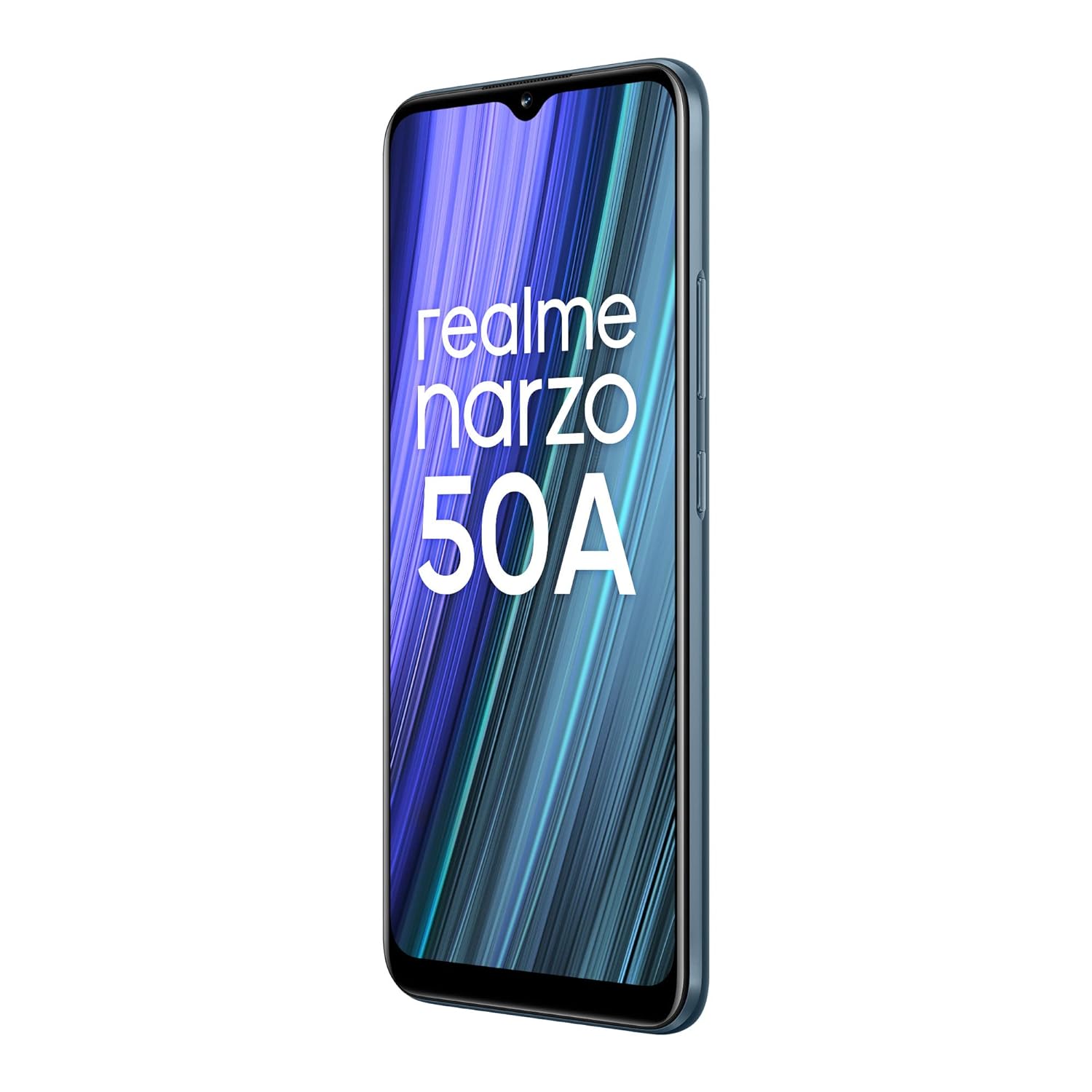
Image: The realme narzo 50A display showcasing a colorful interface.
7. Battery and Charging
The device is powered by a high-capacity battery and supports fast charging.
- Battery Capacity: 6000 mAh Lithium Polymer battery.
- Charging: Supports 18W Quick Charge via USB Type-C.
- Usage: Designed for extended talk time and standby.

Image: Graphic illustrating the 6000 mAh mega battery of the realme narzo 50A.
8. Technical Specifications
| Feature | Specification |
|---|---|
| Model Number | RMX3430 |
| Operating System | Android 11.0 |
| Processor | MediaTek Helio G85 Octa-core |
| RAM | 4 GB |
| Internal Storage | 64 GB (Expandable Upto 256 GB) |
| Display Size | 16.51 cm (6.5 inch) HD+ |
| Display Resolution | 1600 x 720 pixels |
| Rear Camera | 50MP + 2MP + 2MP Triple Camera |
| Front Camera | 8MP |
| Battery Capacity | 6000 mAh |
| Charging | 18W Quick Charge |
| Connectivity | Bluetooth, Wi-Fi, Cellular |
| Audio Jack | 3.5 mm |
| Dimensions | 16.5 x 7.6 x 1 cm |
| Weight | 207 g |
9. Troubleshooting
If you encounter issues with your realme narzo 50A, consider the following common solutions:
- Device Not Turning On: Ensure the battery is charged. Connect the phone to the charger and wait a few minutes before attempting to power it on again.
- Apps Crashing/Freezing: Try clearing the cache of the problematic app (Settings > Apps > [App Name] > Storage > Clear Cache). If the issue persists, reinstall the app.
- Poor Battery Life: Check background app usage (Settings > Battery). Reduce screen brightness, disable unnecessary features like GPS or Bluetooth when not in use.
- Network Connectivity Issues: Ensure your SIM card is correctly inserted. Try restarting the device or toggling Airplane Mode on and off. Check with your service provider for network status.
- Slow Performance: Close unused background apps. Clear unnecessary files and data to free up storage. Consider a factory reset as a last resort (back up your data first).
10. Maintenance
To ensure the longevity and optimal performance of your realme narzo 50A, follow these maintenance tips:
- Keep Software Updated: Regularly check for and install system updates to benefit from performance improvements and security patches.
- Protect the Screen: Use the provided screen protect film or a third-party screen protector to prevent scratches.
- Clean Gently: Use a soft, lint-free cloth to clean the screen and body of the phone. Avoid harsh chemicals.
- Avoid Extreme Temperatures: Do not expose the device to very high or low temperatures, as this can affect battery life and internal components.
- Charge Properly: Use only the original charger and cable provided with the device to prevent damage and ensure efficient charging.
11. Warranty and Support
Your realme narzo 50A comes with a standard manufacturer's warranty. Please refer to the "Important Info Booklet with Warranty Card" included in your package for detailed terms and conditions.
- Warranty Period: Typically 1 year from the date of purchase for the device, and 6 months for accessories.
- Customer Service: For technical assistance, repairs, or warranty claims, please contact realme customer support. Contact details can usually be found on the official realme website or in the warranty booklet.
- Online Resources: Visit the official realme support website for FAQs, troubleshooting guides, and software downloads.


