
1. Introduction
Welcome to the Victrola Revolution GO experience. This portable vinyl record player is designed to offer a modern, versatile, and high-quality audio solution for your vinyl collection, whether at home or on the go. With its integrated rechargeable battery, Bluetooth capabilities, and robust design, the Revolution GO provides an immersive listening experience wherever you are.
2. What's in the Box
- Victrola Revolution GO Turntable
- Guitar Strap
- 45 RPM Adapter
- Charging Cable
- Premium Silicone Slip Mat
3. Product Overview
Familiarize yourself with the components of your Victrola Revolution GO.
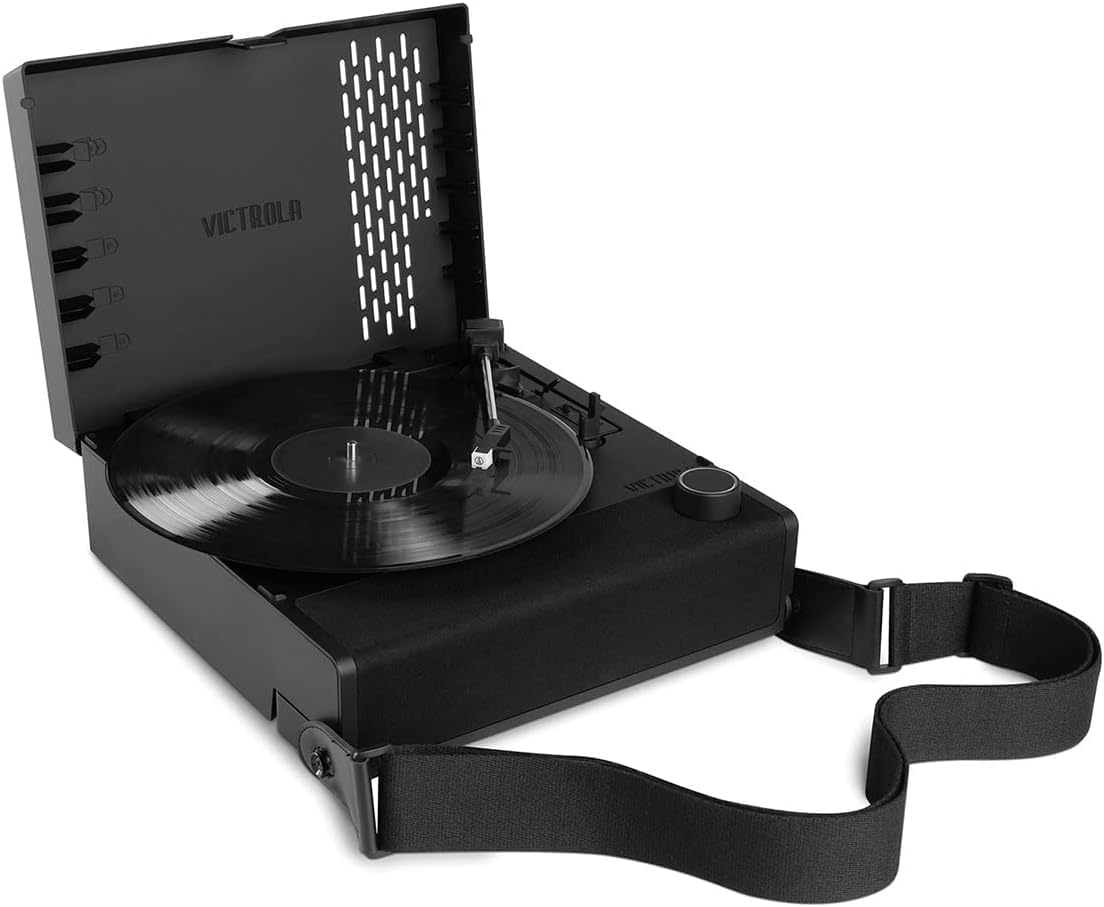
Figure 3.1: Top view of the Victrola Revolution GO with a record playing.

Figure 3.2: Side view illustrating the carrying handle and strap attachment.
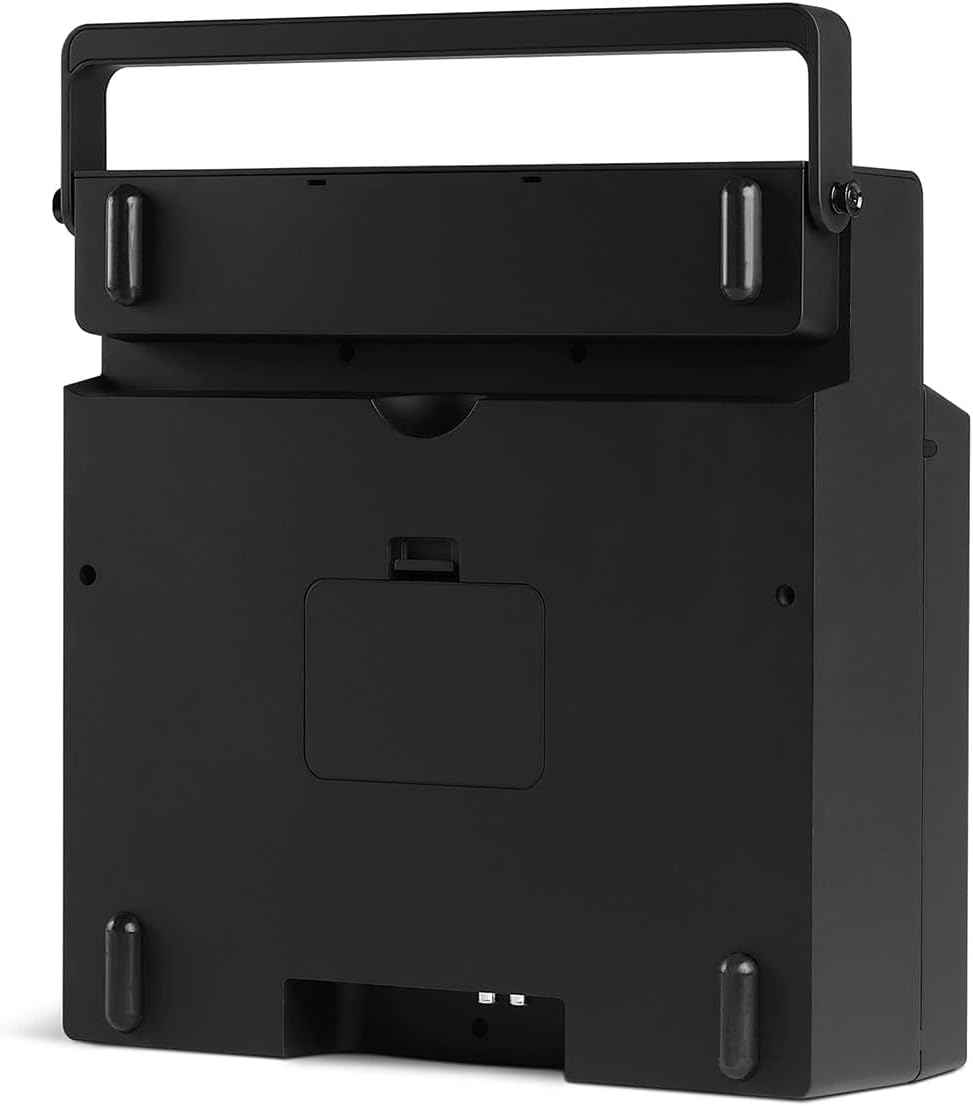
Figure 3.3: Rear panel with RCA output, headphone jack, and power input.

Figure 3.4: Detail of the Audio-Technica magnetic cartridge.
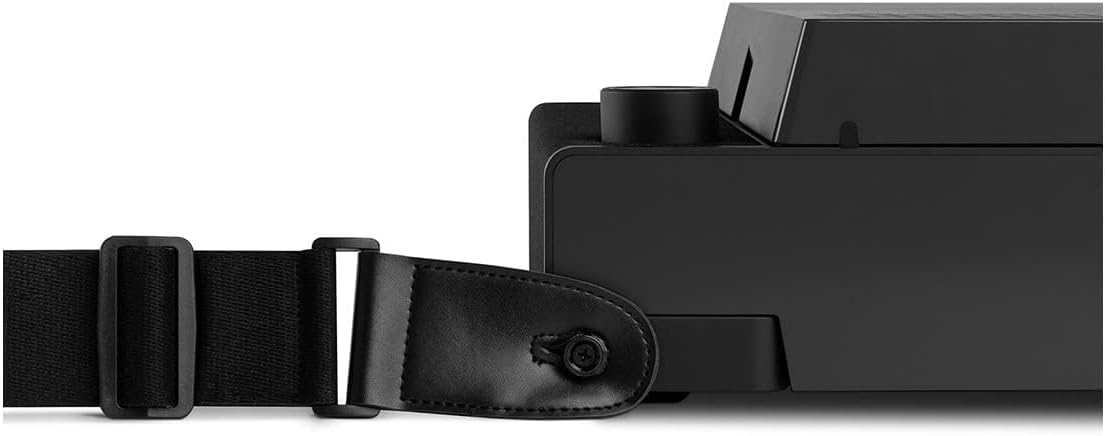
Figure 3.5: Portability demonstrated with the guitar strap.

Figure 3.6: Removable lid functioning as a record stand.
4. Setup
- Initial Charge: Before first use, fully charge the Revolution GO using the provided charging cable. Connect the cable to the power input on the rear of the unit and plug it into a wall outlet. The charging indicator light will show charging status. A full charge provides up to 12 hours of playback.
- Attach Guitar Strap: For portability, attach the included guitar strap to the designated attachment points on the sides of the unit. Ensure it is securely fastened.
- Place Slip Mat: Carefully place the premium silicone slip mat onto the turntable platter. This protects your records and provides optimal playback.
5. Operating Instructions
5.1 Powering On/Off
- To power on, press and hold the Power/Volume knob until the unit activates.
- To power off, press and hold the Power/Volume knob until the unit shuts down.
5.2 Playing a Record
- Open the lid and place a record on the platter, ensuring it is centered.
- Select the appropriate speed (33 1/3, 45, or 78 RPM) using the speed selector switch. For 45 RPM singles, place the included 45 RPM adapter on the spindle.
- Release the tone arm lock.
- Gently lift the tone arm using the cueing lever.
- Position the stylus over the desired starting groove of the record.
- Slowly lower the tone arm using the cueing lever. The record will begin to play.
- To stop playback, lift the tone arm using the cueing lever and return it to the tone arm rest. Secure it with the tone arm lock.
5.3 Adjusting Volume
Rotate the Power/Volume knob clockwise to increase volume and counter-clockwise to decrease volume.
6. Bluetooth Connectivity
6.1 Streaming Music to the Revolution GO (Bluetooth Input)
The Revolution GO can act as a Bluetooth speaker, allowing you to stream audio from your smartphone or other Bluetooth-enabled devices.
- Ensure the Revolution GO is powered on.
- On your source device (smartphone, tablet), enable Bluetooth and search for available devices.
- Select "Victrola Revolution GO" from the list of devices.
- Once paired, audio from your device will play through the Revolution GO's speakers.
6.2 Streaming Records from the Revolution GO (Vinyl Stream Bluetooth Output)
Utilize the Vinyl Stream technology to wirelessly connect your Revolution GO to external Bluetooth speakers or headphones for an enhanced listening experience.
- Ensure your external Bluetooth speaker or headphones are in pairing mode.
- On the Revolution GO, activate Vinyl Stream Bluetooth output (refer to your device's specific button/switch for this function, usually indicated by a Bluetooth icon).
- The Revolution GO will automatically search for and connect to the nearest available Bluetooth audio device.
- Once connected, the audio from your playing record will be streamed to the external device.
7. Maintenance
- Cleaning the Unit: Wipe the exterior of the unit with a soft, dry cloth. Avoid using harsh chemicals or abrasive cleaners.
- Stylus Care: The stylus is delicate. Use a soft brush to gently clean any dust or debris from the stylus tip, brushing from back to front. Avoid touching the stylus with your fingers.
- Battery Care: To prolong battery life, avoid fully discharging the battery frequently. Charge the unit regularly, even if not in constant use. If storing for an extended period, charge the battery to approximately 50% before storage.
- Dust Cover: The removable lid acts as a dust cover when placed over the unit. Keep it in place when not in use to protect the platter and tone arm from dust.
8. Troubleshooting
| Problem | Possible Cause | Solution |
|---|---|---|
| Unit does not power on or charge. | Battery fully drained or charging cable/adapter issue. | Ensure charging cable is securely connected to both the unit and a working power outlet. Allow sufficient time for charging. Try a different power adapter if available. If the unit has been fully drained for an extended period, it may require a longer initial charge. |
| Record skipping or distorted sound. | Dirty record, dirty/damaged stylus, unit not on a stable surface, or excessive vibration. | Clean the record. Gently clean the stylus. Place the unit on a flat, stable surface away from vibrations. Ensure the tone arm lock is released. |
| No sound from speakers. | Volume too low, unit in Bluetooth output mode, or external speakers connected. | Increase volume. Ensure the unit is not actively streaming to an external Bluetooth device if you want sound from the internal speakers. Check headphone jack for connected headphones. |
| Bluetooth pairing issues. | Device too far, pairing mode not active, or interference. | Ensure both devices are within range (approx. 30 feet). Put both devices into pairing mode. Turn off and on Bluetooth on both devices. Clear previous Bluetooth connections if necessary. |
| Record plays too fast/slow. | Incorrect speed setting. | Verify the speed selector switch is set to the correct RPM (33 1/3, 45, or 78) for your record. |
9. Specifications
| Feature | Detail |
|---|---|
| Model Number | VSC-750SB-BLK |
| Product Dimensions | 7 x 15 x 16 inches |
| Item Weight | 6.6 pounds |
| Power Consumption (On-mode) | 12 watts |
| Battery Type | 1 Lithium Ion battery (included) |
| Battery Life | Up to 12 hours |
| Connectivity Technology | Bluetooth (Input & Vinyl Stream Output) |
| Speeds Supported | 33 1/3, 45, 78 RPM |
| Cartridge Type | Audio-Technica Magnetic Cartridge |
| Material | Plastic |
| Included Components | Turntable, Guitar Strap, 45 RPM Adapter, Charging cable, Premium Silicone Slip Mat |
10. Warranty and Support
For warranty information and technical support, please refer to the warranty card included with your product or visit the official Victrola website. You can also contact Victrola customer service directly for assistance with product operation, troubleshooting, or parts replacement.
Victrola Official Website: www.victrola.com