1. Product Overview
The GAZHOME Modern Farmhouse TV Stand is a stylish and functional media entertainment center designed to accommodate TVs up to 65 inches. It features a rustic farmhouse design with sliding barn doors, offering both aesthetic appeal and practical storage solutions for your living space.
Key Features:
- Rustic Farmhouse Style with Sliding Barn Doors
- Constructed from High-Quality MDF Material with Vivid Wood Grain Finish
- Strong and Sturdy Steel Sliding Rail for Smooth Door Operation
- Ample Storage with 2-Tier Shelves and Two Large Storage Cabinets
- Adjustable Shelves for Customized Storage

Image 1.1: The GAZHOME Modern Farmhouse TV Stand, showcasing its design and functionality in a typical home environment.
2. Safety Information
Please read and understand all safety warnings before assembly and use. Failure to follow these instructions may result in injury or damage to the product.
- Assembly Required: This product requires assembly. Always follow the assembly instructions carefully to ensure stability and safety.
- TV Size and Weight: This TV stand is designed to hold TVs up to 65 inches. Ensure your television's base fits within the stand's dimensions and its weight does not exceed the stand's capacity.
- Tip-Over Prevention: To prevent tip-over and injury, it is highly recommended to secure the TV stand to the wall using appropriate safety hardware (anti-tip kit, if included, or purchased separately).
- Liquid Exposure: Keep liquids away from this product to prevent damage to the wood material and potential electrical hazards if electronic devices are placed on it.
- Child Supervision: Always supervise children when they are near this product to prevent accidents.
- Proper Placement: Place the TV stand on a flat, stable, and level surface to ensure stability.
3. Setup & Assembly
Careful assembly is crucial for the stability and longevity of your TV stand. While specific step-by-step instructions are provided in the included assembly manual, here are general guidelines and important considerations.
Before You Begin:
- Unpack all components and hardware. Verify that all parts are present according to the parts list in your assembly manual.
- Clear a spacious area for assembly.
- Have necessary tools ready (e.g., screwdriver, hammer). While power tools may speed up assembly, exercise caution as over-tightening can damage components.
Assembly Tips:
- Follow the numerical sequence of steps provided in your assembly manual.
- Pay close attention to the orientation of each piece as indicated in the diagrams. Incorrect orientation can lead to instability or difficulty in completing assembly.
- Do not fully tighten all fasteners until the entire unit is assembled and aligned, unless specified in the instructions. This allows for minor adjustments.
- Seek assistance for lifting and moving heavy sections to prevent injury.
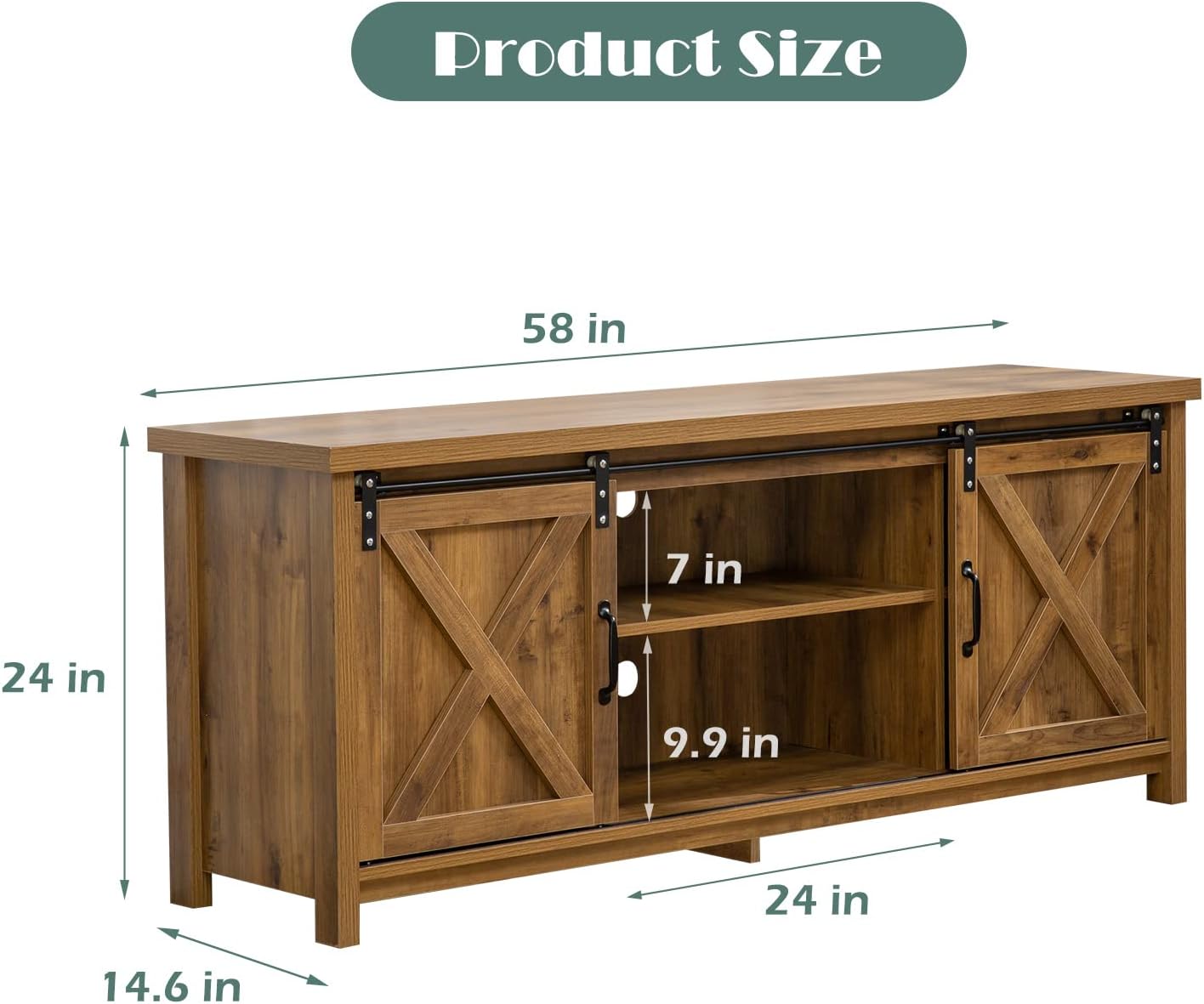
Image 3.1: Product Dimensions. Ensure these dimensions fit your intended space.
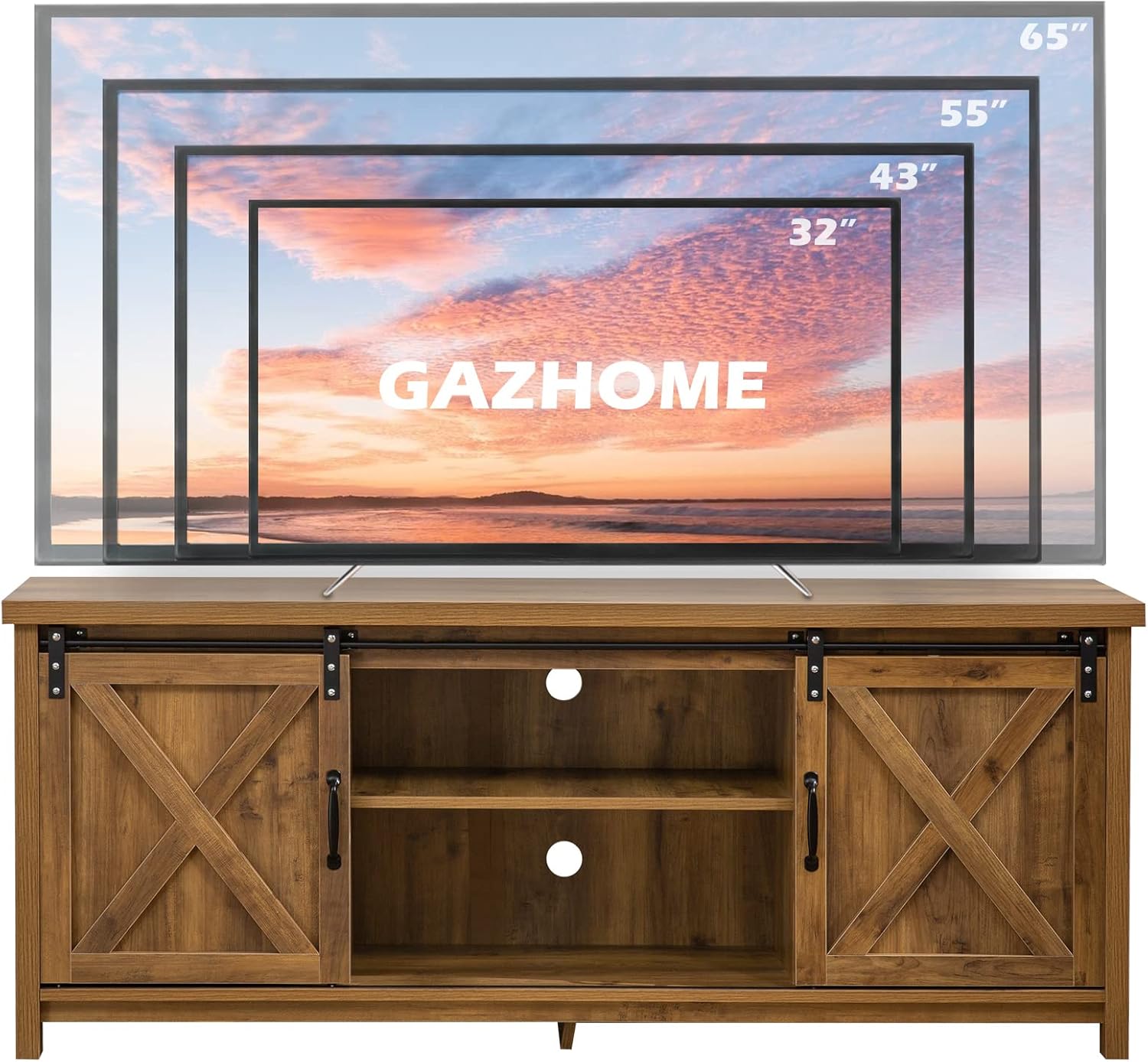
Image 3.2: TV Size Compatibility. The stand is designed for TVs up to 65 inches.
4. Operation
Sliding Barn Doors:
The TV stand features two sliding barn doors that move smoothly along a steel rail. These doors can be positioned to conceal either the central open shelves or the side storage cabinets, allowing you to customize the look and access to your media components and stored items.
- To open or close, gently slide the door along the top rail using the integrated handles.
- Ensure no obstructions are in the path of the sliding doors.
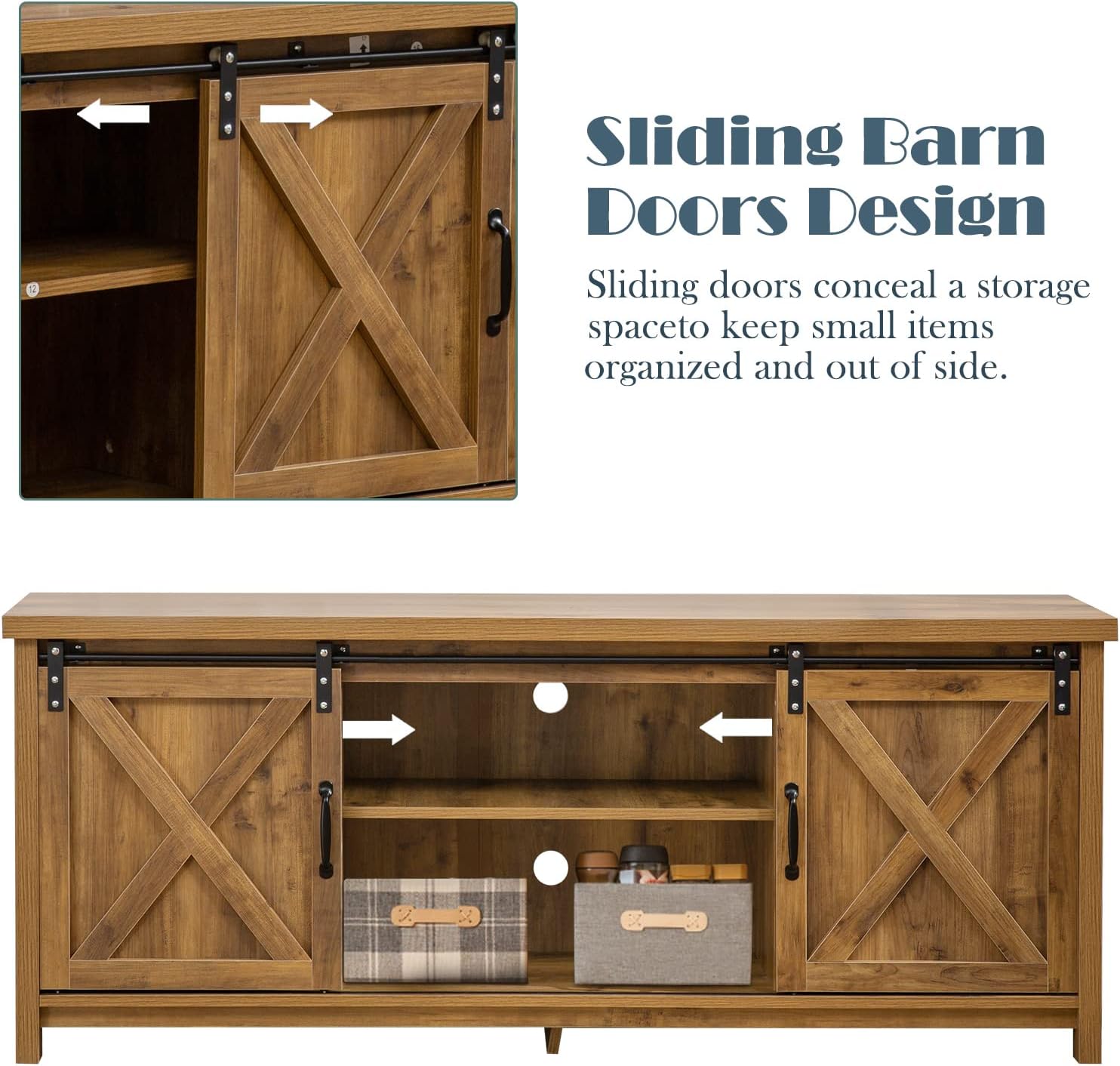
Image 4.1: Sliding Barn Doors Design. The doors offer flexible access and concealment.
Adjustable Shelves:
The internal shelves are adjustable, providing flexibility to accommodate various sizes of media devices, books, or decorative items. There are multiple pre-drilled holes to allow for different shelf heights.
- To adjust a shelf, remove any items from it.
- Carefully lift the shelf and reposition the shelf pins into the desired holes.
- Ensure all four shelf pins are securely inserted at the same height before placing the shelf back.

Image 4.2: Adjustable Shelves. Customize your storage space as needed.
5. Maintenance
Proper care will help maintain the appearance and extend the life of your GAZHOME TV stand.
- Cleaning: For general cleaning, wipe the surfaces with a soft, dry cloth. For more stubborn marks, use a slightly damp cloth and immediately wipe dry.
- Avoid Harsh Chemicals: Do not use abrasive cleaners, strong detergents, or polishes that contain silicone, as these can damage the finish.
- Spills: Wipe up spills immediately with a clean, dry cloth to prevent staining or damage to the wood material.
- Sunlight Exposure: Avoid prolonged exposure to direct sunlight, which can cause fading or discoloration over time.
- Heat Sources: Keep the TV stand away from direct heat sources like radiators or fireplaces to prevent warping or cracking.
6. Troubleshooting
If you encounter any issues with your TV stand, refer to the following common troubleshooting tips:
- Wobbly or Unstable Stand:
- Ensure all screws and fasteners are securely tightened. Do not overtighten.
- Verify that the stand is placed on a level surface. Use furniture glides or shims if necessary to level the unit.
- Check that all components were assembled in the correct orientation as per the manual.
- Sliding Doors Not Moving Smoothly:
- Inspect the sliding rail for any debris or obstructions.
- Ensure the rail is properly installed and level.
- Check that the door hangers are correctly seated on the rail.
- Missing or Damaged Parts:
- Before assembly, carefully check all parts against the provided parts list.
- If any parts are missing or damaged upon arrival, contact GAZHOME customer support immediately for assistance.
- Difficulty with Assembly:
- Review the assembly manual diagrams carefully. Sometimes a small detail in the illustration can make a big difference.
- Do not force parts together. If a piece doesn't fit, re-check the step and orientation.
- Consider having a second person assist with assembly, especially for larger components.
7. Specifications
| Attribute | Detail |
|---|---|
| Brand | GAZHOME |
| Model Number | GA210410-YE00-01 |
| Color | Brown |
| Material | Wood (MDF) |
| Product Dimensions (L x W x H) | 58 x 24.7 x 24 inches |
| Item Weight | 78 pounds |
| Number of Shelves | 6 (including adjustable) |
| Number of Drawers | 4 (refers to internal compartments, not pull-out drawers) |
| Recommended TV Size | Up to 65 inches |
| Care Instructions | Wipe with Damp Cloth, Wipe with Dry Cloth |
| First Available Date | April 26, 2021 |
8. Warranty & Support
GAZHOME is committed to providing high-quality furniture and excellent customer service. We stand behind the quality of our products.
Customer Support:
If you have any questions regarding the assembly, operation, maintenance, or any other aspect of your GAZHOME Modern Farmhouse TV Stand, please do not hesitate to contact GAZHOME customer support. Our team is ready to assist you with any inquiries or concerns.
For contact information, please refer to the packaging or the official GAZHOME website.
Product Warranty:
Specific warranty details may vary. Please retain your proof of purchase and refer to the warranty information provided with your product packaging or on the official GAZHOME website for terms and conditions.


