
Introduction
Thank you for choosing the Ampeak 850W Power Inverter. This device converts 12V DC power from your vehicle's battery into 110V AC household power, allowing you to operate various electronic devices on the go. Please read this manual thoroughly before use to ensure safe and efficient operation.

Image: Ampeak 850W Power Inverter, a compact device designed to convert DC to AC power.
Safety Information
To prevent injury or damage to the inverter and connected devices, observe the following safety precautions:
- Ventilation: Ensure the inverter is placed in a well-ventilated area. Avoid direct sunlight or proximity to heat-sensitive materials to prevent overheating.
- Power Off Before Disconnecting: Always turn off the inverter's power switch and disconnect all electrical plugs before unplugging the inverter from its power source.
- Load Capacity: Do not exceed the inverter's continuous output power of 850 Watts. Overloading can damage the inverter and connected appliances.
- Dry Environment: Keep the inverter away from water, rain, and moisture.
- Proper Polarity: Connect the battery cables with correct polarity (red to positive, black to negative). Incorrect connection can cause severe damage.
- Children and Pets: Keep the inverter out of reach of children and pets.

Image: Diagram illustrating the inverter's safety features, including low-voltage, over-voltage, overheating, overload, and short-circuit protection.
Package Contents
Verify that all items are present in your package:
- One Ampeak 850W Power Inverter
- One Instruction Manual (this document)
- Two Battery Clip Cables (one red, one black)

Image: The Ampeak 850W Power Inverter shown with its instruction manual and battery clip cables.
Product Overview
Familiarize yourself with the components of your Ampeak 850W Power Inverter:

Image: Detailed view of the Ampeak 850W Power Inverter with key components labeled, including AC outlets, USB ports, power indicator, DC terminals, cooling fan, and power switch.
- Power Indicator Light: Illuminates to show the inverter's operational status.
- 2*2.1A USB Port: Provides 5V DC power for charging USB-compatible devices.
- AC Output Socket: Standard 110V AC outlets for connecting appliances.
- DC Positive Terminal (Red): Connects to the positive (+) terminal of the 12V battery.
- DC Negative Terminal (Black): Connects to the negative (-) terminal of the 12V battery.
- Intelligent Cooling Fan: Activates automatically to dissipate heat and maintain optimal operating temperature.
- Power Switch: Turns the inverter on or off.
Setup
Follow these steps to set up your power inverter:
- Placement: Choose a dry, cool, and well-ventilated location for the inverter. Ensure there is sufficient space around the unit for airflow, especially around the cooling fan.
- Battery Connection:
- Ensure the inverter's power switch is in the "OFF" position.
- Connect the red battery clip cable to the inverter's red DC Positive Terminal.
- Connect the black battery clip cable to the inverter's black DC Negative Terminal.
- Connect the other end of the red battery clip cable to the positive (+) terminal of your 12V battery.
- Connect the other end of the black battery clip cable to the negative (-) terminal of your 12V battery.
- Ensure all connections are secure and tight to prevent arcing or overheating.
- Initial Check: After connecting, double-check all connections for correct polarity and tightness.
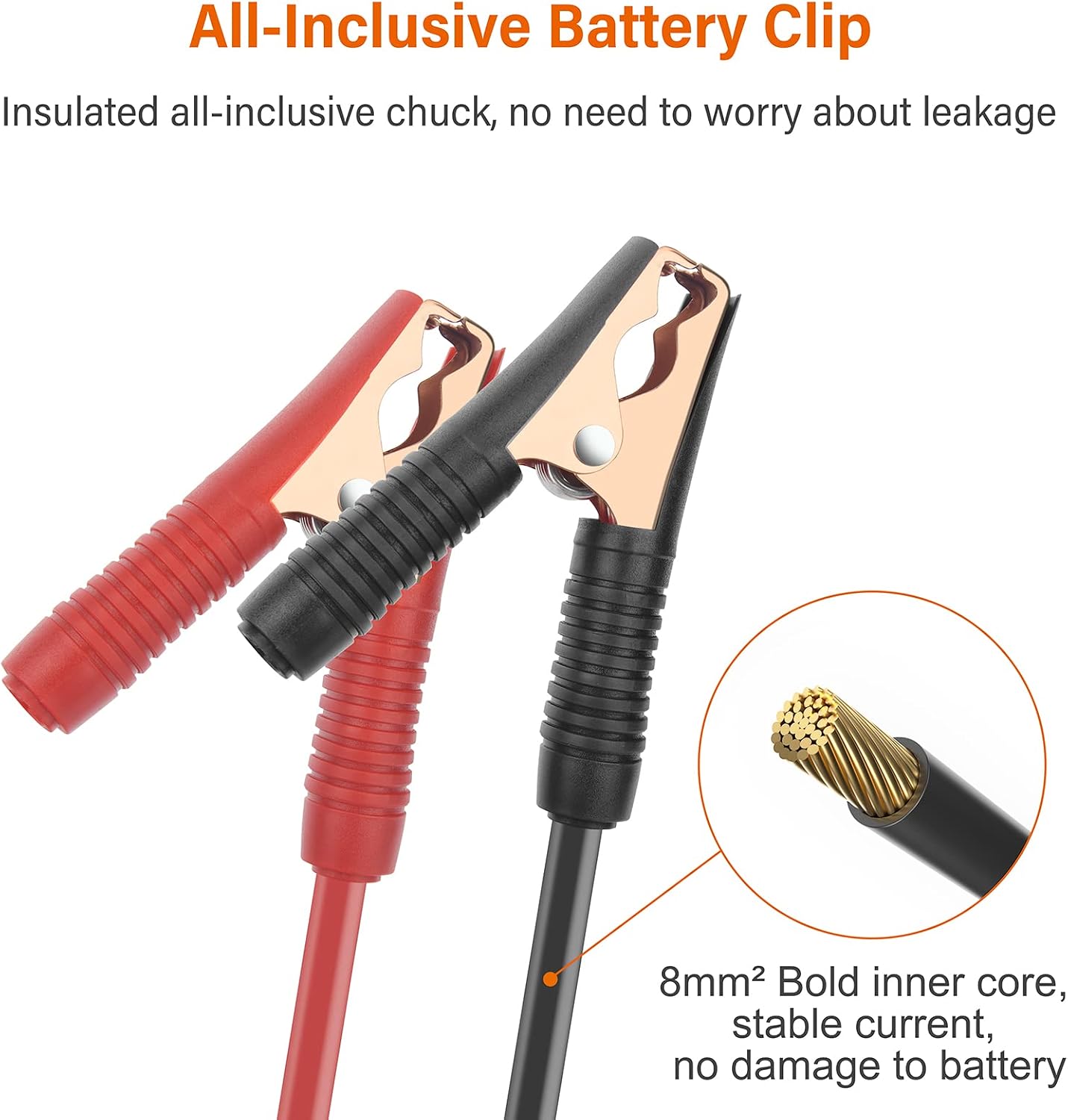
Image: Close-up of the insulated battery clip cables, highlighting the robust inner core for stable current delivery.
Video: An official Ampeak video demonstrating the connection process for the 850W power inverter to a battery.
Operating Instructions
Once the inverter is properly set up, follow these steps for operation:
- Power On: Flip the inverter's power switch to the "ON" position. The power indicator light should illuminate.
- Connect Devices: Plug your 110V AC appliances into the AC output sockets or USB devices into the USB ports.
- Monitor Load: Ensure the total wattage of all connected devices does not exceed 850 Watts. For devices with high startup surges (e.g., motors, refrigerators), ensure their surge wattage is within the inverter's peak capacity (3000W).
- Power Off: When finished, first turn off all connected appliances, then flip the inverter's power switch to the "OFF" position.

Image: Examples of various devices that can be powered by the Ampeak 850W Power Inverter, including phones, laptops, fans, and cameras.

Image: Graphs illustrating the Ampeak inverter's efficiency (reaching up to 86%) and its temperature performance under load.
Maintenance
Regular maintenance ensures the longevity and optimal performance of your inverter:
- Cleaning: Periodically clean the exterior of the inverter with a dry, soft cloth. Do not use abrasive cleaners or solvents.
- Ventilation: Ensure the cooling fan and ventilation openings are free from dust and debris. Blocked vents can lead to overheating.
- Cable Inspection: Regularly check battery cables and connections for any signs of wear, damage, or corrosion. Replace damaged cables immediately.
- Storage: When not in use for extended periods, store the inverter in a cool, dry place, disconnected from the battery.
Troubleshooting
If you encounter issues with your inverter, refer to the following common problems and solutions:
| Problem | Possible Cause | Solution |
|---|---|---|
| No power output / Inverter not turning on |
|
|
| Overload alarm / Inverter shuts down |
|
|
| Overheating alarm / Inverter shuts down |
|
|
| No USB output |
|
|
Specifications
Key technical specifications for the Ampeak 850W Power Inverter (Model PV8001):
| Feature | Specification |
|---|---|
| Brand | Ampeak |
| Model Number | PV8001 |
| Output Power (Continuous) | 850 Watts |
| Peak Power (Surge) | 3000 Watts |
| Input Voltage | 12 Volts DC |
| Output Voltage | 110 Volts AC |
| USB Output | 2 x 2.1A (5V DC) |
| Total Power Outlets | 4 (2 AC, 2 USB) |
| Product Dimensions (L x W x H) | 7.5" x 3.8" x 2" |
| Item Weight | 815 Grams |
| Power Source | Battery Powered |
Warranty and Support
Warranty: This Ampeak 850W Power Inverter (Model PV8001) comes with an 18-month warranty from the date of purchase. This warranty covers manufacturing defects under normal use. It does not cover damage caused by misuse, accident, unauthorized modification, or improper installation.
Customer Support: For technical assistance, warranty claims, or any questions regarding your Ampeak product, please refer to the contact information provided on the Ampeak official website or your purchase documentation. Please have your model number (PV8001) and purchase date available when contacting support.


