
1. Introduction
This manual provides detailed instructions for installing and operating your LIGHTAILING LED Light Kit, designed specifically for the LEGO 42128 Technic Heavy-Duty Tow Truck model. This kit enhances your model with custom lighting, bringing new vitality to your building blocks. Please read all instructions carefully before beginning installation.
2. Package Contents
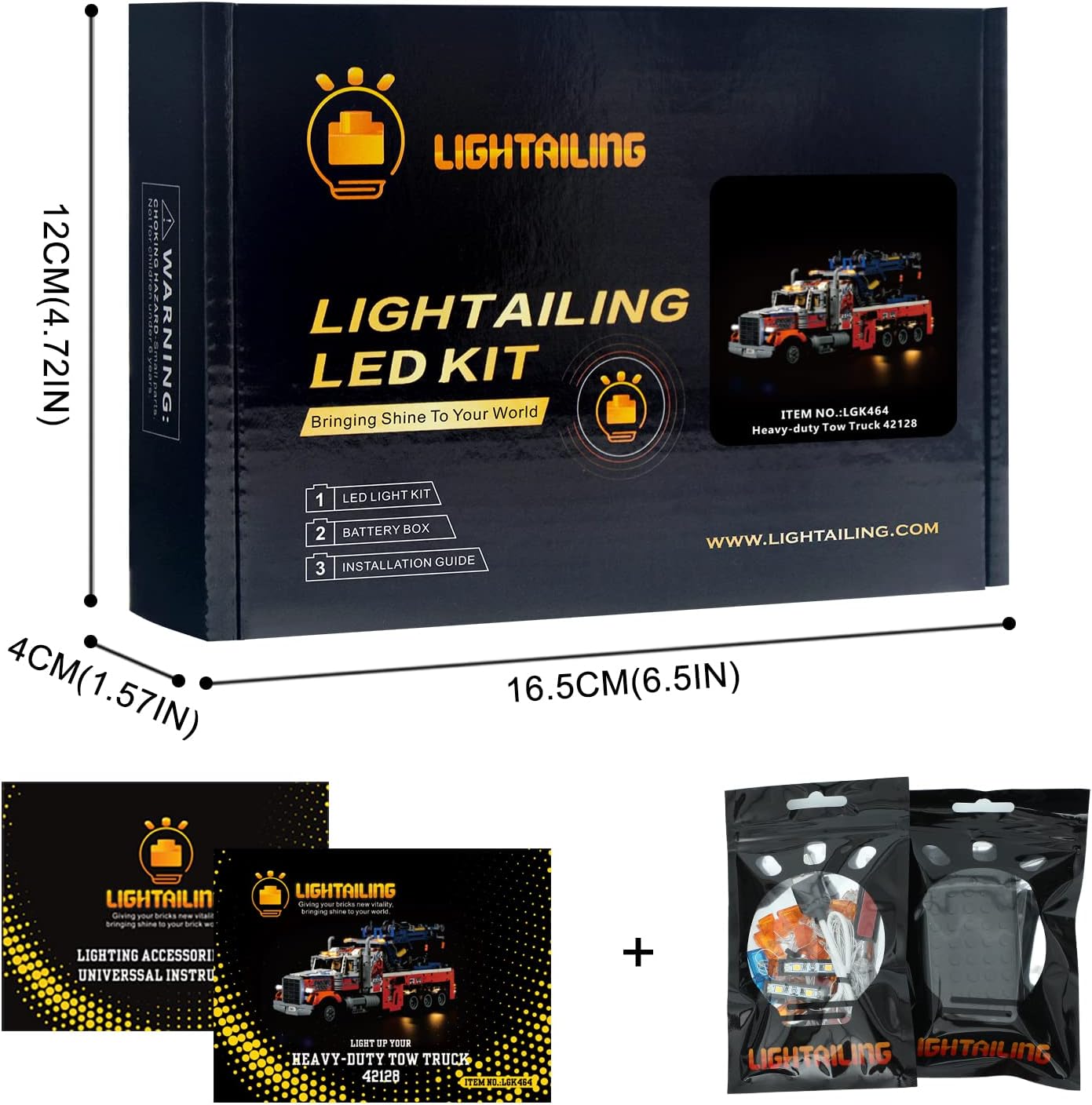
Your LIGHTAILING LED Light Kit package includes the following components:
- 1 USB Light Kit
- 1 Instruction Guide
- 1 Battery Box
- Various LED lights and connecting wires
Note: The LEGO 42128 Technic Heavy-Duty Tow Truck model is NOT included with this light kit.

3. Setup and Installation
The installation of the light set is done to your preference. Please install your LED light carefully, avoiding hard pulling, bending, or shaking of the wires and components.
3.1 Power Requirements
To power the light kit, you will need either three AA batteries (not included) for the battery box, or a USB charger. The voltage should be less than 5V to prevent damage to the lights.
3.2 General Installation Guidelines
- Prepare your LEGO model: Ensure your LEGO 42128 Technic Heavy-Duty Tow Truck model is fully assembled before installing the light kit.
- Identify placement: Refer to the included instruction guide and installation videos to determine the optimal placement for each LED light.
- Connect components: Carefully connect the LED lights to the main USB light kit and then to the battery box or USB power source. Ensure all connections are secure.
- Route wires: Strategically route the wires to conceal them within the LEGO model's structure. Avoid pinching wires between bricks or moving parts.
- Test lights: Periodically test the lights during installation to ensure they are functioning correctly.
3.3 Installation Video Guide
For a detailed visual guide on the installation process, please refer to the official installation video below. This video covers specific steps for integrating the light kit with your LEGO 42128 model.
Video 3.1: LIGHTAILING Light for Lego 42128 Installation Video Part 3. This video demonstrates the process of installing the LED light kit onto the LEGO Technic Heavy-Duty Tow Truck model, focusing on wiring and component placement.
Additional product overview video:
Video 3.2: LIGHTAILING Led Light FOR Lego 42128. This video provides a general overview of the light kit and its effects on the LEGO Technic Heavy-Duty Tow Truck model.
4. Operating Instructions
Once the light kit is fully installed and connected to a power source (either 3 AA batteries in the battery box or a 5V USB charger), the lights will illuminate. There are no complex controls; the system is designed for simple plug-and-play operation.


5. Maintenance
To ensure the longevity and optimal performance of your LIGHTAILING LED Light Kit, follow these maintenance guidelines:
- Handle with care: The LED lights and wires are delicate. Avoid excessive force, bending, or sharp tugs during handling and installation.
- Dusting: Regularly dust your LEGO model and light kit using a soft, dry cloth or a soft brush to prevent dust buildup, which can affect light brightness and component lifespan.
- Power source: If using batteries, replace them when the lights dim to maintain consistent brightness. If using a USB power source, ensure it provides a stable 5V output.
- Storage: If disassembling the model or storing the light kit, carefully disconnect and coil the wires to prevent tangling or damage.
6. Troubleshooting
If you encounter any issues with your LIGHTAILING LED Light Kit, please refer to the following common troubleshooting steps:
| Problem | Possible Cause | Solution |
|---|---|---|
| Lights do not turn on. |
|
|
| Some lights are dim or flickering. |
|
|
| Wires are visible or interfering with model functions. |
|
|
7. Specifications
| Feature | Detail |
|---|---|
| Brand | LIGHTAILING |
| Model Number | LGK464 |
| Compatible LEGO Set | LEGO 42128 Technic Heavy-Duty Tow Truck |
| Light Source Type | Light Emitting Diode (LED) |
| Material | Plastic |
| Power Source | Battery Powered (3 AA batteries required, not included) or USB Charger |
| Voltage | Less than 5 Volts (for USB) |
| Wattage | 0.03 Watts (per light source) |
| Mounting Type | Model Integration |
| Bulb Features | Handmade, Unique Design |
8. Warranty and Support
LIGHTAILING is specialized in custom-designed lighting kit toys and aims to supply customers with good products and quality services. While specific warranty details are not provided, if you have any problems or questions regarding your light kit, please do not hesitate to contact LIGHTAILING customer support. They are committed to assisting you for a happy shopping experience.
For support, please visit the LIGHTAILING Store on Amazon or refer to the contact information provided in your product packaging.